
Meta Box Settings Page Addon – WordPress Settings & Theme Options Builder
Verified from VirusTotal 100% Original Product and Virus Free. Free New Version Lifetime On Single Purchase. Unlimited Website Usage Price is in US dollars and included tax
Buy confidently with secure digital checkout, account-based downloads, and a cleaner WPPlugShop product experience.
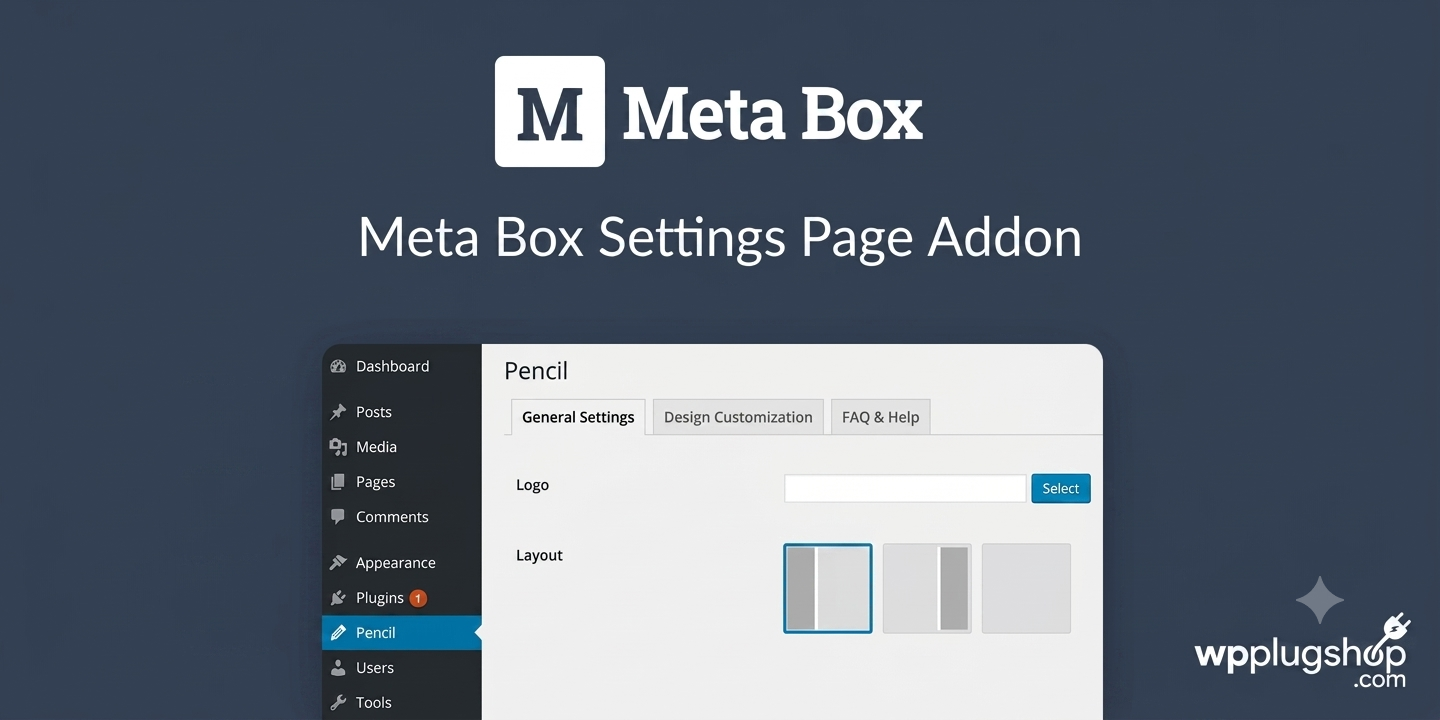
Preview Meta Box Settings Page Addon – WordPress Settings & Theme Options Builder
View the product artwork, switch gallery images, and open a larger preview before checkout.
Get secure digital access for real WordPress projects
This section summarizes the buying experience and what customers can expect after checkout.
Product overview, benefits, and digital access details
Review the key product details, practical use cases, and digital access information before checkout.
Product Overview
Meta Box Settings Page Addon is a powerful extension for the Meta Box ecosystem that enables developers to create professional WordPress settings pages, theme options panels, plugin configuration screens, and custom admin interfaces using familiar Meta Box fields and workflows.
Instead of manually working with the WordPress Settings API, this addon streamlines development by allowing you to build scalable, user-friendly administration areas with tabs, sections, custom menus, multisite support, and seamless integration with other Meta Box extensions.
Whether you're building client websites, WooCommerce stores, custom themes, SaaS dashboards, membership platforms, or enterprise WordPress solutions, the Meta Box Settings Page Addon helps deliver cleaner code, faster deployment, and a more consistent administrative experience.
Why This Product Is Useful
Creating custom settings pages in WordPress traditionally involves significant development time, repetitive code, and direct interaction with the WordPress Settings API. The Meta Box Settings Page Addon simplifies this process by leveraging the same field architecture already used throughout the Meta Box ecosystem.
Developers can build advanced theme options, plugin settings panels, white-label dashboards, and multisite configuration screens without reinventing administrative interfaces for every project.
- Reduce development time for complex WordPress projects.
- Create native-looking admin experiences.
- Maintain consistency across themes and plugins.
- Support scalable client and agency workflows.
- Centralize configuration management.
- Build reusable settings frameworks.
Key Features
- Unlimited Custom Settings Pages for themes, plugins, and business applications.
- Theme Options Panels using native Meta Box field types.
- Plugin Configuration Interfaces with structured administration layouts.
- Tabbed Navigation Systems for organizing large numbers of settings.
- Multi-Level Admin Menus with parent and child pages.
- WordPress Multisite Support for network-wide configurations.
- Customizer Integration for dynamic front-end adjustments.
- Compatibility with Other Meta Box Extensions including MB Tabs, MB Columns, and MB Conditional Logic.
- Help Tabs and Documentation Areas for improved user guidance.
- Native WordPress UI Patterns that feel familiar to administrators and clients.
Main Benefits
- Accelerates WordPress development workflows.
- Reduces dependency on custom Settings API code.
- Creates cleaner and more maintainable projects.
- Improves client usability through organized interfaces.
- Supports white-label agency implementations.
- Enhances WooCommerce administration experiences.
- Provides scalable architecture for large websites.
- Enables rapid deployment of custom functionality.
Best Use Cases
- Theme options frameworks.
- WooCommerce store configuration panels.
- Membership and subscription platforms.
- Custom plugin settings interfaces.
- White-label client dashboards.
- Multisite network administration.
- Dynamic content management systems.
- Agency-built enterprise WordPress solutions.
- Custom SaaS applications powered by WordPress.
Who Should Use This Product?
- WordPress developers.
- Freelancers creating custom client projects.
- Digital agencies managing multiple websites.
- WooCommerce developers.
- Theme authors.
- Plugin creators.
- Multisite administrators.
- Businesses building internal WordPress tools.
- Advanced no-code builders using Meta Box Builder.
WP Plug Shop Access Benefits
- Instant Digital Access for faster project deployment.
- GPL-friendly availability suitable for professional workflows.
- Scanned files for additional confidence.
- Secure checkout processes for agencies and businesses.
- Budget-conscious access for developers and freelancers.
- WordPress-ready resources designed for real-world implementations.
Product Details
| Attribute | Details |
|---|---|
| Product Name | Meta Box Settings Page Addon |
| Category | WordPress Developer Extension |
| Plugin Type | Settings Page & Theme Options Builder |
| Dependency | Requires Meta Box Core Plugin |
| Primary Platform | WordPress |
| WooCommerce Compatibility | Useful for custom store administration and settings panels |
| Multisite Support | Yes |
| Ideal Users | Developers, agencies, theme creators, and freelancers |
Feature Comparison
| Capability | Manual WordPress Settings API | Meta Box Settings Page Addon |
|---|---|---|
| Custom Settings Pages | Requires Coding | Built-In Support |
| Theme Options Panels | Manual Development | Yes |
| Tabbed Interfaces | Custom Implementation | Native Integration |
| Multisite Settings | Advanced Development | Supported |
| Meta Box Field Compatibility | No | Full Support |
| Customizer Integration | Separate Development | Available |
| Development Speed | Moderate to Slow | Fast & Scalable |
Pros and Considerations
| Pros | Considerations |
|---|---|
| Speeds up custom WordPress development. | Requires the Meta Box core plugin. |
| Provides native WordPress administration experiences. | Best suited for users familiar with Meta Box workflows. |
| Excellent for agency and enterprise projects. | Advanced implementations may still require developer knowledge. |
| Strong multisite and WooCommerce potential. | Some integrations depend on other Meta Box extensions. |
| Reduces maintenance and repetitive coding. | Project architecture should be planned carefully for large systems. |
Final Verdict
Meta Box Settings Page Addon is one of the most efficient solutions for creating custom WordPress settings pages, theme options frameworks, plugin administration screens, and multisite configuration interfaces.
For agencies, freelancers, WooCommerce developers, and advanced WordPress builders, it delivers a faster, cleaner, and more scalable alternative to manually managing the WordPress Settings API while maintaining a completely native administrative experience.
WP Plug Shop provides secure, GPL-friendly digital access to this professional development resource, making it an excellent addition to modern WordPress workflows and long-term project architectures.
Frequently Asked Questions
What is the Meta Box Settings Page Addon?
The Meta Box Settings Page Addon is a premium extension for the Meta Box ecosystem that allows developers to create custom WordPress settings pages, theme options panels, plugin configuration screens, and administrative dashboards using Meta Box fields and interfaces.
Do I need the Meta Box core plugin to use this addon?
Yes. The addon requires the Meta Box core plugin because it extends the existing field framework and administrative capabilities provided by the Meta Box ecosystem.
Can I create unlimited settings pages in WordPress?
Yes. Developers can build multiple settings pages, nested menus, theme options sections, and plugin configuration panels to organize complex projects and client requirements.
Is the Meta Box Settings Page Addon suitable for WooCommerce projects?
Absolutely. WooCommerce developers can use it to create custom store settings, product configuration panels, vendor dashboards, membership options, and other tailored administrative experiences.
Does this addon support WordPress Multisite installations?
Yes. It supports network-wide settings pages and administration tools, making it valuable for agencies and organizations managing multiple WordPress websites from a centralized environment.
Can I create theme options panels with Meta Box Settings Page Addon?
Yes. One of the primary use cases is building professional theme options frameworks with tabs, sections, custom fields, and organized configuration screens that match native WordPress interfaces.
How does it compare with ACF Options Pages or Redux Framework?
The Meta Box Settings Page Addon offers tight integration with the broader Meta Box ecosystem, reusable field structures, native user experiences, multisite capabilities, and compatibility with extensions such as MB Tabs and MB Conditional Logic.
Can agencies build white-label client dashboards using this extension?
Yes. Agencies frequently use custom settings pages to simplify client experiences, centralize website controls, and provide branded administrative interfaces without exposing unnecessary technical options.
Does it work alongside Elementor and dynamic content workflows?
Yes. While not an Elementor addon, it complements dynamic content projects by providing centralized management interfaces for templates, reusable settings, and site-wide configuration values.
What advantages does WP Plug Shop provide for this product?
WP Plug Shop offers secure checkout, instant digital access, scanned files, and GPL-friendly availability, helping developers, freelancers, and agencies obtain practical WordPress resources for professional projects.
Quick product answers for buyers and AI search
Clear product answers help buyers, search engines, and AI answer engines understand this product faster.
Best ways to use this WordPress digital product
These use cases help buyers quickly decide if this product fits their workflow.
How digital access works
No physical shipping is required. This is a digital product access purchase designed for account-based downloads.
Secure payment options for digital checkout
WPPlugShop supports trusted checkout options so buyers can complete digital purchases with more confidence.
Frequently asked questions
Buyer-focused answers about digital access, secure payments, downloads, support, and product usage.
Related WordPress tools you may also like
Explore related WordPress tools that may support the same workflow, website type, or project goal.


Choose the right WordPress tool with confidence
Request a product, explore membership access, or contact support if you want help choosing the right WordPress digital product before checkout.