
Tooltips for WPForms – WP Monks WPForms Tooltip Addon
Verified from VirusTotal 100% Original Product and Virus Free. Free New Version Lifetime On Single Purchase. Unlimited Website Usage Price is in US dollars and included tax
Buy confidently with secure digital checkout, account-based downloads, and a cleaner WPPlugShop product experience.
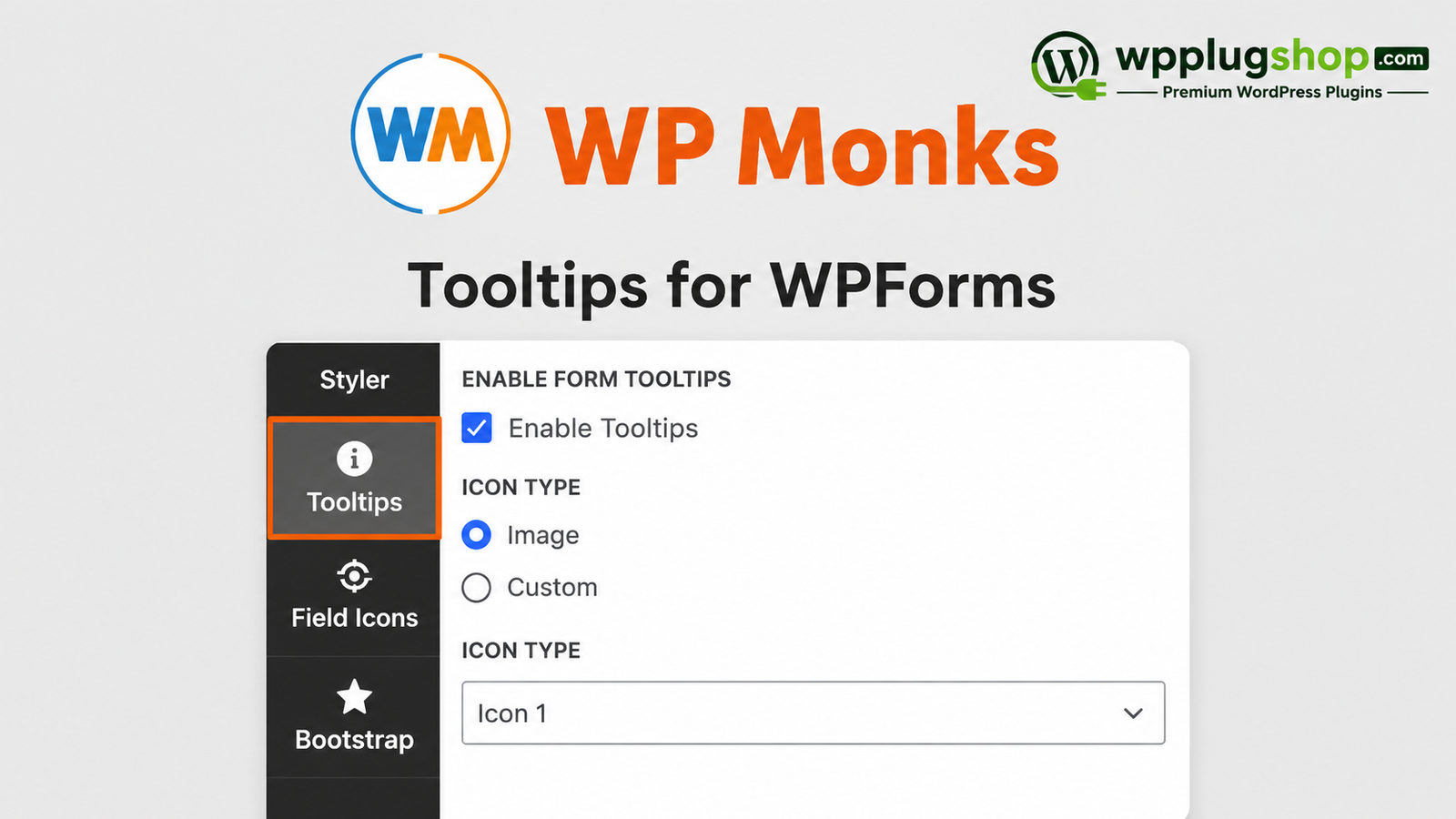
Preview Tooltips for WPForms – WP Monks WPForms Tooltip Addon
View the product artwork, switch gallery images, and open a larger preview before checkout.
Get secure digital access for real WordPress projects
This section summarizes the buying experience and what customers can expect after checkout.
Product overview, benefits, and digital access details
Review the key product details, practical use cases, and digital access information before checkout.
Product Overview
Tooltips for WPForms – WP Monks 3.3 is a premium WPForms extension that lets you add beautiful, customizable tooltips to form field labels. Instead of overcrowding your forms with long descriptions, you can display helpful information through elegant tooltip icons that appear only where needed.
Whether you're building contact forms, registration forms, quote requests, surveys, booking forms, or WooCommerce inquiry forms, this add-on helps visitors understand each field more easily, resulting in a cleaner interface, improved user experience, and higher form completion rates.
Why This Product Is Useful
Visitors often abandon forms when they don't understand what information is required. Long field descriptions can clutter your forms and negatively impact the overall design. Tooltips for WPForms solves this by displaying concise guidance inside attractive pop-up tooltips, allowing users to access help only when needed.
This extension is an excellent solution for businesses, agencies, freelancers, educators, membership sites, and WooCommerce stores that want to create professional, user-friendly WordPress forms.
- Add helpful tooltips to WPForms field labels.
- Reduce user confusion during form completion.
- Keep forms clean and visually organized.
- Improve overall user experience (UX).
- Increase form completion and conversion rates.
- Create professional-looking WordPress forms without custom coding.
Key Features
- Add tooltips to WPForms field labels.
- Multiple tooltip icon styles.
- Responsive design for desktop, tablet, and mobile devices.
- Custom tooltip themes and styling.
- Adjustable tooltip icon size.
- Custom spacing between label and tooltip icon.
- Configurable tooltip width.
- Tooltip positioning (Top, Bottom, Left, Right).
- Smooth tooltip animation effects.
- Display tooltip icons only on selected fields.
- Live preview while customizing.
- Simple integration with supported WPForms layouts.
Main Benefits
- Create more user-friendly forms.
- Improve visitor confidence while filling out forms.
- Reduce unnecessary support requests.
- Increase form submission rates.
- Maintain clean and professional form layouts.
- Enhance the overall user experience.
- Customize tooltips to match your website branding.
- Improve accessibility for complex forms.
- Works well for business, WooCommerce, and membership websites.
- No coding knowledge required.
Best Use Cases
- Contact forms
- Registration forms
- Booking forms
- Quote request forms
- Membership signup forms
- WooCommerce inquiry forms
- Support request forms
- Application forms
- Survey forms
- Lead generation forms
- Course enrollment forms
- Customer feedback forms
Who Should Use This Product?
- WordPress website owners
- WPForms users
- WooCommerce store owners
- Freelancers
- Digital agencies
- Developers
- Marketing professionals
- Membership website owners
- Educational websites
- Small businesses
WP Plug Shop Access Benefits
- Instant digital access after purchase.
- GPL-friendly downloadable files.
- Secure checkout experience.
- Files scanned before distribution.
- Suitable for real WordPress projects.
- Affordable solution for freelancers, agencies, and businesses.
- Growing library of premium WordPress plugins and tools.
Product Details
| Feature | Details |
|---|---|
| Product Name | Tooltips for WPForms – WP Monks |
| Version | 3.3 |
| Product Type | WPForms Add-on |
| Platform | WordPress |
| Compatible Form Builder | WPForms |
| Primary Function | Add Interactive Tooltips to Form Fields |
| Customization | Icons, Themes, Width, Position, Animation & Styling |
| Responsive | Yes |
| Live Preview | Supported |
| Best For | Professional WordPress Forms |
Feature Comparison
| Feature | Tooltips for WPForms – WP Monks 3.3 | Standard WPForms |
|---|---|---|
| Interactive Tooltips | ✔ | ✘ |
| Custom Tooltip Icons | ✔ | ✘ |
| Tooltip Themes | ✔ | Limited |
| Animation Effects | ✔ | ✘ |
| Tooltip Position Control | ✔ | ✘ |
| Responsive Design | ✔ | Basic |
| Professional Form Guidance | ✔ | Limited |
Pros and Considerations
| Pros | Considerations |
|---|---|
| Creates cleaner and more professional forms. | Requires WPForms. |
| Improves user experience and usability. | May require Styler for WPForms depending on your setup. |
| Easy visual customization. | Designed specifically for supported WPForms environments. |
| Responsive across all devices. | Advanced styling depends on your active theme and configuration. |
| No coding required. | Tooltip content must be configured for each desired field. |
Final Verdict
Tooltips for WPForms – WP Monks 3.3 is an excellent enhancement for anyone building professional WordPress forms with WPForms. By adding responsive, customizable tooltips to form labels, it helps visitors complete forms with greater confidence while maintaining a clean and modern design.
Whether you're creating contact forms, booking forms, WooCommerce inquiry forms, registrations, surveys, or lead generation forms, this add-on improves usability, reduces confusion, and delivers a better overall experience for your website visitors.
Frequently Asked Questions
1. What is Tooltips for WPForms – WP Monks 3.3?
Tooltips for WPForms – WP Monks 3.3 is a premium WPForms add-on that lets you display interactive tooltips beside form field labels. It helps users understand what information is required without cluttering your forms with lengthy descriptions.
2. Do I need WPForms to use this add-on?
Yes. This extension is designed to work with WPForms and requires the WPForms plugin to be installed and activated on your WordPress website.
3. Does this plugin require Styler for WPForms?
Yes. Tooltips for WPForms is an extension for Styler for WPForms, so the Styler for WPForms plugin must also be installed and active to use its tooltip features.
4. Can I customize the appearance of tooltips?
Yes. You can customize tooltip icons, themes, colors, positioning, width, spacing, animation effects, and other styling options to match your website's design and branding.
5. Is Tooltips for WPForms mobile responsive?
Yes. The tooltip system is fully responsive and works smoothly across desktops, tablets, and smartphones, ensuring a consistent user experience on all devices.
6. Can I add tooltips only to specific form fields?
Yes. You can choose which WPForms fields display tooltip icons, allowing you to provide additional guidance only where users may need extra information.
7. Will tooltips improve form completion rates?
Helpful tooltips can reduce user confusion and make forms easier to complete. While results vary depending on your form design and audience, clear field guidance often contributes to a better user experience and may encourage more successful submissions.
8. Is this add-on compatible with WooCommerce and Elementor websites?
Yes. Since WPForms can be used alongside WooCommerce and embedded within Elementor pages, the tooltip functionality can also be used in these environments when properly configured.
9. Who should use Tooltips for WPForms?
This add-on is ideal for businesses, freelancers, agencies, bloggers, WooCommerce store owners, membership websites, educational platforms, and anyone who wants to create more intuitive and user-friendly WordPress forms.
10. Why choose Tooltips for WPForms from WP Plug Shop?
WP Plug Shop provides secure digital downloads, GPL-friendly access, scanned files, and an expanding collection of premium WordPress plugins and add-ons. It's a practical choice for developers, agencies, and website owners looking for reliable tools to enhance their WordPress projects.
Quick product answers for buyers and AI search
Clear product answers help buyers, search engines, and AI answer engines understand this product faster.
Best ways to use this WordPress digital product
These use cases help buyers quickly decide if this product fits their workflow.
How digital access works
No physical shipping is required. This is a digital product access purchase designed for account-based downloads.
Secure payment options for digital checkout
WPPlugShop supports trusted checkout options so buyers can complete digital purchases with more confidence.
Frequently asked questions
Buyer-focused answers about digital access, secure payments, downloads, support, and product usage.
Related WordPress tools you may also like
Explore related WordPress tools that may support the same workflow, website type, or project goal.


Choose the right WordPress tool with confidence
Request a product, explore membership access, or contact support if you want help choosing the right WordPress digital product before checkout.