
Thrive Automator – No-Code WordPress Workflow Automation & Plugin Integration Tool
Verified from VirusTotal 100% Original Product and Virus Free. Free New Version Lifetime On Single Purchase. Unlimited Website Usage Price is in US dollars and included tax
Buy confidently with secure digital checkout, account-based downloads, and a cleaner WPPlugShop product experience.
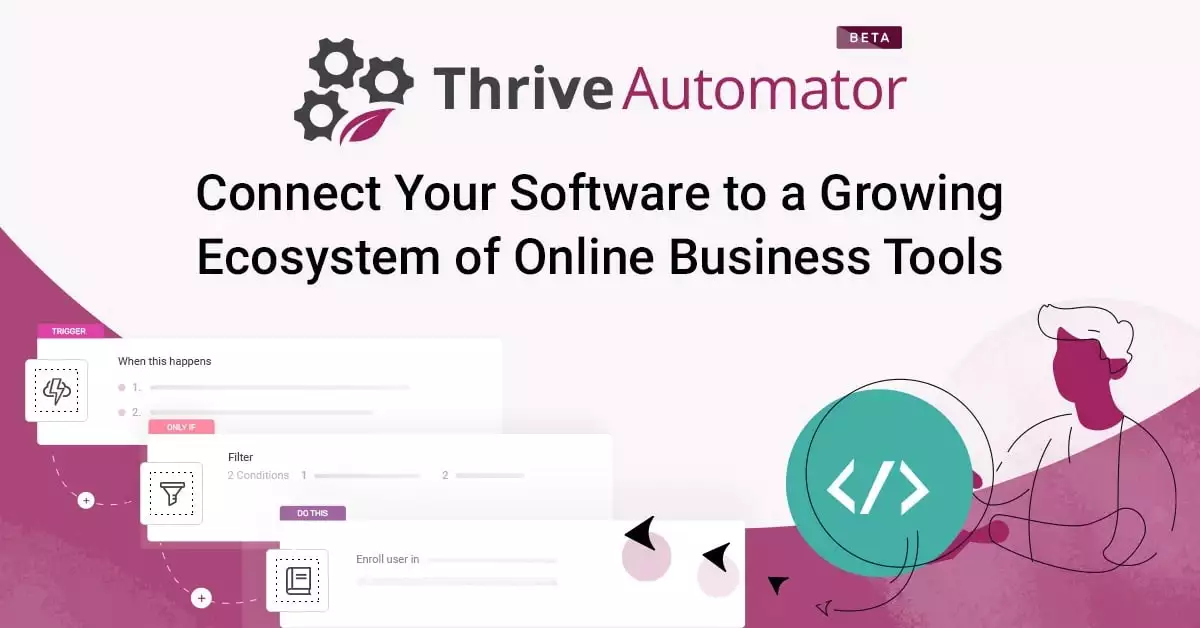
Preview Thrive Automator – No-Code WordPress Workflow Automation & Plugin Integration Tool
View the product artwork, switch gallery images, and open a larger preview before checkout.
Get secure digital access for real WordPress projects
This section summarizes the buying experience and what customers can expect after checkout.
Product overview, benefits, and digital access details
Review the key product details, practical use cases, and digital access information before checkout.
Product Overview
Thrive Automator 10.6.1.1 is a powerful no-code WordPress automation plugin designed to connect your favorite plugins, email marketing tools, WooCommerce store, CRM systems, and marketing platforms into a single automated workflow system.
It enables you to build smart “if-this-then-that” automation rules that trigger actions instantly across your WordPress ecosystem, helping you save time and scale your marketing, sales, and customer engagement processes.
Why This Product Is Useful
Most WordPress websites rely on multiple disconnected tools—email marketing, WooCommerce, landing pages, CRMs, and membership plugins that don’t communicate automatically.
Thrive Automator solves this by creating a central automation layer that connects everything together and eliminates manual work from your workflows.
Key Features
- Visual no-code automation builder
- Trigger-based workflow system (IF this → THEN that logic)
- Integration with email marketing platforms
- WooCommerce automation triggers (orders, purchases, cart actions)
- User behavior tracking and automation rules
- CRM and lead management integration
- Tagging and segmentation automation
- Webhook support for external tools
- Membership and course platform integration
- Thrive Suite ecosystem integration
- Conditional logic automation workflows
- Lead capture and nurturing automation
Main Benefits
- Save Time: Automate repetitive WordPress tasks
- Increase Conversions: Trigger instant marketing actions
- Better Funnel Control: Automate entire customer journeys
- No Coding Required: Build workflows visually
- Improved Efficiency: Connect all plugins into one system
Best Use Cases
- Automated email marketing funnels
- WooCommerce purchase-based automation
- Lead capture and email sequence automation
- Membership onboarding workflows
- Online course enrollment automation
- CRM lead tagging and segmentation
- Digital product delivery automation
Who Should Use This Product?
Thrive Automator is ideal for marketers, WooCommerce store owners, agencies, and course creators who want to automate their entire WordPress ecosystem without relying on external tools or complex coding.
WP Plug Shop Access Benefits
- Instant digital download access after purchase
- Cost-effective automation solution for WordPress
- Reusable across multiple websites and client projects
- Secure and verified digital files
- Perfect for agencies building scalable funnels
Product Details
| Product Name | Thrive Automator |
|---|---|
| Version | 10.6.1.1 |
| Type | WordPress Automation & Integration Plugin |
| Main Function | No-code workflow automation system |
| Core Use | Plugin, email, WooCommerce & CRM integration automation |
Feature Comparison
| Feature | Manual WordPress Setup | Thrive Automator |
|---|---|---|
| Plugin Integration | Manual / Limited | Automated connections |
| Email Marketing | Manual sync required | Automatic triggers & actions |
| WooCommerce Actions | Basic workflow only | Advanced automation triggers |
| Workflow Setup | Complex / code-based | Visual no-code builder |
Pros and Considerations
| Pros | Considerations |
|---|---|
| Powerful automation for WordPress | Requires initial setup learning |
| No-code workflow builder | Advanced features depend on integrations |
| Improves marketing efficiency | Works best with multiple plugins installed |
| Strong WooCommerce integration | May require external tools for full ecosystem |
Final Verdict
Thrive Automator 10.6.1.1 is a must-have automation tool for WordPress users who want to connect plugins, automate marketing workflows, and eliminate repetitive manual tasks.
If you want to build scalable funnels, improve conversions, and fully automate your WordPress ecosystem, this plugin is a powerful and future-ready solution.
Frequently Asked Questions
What is Thrive Automator used for?
Thrive Automator is used to connect WordPress plugins, email marketing tools, WooCommerce, and CRM systems through automated workflows without coding.
Do I need coding skills to use Thrive Automator?
No, it is a no-code automation tool that allows you to build workflows visually using trigger and action rules.
Can I use Thrive Automator with WooCommerce?
Yes, it supports WooCommerce triggers such as purchases, orders, and cart actions to automate marketing and customer workflows.
Which email marketing tools can I integrate?
It can connect with popular email marketing platforms and allow automation for tagging, segmentation, and email triggers depending on available integrations.
Can I automate customer onboarding?
Yes, you can create workflows that automatically onboard users into memberships, courses, or email sequences after they sign up or purchase.
Does Thrive Automator work with other plugins?
Yes, it is designed to integrate with multiple WordPress plugins including Thrive Suite tools and third-party services via webhooks.
Is it suitable for beginners?
Yes, beginners can use it, but understanding basic automation logic (IF this → THEN that) will help you build better workflows.
Can it improve sales and conversions?
Yes, by automating follow-ups, email campaigns, and customer journeys, it helps improve engagement and conversion rates.
Does it slow down my website?
No, it is optimized for performance and only runs automation tasks when triggers are activated.
Can I connect external tools not supported natively?
Yes, you can use webhooks to connect external services and extend automation beyond built-in integrations.
Quick product answers for buyers and AI search
Clear product answers help buyers, search engines, and AI answer engines understand this product faster.
Best ways to use this WordPress digital product
These use cases help buyers quickly decide if this product fits their workflow.
How digital access works
No physical shipping is required. This is a digital product access purchase designed for account-based downloads.
Secure payment options for digital checkout
WPPlugShop supports trusted checkout options so buyers can complete digital purchases with more confidence.
Frequently asked questions
Buyer-focused answers about digital access, secure payments, downloads, support, and product usage.
Related WordPress tools you may also like
Explore related WordPress tools that may support the same workflow, website type, or project goal.




Choose the right WordPress tool with confidence
Request a product, explore membership access, or contact support if you want help choosing the right WordPress digital product before checkout.