
Everest Forms Mailchimp Integration Addon for WordPress – Automate Email List Growth & Lead Capture
Verified from VirusTotal 100% Original Product and Virus Free. Free New Version Lifetime On Single Purchase. Unlimited Website Usage Price is in US dollars and included tax
Buy confidently with secure digital checkout, account-based downloads, and a cleaner WPPlugShop product experience.
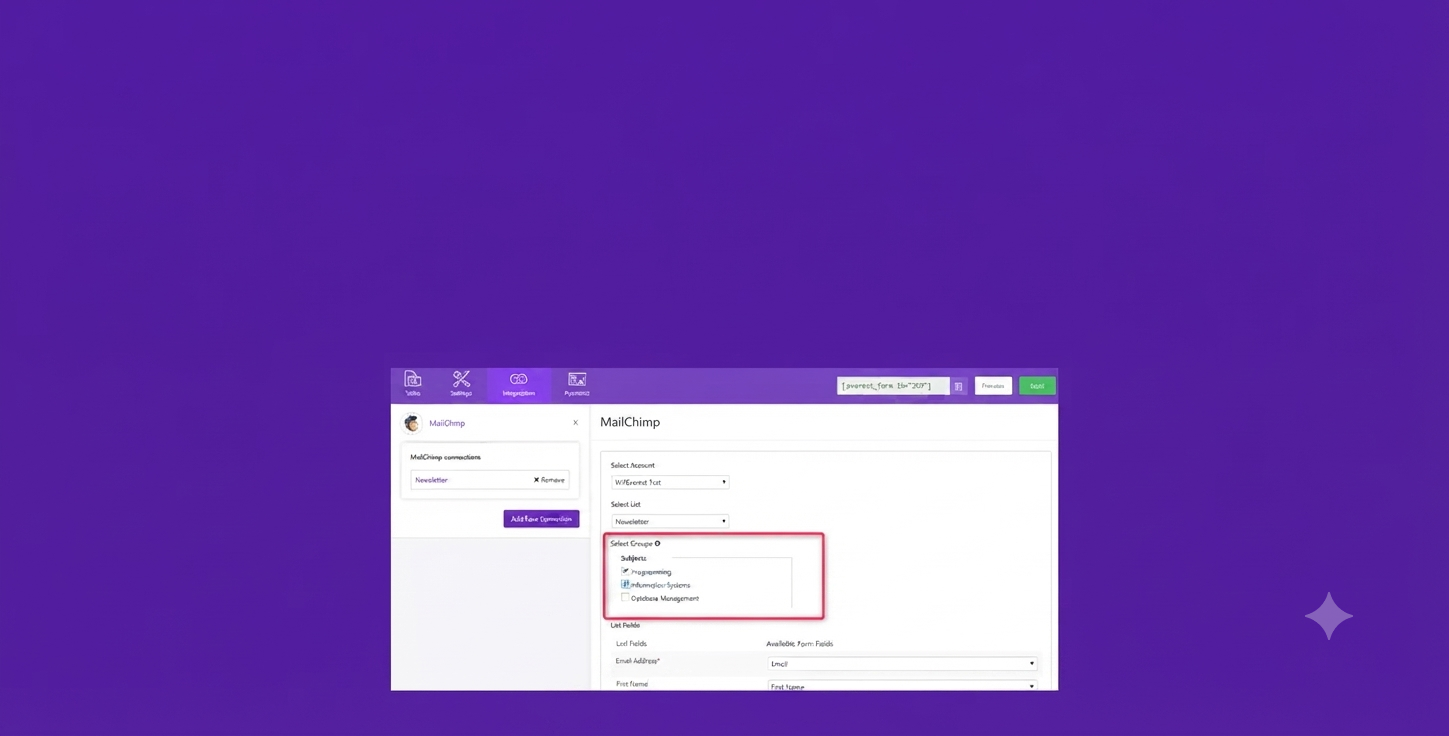
Preview Everest Forms Mailchimp Integration Addon for WordPress – Automate Email List Growth & Lead Capture
View the product artwork, switch gallery images, and open a larger preview before checkout.
Get secure digital access for real WordPress projects
This section summarizes the buying experience and what customers can expect after checkout.
Product overview, benefits, and digital access details
Review the key product details, practical use cases, and digital access information before checkout.
Product Overview
The Everest Forms Mailchimp Integration Addon is a powerful WordPress automation extension that connects your Everest Forms submissions directly to your Mailchimp email marketing system. It eliminates manual work by instantly syncing leads, subscribers, and form data into your selected Mailchimp audience lists.
This integration is built for marketers, agencies, and website owners who want to automate email list building, improve lead management, and create high-converting email funnels directly from WordPress forms without technical complexity.
Why This Product Is Useful
Without automation, form submissions often require manual export and import into email marketing platforms, which leads to delays, errors, and lost opportunities. This addon solves that by creating a direct, real-time connection between your WordPress forms and Mailchimp.
Every submission becomes a structured subscriber entry, helping you capture leads instantly and nurture them through automated email campaigns.
Key Features
- Direct Mailchimp API integration with Everest Forms
- Automatic subscriber syncing from form submissions
- Advanced field mapping for user data customization
- Mailchimp audience and group selection support
- Double opt-in email subscription support
- Conditional logic-based subscriber segmentation
- Multiple form-to-list connection support
- Secure API key-based authentication system
Main Benefits
- Automates your entire email list-building process
- Eliminates manual data entry and export tasks
- Improves lead capture speed and accuracy
- Enhances audience segmentation for better targeting
- Boosts email marketing ROI through instant engagement
- Reduces lost leads from delayed follow-ups
Best Use Cases
- Email newsletter signup forms on WordPress websites
- Lead generation landing pages built with Everest Forms
- WooCommerce product inquiry and customer capture forms
- Webinar registration and event signup systems
- Free resource download opt-in forms
- Service booking and consultation request forms
Who Should Use This Product?
- Digital marketers building automated email funnels
- WooCommerce store owners capturing customer leads
- Freelancers and agencies managing client websites
- Bloggers and content creators growing subscriber lists
- Businesses using Mailchimp for email marketing automation
WP Plug Shop Access Benefits
By accessing this addon through WP Plug Shop, users gain a cost-effective and practical way to integrate powerful WordPress tools into their workflow. It is ideal for developers and marketers looking for flexible digital resources for real-world WordPress projects.
- Instant digital access after purchase
- WordPress-ready installation package
- Secure checkout and verified digital delivery
- Ideal for agencies and freelancers managing multiple sites
Product Details
| Attribute | Details |
|---|---|
| Product Name | Everest Forms Mailchimp Integration Addon |
| Type | WordPress Plugin Addon |
| Integration | Mailchimp API |
| Primary Function | Email marketing automation & lead syncing |
| Compatibility | Everest Forms (WordPress) |
| Use Case | Lead generation, email automation, subscriber management |
Feature Comparison
| Feature | Manual Process | With This Addon |
|---|---|---|
| Lead Capture | Manual export/import | Instant automated sync |
| Data Accuracy | Prone to human error | Fully automated and structured |
| Speed | Delayed processing | Real-time subscriber addition |
| Segmentation | Manual list sorting | Automated conditional targeting |
Pros and Considerations
| Pros | Considerations |
|---|---|
| Easy Mailchimp integration | Requires active Mailchimp account |
| No coding required | Depends on Everest Forms plugin |
| Real-time lead syncing | Advanced features depend on setup |
| Improves marketing automation | Requires API configuration |
Final Verdict
The Everest Forms Mailchimp Integration Addon is an essential automation tool for anyone serious about email marketing in WordPress. It transforms static form submissions into a dynamic lead generation system that continuously feeds your Mailchimp campaigns with qualified subscribers.
For businesses focused on scaling email lists, improving conversion funnels, and automating marketing workflows, this addon delivers a reliable and efficient integration layer between WordPress and Mailchimp.
Frequently Asked Questions
What is the Everest Forms Mailchimp Integration Addon used for?
It is used to automatically connect your WordPress Everest Forms submissions with Mailchimp so that every new form entry is added as a subscriber to your email list without manual work.
Do I need coding skills to set up this Mailchimp integration?
No coding is required. The addon is designed for no-code setup using Mailchimp API credentials and simple form mapping inside the WordPress dashboard.
Can I send form submissions to multiple Mailchimp lists?
Yes, you can configure multiple forms or audiences depending on your marketing structure, allowing flexible list segmentation and campaign targeting.
Does this addon support Mailchimp groups and tags?
Yes, it supports audience segmentation features like groups and tags, helping you organize subscribers based on form responses and user behavior.
Is double opt-in supported for email subscriptions?
Yes, you can enable double opt-in to ensure compliance and improve email list quality by confirming subscriber consent before adding them to your audience.
Can I use conditional logic with Mailchimp integration?
Yes, conditional logic allows you to send specific users to different Mailchimp lists or segments based on their form responses.
Is this compatible with WooCommerce websites?
Yes, it works well with WooCommerce-powered websites, especially for capturing customer leads, inquiries, and post-purchase email automation workflows.
What happens if my Mailchimp API key changes?
You can update the API key in the plugin settings at any time, and the integration will continue working without losing existing configurations.
Does it slow down my WordPress website?
No, the integration is lightweight and uses Mailchimp’s API for external processing, which minimizes impact on your site performance.
Who should use this addon?
It is ideal for marketers, agencies, bloggers, and business owners who want to automate email list building and improve lead generation efficiency inside WordPress.
Quick product answers for buyers and AI search
Clear product answers help buyers, search engines, and AI answer engines understand this product faster.
Best ways to use this WordPress digital product
These use cases help buyers quickly decide if this product fits their workflow.
How digital access works
No physical shipping is required. This is a digital product access purchase designed for account-based downloads.
Secure payment options for digital checkout
WPPlugShop supports trusted checkout options so buyers can complete digital purchases with more confidence.
Frequently asked questions
Buyer-focused answers about digital access, secure payments, downloads, support, and product usage.
Related WordPress tools you may also like
Explore related WordPress tools that may support the same workflow, website type, or project goal.




Choose the right WordPress tool with confidence
Request a product, explore membership access, or contact support if you want help choosing the right WordPress digital product before checkout.