
FontPress – WordPress Font Manager Google & Custom Fonts Plugin
Verified from VirusTotal 100% Original Product and Virus Free. Free New Version Lifetime On Single Purchase. Unlimited Website Usage Price is in US dollars and included tax
Buy confidently with secure digital checkout, account-based downloads, and a cleaner WPPlugShop product experience.
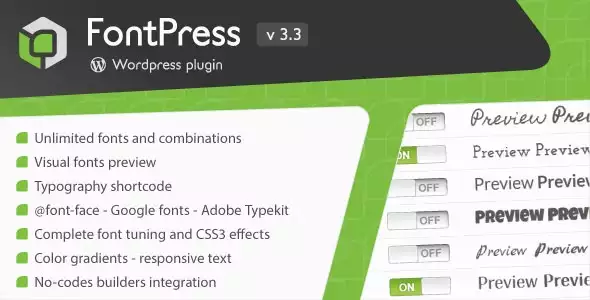
Preview FontPress – WordPress Font Manager Google & Custom Fonts Plugin
View the product artwork, switch gallery images, and open a larger preview before checkout.
Get secure digital access for real WordPress projects
This section summarizes the buying experience and what customers can expect after checkout.
Product overview, benefits, and digital access details
Review the key product details, practical use cases, and digital access information before checkout.
FontPress – WordPress Font Manager 3.4.7 | Google & Custom Fonts Plugin
FontPress – WordPress Font Manager 3.4.7 is a comprehensive typography management plugin that makes it easy to upload, organize, and apply custom fonts across your WordPress website. With support for Google Fonts, Adobe Fonts (Typekit), self-hosted fonts, and custom font libraries, FontPress gives you complete control over your website's typography without editing CSS or writing code.
Whether you're designing a business website, WooCommerce store, agency portfolio, blog, or landing page, FontPress helps you create consistent branding and professional typography through an intuitive WordPress dashboard.
Why Choose FontPress – WordPress Font Manager?
Managing website typography manually can be time-consuming and often requires CSS knowledge. FontPress simplifies the entire process by providing a centralized font management system where you can upload custom fonts, connect Google Fonts and Adobe Fonts, preview typography changes, and assign fonts to different website elements in just a few clicks.
The plugin is designed for beginners and professionals alike, offering flexibility, performance, and compatibility with popular WordPress themes and page builders.
Key Features
- Upload custom font files directly to WordPress.
- Built-in Google Fonts integration.
- Adobe Fonts (Typekit) support.
- Self-hosted font management.
- Create and organize custom font libraries.
- Assign fonts to headings, body text, menus, buttons, and other elements.
- Live font preview before applying changes.
- Global typography management.
- Responsive typography support.
- Compatible with popular WordPress themes.
- Works with Elementor and other page builders.
- Lightweight and performance optimized.
- No coding or CSS knowledge required.
- Easy-to-use WordPress dashboard.
Main Benefits
- Create a professional website design.
- Strengthen your brand identity with consistent typography.
- Manage all website fonts from one dashboard.
- Save time by eliminating manual CSS edits.
- Improve readability and user experience.
- Support custom, Google, and Adobe fonts.
- Maintain consistent typography across your website.
- Simple setup suitable for beginners and professionals.
Perfect For
- Business websites
- WooCommerce stores
- Agency websites
- Creative portfolios
- Blogs
- Landing pages
- Corporate websites
- Educational websites
- Freelancers
- Digital marketing agencies
Product Specifications
| Specification | Details |
|---|---|
| Plugin Name | FontPress – WordPress Font Manager |
| Version | 3.4.7 |
| Platform | WordPress |
| Plugin Type | Typography & Font Management Plugin |
| Main Function | Manage Google Fonts, Adobe Fonts, and custom fonts from one dashboard. |
| Google Fonts Support | Yes |
| Adobe Fonts Support | Yes |
| Custom Font Upload | Yes |
| Responsive Typography | Yes |
| Elementor Compatible | Yes |
Feature Comparison
| Feature | Default WordPress | FontPress |
|---|---|---|
| Google Fonts Integration | Limited | Yes |
| Adobe Fonts Support | No | Yes |
| Upload Custom Fonts | No | Yes |
| Centralized Font Management | No | Yes |
| Typography Preview | Limited | Yes |
| Global Font Assignment | Limited | Yes |
| Elementor Compatibility | Theme Dependent | Yes |
Pros & Considerations
| Pros | Considerations |
|---|---|
| Supports Google, Adobe, and self-hosted fonts. | Requires a self-hosted WordPress website. |
| No coding required. | Some advanced typography customizations may depend on your active theme. |
| Easy font organization and management. | Certain page builders may have their own typography controls. |
| Works with popular themes and Elementor. | Using too many external fonts may affect page loading speed. |
| Lightweight and performance optimized. | Proper font licensing should be observed for commercial use. |
Why Buy from WP Plug Shop?
- Instant digital download.
- GPL-licensed WordPress plugins.
- Secure and malware-scanned files.
- Affordable pricing for developers, designers, agencies, and businesses.
- Suitable for staging and live websites.
- Quick installation and easy deployment.
Final Verdict
FontPress – WordPress Font Manager 3.4.7 is an excellent typography management solution for WordPress users who want complete control over website fonts without writing code. With support for Google Fonts, Adobe Fonts, custom font uploads, and centralized font management, it helps you create visually consistent, professional, and brand-focused websites with ease.
Frequently Asked Questions
What is FontPress – WordPress Font Manager?
FontPress is a WordPress typography plugin that allows you to upload, organize, and manage custom fonts while integrating Google Fonts and Adobe Fonts (Typekit). It helps you apply consistent typography across your website without editing CSS.
Can I upload custom fonts with FontPress?
Yes. FontPress supports uploading self-hosted custom font files, allowing you to use your own licensed fonts on your WordPress website.
Does FontPress support Google Fonts?
Yes. The plugin includes built-in Google Fonts integration, making it easy to browse, select, and apply Google Fonts to various elements of your website.
Is Adobe Fonts (Typekit) supported?
Yes. FontPress supports Adobe Fonts (formerly Typekit), enabling you to connect your Adobe Fonts project and use your licensed fonts throughout your WordPress site.
Can I assign different fonts to headings and body text?
Yes. You can apply different fonts to headings, paragraphs, buttons, navigation menus, and other typography elements to create a consistent visual hierarchy.
Do I need coding knowledge to use FontPress?
No. FontPress is designed with a user-friendly interface that lets you manage typography directly from the WordPress dashboard without writing CSS or code.
Is FontPress compatible with Elementor?
Yes. FontPress works alongside Elementor and many other popular WordPress page builders, helping you maintain consistent typography across your website.
Will using many fonts affect website performance?
Using a large number of font families or font weights can increase page load times. For the best performance, use only the fonts and styles that are necessary for your website.
Can I use FontPress with any WordPress theme?
FontPress is compatible with most modern WordPress themes. However, the level of typography control may vary depending on how your theme handles fonts and styling.
Why download FontPress – WordPress Font Manager from WP Plug Shop?
WP Plug Shop provides instant downloads, GPL-licensed WordPress plugins, malware-scanned files, affordable pricing, and an easy way for developers, designers, agencies, and business owners to enhance WordPress typography.
Quick product answers for buyers and AI search
Clear product answers help buyers, search engines, and AI answer engines understand this product faster.
Best ways to use this WordPress digital product
These use cases help buyers quickly decide if this product fits their workflow.
How digital access works
No physical shipping is required. This is a digital product access purchase designed for account-based downloads.
Secure payment options for digital checkout
WPPlugShop supports trusted checkout options so buyers can complete digital purchases with more confidence.
Frequently asked questions
Buyer-focused answers about digital access, secure payments, downloads, support, and product usage.
Related WordPress tools you may also like
Explore related WordPress tools that may support the same workflow, website type, or project goal.




Choose the right WordPress tool with confidence
Request a product, explore membership access, or contact support if you want help choosing the right WordPress digital product before checkout.