
WPCode Pro – Advanced WordPress Code Snippets & Script Manager
Verified from VirusTotal 100% Original Product and Virus Free. Free New Version Lifetime On Single Purchase. Unlimited Website Usage Price is in US dollars and included tax
Buy confidently with secure digital checkout, account-based downloads, and a cleaner WPPlugShop product experience.
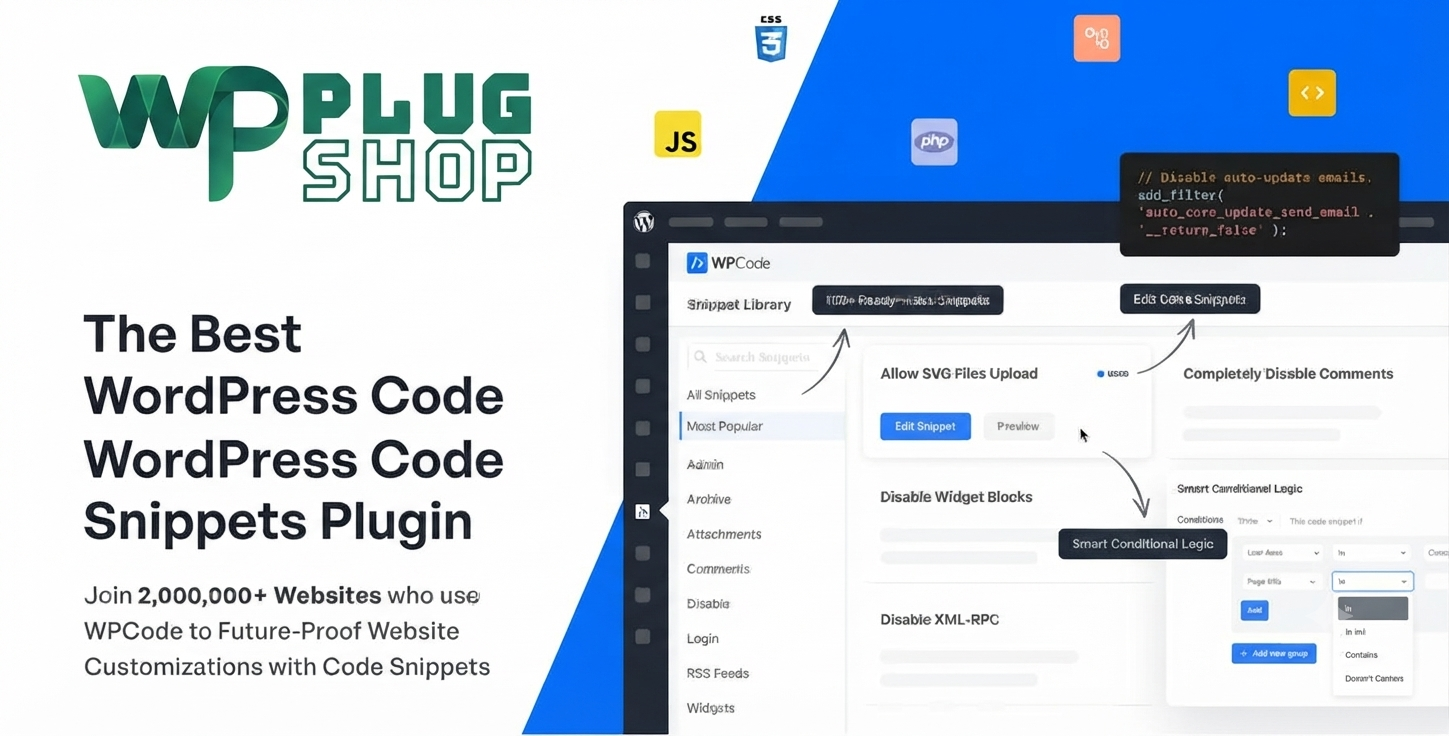
Preview WPCode Pro – Advanced WordPress Code Snippets & Script Manager
View the product artwork, switch gallery images, and open a larger preview before checkout.
Get secure digital access for real WordPress projects
This section summarizes the buying experience and what customers can expect after checkout.
Product overview, benefits, and digital access details
Review the key product details, practical use cases, and digital access information before checkout.
Product Overview
WPCode Pro is the industry-leading WordPress solution designed to streamline your website’s functionality while optimizing performance. By providing a centralized, secure interface for managing custom code, it allows you to eliminate dozens of unnecessary plugins, reducing site bloat and speeding up your WordPress site. Whether you are a professional developer, an agency manager, or a WooCommerce store owner, WPCode Pro provides the tools you need to inject PHP, JS, CSS, and HTML safely.
Why This Product Is Useful
Managing custom code in WordPress has traditionally been risky. Editing your theme's functions.php file can lead to site-breaking errors. WPCode Pro changes this by providing a safe error-handling environment that validates your code before it runs. If a snippet causes an issue, the plugin automatically disables it, keeping your site online and operational at all times.
Key Features
- 100+ Ready-Made Snippets Library: Instantly add expert-approved features without writing a single line of code.
- Smart Conditional Logic: Execute code only when specific conditions are met, such as specific user roles, page URLs, or device types.
- Advanced Auto-Insert Locations: Choose exactly where your code runs—before/after content, in the header, or in the footer with precision.
- Global Header & Footer Scripts: Easily manage tracking pixels, verification tags, and custom scripts across your entire site from one dashboard.
- Cloud Snippet Storage: Securely save and reuse your snippets across all the websites you manage, saving valuable development time.
- Ecommerce Conversion Pixels: Seamlessly integrate tracking for WooCommerce and Easy Digital Downloads with automated insertion rules.
Main Benefits
- Superior Site Performance: Reduce the number of plugins installed by replacing them with lightweight, optimized snippets.
- Developer-Grade Control: Full support for PHP, JavaScript, CSS, and HTML without the risk of manual file editing.
- Enhanced Workflow: Spend less time troubleshooting and more time building with professional code generators.
- Security-First Approach: Scanned, secure files ensuring your site remains protected from malicious or broken code.
Best Use Cases
WPCode Pro is perfect for diverse WordPress projects:
| Use Case | Description |
|---|---|
| Conversion Tracking | Inject Google Analytics, Facebook Pixels, or TikTok tags via specific WooCommerce event triggers. |
| Theme Customization | Add custom CSS for specific Elementor pages or theme modifications without touching core files. |
| Site Maintenance | Use library snippets for maintenance mode, custom login pages, and password protection. |
Who Should Use This Product?
- Freelancers & Agencies: Manage multiple client sites with consistent, reusable code libraries.
- WooCommerce Store Owners: Track conversions accurately and add custom e-commerce functionality with ease.
- WordPress Bloggers: Add advanced features like social sharing icons or custom post types without heavy plugins.
WP Plug Shop Access Benefits
When you download WPCode Pro through WP Plug Shop, you gain access to high-quality, verified digital files. We ensure our resources are untouched, secure, and perfect for your professional WordPress projects.
Feature Comparison
| Feature | Standard Method | WPCode Pro |
|---|---|---|
| Error Handling | Manual/Risky | Automatic & Safe |
| Performance | Slow (Plugin Bloat) | Fast (Lightweight) |
| Management | Filesystem | Centralized Dashboard |
Pros and Considerations
| Pros | Considerations |
|---|---|
| Significantly improves site speed | Basic knowledge of code is helpful |
| Prevents white-screen-of-death errors | Best utilized by those comfortable with WordPress admin |
Final Verdict
WPCode Pro is an essential toolkit for any serious WordPress user. It bridges the gap between basic site management and professional development, ensuring your site remains fast, secure, and highly functional. Gain your access today and start optimizing your site like a pro.
Frequently Asked Questions
Is WPCode Pro safe to use on my WordPress website?
Yes, WPCode Pro is designed with security and safety as top priorities. It features advanced error-handling technology that validates your custom code before it runs. If a snippet is detected to have an error, the plugin will automatically disable it to prevent any issues like the "white screen of death," ensuring your site remains online.
Can I use WPCode Pro to replace other plugins?
Absolutely. Many plugins are just single-feature tools that add unnecessary bloat to your site. With WPCode Pro, you can replace many of these by using lightweight snippets from the library, which helps improve your website's overall speed and performance.
Does WPCode Pro support WooCommerce tracking pixels?
Yes, WPCode Pro includes dedicated support for adding conversion pixels. You can easily insert Google Analytics, Facebook (Meta) Pixels, and other tracking scripts specifically for WooCommerce and Easy Digital Downloads, using precise location rules to trigger them only when needed.
Do I need to know how to code to use this plugin?
While WPCode Pro is a powerful developer tool, it is also built for beginners. The plugin includes a library of over 100+ expert-approved, ready-made snippets that you can insert with a single click, as well as code generators that help you create custom functions without writing code from scratch.
Can I use WPCode Pro on multiple websites?
WPCode Pro allows for efficient code management. By using the cloud snippet storage feature, you can save your custom snippets to your private cloud and easily reuse them across all the different WordPress websites you own or manage.
How does WPCode Pro improve site performance?
By replacing multiple heavy plugins with efficient code snippets, you reduce the number of HTTP requests and the amount of database overhead on your site. Additionally, the plugin’s smart conditional logic ensures that your custom code only loads on the pages where it is actually needed.
What types of code can I add with WPCode Pro?
WPCode Pro offers full support for adding custom PHP, JavaScript, CSS, HTML, and text snippets. It provides a clean, user-friendly editor interface that makes managing these different types of code much safer and more organized than manually editing your theme files.
Is this the premium digital accessd version of WPCode Pro?
WP Plug Shop provides high-quality, GPL-friendly access to premium digital resources. Our files are clean, scanned, and verified, offering a budget-conscious, secure way to get the features you need for your WordPress projects without the official developer's support or auto-updates.
Quick product answers for buyers and AI search
Clear product answers help buyers, search engines, and AI answer engines understand this product faster.
Best ways to use this WordPress digital product
These use cases help buyers quickly decide if this product fits their workflow.
How digital access works
No physical shipping is required. This is a digital product access purchase designed for account-based downloads.
Secure payment options for digital checkout
WPPlugShop supports trusted checkout options so buyers can complete digital purchases with more confidence.
Frequently asked questions
Buyer-focused answers about digital access, secure payments, downloads, support, and product usage.
Related WordPress tools you may also like
Explore related WordPress tools that may support the same workflow, website type, or project goal.




Choose the right WordPress tool with confidence
Request a product, explore membership access, or contact support if you want help choosing the right WordPress digital product before checkout.