
Media Cleaner Pro – WordPress Media Cleanup Plugin
Verified from VirusTotal 100% Original Product and Virus Free. Free New Version Lifetime On Single Purchase. Unlimited Website Usage Price is in US dollars and included tax
Buy confidently with secure digital checkout, account-based downloads, and a cleaner WPPlugShop product experience.
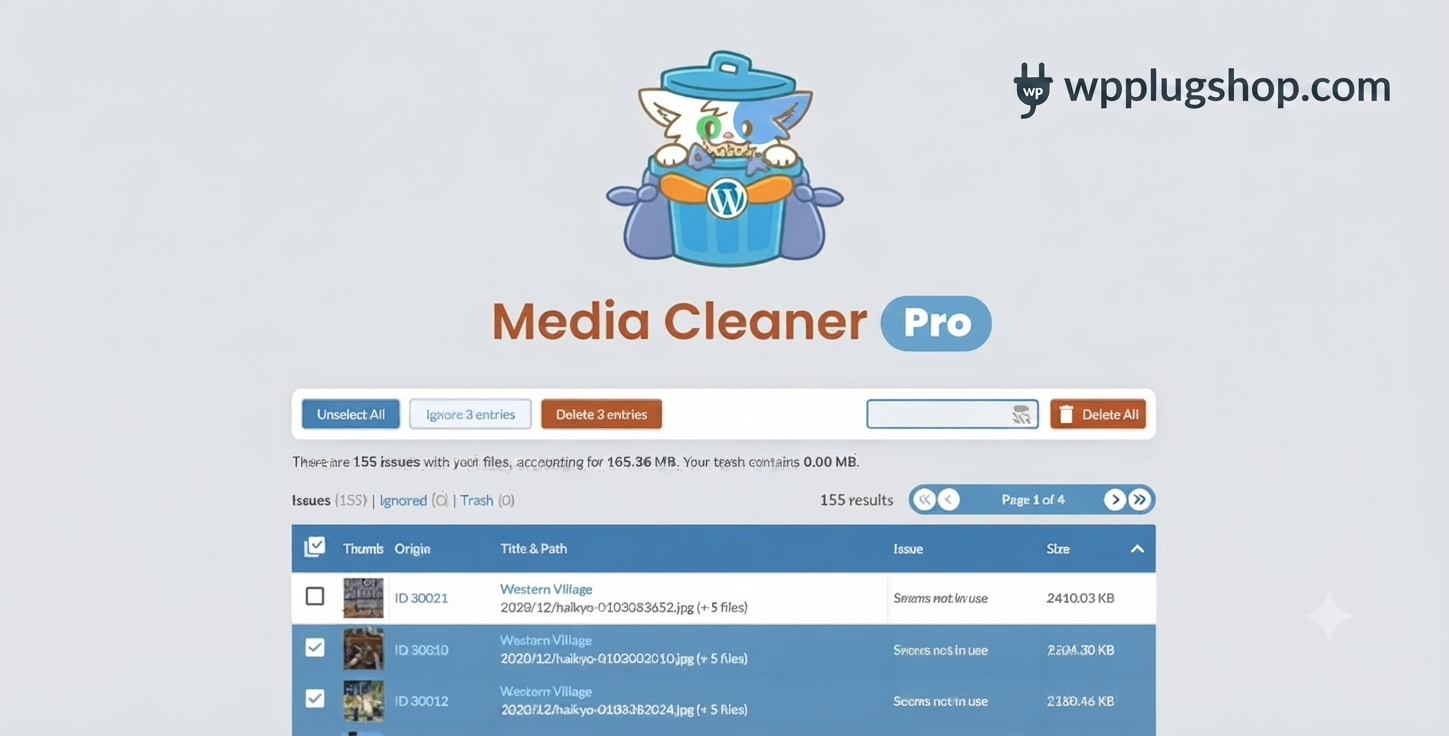
Preview Media Cleaner Pro – WordPress Media Cleanup Plugin
View the product artwork, switch gallery images, and open a larger preview before checkout.
Get secure digital access for real WordPress projects
This section summarizes the buying experience and what customers can expect after checkout.
Product overview, benefits, and digital access details
Review the key product details, practical use cases, and digital access information before checkout.
Product Overview
Media Cleaner Pro is an advanced WordPress media cleanup plugin designed to identify, analyze, and safely remove unused images, orphaned files, broken attachments, thumbnails, and unnecessary media entries from your website. It helps maintain a cleaner Media Library, reduces server storage consumption, and improves long-term website maintenance workflows.
Whether you manage a content-heavy blog, a large WooCommerce store, an Elementor website, or multiple client projects, Media Cleaner Pro provides intelligent scanning tools that detect files no longer used across posts, pages, custom fields, page builders, themes, and plugins.
For website owners searching for the best plugin to remove unused images in WordPress, Media Cleaner Pro delivers powerful automation with a safety-first approach through trash recovery workflows and detailed cleanup reports.
Why This Product Is Useful
As WordPress websites evolve, thousands of unused images, outdated uploads, duplicate files, and orphaned thumbnails can accumulate over time. These unnecessary files consume storage, increase backup sizes, and complicate site maintenance.
- Free valuable server space.
- Reduce backup and migration times.
- Optimize large WooCommerce media libraries.
- Keep Elementor projects organized.
- Remove obsolete product images safely.
- Improve long-term website maintenance.
- Simplify media management workflows.
- Maintain cleaner WordPress installations.
Media Cleaner Pro provides an intelligent solution for WordPress storage optimization without requiring manual file inspections.
Key Features
- Deep Media Library Scanning to detect unused files.
- Uploads Folder Analysis for orphaned media detection.
- Safe Trash Workflow before permanent deletion.
- WooCommerce Compatibility for product image cleanup.
- Elementor Media Detection for builder-created content.
- Advanced Custom Fields (ACF) Support.
- Divi, WPBakery, and Beaver Builder Integration.
- WP-CLI Support for developer automation.
- WebP and Retina Image Handling.
- Orphaned Thumbnail Removal.
- Ignore Lists and Exclusion Rules.
- Detailed Cleanup Reports and Logs.
- Database Reference Analysis.
- Large Media Library Optimization Tools.
Main Benefits
- Recover significant storage space.
- Reduce WordPress backup sizes.
- Improve site maintenance efficiency.
- Keep media libraries organized.
- Support better website performance management.
- Minimize migration complications.
- Optimize WooCommerce image repositories.
- Enhance developer and agency workflows.
Best Use Cases
- WooCommerce stores with extensive product catalogs.
- News and magazine websites.
- Photography and portfolio platforms.
- Agency-managed client websites.
- Membership and community sites.
- Educational portals and LMS websites.
- Migrated WordPress installations.
- Elementor and page-builder-heavy projects.
- Corporate websites with large media archives.
- Multisite WordPress environments.
Who Should Use This Product?
- WordPress developers.
- Digital agencies.
- WooCommerce store owners.
- SEO professionals.
- Bloggers and publishers.
- Freelancers managing multiple websites.
- Content marketers.
- Website maintenance specialists.
- Business website administrators.
- Performance optimization consultants.
WP Plug Shop Access Benefits
WP Plug Shop provides convenient access to professional WordPress resources for businesses, agencies, and creators seeking cost-effective solutions for real-world projects.
- Instant digital access.
- Secure checkout experience.
- Scanned digital files.
- GPL-friendly marketplace practices.
- Budget-conscious website maintenance tools.
- WordPress-ready optimization resources.
Product Details
| Attribute | Details |
|---|---|
| Product Name | Media Cleaner Pro |
| Plugin Type | WordPress Media Cleanup Plugin |
| Media Library Analysis | Included |
| Uploads Directory Scanning | Supported |
| WooCommerce Compatibility | Yes |
| Elementor Integration | Supported |
| ACF Compatibility | Available |
| WP-CLI Support | Included |
| Trash Recovery Workflow | Enabled |
| WebP Support | Available |
Feature Comparison
| Capability | Media Cleaner Pro | Basic Media Cleanup Plugins |
|---|---|---|
| Filesystem Analysis | Advanced | Limited |
| WooCommerce Support | Comprehensive | Basic |
| Elementor Detection | Supported | Partial |
| Safe Trash Recovery | Yes | Not Always Available |
| WP-CLI Integration | Included | Rare |
| WebP Compatibility | Supported | Varies |
| Builder Compatibility | Extensive | Limited |
| Large Site Optimization | Excellent | Moderate |
Pros and Considerations
| Pros | Considerations |
|---|---|
| Intelligent media detection capabilities | Initial scans may take longer on very large websites |
| Excellent WooCommerce compatibility | Review cleanup recommendations before deletion |
| Supports major page builders | Complex custom implementations may require testing |
| Safe trash-first workflow | Regular backups remain a recommended practice |
| Strong developer automation support | Enterprise environments may require staged deployment |
Final Verdict
Media Cleaner Pro stands among the most capable WordPress media cleanup plugins available for agencies, businesses, developers, and website owners managing growing content libraries.
Its combination of deep filesystem analysis, WooCommerce support, Elementor compatibility, WP-CLI automation, and safety-focused cleanup processes makes it a valuable maintenance tool for professional WordPress environments.
If your goal is to reduce storage usage, optimize backups, remove unused images, and maintain a healthier WordPress installation, Media Cleaner Pro provides a reliable and efficient solution.
Frequently Asked Questions
What is Media Cleaner Pro?
Media Cleaner Pro is a WordPress media cleanup plugin that scans your website to detect unused images, orphaned files, broken attachments, and unnecessary media entries, helping maintain an optimized and organized Media Library.
Is Media Cleaner Pro safe to use on production websites?
The plugin uses a safety-first approach by moving detected files to a trash workflow before permanent deletion. It is still recommended to maintain regular backups and review suggested removals before completing cleanup operations.
Can Media Cleaner Pro remove unused images from WooCommerce stores?
Yes. The plugin supports WooCommerce environments and can help identify obsolete product images, gallery files, and unused media assets generated during store updates, redesigns, or migrations.
Does Media Cleaner Pro work with Elementor websites?
Yes. Media Cleaner Pro includes compatibility with Elementor and can analyze media references used inside page builder layouts, helping reduce the risk of accidentally removing active assets.
Does the plugin support Advanced Custom Fields (ACF)?
Yes. The Pro version is designed to recognize media references stored within Advanced Custom Fields, improving cleanup accuracy for custom WordPress implementations.
Can Media Cleaner Pro scan the uploads folder directly?
Absolutely. It performs filesystem analysis on the WordPress uploads directory to identify orphaned files, unused thumbnails, and media entries that may no longer be connected to website content.
Does Media Cleaner Pro support WebP images and Retina files?
Yes. The plugin includes support for modern image formats such as WebP as well as Retina image variations commonly generated by optimization tools and themes.
Is WP-CLI supported for developer workflows?
Yes. Developers and agencies can leverage WP-CLI integration to automate media maintenance tasks and streamline large-scale website management processes.
Who benefits most from using Media Cleaner Pro?
WooCommerce store owners, bloggers, publishers, agencies, developers, membership websites, educational platforms, and organizations with large media libraries can significantly benefit from regular cleanup and storage optimization.
How does Media Cleaner Pro compare with basic media cleanup plugins?
Unlike basic tools, Media Cleaner Pro offers deeper filesystem analysis, broader compatibility with major page builders and plugins, safer deletion workflows, advanced exclusion options, and professional-grade maintenance capabilities for complex WordPress websites.
Quick product answers for buyers and AI search
Clear product answers help buyers, search engines, and AI answer engines understand this product faster.
Best ways to use this WordPress digital product
These use cases help buyers quickly decide if this product fits their workflow.
How digital access works
No physical shipping is required. This is a digital product access purchase designed for account-based downloads.
Secure payment options for digital checkout
WPPlugShop supports trusted checkout options so buyers can complete digital purchases with more confidence.
Frequently asked questions
Buyer-focused answers about digital access, secure payments, downloads, support, and product usage.
Related WordPress tools you may also like
Explore related WordPress tools that may support the same workflow, website type, or project goal.




Choose the right WordPress tool with confidence
Request a product, explore membership access, or contact support if you want help choosing the right WordPress digital product before checkout.