
JetTabs for Elementor – Premium Tabs & Accordions Plugin
Verified from VirusTotal 100% Original Product and Virus Free. Free New Version Lifetime On Single Purchase. Unlimited Website Usage Price is in US dollars and included tax
Buy confidently with secure digital checkout, account-based downloads, and a cleaner WPPlugShop product experience.
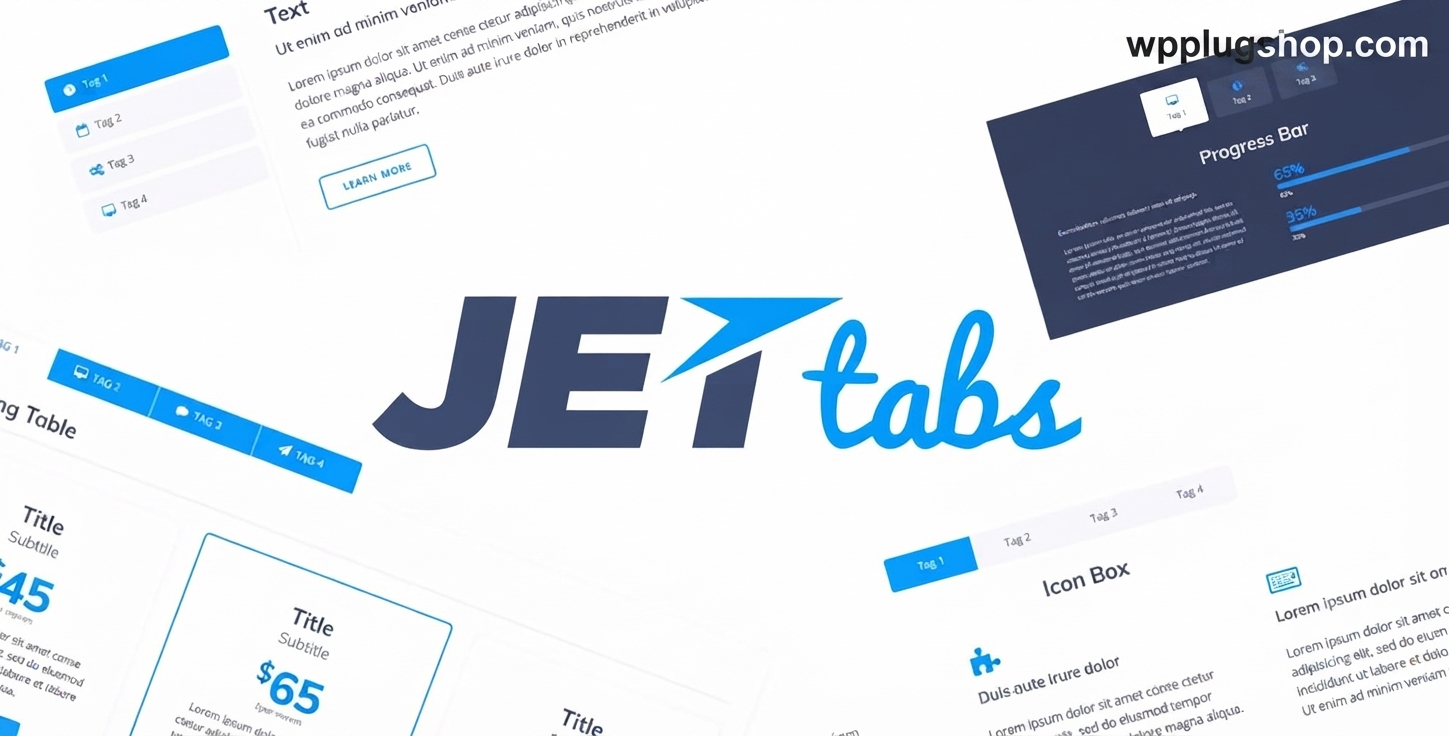
Preview JetTabs for Elementor – Premium Tabs & Accordions Plugin
View the product artwork, switch gallery images, and open a larger preview before checkout.
Get secure digital access for real WordPress projects
This section summarizes the buying experience and what customers can expect after checkout.
Product overview, benefits, and digital access details
Review the key product details, practical use cases, and digital access information before checkout.
Frequently Asked Questions
1. What is JetTabs for Elementor?
JetTabs for Elementor is a premium WordPress addon developed to extend Elementor with interactive Tabs, Accordions, Image Accordions, and Switcher widgets. It helps organize large amounts of content into clean, user-friendly layouts without requiring custom coding.
2. Does JetTabs work with Elementor Free and Elementor Pro?
JetTabs is designed to work within the Elementor page builder ecosystem. Depending on your website requirements and the widgets you use, some features may require Elementor Pro or other compatible Crocoblock plugins. Always verify compatibility with your current setup before deployment.
3. Can I create FAQ sections using JetTabs?
Yes. JetTabs makes it easy to build professional FAQ pages using responsive Accordion widgets. These layouts improve readability, reduce page clutter, and provide a better user experience on desktop, tablet, and mobile devices.
4. Is JetTabs suitable for WooCommerce websites?
Yes. JetTabs works well with WooCommerce-powered websites by helping organize product information such as specifications, FAQs, digital access details, return policies, feature comparisons, and additional product content inside attractive tabbed layouts.
5. Can I create vertical and horizontal tabs?
Absolutely. JetTabs supports both horizontal and vertical tab layouts, allowing you to choose the design that best fits your website, landing page, online store, portfolio, or business website.
6. Does JetTabs support dynamic content?
Yes. JetTabs integrates with compatible dynamic content solutions, including JetEngine, enabling you to display dynamic data inside tabs and accordions for advanced WordPress projects and custom websites.
7. Is JetTabs responsive and mobile-friendly?
Yes. Every widget is designed with responsive controls, allowing your tabs, accordions, and content switchers to adapt smoothly across desktops, tablets, and smartphones for an improved browsing experience.
8. Do I need coding knowledge to use JetTabs?
No. JetTabs is built for Elementor's drag-and-drop editor, allowing beginners, freelancers, agencies, and developers to create professional interactive layouts using visual controls without writing HTML, CSS, or JavaScript.
9. Why download JetTabs from WP Plug Shop?
WP Plug Shop provides secure digital access to GPL-friendly WordPress resources with instant account-based downloads and scanned files. These resources are ideal for freelancers, agencies, developers, and website owners working on personal or client WordPress projects. WP Plug Shop is not the original developer of third-party products and does not claim official developer support unless explicitly stated.
10. What types of websites benefit most from JetTabs?
JetTabs is an excellent choice for business websites, WooCommerce stores, agency websites, SaaS platforms, portfolios, service websites, landing pages, blogs, documentation portals, online courses, and corporate websites that need organized, interactive content sections with a professional appearance.
Frequently Asked Questions
1. What is JetTabs for Elementor?
JetTabs for Elementor is a premium Elementor addon that adds advanced Tabs, Accordions, Image Accordions, and Switcher widgets to your WordPress website. It helps organize content into clean, interactive sections while enhancing user experience without requiring custom coding.
2. Is JetTabs compatible with Elementor Free and Elementor Pro?
JetTabs is built specifically for Elementor and works seamlessly within the Elementor editing environment. Some advanced functionality may require Elementor Pro or compatible Crocoblock plugins, depending on your website configuration and the widgets you use.
3. Can I build FAQ pages using JetTabs?
Yes. JetTabs includes Accordion widgets that are ideal for creating professional FAQ sections. These responsive accordions improve content organization, enhance readability, and provide a better browsing experience across all screen sizes.
4. Does JetTabs support WooCommerce websites?
Yes. JetTabs is an excellent choice for WooCommerce stores. You can organize product specifications, digital access details, return policies, FAQs, feature comparisons, and additional product information using responsive tabbed layouts built with Elementor.
5. Can I create both horizontal and vertical tabs?
Absolutely. JetTabs supports horizontal tabs, vertical tabs, classic accordions, image accordions, and content switchers, giving you complete flexibility to create layouts that match your website's design and user experience goals.
6. Does JetTabs support dynamic content and JetEngine?
Yes. JetTabs integrates with JetEngine and other compatible Crocoblock tools, allowing you to display dynamic content inside tabs and accordions. This makes it suitable for advanced business websites, directories, listings, and custom WordPress projects.
7. Is JetTabs responsive and mobile-friendly?
Yes. Every JetTabs widget is fully responsive and includes customization controls for desktop, tablet, and mobile devices. Visitors receive a smooth and consistent experience regardless of the screen size they use.
8. Do I need coding skills to use JetTabs?
No. JetTabs is designed for Elementor's visual drag-and-drop builder. Beginners, freelancers, agencies, and experienced developers can create professional tabs and accordions using intuitive visual controls without writing HTML, CSS, or JavaScript.
9. Why choose JetTabs from WP Plug Shop?
WP Plug Shop provides secure digital access to GPL-friendly WordPress resources with instant account-based downloads and scanned files. These resources are suitable for freelancers, agencies, developers, and website owners building personal or client projects. WP Plug Shop is an independent marketplace and does not claim to be the original developer of third-party products.
10. What types of websites can benefit from JetTabs?
JetTabs is ideal for business websites, agency websites, WooCommerce stores, SaaS platforms, portfolios, blogs, online courses, service websites, documentation portals, corporate websites, and landing pages where well-organized, interactive content improves usability and visitor engagement.
Quick product answers for buyers and AI search
Clear product answers help buyers, search engines, and AI answer engines understand this product faster.
Best ways to use this WordPress digital product
These use cases help buyers quickly decide if this product fits their workflow.
How digital access works
No physical shipping is required. This is a digital product access purchase designed for account-based downloads.
Secure payment options for digital checkout
WPPlugShop supports trusted checkout options so buyers can complete digital purchases with more confidence.
Frequently asked questions
Buyer-focused answers about digital access, secure payments, downloads, support, and product usage.
Related WordPress tools you may also like
Explore related WordPress tools that may support the same workflow, website type, or project goal.




Choose the right WordPress tool with confidence
Request a product, explore membership access, or contact support if you want help choosing the right WordPress digital product before checkout.