
YellowPencil – Visual CSS Style Editor for WordPress & WooCommerce
Verified from VirusTotal 100% Original Product and Virus Free. Free New Version Lifetime On Single Purchase. Unlimited Website Usage Price is in US dollars and included tax
Buy confidently with secure digital checkout, account-based downloads, and a cleaner WPPlugShop product experience.
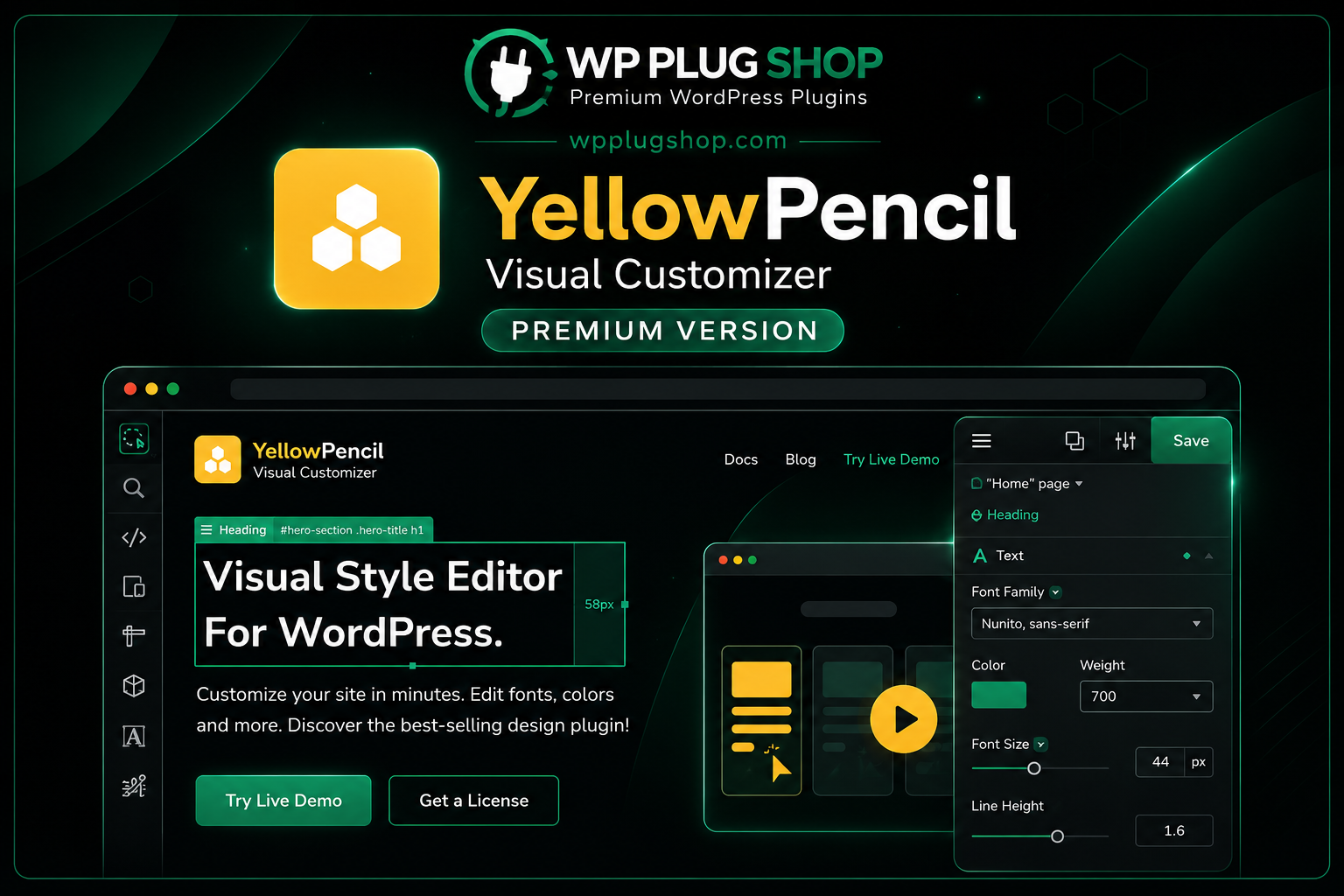
Preview YellowPencil – Visual CSS Style Editor for WordPress & WooCommerce
View the product artwork, switch gallery images, and open a larger preview before checkout.
Get secure digital access for real WordPress projects
This section summarizes the buying experience and what customers can expect after checkout.
Product overview, benefits, and digital access details
Review the key product details, practical use cases, and digital access information before checkout.
Product Overview
YellowPencil – Visual CSS Style Editor for WordPress & WooCommerce is a powerful front-end visual design plugin that lets you customize the appearance of your WordPress website without editing theme files. Using an intuitive point-and-click interface, you can modify colors, fonts, spacing, backgrounds, animations, borders, layouts, and hundreds of CSS properties while previewing changes in real time.
Whether you're building a business website, blog, portfolio, WooCommerce store, or agency project, YellowPencil gives you precise visual control over your site's design. It automatically generates clean CSS in the background, making it suitable for beginners who prefer a no-code workflow as well as developers who want to speed up design customization.
The plugin works with most modern WordPress themes and page builders, helping you create professional, responsive websites with greater flexibility and efficiency.
Why This Product Is Useful
Customizing WordPress themes often requires CSS knowledge or editing theme files. YellowPencil removes this barrier by providing a live visual editor where you can click any element and instantly modify its appearance. This significantly reduces development time while giving complete creative freedom.
- Customize websites without manually writing CSS.
- Edit designs visually with live previews.
- Create unique WooCommerce store layouts.
- Modify typography, spacing, colors, and animations.
- Save development time for agencies and freelancers.
- Generate clean CSS automatically.
- Improve website branding and user experience.
Key Features
- Visual front-end CSS editor.
- Real-time live editing.
- Point-and-click interface.
- Automatic CSS generation.
- Responsive editing for desktop, tablet, and mobile.
- Typography customization.
- Color and background editor.
- Margin and padding controls.
- Border, shadow, and gradient styling.
- CSS animations and transitions.
- Google Fonts support.
- Element inspection tools.
- WooCommerce compatibility.
- Works with most WordPress themes.
- No coding required for common styling tasks.
Main Benefits
- Design websites visually instead of editing CSS files.
- Create professional WordPress layouts faster.
- Reduce development and maintenance time.
- Improve website appearance and branding.
- Customize WooCommerce shop pages with ease.
- Build responsive designs for all devices.
- Empower non-technical users to personalize websites.
- Speed up client website customization projects.
- Maintain clean and organized styling.
- Enhance user experience with polished visual design.
Best Use Cases
- WooCommerce stores.
- Business websites.
- Agency client projects.
- Freelance web design.
- Corporate websites.
- Landing pages.
- Blogs and magazines.
- Portfolio websites.
- Educational websites.
- Membership platforms.
Who Should Use This Product?
- WordPress beginners.
- Web designers.
- Freelancers.
- Digital agencies.
- WooCommerce store owners.
- Website developers.
- Marketing professionals.
- Content creators.
- Small businesses.
- Website administrators.
WP Plug Shop Access Benefits
- Secure digital download.
- GPL-friendly access.
- Scanned digital files.
- Budget-conscious access for WordPress professionals.
- Fast account-based downloads.
- Suitable for freelancers, agencies, businesses, and developers.
- Helpful for development, testing, and production environments where appropriate.
Product Details
| Attribute | Details |
|---|---|
| Product Name | YellowPencil – Visual CSS Style Editor |
| Category | WordPress Visual Design & CSS Editor Plugin |
| Platform | WordPress |
| WooCommerce Support | Yes |
| Primary Function | Visual CSS Editing & Website Styling |
| Editing Mode | Live Front-End Visual Editor |
| Responsive Editing | Desktop, Tablet & Mobile |
| Installation | WordPress Plugin |
| Download Type | Digital Download |
| Access | GPL-Friendly Access |
Feature Comparison
| Feature | YellowPencil | Default WordPress Customizer |
|---|---|---|
| Live Visual CSS Editing | ✔ | Limited |
| Point-and-Click Styling | ✔ | ✘ |
| Automatic CSS Generation | ✔ | ✘ |
| Typography Controls | ✔ | Basic |
| Animations & Effects | ✔ | Limited |
| WooCommerce Styling | ✔ | Basic |
| Responsive Device Editing | ✔ | Basic |
| Advanced Visual Design Controls | ✔ | Limited |
Pros and Considerations
| Pros | Considerations |
|---|---|
| Visual editing without manually writing CSS. | Requires a compatible WordPress installation. |
| Accelerates website customization. | Some advanced styling still benefits from CSS knowledge. |
| Works with many themes and WooCommerce stores. | Always test design changes before publishing to a live website. |
| Generates clean CSS automatically. | Theme-specific styling may require additional adjustments. |
| Improves workflow for agencies and freelancers. | Review compatibility with your theme and plugins before deployment. |
Final Verdict
YellowPencil is an excellent visual CSS editor for WordPress users who want greater control over website design without relying on manual coding. Its live editing interface, responsive design tools, and WooCommerce compatibility make it a valuable solution for beginners, designers, freelancers, agencies, and developers alike.
Available through WP Plug Shop with secure digital downloads, scanned files, and GPL-friendly access, YellowPencil provides an efficient way to create polished, professional WordPress websites while simplifying the design workflow.
Frequently Asked Questions
What is YellowPencil – Visual CSS Style Editor?
YellowPencil is a premium WordPress visual CSS editor that lets you customize your website's appearance using a live, front-end interface. You can modify colors, typography, spacing, layouts, backgrounds, borders, and many other design elements without directly editing CSS files.
Do I need coding skills to use YellowPencil?
No. YellowPencil is designed for both beginners and professionals. Its point-and-click visual editor allows you to make many styling changes without writing CSS, while advanced users can further refine designs when needed.
Is YellowPencil compatible with WooCommerce?
Yes. YellowPencil can be used to visually customize many WooCommerce pages and elements, helping store owners personalize product pages, shop layouts, carts, and other storefront components depending on the active theme.
Can YellowPencil generate CSS automatically?
Yes. As you make visual changes, the plugin automatically generates the required CSS in the background, reducing manual coding while helping maintain an organized styling workflow.
Does YellowPencil support responsive design editing?
Yes. The plugin includes responsive editing tools that allow you to preview and adjust styles for desktop, tablet, and mobile devices to create a consistent user experience across different screen sizes.
Who should use YellowPencil?
YellowPencil is suitable for WordPress beginners, web designers, freelancers, agencies, WooCommerce store owners, developers, marketers, and anyone who wants greater control over website design without relying entirely on custom code.
Will YellowPencil work with my WordPress theme?
YellowPencil is designed to work with many modern WordPress themes and plugins. Because every website is unique, it's recommended to test compatibility with your specific theme and plugin setup before deploying major design changes.
Can I customize fonts, colors, and layouts with YellowPencil?
Yes. The plugin provides extensive controls for typography, colors, backgrounds, spacing, borders, shadows, animations, gradients, and many other CSS properties through an intuitive visual editor.
Why choose YellowPencil from WP Plug Shop?
WP Plug Shop provides secure digital downloads, GPL-friendly access, scanned files, and budget-conscious solutions for WordPress professionals. WP Plug Shop is an independent marketplace and is not the official developer of this third-party plugin.
What types of websites benefit most from YellowPencil?
YellowPencil is ideal for WooCommerce stores, business websites, blogs, portfolios, agency projects, educational platforms, landing pages, membership sites, and virtually any WordPress website that requires flexible visual design customization.
Quick product answers for buyers and AI search
Clear product answers help buyers, search engines, and AI answer engines understand this product faster.
Best ways to use this WordPress digital product
These use cases help buyers quickly decide if this product fits their workflow.
How digital access works
No physical shipping is required. This is a digital product access purchase designed for account-based downloads.
Secure payment options for digital checkout
WPPlugShop supports trusted checkout options so buyers can complete digital purchases with more confidence.
Frequently asked questions
Buyer-focused answers about digital access, secure payments, downloads, support, and product usage.
Related WordPress tools you may also like
Explore related WordPress tools that may support the same workflow, website type, or project goal.




Choose the right WordPress tool with confidence
Request a product, explore membership access, or contact support if you want help choosing the right WordPress digital product before checkout.