
LearnDash Dashboard Plugin – Frontend LMS Dashboard for LearnDash
Verified from VirusTotal 100% Original Product and Virus Free. Free New Version Lifetime On Single Purchase. Unlimited Website Usage Price is in US dollars and included tax
Buy confidently with secure digital checkout, account-based downloads, and a cleaner WPPlugShop product experience.
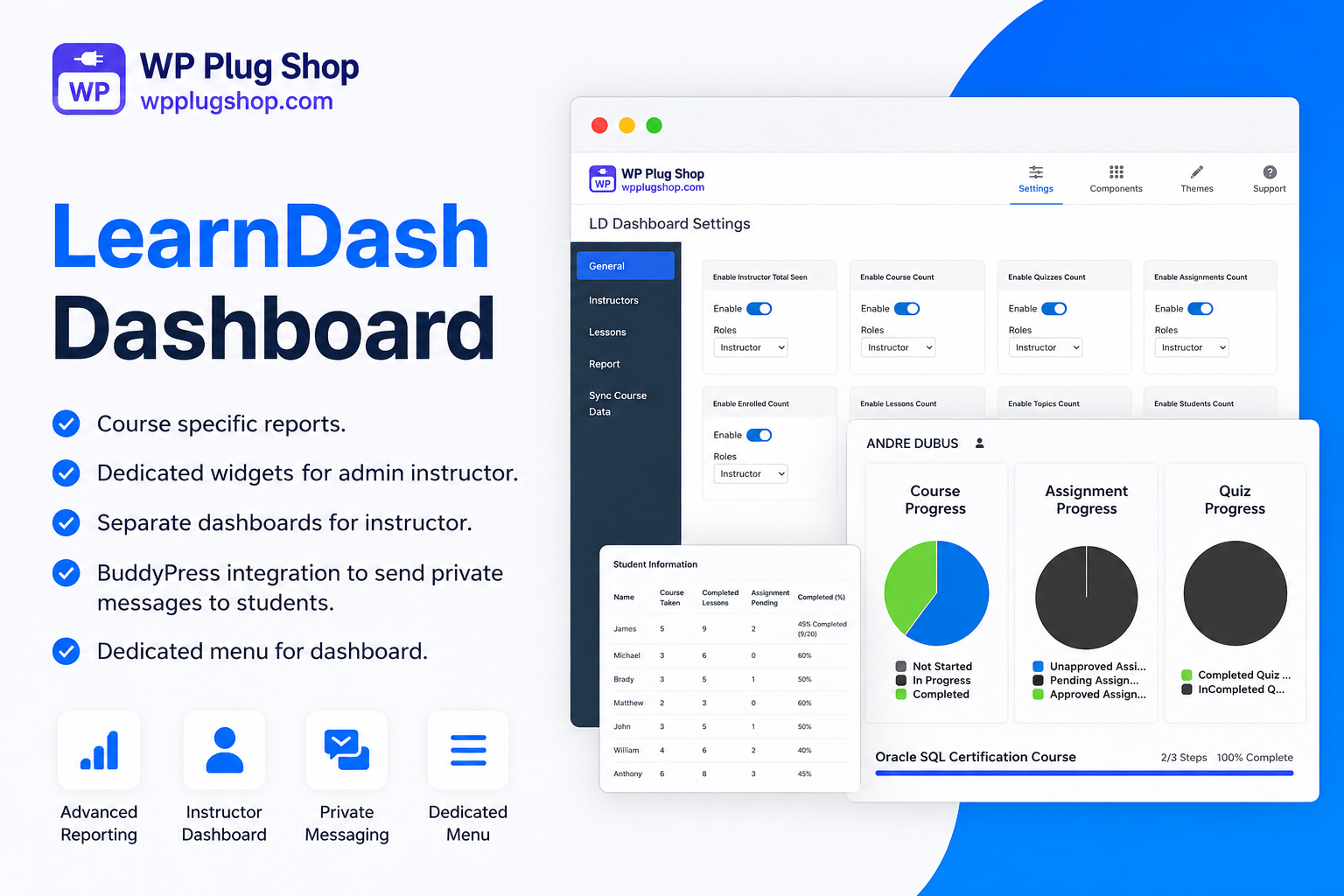
Preview LearnDash Dashboard Plugin – Frontend LMS Dashboard for LearnDash
View the product artwork, switch gallery images, and open a larger preview before checkout.
Get secure digital access for real WordPress projects
This section summarizes the buying experience and what customers can expect after checkout.
Product overview, benefits, and digital access details
Review the key product details, practical use cases, and digital access information before checkout.
```html id="ld-dashboard-part1"
LearnDash Dashboard Plugin for WordPress
LearnDash Dashboard Plugin enhances your LearnDash LMS by providing a modern and user-friendly frontend dashboard for students, instructors, and administrators. Instead of relying on the default WordPress backend, users can manage courses, lessons, quizzes, assignments, certificates, profiles, and more directly from an intuitive frontend interface.
Whether you're running an online academy, coaching platform, educational institution, membership website, or corporate training portal, this plugin improves the learning experience while simplifying course and user management.
Why Choose LearnDash Dashboard Plugin?
The LearnDash Dashboard Plugin centralizes all essential LMS functions into one convenient dashboard. Students can easily track their learning progress, while instructors can manage courses, monitor enrollments, review assignments, grade quizzes, and communicate with learners without accessing the WordPress admin panel.
- Modern frontend dashboard for LearnDash.
- Dedicated dashboards for students and instructors.
- Manage courses without accessing WordPress admin.
- Track course progress and completion.
- View assignments, quizzes, and certificates.
- Manage enrolled students efficiently.
- Responsive interface for desktop, tablet, and mobile.
- Easy integration with existing LearnDash websites.
Key Features
- Frontend LearnDash dashboard.
- Student progress tracking.
- Instructor course management.
- Course creation and editing.
- Lesson and topic management.
- Quiz and assignment management.
- Certificate access.
- Enrollment management.
- User profile management.
- Instructor earnings overview (where supported).
- Responsive dashboard layout.
- Advanced reporting tools.
- Frontend course submission.
- Notification support.
- Shortcode integration.
- Translation-ready.
- SEO-friendly structure.
- Lightweight and optimized performance.
- Easy customization.
- Regular updates.
Benefits of Using LearnDash Dashboard Plugin
Providing a frontend dashboard significantly improves user experience by giving students and instructors quick access to everything they need. This reduces administrative workload, streamlines course management, and creates a more professional eLearning platform.
- Improve student engagement.
- Simplify instructor workflow.
- Increase productivity.
- Deliver a better learning experience.
- Reduce dependency on WordPress admin.
- Manage LMS activities from one dashboard.
- Support scalable online learning platforms.
- Enhance overall LMS usability.
Perfect For
- Online course creators.
- LearnDash LMS websites.
- Educational institutions.
- Coaching centers.
- Membership websites.
- Corporate training platforms.
- Universities and colleges.
- eLearning startups.
- WordPress developers.
- Digital education agencies.
```
```html id="ld-dashboard-part2"
How LearnDash Dashboard Plugin Works
The LearnDash Dashboard Plugin extends your LearnDash LMS by providing a centralized frontend dashboard where students and instructors can manage their learning activities without accessing the WordPress admin panel. After installation, users receive role-based dashboard access with the tools and information relevant to their responsibilities.
Students can monitor course progress, complete lessons, attempt quizzes, download certificates, review assignments, and update their profiles. Instructors can create and manage courses, organize lessons, review submissions, monitor enrollments, and communicate with learners through an intuitive frontend interface.
Main Advantages
- Professional frontend LMS dashboard.
- Role-based access for students and instructors.
- Simple course and lesson management.
- Easy tracking of student progress.
- Improved user engagement and retention.
- Reduced administrative workload.
- Mobile-friendly responsive interface.
- Seamless integration with LearnDash LMS.
Popular Use Cases
- Online learning platforms.
- Educational institutions.
- Universities and colleges.
- Professional certification websites.
- Corporate employee training portals.
- Membership learning websites.
- Coaching and mentoring businesses.
- Digital course marketplaces.
Compatibility
- Latest WordPress versions.
- Latest LearnDash LMS versions.
- Elementor compatible.
- Gutenberg compatible.
- Classic Editor compatible.
- Most LearnDash-compatible themes.
- PHP 8+ environments.
- Modern WordPress hosting providers.
Why Choose LearnDash Dashboard Plugin?
Managing an online learning platform becomes much easier with a dedicated frontend dashboard. LearnDash Dashboard Plugin improves usability for both students and instructors by bringing essential LMS features into one organized workspace. This enhances the learning experience, encourages engagement, and helps educational businesses scale efficiently.
Package Includes
- LearnDash Dashboard Plugin files.
- GPL licensed plugin package.
- Quick installation.
- Frontend dashboard functionality.
- Student and instructor management tools.
- Responsive dashboard interface.
- Regular updates (according to your website policy).
- Secure downloadable files.
```
```html id="ld-dashboard-part3"
Installation Guide
Installing the LearnDash Dashboard Plugin is quick and straightforward. Follow these steps to add a professional frontend dashboard to your LearnDash LMS website.
- Download the LearnDash Dashboard Plugin ZIP file.
- Log in to your WordPress Admin Dashboard.
- Go to Plugins → Add New → Upload Plugin.
- Upload the plugin ZIP file and click Install Now.
- Activate the plugin after installation.
- Configure the dashboard settings according to your LMS requirements.
- Assign dashboard pages and customize the frontend experience for students and instructors.
- Save your settings and start managing your LearnDash platform from the frontend.
Frequently Asked Questions (FAQs)
What is the LearnDash Dashboard Plugin?
The LearnDash Dashboard Plugin adds a modern frontend dashboard to your LearnDash LMS, allowing students and instructors to manage courses, lessons, quizzes, assignments, profiles, and certificates without accessing the WordPress admin panel.
Can instructors manage courses from the frontend?
Yes. Instructors can create, edit, organize, and manage courses, lessons, quizzes, assignments, and enrolled students directly from the frontend dashboard, depending on the plugin configuration.
Can students track their learning progress?
Yes. Students can monitor course progress, completed lessons, quizzes, assignments, earned certificates, and other learning activities from their personalized dashboard.
Is the plugin mobile responsive?
Yes. The frontend dashboard is fully responsive and optimized for desktops, tablets, and smartphones, providing a smooth learning experience across all devices.
Who should use this plugin?
This plugin is ideal for online course creators, educational institutions, universities, coaching businesses, membership websites, corporate training providers, and anyone using LearnDash to deliver online education.
Why Download from WP Plug Shop?
- 100% GPL licensed WordPress plugin.
- Safe, clean, and malware-free files.
- Instant digital download.
- Affordable pricing.
- Regular product updates.
- Quick and easy installation.
- Ideal for developers, agencies, educators, freelancers, and LMS website owners.
Final Thoughts
The LearnDash Dashboard Plugin is an excellent enhancement for any LearnDash-powered website. By providing intuitive frontend dashboards for students and instructors, it improves usability, streamlines course management, increases learner engagement, and delivers a more professional online education experience. Whether you're managing a small training website or a large eLearning platform, this plugin helps you create an efficient and user-friendly LMS.
```
Quick product answers for buyers and AI search
Clear product answers help buyers, search engines, and AI answer engines understand this product faster.
Best ways to use this WordPress digital product
These use cases help buyers quickly decide if this product fits their workflow.
How digital access works
No physical shipping is required. This is a digital product access purchase designed for account-based downloads.
Secure payment options for digital checkout
WPPlugShop supports trusted checkout options so buyers can complete digital purchases with more confidence.
Frequently asked questions
Buyer-focused answers about digital access, secure payments, downloads, support, and product usage.
Related WordPress tools you may also like
Explore related WordPress tools that may support the same workflow, website type, or project goal.




Choose the right WordPress tool with confidence
Request a product, explore membership access, or contact support if you want help choosing the right WordPress digital product before checkout.