WooCommerce Additional Variation Images – Multiple Images Per Variation
WooCommerce Additional Variation Images – Multiple Images Per Variation
SKU:1e31ca5ec463
Frequently Asked Questions What is WooCommerce Additional Variation Images? WooCommerce Additional Variation Images is an extension designed to let store owners add
WooCommerce Additional Variation Images is an extension designed to let store owners add multiple images to individual WooCommerce product variations. Instead of showing only one primary image for a variation, merchants can create a variation-specific image gallery so shoppers can view additional product details.
Can I add multiple images to each WooCommerce product variation?
Yes. The extension allows you to assign additional gallery images to individual variations of a WooCommerce variable product. This is useful when different colors, styles, finishes, or configurations need their own product photography.
Can each WooCommerce variation have its own image gallery?
Yes. Each variation can have its own collection of images. When a shopper selects a supported variation, the product presentation can display images associated with that specific variation, helping customers understand the selected product option more clearly.
How do I add additional images to a WooCommerce variation?
In the classic extension workflow, edit a variable product in WordPress, open the Variations section, select the required variation, and use the additional-images control to add images. The images can also be reordered or removed as needed.
Can I reorder WooCommerce variation images?
Yes. The documented extension workflow allows variation images to be reordered by dragging them into the desired position. This lets store owners control which product views appear first in the variation gallery.
What types of WooCommerce stores can benefit from variation galleries?
Variation galleries are especially useful for fashion, clothing, footwear, jewelry, furniture, accessories, electronics, beauty products, and other visually detailed products. They can help shoppers compare different colors, styles, finishes, and configurations using more relevant product photography.
Can WooCommerce show different images when a customer selects a variation?
Yes. Variation-gallery functionality is designed so that the product gallery can display imagery associated with the selected variation. WooCommerce’s current native Variation Gallery implementation also swaps the gallery when a shopper selects a variation.
Does WooCommerce now support multiple images per variation without this extension?
Yes. This is an important compatibility consideration in 2026. Starting with WooCommerce 10.9, WooCommerce introduced a native Variation Gallery feature that allows each variation to have its own ordered image gallery. The feature can be enabled under WooCommerce settings.
Do I still need WooCommerce Additional Variation Images with WooCommerce 10.9 or newer?
Not necessarily. WooCommerce 10.9 introduced Variation Gallery functionality into WooCommerce core, with the feature initially provided as an opt-in setting. Stores using a standalone Additional Variation Images implementation should check their WooCommerce version, current configuration, theme compatibility, and migration requirements before installing or replacing anything.
What happens to existing variation galleries when moving to WooCommerce 10.9?
WooCommerce has documented a migration path for stores using the older Additional Variation Images extension. When the native feature is enabled, WooCommerce can migrate the existing variation-gallery data into its core storage structure. WooCommerce recommends testing the transition on a staging site before changing a production store.
Will WooCommerce automatically deactivate the Additional Variation Images extension?
According to WooCommerce’s current migration documentation, when the native Variation Gallery feature is enabled, the standalone Additional Variation Images extension is automatically deactivated to prevent conflicts between the two implementations.
Is WooCommerce Additional Variation Images the same as the native WooCommerce Variation Gallery?
The purpose is closely related: both provide multiple images for individual product variations. WooCommerce has incorporated the functionality previously provided by its Additional Variation Images extension into WooCommerce core starting with WooCommerce 10.9.
Does the extension work with WooCommerce variable products?
Yes. The extension is specifically intended for WooCommerce variable products and their individual variations. Each variation can have additional images associated with it rather than relying solely on the parent product gallery.
Can I use variation galleries for different product colors?
Yes. Color variations are a common use case. For example, a store selling a shirt can provide separate image sets for red, blue, black, or other color variations so customers can view the product from multiple angles after choosing a particular option.
Can variation galleries be useful for clothing and footwear stores?
Yes. Fashion and footwear stores can use variation-specific images to show different colors, styles, materials, and product angles. This gives shoppers more visual information about the exact variation they are considering.
Does WooCommerce Additional Variation Images require coding?
The documented extension workflow is integrated into the WooCommerce product editing interface and does not require custom coding for the basic task of adding additional variation images. Advanced customizations may require development work depending on the theme and other plugins used by the store.
Can WooCommerce themes conflict with variation image galleries?
Yes. Product-gallery behavior can depend on the active theme and other extensions. WooCommerce documentation notes that custom gallery implementations may cause compatibility issues. Store owners should test variation galleries with their active theme and plugins, preferably on a staging website before making production changes.
Does this product add videos or 3D models to WooCommerce variations?
No. The original Additional Variation Images functionality is focused on images and variation galleries. Features such as variation-specific videos or 3D models belong to other WooCommerce extensions and should not be assumed to be included with this product.
Is WooCommerce Additional Variation Images useful for improving product presentation?
Yes. Showing multiple images for a selected variation can provide shoppers with more information about the product’s appearance, color, texture, style, and details. This can create a more informative product-page experience without claiming a guaranteed increase in conversions or sales.
What should I check before installing this WooCommerce variation image extension?
Check your WooCommerce version, WordPress environment, active theme, existing product-gallery plugins, and current variation-gallery configuration. In particular, WooCommerce 10.9 and newer includes native Variation Gallery functionality, so compatibility and feature overlap should be reviewed before installing a standalone variation-image extension.
Is WooCommerce Additional Variation Images suitable for an existing WooCommerce store?
It can be suitable for compatible existing stores that require the extension’s variation-image workflow. However, store owners should first determine whether their current WooCommerce version already provides the required native Variation Gallery functionality and whether an existing extension is already active.
Who should consider WooCommerce Additional Variation Images?
The product is most relevant to WooCommerce store owners, ecommerce businesses, WordPress developers, freelancers, agencies, and product managers who need variation-specific product imagery on compatible WooCommerce installations.
Frequently Asked Questions
What is WooCommerce Additional Variation Images?
WooCommerce Additional Variation Images is a WooCommerce extension designed to add multiple images to individual product variations. It is useful when different colors, styles, finishes, or configurations need their own product imagery.
Can I add multiple images to each WooCommerce variation?
Yes. The extension allows additional images to be assigned to individual variations of a WooCommerce variable product, creating a more detailed variation-specific product gallery.
Can each WooCommerce variation have its own image gallery?
Yes. Individual variations can have their own collection of images, allowing shoppers to see product photography that corresponds to the selected variation.
How do I add additional images to a WooCommerce variation?
In the extension’s product-editing workflow, open a WooCommerce variable product, go to the Variations section, select the desired variation, and add the required images. Images can also be reordered or removed.
Can I reorder variation images?
Yes. The variation-image workflow allows store administrators to control the order of additional images, helping place the most useful product views first.
Can WooCommerce display different images for different colors?
Yes. Variation-specific galleries are particularly useful for color variations. A store can provide separate product images for options such as black, white, blue, or red so shoppers can see the selected color in greater detail.
What types of WooCommerce stores can use variation galleries?
Variation galleries are useful for fashion, clothing, footwear, jewelry, furniture, accessories, electronics, beauty products, and other visually detailed ecommerce products where each variation may require different photography.
Can WooCommerce show multiple images when a customer selects a variation?
Yes. Variation-gallery functionality is designed to display images associated with the selected variation, giving shoppers more relevant visual information about the product option they are considering.
Does WooCommerce support multiple images per variation natively?
Yes. WooCommerce 10.9 introduced a native Variation Gallery feature that allows individual variations to have their own ordered image galleries. This is an important compatibility consideration for stores using or considering the standalone Additional Variation Images extension.
Do I still need Additional Variation Images with WooCommerce 10.9 or newer?
Not necessarily. WooCommerce 10.9 introduced variation galleries directly into WooCommerce core. Store owners should check their WooCommerce version and determine whether the native functionality already provides the required features before installing a standalone variation-image extension.
What is the difference between WooCommerce Additional Variation Images and Variation Gallery?
Additional Variation Images is the standalone extension that historically provided multiple images for individual variations. Variation Gallery is now available as a native WooCommerce feature beginning with WooCommerce 10.9, providing similar core functionality.
Can existing variation images be migrated to WooCommerce’s native Variation Gallery?
WooCommerce has documented a migration process for existing Additional Variation Images data. Store administrators should follow the current WooCommerce migration guidance and test the process on a staging website before making changes to a production store.
Will the standalone Additional Variation Images extension conflict with WooCommerce 10.9?
Potential feature overlap should be considered when using the standalone extension with WooCommerce 10.9 or newer. WooCommerce provides migration functionality and recommends transitioning existing variation-gallery data to the native implementation rather than maintaining duplicate functionality.
Does this extension work with WooCommerce variable products?
Yes. The extension is designed specifically for WooCommerce variable products and their individual variations, allowing additional product imagery to be associated with specific variation options.
Can I use multiple images for clothing variations?
Yes. Clothing stores can use variation-specific galleries to show different colors, styles, fabrics, or designs from multiple angles. This can make product presentation more informative for shoppers.
Can I use variation images for footwear products?
Yes. Footwear stores can use multiple images for each variation to show front, side, rear, sole, and detail views of different colors or styles.
Can I use WooCommerce variation galleries for furniture products?
Yes. Furniture stores can benefit from separate image sets for different finishes, colors, materials, or configurations, helping customers understand the appearance of each available variation.
Does WooCommerce Additional Variation Images require coding?
The standard image-management workflow is designed to be handled through the WooCommerce product editor rather than requiring custom code. Additional development may be necessary for specialized gallery behavior or compatibility adjustments with custom themes.
Can a WordPress theme affect variation galleries?
Yes. Product-gallery layouts and variation behavior can be influenced by the active WordPress theme and other WooCommerce extensions. Testing on a staging website is recommended when introducing or changing variation-gallery functionality.
Does this product include variation videos or 3D images?
No. The core purpose of Additional Variation Images is to provide additional images for product variations. Do not assume that variation-specific video, 3D, augmented-reality, or other advanced media functionality is included.
Is this extension useful for improving WooCommerce product presentation?
Yes. Multiple images can provide shoppers with a more complete visual understanding of the selected variation. This is especially valuable for products where color, finish, design, or physical details are important to the purchasing decision.
What should I check before installing Additional Variation Images?
Check your WordPress version, WooCommerce version, active theme, existing product-gallery extensions, and current variation-gallery setup. WooCommerce 10.9 and newer includes native Variation Gallery functionality, so feature overlap and compatibility should be reviewed first.
Who should use WooCommerce Additional Variation Images?
The extension is most relevant to WooCommerce store owners, ecommerce businesses, WordPress developers, freelancers, agencies, and product managers who need variation-specific product imagery on a compatible WooCommerce installation.
Is WooCommerce Additional Variation Images still relevant in 2026?
It can remain relevant for compatible legacy WooCommerce installations and existing workflows, but buyers should understand that WooCommerce 10.9 introduced native Variation Gallery functionality. Always verify the product’s compatibility with your current WooCommerce environment before installation.
Frequently Asked Questions
What is WooCommerce Additional Variation Images?
WooCommerce Additional Variation Images is an extension that allows store owners to assign multiple images to individual WooCommerce product variations. This is useful when each color, style, finish, or configuration needs its own product imagery.
Can I add multiple images to each WooCommerce product variation?
Yes. The extension is designed to let you add additional images to individual variations of a WooCommerce variable product, creating a more detailed variation-specific product gallery.
Can every WooCommerce variation have its own image gallery?
Yes. Individual variations can have their own sets of product images. This allows customers to view imagery that is relevant to the specific variation they select.
How do I add multiple images to a WooCommerce variation?
Open the variable product in the WooCommerce product editor, go to the Variations section, select the desired variation, and add the additional product images using the variation image controls provided by the extension.
Can I reorder WooCommerce variation images?
Yes. Additional variation images can be arranged in the preferred order, allowing store administrators to control the sequence in which product views are presented.
Can WooCommerce display different images for each product color?
Yes. Color variations are a common use case for variation galleries. For example, a clothing store can provide separate image sets for black, blue, red, or other colors so shoppers can see the selected color from multiple angles.
What products benefit most from multiple variation images?
Products with strong visual differences between variations can benefit significantly. Common examples include clothing, footwear, jewelry, furniture, accessories, electronics, beauty products, bags, and home decor.
Can variation images change when a customer selects a variation?
Variation-gallery functionality is designed to associate images with individual variations so that shoppers can view imagery relevant to their selected product option. The exact front-end behavior can also depend on the WooCommerce version, theme, and gallery implementation.
Does WooCommerce support variation galleries natively?
Yes. WooCommerce introduced a native Variation Gallery feature with WooCommerce 10.9. This allows individual variations to have their own ordered image galleries and is an important compatibility consideration for this standalone extension.
Do I still need WooCommerce Additional Variation Images with WooCommerce 10.9 or newer?
Not necessarily. WooCommerce 10.9 introduced variation-gallery functionality into WooCommerce core. Before installing this standalone extension, check whether your current WooCommerce version already provides the functionality you need.
What is the difference between Additional Variation Images and WooCommerce Variation Gallery?
Additional Variation Images is the standalone extension that historically provided multiple images for individual WooCommerce variations. WooCommerce Variation Gallery is the newer native WooCommerce functionality introduced with WooCommerce 10.9.
Can existing variation-gallery data be migrated to WooCommerce core?
WooCommerce provides a migration process for existing variation-gallery data when transitioning to its native Variation Gallery functionality. Store owners should follow the current WooCommerce migration guidance and test the transition on a staging website before modifying a production store.
Can this extension be used with WooCommerce variable products?
Yes. The product is specifically intended for WooCommerce variable products and their individual variations, where different variation options may require different sets of product images.
Is this useful for WooCommerce fashion stores?
Yes. Fashion stores can use multiple variation images to show different colors, styles, patterns, fabrics, and product angles. This gives shoppers more visual information about the exact variation they are considering.
Is this useful for WooCommerce footwear stores?
Yes. A footwear store can use variation-specific images to show different shoe colors and multiple views such as front, side, rear, sole, and close-up details.
Can furniture stores use WooCommerce variation galleries?
Yes. Furniture merchants can use separate image collections for different colors, fabrics, finishes, materials, or configurations, helping customers compare the visual appearance of available variations.
Does WooCommerce Additional Variation Images require coding?
The standard variation-image workflow is handled through the WooCommerce product administration interface and does not require custom coding for basic image management. Specialized customization may require development depending on the store’s theme and other extensions.
Can my WooCommerce theme affect variation-image functionality?
Yes. WooCommerce product galleries can be affected by themes and other extensions that modify the single-product layout or variation behavior. Compatibility should therefore be tested with the active theme and relevant plugins before deploying changes to a live store.
Does this product add videos or 3D media to WooCommerce variations?
No. The primary purpose of Additional Variation Images is multiple images for product variations. Variation videos, 3D models, augmented-reality features, or other advanced media should not be assumed to be included.
Can multiple variation images improve WooCommerce product presentation?
Yes. Showing several images for a selected variation can give shoppers a clearer understanding of the product’s appearance, details, color, finish, and design. This can create a more informative product-page experience without guaranteeing a specific increase in conversions.
What should I check before installing this WooCommerce extension?
Check your WordPress version, WooCommerce version, active theme, existing product-gallery plugins, and variation-gallery configuration. In particular, WooCommerce 10.9 and newer includes native Variation Gallery functionality, so feature overlap should be evaluated before installing a standalone extension.
Is WooCommerce Additional Variation Images suitable for existing WooCommerce stores?
It may be suitable for compatible stores that already use or require the standalone variation-image workflow. However, stores running newer WooCommerce versions should first determine whether the native Variation Gallery feature already meets their requirements.
Who should use WooCommerce Additional Variation Images?
The product is most relevant to WooCommerce store owners, ecommerce businesses, WordPress developers, freelancers, agencies, and product managers who need multiple images for individual product variations on a compatible WooCommerce installation.
Is WooCommerce Additional Variation Images still relevant in 2026?
It can be relevant for compatible legacy installations and existing workflows, but WooCommerce 10.9 introduced native Variation Gallery functionality. Buyers should verify compatibility and determine whether the native WooCommerce implementation already provides the required variation-image features.
Please note: This is a digital product. Due to its digital nature, all sales are final â no refund will be provided after purchase and delivery. Please see our Refund Policy before purchasing.
2 Reviews
Loading reviews...
Unable to load reviews. Please try again later.
Kimberly CastilloRated 5 out of 5
5 days ago
Really well made
Downloaded and used it the same day. No issues at all.
Luke NewmanRated 5 out of 5
5 days ago
Great purchase
Downloaded instantly after checkout and had it running the same day. The quality is genuinely good and everything works as described.
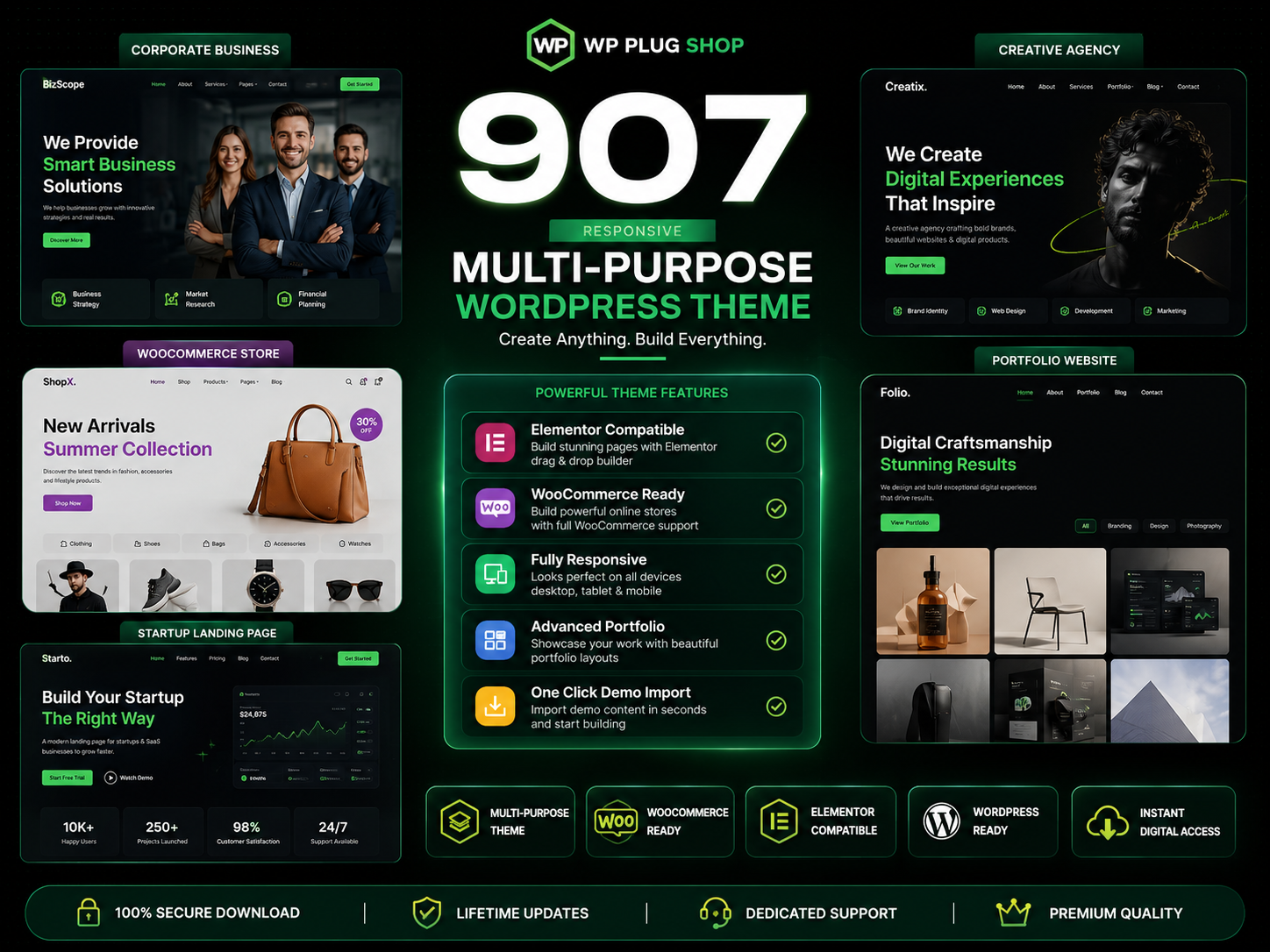
907 Responsive Multi-Purpose WordPress Theme is a flexible and feature-rich WordPress website solution designed for businesses, agencies, freelancers, startups, online
The 907 Theme – Responsive Multi-Purpose WordPress Theme is a flexible and powerful website-building solution designed for users who want to create professional
A.I Autocontent for Elementor 1.0.0 is an AI-powered content generation plugin designed specifically for Elementor users who want to create website content faster and
A.I. AutoContent for Elementor is a groundbreaking extension that brings the power of artificial intelligence directly into your favorite page builder. Designed for
Building an online community, membership portal, or secure corporate intranet using generic WordPress templates often leads to mismatched design aesthetics, severe