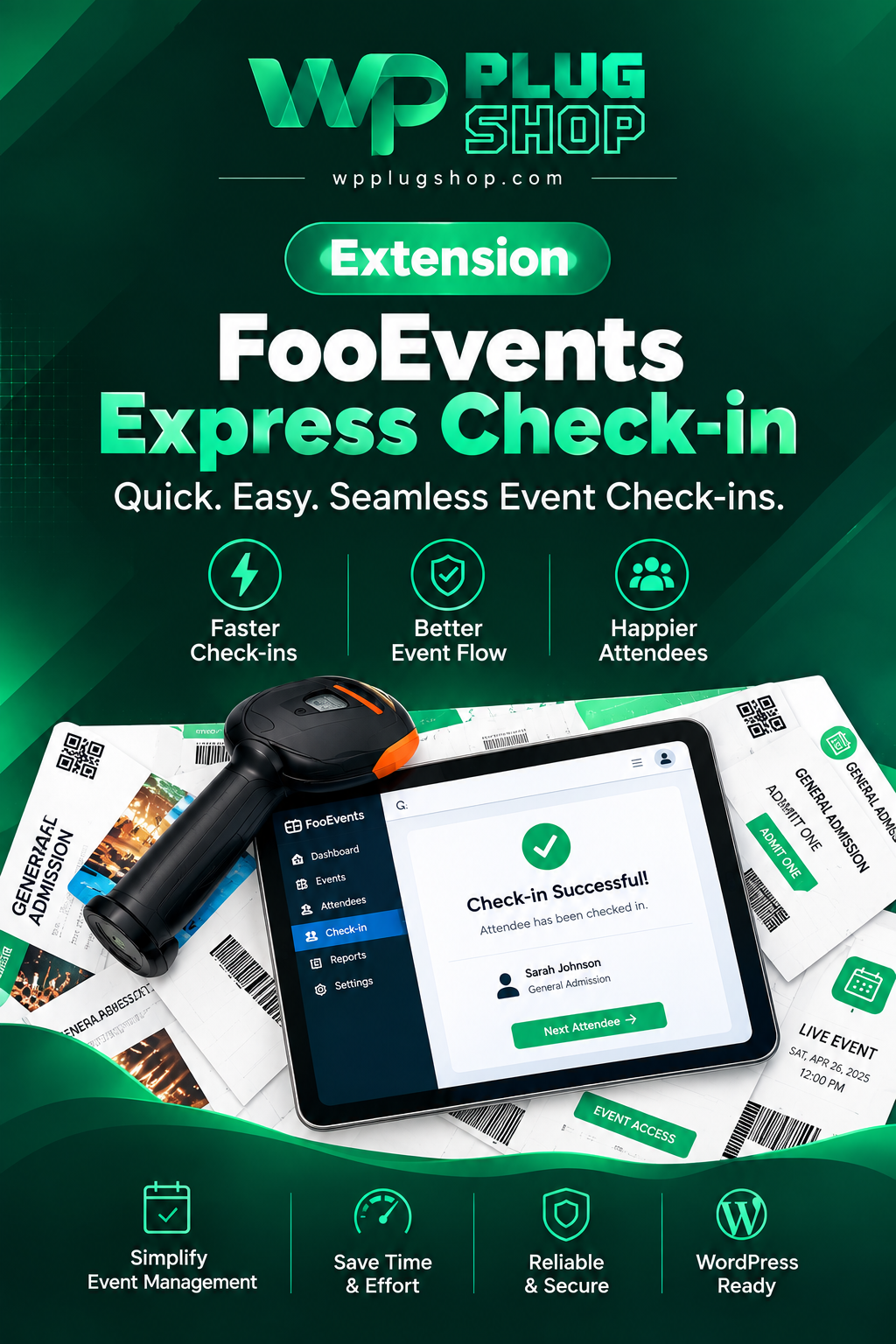
Frequently Asked Questions What is FooEvents Express Check-in? FooEvents Express Check-in is a WooCommerce event check-in extension that allows event staff to find and
FooEvents Express Check-in is a WooCommerce event check-in extension that allows event staff to find and check in attendees using ticket information or barcode scanning from a computer within the WordPress environment.
Does FooEvents Express Check-in work with WooCommerce?
Yes. FooEvents Express Check-in is part of the FooEvents ecosystem for WooCommerce and is designed to work with the main FooEvents for WooCommerce plugin for event ticketing and attendee management.
Can I scan event tickets with FooEvents Express Check-in?
Yes. FooEvents Express Check-in supports external barcode scanners connected to a computer through USB or Bluetooth. FooEvents tickets can contain unique Code 128 barcodes or QR codes that can be scanned for attendee check-in.
Does FooEvents Express Check-in support USB barcode scanners?
Yes. A compatible USB barcode scanner can be connected to a computer and used with FooEvents Express Check-in to scan attendee ticket barcodes during event entry.
Can I use a Bluetooth barcode scanner for WooCommerce event check-in?
Yes. FooEvents documentation states that compatible Bluetooth barcode scanners can be connected to a computer and used with the FooEvents Express Check-in extension. This can be useful for registration desks and busy event entrances.
Can attendees be checked in without scanning their tickets?
Yes. FooEvents provides attendee lookup functionality, allowing staff to find attendee information when a ticket cannot be scanned. This provides an alternative to barcode-based event check-in.
Is FooEvents Express Check-in the same as the FooEvents Check-ins mobile app?
No. They are separate check-in options within the FooEvents ecosystem. Express Check-in is designed for physical barcode scanning with a computer, while the FooEvents Check-ins app is available for iOS and Android devices and provides mobile ticket scanning and attendee search.
What types of events can use FooEvents Express Check-in?
FooEvents can be used for many ticketed event scenarios, including conferences, workshops, classes, concerts, shows, sports events, and other WooCommerce-powered events where attendees need to be validated at entry.
What is the benefit of using barcode scanning for event check-in?
Barcode scanning can reduce manual ticket lookup at the entrance by allowing staff to scan attendee tickets directly. This can create a more streamlined workflow for event registration desks, ticket verification, and attendee admission.
What do I need to use FooEvents Express Check-in?
FooEvents Express Check-in is designed to work with the FooEvents for WooCommerce ecosystem. For barcode-based check-in, you can use a compatible external barcode scanner connected to a computer through USB or Bluetooth. Before an event, it is recommended to test the complete check-in workflow with your actual WordPress and WooCommerce setup.
Frequently Asked Questions
What is FooEvents Express Check-in?
FooEvents Express Check-in is a WooCommerce event check-in extension that provides a browser-based interface for finding attendees, scanning ticket barcodes, and checking attendees in quickly.
Does FooEvents Express Check-in work with WooCommerce?
Yes. FooEvents Express Check-in is an extension for the FooEvents event ticketing system for WooCommerce. The core FooEvents for WooCommerce plugin is required to use the Express Check-in extension.
Can I scan WooCommerce event tickets with FooEvents Express Check-in?
Yes. FooEvents Express Check-in can be used with compatible USB or Bluetooth barcode scanners. When a ticket is scanned, its ticket ID can be searched and the attendee can be checked in through the Express Check-in interface.
Does FooEvents Express Check-in support USB barcode scanners?
Yes. A USB barcode scanner can be connected to a desktop computer and used with the FooEvents Express Check-in interface in the WordPress admin area.
Can I use a Bluetooth barcode scanner with FooEvents Express Check-in?
Yes. FooEvents documentation supports Bluetooth barcode scanners for Express Check-in. This can provide a convenient hardware-assisted workflow for scanning tickets at event entrances and registration desks.
What is Auto Search in FooEvents Express Check-in?
Auto Search automatically displays matching attendee and ticket information as data is entered into the search field. This is particularly useful when ticket IDs are entered through a barcode scanner.
What is Auto Check-in in FooEvents Express Check-in?
Auto Check-in automatically changes an attendee’s ticket status to “Checked In” when a matching ticket ID is found. This option is designed to reduce manual steps and speed up the ticket validation process.
Can I check in an attendee without scanning a barcode?
Yes. FooEvents provides attendee search functionality, allowing event staff to locate ticket information manually when a barcode or QR code cannot be scanned.
Does FooEvents Express Check-in use QR codes?
Yes. FooEvents supports QR codes as well as 1D barcodes for ticket identification. The appropriate scanner or scanning method should support the ticket code format being used for the event.
Is FooEvents Express Check-in the same as the FooEvents Check-ins app?
No. Express Check-in and the FooEvents Check-ins apps are separate check-in options. Express Check-in provides a browser-based WordPress workflow with external barcode scanner support, while the Check-ins apps are designed for mobile devices.
Frequently Asked Questions
What is FooEvents Express Check-in?
FooEvents Express Check-in is a WooCommerce event check-in extension that helps event staff search attendee records, scan ticket barcodes, and check attendees in through a browser-based WordPress interface.
Can I use FooEvents Express Check-in for WooCommerce events?
Yes. FooEvents Express Check-in is designed for the FooEvents event ticketing system for WooCommerce. The extension works with the core FooEvents for WooCommerce plugin and provides an attendee check-in workflow through the WordPress admin area.
Can FooEvents Express Check-in scan event ticket barcodes?
Yes. FooEvents Express Check-in supports barcode scanning using compatible USB or Bluetooth barcode scanners connected to a computer or supported device. When a ticket is scanned, the ticket ID can be searched and matched against attendee data.
Does FooEvents Express Check-in support QR codes?
Yes. FooEvents supports QR-code ticket workflows as well as 1D barcodes. The appropriate scanning hardware or FooEvents check-in method should be selected according to the event setup and ticket format.
What is Auto Search in FooEvents Express Check-in?
Auto Search allows the Express Check-in search field to automatically display matching attendee and ticket information as data is entered. This is especially useful when ticket IDs are entered quickly using a barcode scanner.
What does Auto Check-in do in FooEvents Express Check-in?
Auto Check-in automatically marks an attendee as “Checked In” when a ticket ID matching the search criteria is found. This reduces manual steps and can help speed up ticket validation at busy event entrances.
Can I use a USB barcode scanner with FooEvents Express Check-in?
Yes. A compatible USB barcode scanner can be connected to a desktop computer and used with the FooEvents Express Check-in interface. This setup can be useful for registration desks, event entrances, conferences, and other ticketed events.
Can I use a Bluetooth barcode scanner for WooCommerce event check-in?
Yes. FooEvents documentation supports Bluetooth barcode scanners with Express Check-in. A compatible scanner can be paired with the device and used to enter ticket IDs into the Express Check-in search field.
Can event staff search attendees without scanning a ticket?
Yes. The Express Check-in interface allows staff to search attendee and ticket information manually. This provides an alternative check-in workflow when a ticket barcode cannot be scanned.
Does FooEvents Express Check-in require the FooEvents plugin?
Yes. FooEvents Express Check-in is an extension of FooEvents and requires the main FooEvents for WooCommerce plugin to be installed and activated. It is intended to extend the event ticketing system with a dedicated attendee check-in workflow.
Please note: This is a digital product. Due to its digital nature, all sales are final — no refund will be provided after purchase and delivery. Please see our Refund Policy before purchasing.
1 Reviews
Loading reviews...
Unable to load reviews. Please try again later.
Henry EdwardsRated 5 out of 5
3 days ago
Does everything promised
No license headaches, no waiting — just downloaded and used it. The quality is genuinely good and everything works as described. Good experience all around.
907 Responsive Multi-Purpose WordPress Theme is a flexible and feature-rich WordPress website solution designed for businesses, agencies, freelancers, startups, online
The 907 Theme – Responsive Multi-Purpose WordPress Theme is a flexible and powerful website-building solution designed for users who want to create professional
A.I Autocontent for Elementor 1.0.0 is an AI-powered content generation plugin designed specifically for Elementor users who want to create website content faster and
A.I. AutoContent for Elementor is a groundbreaking extension that brings the power of artificial intelligence directly into your favorite page builder. Designed for
Building an online community, membership portal, or secure corporate intranet using generic WordPress templates often leads to mismatched design aesthetics, severe