
MotoPress Hotel Booking Multi Currency – Hotel Currency Switcher Plugin
Verified from VirusTotal 100% Original Product and Virus Free. Free New Version Lifetime On Single Purchase. Unlimited Website Usage Price is in US dollars and included tax
Buy confidently with secure digital checkout, account-based downloads, and a cleaner WPPlugShop product experience.
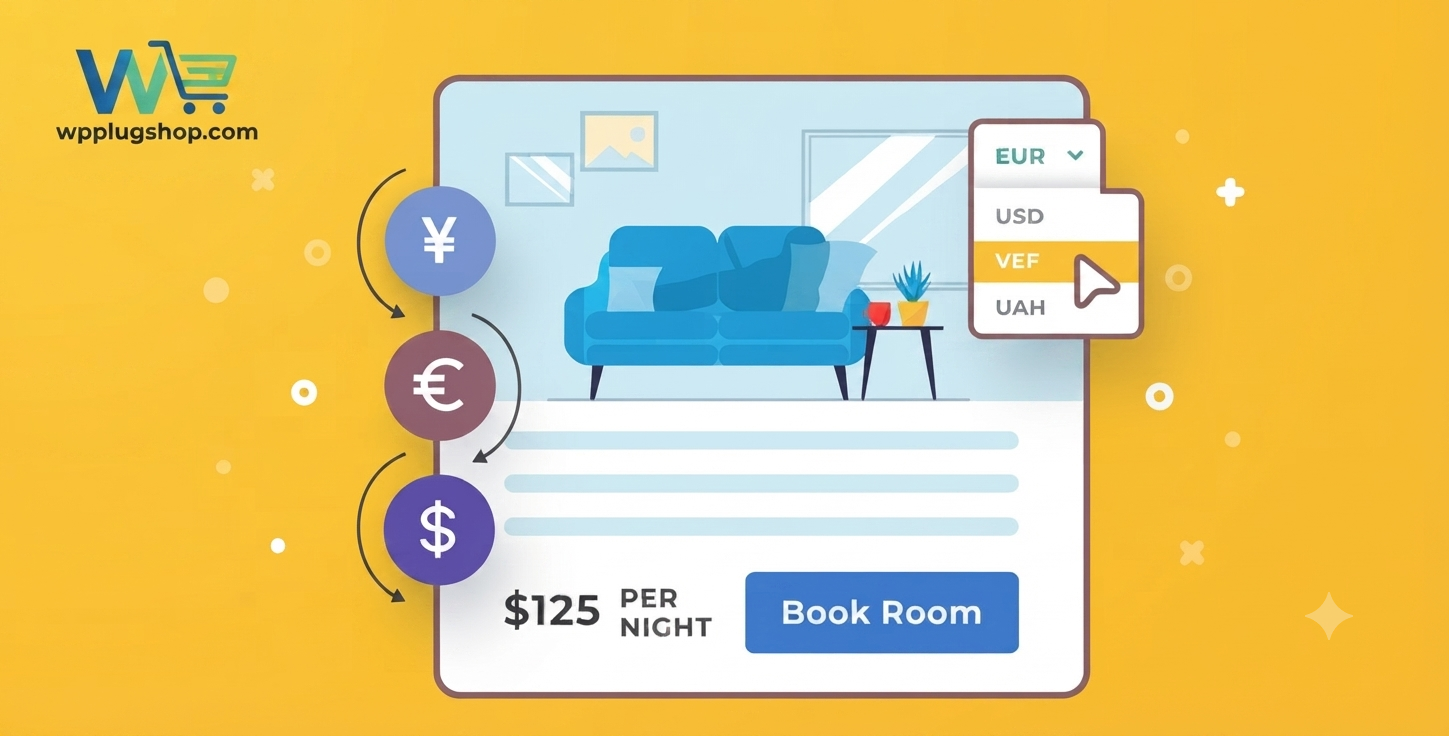
Preview MotoPress Hotel Booking Multi Currency – Hotel Currency Switcher Plugin
View the product artwork, switch gallery images, and open a larger preview before checkout.
Get secure digital access for real WordPress projects
This section summarizes the buying experience and what customers can expect after checkout.
Product overview, benefits, and digital access details
Review the key product details, practical use cases, and digital access information before checkout.
Product Overview
MotoPress Hotel Booking Multi Currency 1.2.8 is a powerful extension for the MotoPress Hotel Booking plugin that allows hotel, vacation rental, and accommodation websites to display booking prices in multiple currencies. It helps international guests view rates in their preferred currency and creates a more convenient booking experience.
This addon is ideal for hotels, resorts, apartments, villas, guest houses, and rental property websites that serve customers from different countries. By adding currency switching functionality, businesses can make pricing clearer and improve the overall reservation process.
Why Choose MotoPress Hotel Booking Multi Currency?
International customers often prefer seeing accommodation prices in their own currency. Manual currency conversion can create confusion and reduce booking confidence. MotoPress Hotel Booking Multi Currency provides an easy solution by allowing visitors to switch between supported currencies directly on your website.
- Display accommodation prices in different currencies.
- Improve booking experience for international guests.
- Make pricing easier to understand.
- Support global travel customers.
- Create a professional hotel booking website.
- Reduce currency-related confusion.
Key Features
- Multi Currency Support: Allow guests to view booking prices in different currencies according to their preferences.
- Currency Switcher: Add an easy-to-use currency selection option to your hotel website.
- Price Conversion: Convert accommodation prices into selected currencies for better customer understanding.
- Custom Currency Options: Configure currencies suitable for your target customers.
- Exchange Rate Management: Manage currency conversion settings according to your requirements.
- Hotel Booking Integration: Works with the MotoPress Hotel Booking system for accommodation reservations.
- Guest-Friendly Pricing: Provide visitors with familiar currency displays during booking.
- Travel Website Enhancement: Improve international usability for hotels and rental platforms.
- Flexible Placement: Add currency switching functionality through available website areas.
- Professional Booking Experience: Create a smoother reservation journey for customers.
Main Benefits
- Attract international travelers.
- Improve customer trust during booking.
- Make accommodation pricing transparent.
- Provide a localized shopping experience.
- Increase convenience for global visitors.
- Enhance hotel website functionality.
- Save customers from manual currency calculations.
- Create a more professional reservation system.
Best Use Cases
- Hotels
- Resorts
- Vacation rental websites
- Apartment booking websites
- Villa rental businesses
- Guest houses
- Travel agencies
- Hospitality companies
- Property management websites
- Accommodation booking platforms
Who Should Use This Addon?
- Hotel Owners: Display room prices in currencies preferred by international guests.
- Vacation Rental Businesses: Improve booking convenience for worldwide customers.
- Travel Agencies: Provide clearer pricing information for travelers.
- Property Managers: Enhance accommodation websites with flexible pricing displays.
- Developers & Agencies: Build professional booking websites for hospitality businesses.
- Global Businesses: Support customers from different regions.
WP Plug Shop Benefits
- GPL-friendly WordPress-ready digital resource.
- Instant digital access after purchase.
- Secure checkout process.
- Scanned files for additional confidence.
- Suitable for developers, agencies, freelancers, and website owners.
- Affordable solution for improving hotel booking websites.
Product Details
| Specification | Details |
|---|---|
| Product Name | MotoPress Hotel Booking Multi Currency |
| Version | 1.2.8 |
| Plugin Type | Hotel Booking Currency Extension |
| Platform | WordPress |
| Requires | MotoPress Hotel Booking Plugin |
| Main Function | Display accommodation prices in multiple currencies |
| Best For | Hotels, rentals, resorts, and travel websites |
Feature Comparison
| Feature | Single Currency Booking Website | MotoPress Multi Currency |
|---|---|---|
| Currency Display | One Currency | Multiple Currencies |
| International Guest Support | Limited | Improved |
| Price Understanding | Requires Conversion | Easy Viewing |
| Booking Convenience | Basic | Enhanced |
| Global Website Experience | Limited | Better |
Pros and Considerations
| Pros | Considerations |
|---|---|
| Improves international booking experience. | Requires MotoPress Hotel Booking plugin. |
| Easy currency switching for guests. | Currency settings need proper configuration. |
| Makes accommodation pricing clearer. | Best suited for hospitality websites. |
| Useful for global travel businesses. | Exchange rates may require management. |
Final Verdict
MotoPress Hotel Booking Multi Currency 1.2.8 is an essential addon for accommodation websites that want to serve international customers. By allowing guests to view prices in their preferred currency, it improves transparency, convenience, and confidence during the booking process.
For hotels, resorts, vacation rentals, and travel businesses using MotoPress Hotel Booking, this addon provides a simple and effective way to create a more global-friendly reservation experience.
Frequently Asked Questions
What is MotoPress Hotel Booking Multi Currency 1.2.8?
MotoPress Hotel Booking Multi Currency 1.2.8 is an addon that allows hotel and accommodation websites to display booking prices in multiple currencies, making it easier for international guests to understand pricing.
Do I need MotoPress Hotel Booking to use this addon?
Yes. This addon requires the MotoPress Hotel Booking plugin to be installed and configured on your WordPress website.
Who can use MotoPress Hotel Booking Multi Currency?
This addon is suitable for hotels, resorts, vacation rentals, apartments, villas, guest houses, and travel websites that accept bookings from customers worldwide.
Can guests switch currencies on the booking website?
Yes. The addon provides a currency switching option that allows visitors to view accommodation prices in their preferred currency.
Does the addon support international customers?
Yes. It is designed to improve the booking experience for international guests by displaying prices in familiar currencies.
Can I add multiple currencies to my hotel website?
Yes. The addon allows website owners to configure multiple currencies based on their business requirements.
Does MotoPress Multi Currency convert hotel booking prices?
Yes. The addon helps display converted accommodation prices according to configured currency settings.
Is this addon useful for vacation rental websites?
Yes. Vacation rental businesses can use it to make property pricing easier to understand for travelers from different countries.
Is coding knowledge required to use this addon?
No. The addon can be configured through WordPress settings. Advanced customization may require technical knowledge.
Can developers use this addon for client websites?
Yes. Developers and agencies can use it to create professional hotel and rental booking websites with multi-currency support.
Why should I use MotoPress Hotel Booking Multi Currency?
This addon helps accommodation businesses provide a better global booking experience by allowing customers to view prices in their preferred currency and reducing currency confusion.
Quick product answers for buyers and AI search
Clear product answers help buyers, search engines, and AI answer engines understand this product faster.
Best ways to use this WordPress digital product
These use cases help buyers quickly decide if this product fits their workflow.
How digital access works
No physical shipping is required. This is a digital product access purchase designed for account-based downloads.
Secure payment options for digital checkout
WPPlugShop supports trusted checkout options so buyers can complete digital purchases with more confidence.
Frequently asked questions
Buyer-focused answers about digital access, secure payments, downloads, support, and product usage.
Related WordPress tools you may also like
Explore related WordPress tools that may support the same workflow, website type, or project goal.



Choose the right WordPress tool with confidence
Request a product, explore membership access, or contact support if you want help choosing the right WordPress digital product before checkout.