
JetSloth Gravity Forms Bulk Actions Pro – Bulk Edit, Duplicate & Reorder Gravity Forms Fields for WordPress
Verified from VirusTotal 100% Original Product and Virus Free. Free New Version Lifetime On Single Purchase. Unlimited Website Usage Price is in US dollars and included tax
Buy confidently with secure digital checkout, account-based downloads, and a cleaner WPPlugShop product experience.
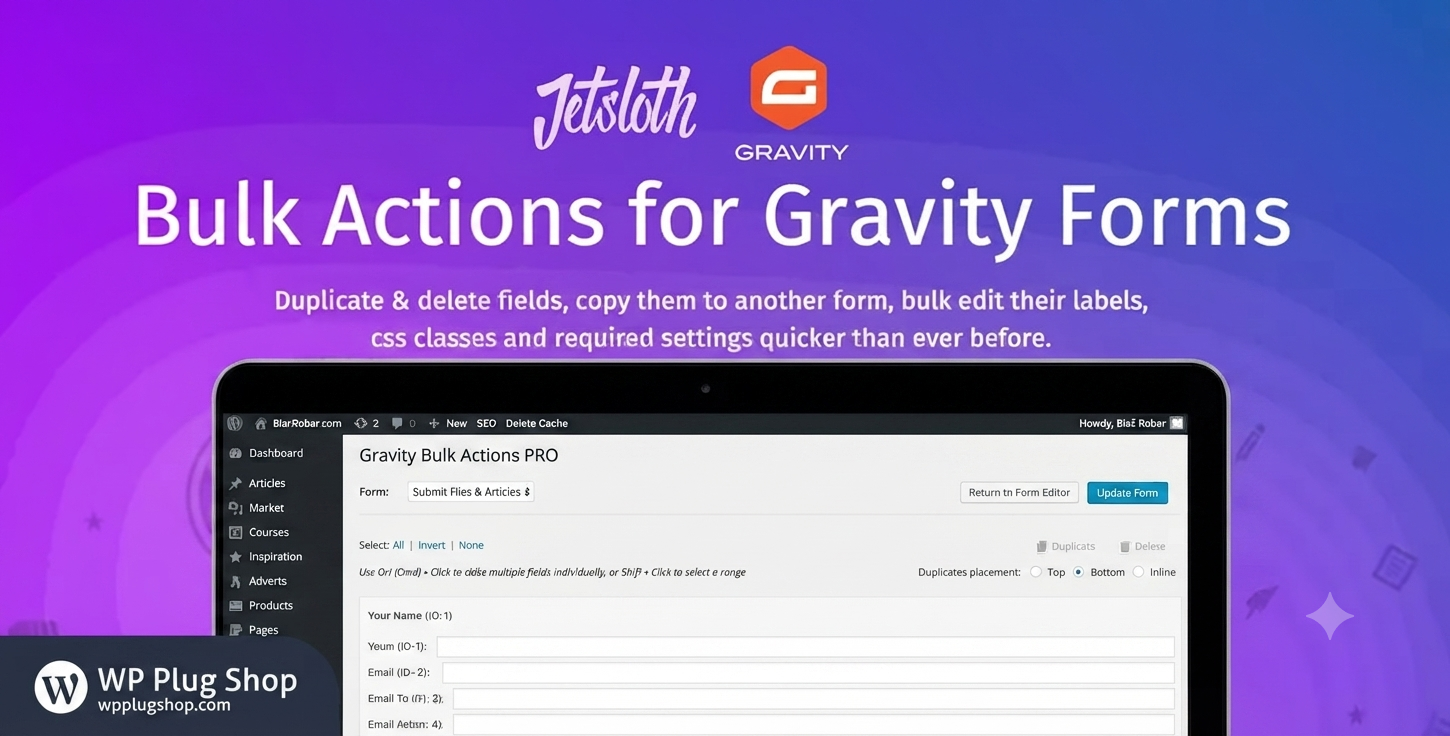
Preview JetSloth Gravity Forms Bulk Actions Pro – Bulk Edit, Duplicate & Reorder Gravity Forms Fields for WordPress
View the product artwork, switch gallery images, and open a larger preview before checkout.
Get secure digital access for real WordPress projects
This section summarizes the buying experience and what customers can expect after checkout.
Product overview, benefits, and digital access details
Review the key product details, practical use cases, and digital access information before checkout.
Frequently Asked Questions
What is JetSloth Gravity Forms Bulk Actions Pro?
JetSloth Gravity Forms Bulk Actions Pro is a productivity addon for Gravity Forms that helps you manage large forms more efficiently. It allows you to select multiple fields and perform actions like duplicate, delete, reorder, copy, and bulk edit from a single interface. :contentReference[oaicite:0]{index=0}
Can I edit multiple Gravity Forms fields at the same time?
Yes. You can select multiple fields and update labels, descriptions, CSS classes, required settings, visibility options, and other supported properties in a single bulk editing operation. :contentReference[oaicite:1]{index=1}
Does Bulk Actions Pro allow me to duplicate multiple fields?
Yes. The plugin supports duplicating one or more selected Gravity Forms fields, helping you build complex forms much faster than copying fields individually. :contentReference[oaicite:2]{index=2}
Can I copy fields from one Gravity Form to another?
Yes. Bulk Actions Pro includes a copy-to-form feature that lets you transfer selected fields between existing Gravity Forms, making it easier to reuse common field groups across multiple forms. :contentReference[oaicite:3]{index=3}
Does the plugin support bulk field reordering?
Yes. You can select individual or multiple fields and quickly reorder them using drag-and-drop functionality, which is especially useful for large and complex forms. :contentReference[oaicite:4]{index=4}
Who should use JetSloth Gravity Forms Bulk Actions Pro?
The plugin is ideal for WordPress developers, agencies, freelancers, businesses, and anyone who regularly builds or manages large Gravity Forms and wants to speed up repetitive editing tasks.
Is this addon compatible with the latest versions of Gravity Forms?
JetSloth states that Bulk Actions Pro is compatible with modern Gravity Forms releases, including recent 2.8+ versions. Always review the current compatibility information before updating production websites. :contentReference[oaicite:5]{index=5}
Can I select all fields with one click?
Yes. The addon provides quick selection tools such as Select All, None, and Invert Selection, making it easy to manage forms containing many fields. :contentReference[oaicite:6]{index=6}
Will this plugin improve my Gravity Forms workflow?
Yes. By reducing repetitive manual editing and allowing multiple field operations simultaneously, Bulk Actions Pro can significantly improve form-building efficiency and productivity. :contentReference[oaicite:7]{index=7}
Why download JetSloth Gravity Forms Bulk Actions Pro from WP Plug Shop?
WP Plug Shop offers premium WordPress plugins, Gravity Forms addons, WooCommerce tools, and developer resources to help freelancers, agencies, and businesses build and manage WordPress websites more efficiently.
Frequently Asked Questions
What is JetSloth Gravity Forms Bulk Actions Pro?
JetSloth Gravity Forms Bulk Actions Pro is a productivity addon for Gravity Forms that helps you manage large forms more efficiently. It allows you to select multiple fields and perform actions like duplicate, delete, reorder, copy, and bulk edit from a single interface. :contentReference[oaicite:0]{index=0}
Can I edit multiple Gravity Forms fields at the same time?
Yes. You can select multiple fields and update labels, descriptions, CSS classes, required settings, visibility options, and other supported properties in a single bulk editing operation. :contentReference[oaicite:1]{index=1}
Does Bulk Actions Pro allow me to duplicate multiple fields?
Yes. The plugin supports duplicating one or more selected Gravity Forms fields, helping you build complex forms much faster than copying fields individually. :contentReference[oaicite:2]{index=2}
Can I copy fields from one Gravity Form to another?
Yes. Bulk Actions Pro includes a copy-to-form feature that lets you transfer selected fields between existing Gravity Forms, making it easier to reuse common field groups across multiple forms. :contentReference[oaicite:3]{index=3}
Does the plugin support bulk field reordering?
Yes. You can select individual or multiple fields and quickly reorder them using drag-and-drop functionality, which is especially useful for large and complex forms. :contentReference[oaicite:4]{index=4}
Who should use JetSloth Gravity Forms Bulk Actions Pro?
The plugin is ideal for WordPress developers, agencies, freelancers, businesses, and anyone who regularly builds or manages large Gravity Forms and wants to speed up repetitive editing tasks.
Is this addon compatible with the latest versions of Gravity Forms?
JetSloth states that Bulk Actions Pro is compatible with modern Gravity Forms releases, including recent 2.8+ versions. Always review the current compatibility information before updating production websites. :contentReference[oaicite:5]{index=5}
Can I select all fields with one click?
Yes. The addon provides quick selection tools such as Select All, None, and Invert Selection, making it easy to manage forms containing many fields. :contentReference[oaicite:6]{index=6}
Will this plugin improve my Gravity Forms workflow?
Yes. By reducing repetitive manual editing and allowing multiple field operations simultaneously, Bulk Actions Pro can significantly improve form-building efficiency and productivity. :contentReference[oaicite:7]{index=7}
Why download JetSloth Gravity Forms Bulk Actions Pro from WP Plug Shop?
WP Plug Shop offers premium WordPress plugins, Gravity Forms addons, WooCommerce tools, and developer resources to help freelancers, agencies, and businesses build and manage WordPress websites more efficiently.
Frequently Asked Questions
What does JetSloth Gravity Forms Bulk Actions Pro do?
JetSloth Gravity Forms Bulk Actions Pro enhances the Gravity Forms editor by allowing you to perform bulk operations on multiple form fields at once. It helps reduce repetitive tasks and speeds up form creation and maintenance.
Can I duplicate multiple fields in a single action?
Yes. You can select multiple fields and duplicate them simultaneously, making it much faster to build large forms or reuse groups of fields within the same form.
Can I delete multiple Gravity Forms fields at once?
Yes. Instead of removing fields individually, you can select multiple fields and delete them together, saving valuable time when modifying existing forms.
Does the plugin support bulk editing of field settings?
Yes. Bulk Actions Pro allows you to update supported field settings across multiple selected fields, including labels, CSS classes, required status, and other common options where applicable.
Can I move or copy fields between different forms?
Yes. The plugin includes tools for copying selected fields from one Gravity Form to another, helping you reuse layouts and standard field groups across multiple projects.
Is JetSloth Gravity Forms Bulk Actions Pro suitable for large forms?
Absolutely. It is especially useful for websites with large or complex Gravity Forms where manually editing dozens of fields would otherwise be time-consuming.
Who can benefit from using this plugin?
WordPress developers, freelancers, agencies, businesses, educational institutions, nonprofits, and WooCommerce site owners using Gravity Forms can all benefit from the productivity improvements offered by this addon.
Does this addon require Gravity Forms?
Yes. JetSloth Gravity Forms Bulk Actions Pro is an addon that requires the Gravity Forms plugin to be installed and activated before it can be used.
Can this plugin improve productivity when building forms?
Yes. By enabling bulk duplication, deletion, editing, selection, and copying of fields, the plugin significantly reduces repetitive work and streamlines the entire form-building process.
Why choose JetSloth Gravity Forms Bulk Actions Pro from WP Plug Shop?
WP Plug Shop provides premium WordPress plugins, Gravity Forms addons, WooCommerce extensions, themes, and developer tools to help professionals build websites faster, improve productivity, and streamline WordPress development workflows.
Quick product answers for buyers and AI search
Clear product answers help buyers, search engines, and AI answer engines understand this product faster.
Best ways to use this WordPress digital product
These use cases help buyers quickly decide if this product fits their workflow.
How digital access works
No physical shipping is required. This is a digital product access purchase designed for account-based downloads.
Secure payment options for digital checkout
WPPlugShop supports trusted checkout options so buyers can complete digital purchases with more confidence.
Frequently asked questions
Buyer-focused answers about digital access, secure payments, downloads, support, and product usage.
Related WordPress tools you may also like
Explore related WordPress tools that may support the same workflow, website type, or project goal.




Choose the right WordPress tool with confidence
Request a product, explore membership access, or contact support if you want help choosing the right WordPress digital product before checkout.