
Docly – Documentation & Knowledge Base WordPress Theme with bbPress Helpdesk Forum
Verified from VirusTotal 100% Original Product and Virus Free. Free New Version Lifetime On Single Purchase. Unlimited Website Usage Price is in US dollars and included tax
Buy confidently with secure digital checkout, account-based downloads, and a cleaner WPPlugShop product experience.
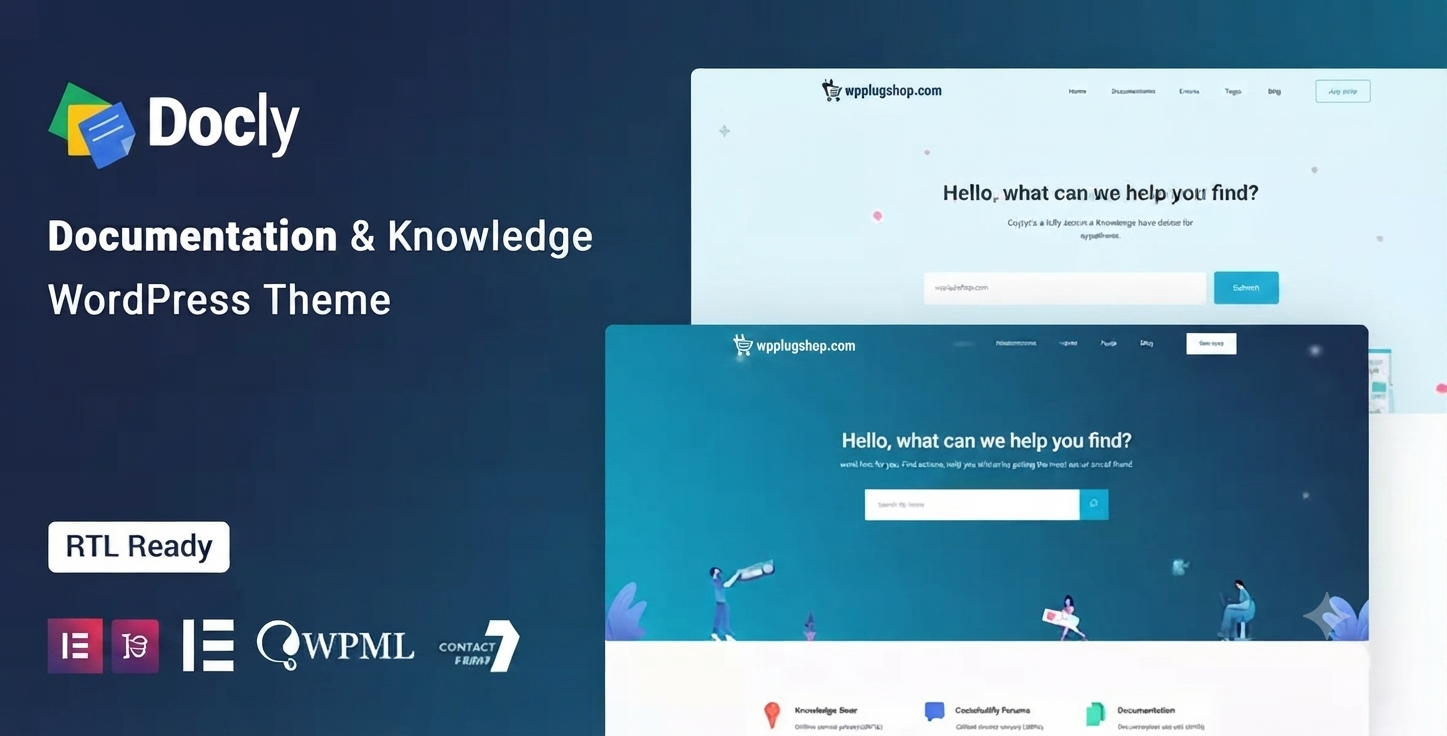
Preview Docly – Documentation & Knowledge Base WordPress Theme with bbPress Helpdesk Forum
View the product artwork, switch gallery images, and open a larger preview before checkout.
Get secure digital access for real WordPress projects
This section summarizes the buying experience and what customers can expect after checkout.
Product overview, benefits, and digital access details
Review the key product details, practical use cases, and digital access information before checkout.
Frequently Asked Questions (FAQs)
1. What is the Docly Documentation & Knowledge Base WordPress Theme?
Docly is a WordPress theme designed for creating documentation websites, knowledge bases, help centers, software documentation, API documentation, FAQs, user guides, and support portals. It provides structured layouts to help organize technical content and improve the user experience.
2. Who should use the Docly WordPress Theme?
Docly is ideal for software companies, SaaS businesses, startups, developers, agencies, product teams, IT companies, educational platforms, and organizations that need a professional documentation or help center website.
3. Is Docly compatible with bbPress?
Yes. Docly is designed to integrate with bbPress, making it possible to create a community forum where users can ask questions, discuss issues, and receive support.
4. Can I build a knowledge base website with Docly?
Yes. Docly is specifically built for creating searchable knowledge bases, documentation libraries, FAQs, tutorials, and user guides that are easy for visitors to navigate.
5. Is the Docly theme mobile responsive?
Yes. Docly features a responsive design that adapts to desktops, tablets, and smartphones, providing a consistent browsing experience across different screen sizes.
6. Can I customize the Docly theme without coding?
Yes. The theme includes customization options that allow you to adjust layouts, typography, colors, and other design elements using WordPress tools and compatible page builders.
7. Is Docly SEO-friendly?
Docly follows modern WordPress development practices that support SEO. Pairing it with an SEO plugin and high-quality documentation can help improve search visibility.
8. Can I create software or API documentation with Docly?
Yes. Docly is suitable for documenting software products, APIs, plugins, themes, SaaS platforms, developer resources, and technical documentation.
9. What types of websites can I build using Docly?
You can create documentation websites, product manuals, online help centers, customer support portals, FAQs, wiki websites, developer documentation, educational resource centers, and community support portals.
10. What are the benefits of downloading Docly from WP Plug Shop?
WP Plug Shop provides instant digital access, secure downloads, and a streamlined purchasing experience, making it easier to get started with your WordPress documentation website.
More Frequently Asked Questions
11. Can I use the Docly theme for product documentation?
Yes. Docly is well suited for publishing product documentation, user manuals, installation guides, feature explanations, release notes, and troubleshooting resources in a structured format.
12. Is Docly a good choice for SaaS companies?
Yes. SaaS businesses can use Docly to create onboarding guides, customer help centers, API documentation, knowledge bases, FAQs, and self-service support resources.
13. Can I create an internal company knowledge base with Docly?
Yes. Docly can be adapted for internal documentation, team knowledge bases, process documentation, employee guides, and company resource libraries, depending on your WordPress configuration and access settings.
14. Does Docly support documentation for WordPress plugins and themes?
Yes. Developers can use Docly to publish documentation for WordPress plugins, themes, custom solutions, installation instructions, FAQs, and support articles.
15. Can I organize documentation into categories and sections?
Yes. WordPress allows documentation content to be organized into categories, menus, and hierarchical page structures, helping visitors find information more easily.
16. Is Docly suitable for online learning resources?
Yes. Educational organizations, instructors, and training providers can use Docly to publish learning materials, tutorials, reference guides, and educational documentation.
17. Does Docly support multilingual documentation?
Docly is designed to work with WordPress translation capabilities and is generally compatible with multilingual plugins, making it suitable for multilingual documentation websites.
18. Can I integrate contact forms with the Docly theme?
Yes. You can add contact forms, support request forms, feedback forms, and inquiry forms using compatible WordPress form plugins.
19. Is Docly suitable for technical documentation?
Absolutely. Docly is designed for technical documentation, developer resources, API references, software manuals, product guides, and knowledge management websites.
20. Why choose the Docly Documentation & Knowledge Base WordPress Theme?
Docly combines a documentation-focused design, responsive layouts, knowledge base organization, bbPress compatibility, and flexible customization options, making it a practical choice for support portals, documentation websites, and developer resources.
Advanced Frequently Asked Questions
21. Can I use the Docly theme for API documentation websites?
Yes. Docly is well suited for publishing API references, developer guides, authentication instructions, endpoint documentation, SDK guides, and integration resources in an organized format.
22. Is Docly suitable for software companies?
Yes. Software companies can use Docly to create product documentation, onboarding guides, release notes, troubleshooting articles, FAQs, and customer self-service portals.
23. Can I create a searchable documentation website with Docly?
Yes. Docly is designed to help organize documentation into a structured knowledge base, making it easier for visitors to browse and locate relevant information using your site's navigation and search features.
24. Does Docly support tutorials and step-by-step guides?
Yes. You can publish tutorials, installation guides, configuration instructions, onboarding documents, and educational articles using WordPress pages and posts.
25. Can I create a customer support portal with Docly?
Yes. Docly is a suitable foundation for customer support websites that include documentation, FAQs, help articles, and community discussions through compatible WordPress plugins.
26. Is Docly suitable for developers and technical teams?
Absolutely. Developers, DevOps teams, IT departments, SaaS providers, and software vendors can use Docly to document workflows, APIs, products, and technical resources.
27. Can I publish release notes and product updates?
Yes. WordPress makes it easy to publish release notes, version updates, changelogs, feature announcements, and maintenance notices in a structured documentation website.
28. Does Docly support community discussions?
Yes. With bbPress integration, you can build a discussion forum where users can ask questions, share solutions, and participate in community-driven support.
29. Can I expand my documentation website as my product grows?
Yes. Docly provides a flexible structure for adding new documentation sections, categories, tutorials, FAQs, knowledge base articles, and support resources as your documentation library expands.
30. Why is Docly a popular choice for documentation websites?
Docly combines a clean documentation-focused design, responsive layouts, organized knowledge base structure, bbPress compatibility, and flexible customization, making it an excellent solution for software products, SaaS platforms, APIs, help centers, and technical documentation websites.
Quick product answers for buyers and AI search
Clear product answers help buyers, search engines, and AI answer engines understand this product faster.
Best ways to use this WordPress digital product
These use cases help buyers quickly decide if this product fits their workflow.
How digital access works
No physical shipping is required. This is a digital product access purchase designed for account-based downloads.
Secure payment options for digital checkout
WPPlugShop supports trusted checkout options so buyers can complete digital purchases with more confidence.
Frequently asked questions
Buyer-focused answers about digital access, secure payments, downloads, support, and product usage.
Related WordPress tools you may also like
Explore related WordPress tools that may support the same workflow, website type, or project goal.
Choose the right WordPress tool with confidence
Request a product, explore membership access, or contact support if you want help choosing the right WordPress digital product before checkout.