
FooEvents Seating Extension for WooCommerce – Event Seat Reservation & Seating Management Plugin
Verified from VirusTotal 100% Original Product and Virus Free. Free New Version Lifetime On Single Purchase. Unlimited Website Usage Price is in US dollars and included tax
Buy confidently with secure digital checkout, account-based downloads, and a cleaner WPPlugShop product experience.
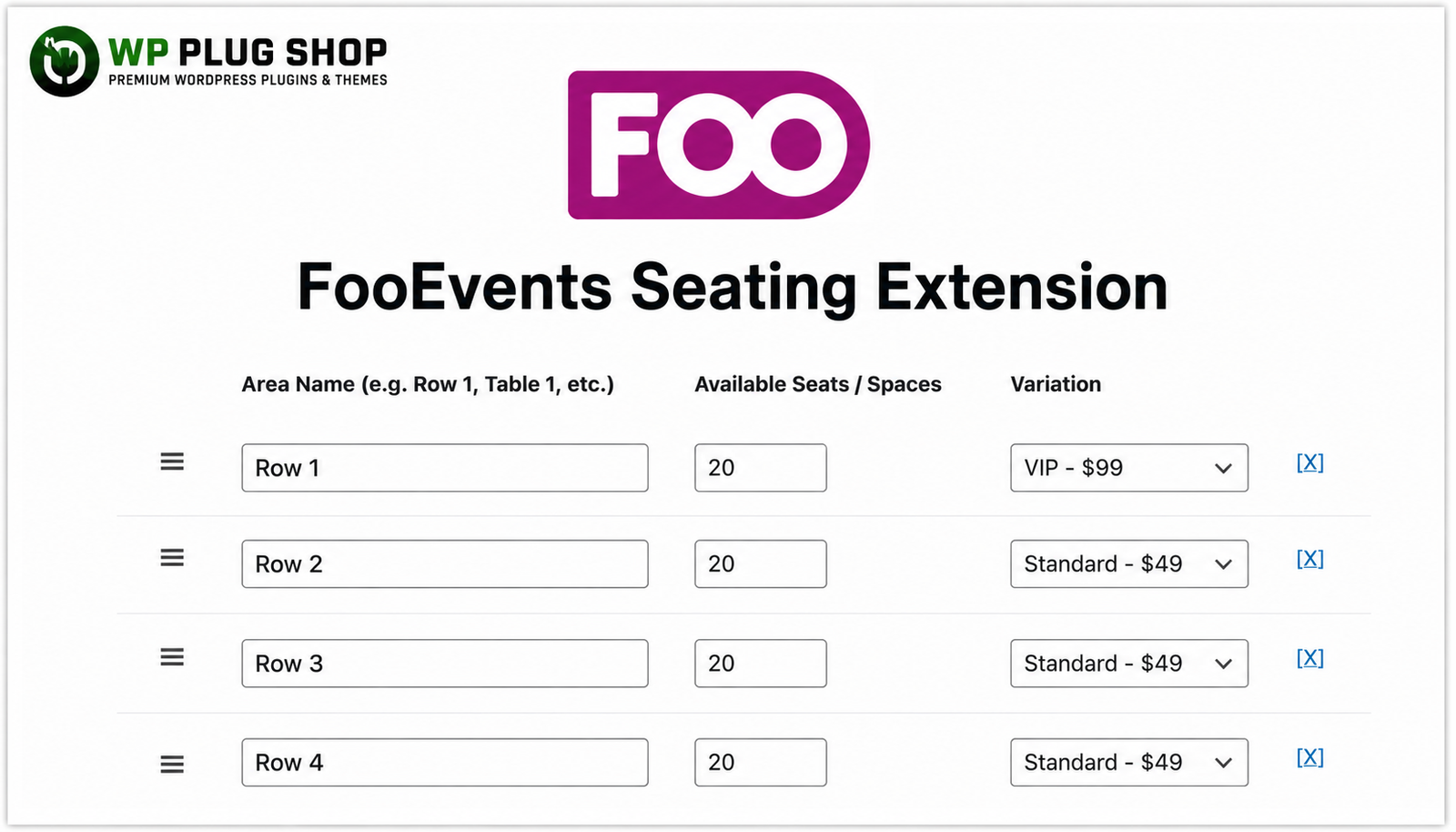
Preview FooEvents Seating Extension for WooCommerce – Event Seat Reservation & Seating Management Plugin
View the product artwork, switch gallery images, and open a larger preview before checkout.
Get secure digital access for real WordPress projects
This section summarizes the buying experience and what customers can expect after checkout.
Product overview, benefits, and digital access details
Review the key product details, practical use cases, and digital access information before checkout.
Frequently Asked Questions (FAQs)
1. What is FooEvents Seating Extension?
FooEvents Seating Extension is a powerful add-on for FooEvents that enables event organizers to create interactive seating layouts, assign seats to attendees, manage seat availability, and offer reserved seating for WooCommerce-powered events.
2. Can attendees choose their own seats during ticket booking?
Yes. The plugin allows customers to select their preferred seats from available seating areas during the ticket purchasing process, providing a seamless booking experience.
3. Does FooEvents Seating Extension support VIP and Standard seating?
Absolutely. You can create multiple seating sections such as VIP, Premium, Standard, Balcony, Front Row, or Custom Areas, each with its own ticket pricing and availability.
4. Is the plugin compatible with WooCommerce?
Yes. FooEvents Seating Extension works seamlessly with WooCommerce, allowing you to sell reserved event tickets while managing seating layouts and inventory directly from your WordPress website.
5. Can I create custom seating layouts for different event types?
Yes. You can configure seating arrangements for concerts, conferences, theaters, cinemas, stadiums, workshops, classrooms, sports events, and many other venue types.
6. Does the extension prevent double bookings?
Yes. Once a seat has been reserved or purchased, it becomes unavailable for other customers, helping eliminate duplicate bookings and ensuring accurate seat management.
7. Can I assign different prices to different seating areas?
Yes. The extension allows you to connect seating sections with WooCommerce ticket variations, making it easy to charge different prices for VIP, Premium, Standard, or custom seating zones.
8. Is FooEvents Seating Extension suitable for large events?
Yes. It is designed to handle small and large-scale events, making it an excellent solution for venues with multiple seating sections and high ticket volumes.
9. Does the plugin require FooEvents to function?
Yes. FooEvents Seating Extension is an add-on and requires the FooEvents plugin along with WooCommerce and WordPress to provide full seating management functionality.
10. Why download FooEvents Seating Extension from WP Plug Shop?
WP Plug Shop offers secure digital access, fast downloads, GPL-friendly resources, and an easy purchasing experience, making it convenient to access premium WordPress plugins for your projects.
Frequently Asked Questions
1. What is FooEvents Seating Extension?
FooEvents Seating Extension is a premium add-on for FooEvents that enables you to create reserved seating layouts for WooCommerce events. It allows customers to select specific seats during ticket purchase while giving administrators complete control over seating availability and pricing.
2. Who should use FooEvents Seating Extension?
This extension is ideal for event organizers, theaters, cinemas, concert venues, conference organizers, sports arenas, schools, churches, and businesses that require assigned seating for events sold through WooCommerce.
3. Does FooEvents Seating Extension work with WooCommerce?
Yes. The extension integrates seamlessly with WooCommerce and FooEvents, allowing you to sell reserved seats directly through your WordPress website using WooCommerce products and checkout.
4. Can customers choose their own seats before purchasing tickets?
Yes. Customers can view available seating areas and select their preferred seats before completing the checkout process, creating a professional and user-friendly booking experience.
5. Can I create VIP, Premium, and Standard seating sections?
Absolutely. You can assign different WooCommerce ticket variations to seating areas such as VIP, Premium, Balcony, Standard, Front Row, or any custom seating section with individual pricing.
6. Does the plugin prevent double booking of seats?
Yes. Once a seat has been reserved or purchased, it becomes unavailable to other customers, helping eliminate duplicate bookings and ensuring accurate seat inventory management.
7. Can I customize seating layouts for different venues?
Yes. You can create flexible seating arrangements including rows, tables, custom sections, and venue-specific layouts to match the requirements of your event location.
8. Is FooEvents Seating Extension suitable for large events?
Yes. The extension is designed for both small and large-scale events, making it suitable for concerts, festivals, exhibitions, conferences, sports venues, auditoriums, and other high-capacity events.
9. Does this extension require FooEvents?
Yes. FooEvents Seating Extension is an add-on and requires the FooEvents plugin, WooCommerce, and WordPress to function correctly.
10. What are the benefits of downloading FooEvents Seating Extension from WP Plug Shop?
WP Plug Shop provides secure digital access, GPL-friendly downloads, instant delivery, regular updates when available, and an easy purchasing experience for WordPress professionals, agencies, developers, and business owners.
FooEvents Seating Extension – Frequently Asked Questions
1. What is FooEvents Seating Extension?
FooEvents Seating Extension is a premium add-on for FooEvents that enables reserved seating for WooCommerce events. It allows organizers to create interactive seating plans, assign seats, and let customers choose their preferred seats during ticket purchase.
2. Which plugins are required to use FooEvents Seating Extension?
This extension requires WordPress, WooCommerce, and the FooEvents plugin. It works as an add-on that extends FooEvents with advanced seating and seat reservation functionality.
3. Can customers select their own seats?
Yes. Customers can view available seating layouts and select their preferred seats before completing checkout, creating a smooth and professional ticket booking experience.
4. Can I create VIP, Premium, and Standard seating sections?
Yes. You can create multiple seating categories such as VIP, Premium, Balcony, Front Row, Standard, or custom sections with different ticket prices using WooCommerce variations.
5. Does the plugin prevent duplicate seat bookings?
Yes. Once a seat has been booked, it becomes unavailable for other customers, helping prevent double bookings and ensuring accurate seat availability.
6. Is FooEvents Seating Extension suitable for concerts, theaters, and conferences?
Absolutely. It is ideal for concerts, theaters, cinemas, conferences, seminars, workshops, exhibitions, sports events, churches, schools, universities, and any venue that requires reserved seating.
7. Can I customize seating layouts for different venues?
Yes. You can design seating arrangements that match your venue's layout, making it easy to manage different event types with unique seating configurations.
8. Does the extension integrate with WooCommerce ticket sales?
Yes. The extension works seamlessly with WooCommerce, allowing tickets with assigned seats to be sold through the standard WooCommerce checkout process.
9. Is FooEvents Seating Extension beginner-friendly?
Yes. The extension provides an intuitive interface for creating seating layouts and managing seat availability, making it suitable for both beginners and experienced WordPress users.
10. Who should use FooEvents Seating Extension?
This plugin is perfect for event organizers, ticketing companies, venue managers, theaters, cinemas, conference organizers, agencies, businesses, educational institutions, and anyone selling reserved event tickets through WooCommerce.
11. What are the benefits of downloading FooEvents Seating Extension from WP Plug Shop?
WP Plug Shop provides secure digital access, GPL-friendly downloads, instant delivery, an easy purchasing experience, and a growing library of premium WordPress plugins and WooCommerce extensions.
12. Why choose FooEvents Seating Extension over a basic event ticket plugin?
Unlike basic ticketing plugins, FooEvents Seating Extension offers interactive seat selection, reserved seating, seating layouts, seat availability management, and flexible pricing for different seating areas, delivering a better experience for both organizers and attendees.
Quick product answers for buyers and AI search
Clear product answers help buyers, search engines, and AI answer engines understand this product faster.
Best ways to use this WordPress digital product
These use cases help buyers quickly decide if this product fits their workflow.
How digital access works
No physical shipping is required. This is a digital product access purchase designed for account-based downloads.
Secure payment options for digital checkout
WPPlugShop supports trusted checkout options so buyers can complete digital purchases with more confidence.
Frequently asked questions
Buyer-focused answers about digital access, secure payments, downloads, support, and product usage.
Related WordPress tools you may also like
Explore related WordPress tools that may support the same workflow, website type, or project goal.




Choose the right WordPress tool with confidence
Request a product, explore membership access, or contact support if you want help choosing the right WordPress digital product before checkout.