
WP News and Scrolling Widgets – WordPress News Ticker, Slider & Content Display Plugin
Verified from VirusTotal 100% Original Product and Virus Free. Free New Version Lifetime On Single Purchase. Unlimited Website Usage Price is in US dollars and included tax
Buy confidently with secure digital checkout, account-based downloads, and a cleaner WPPlugShop product experience.
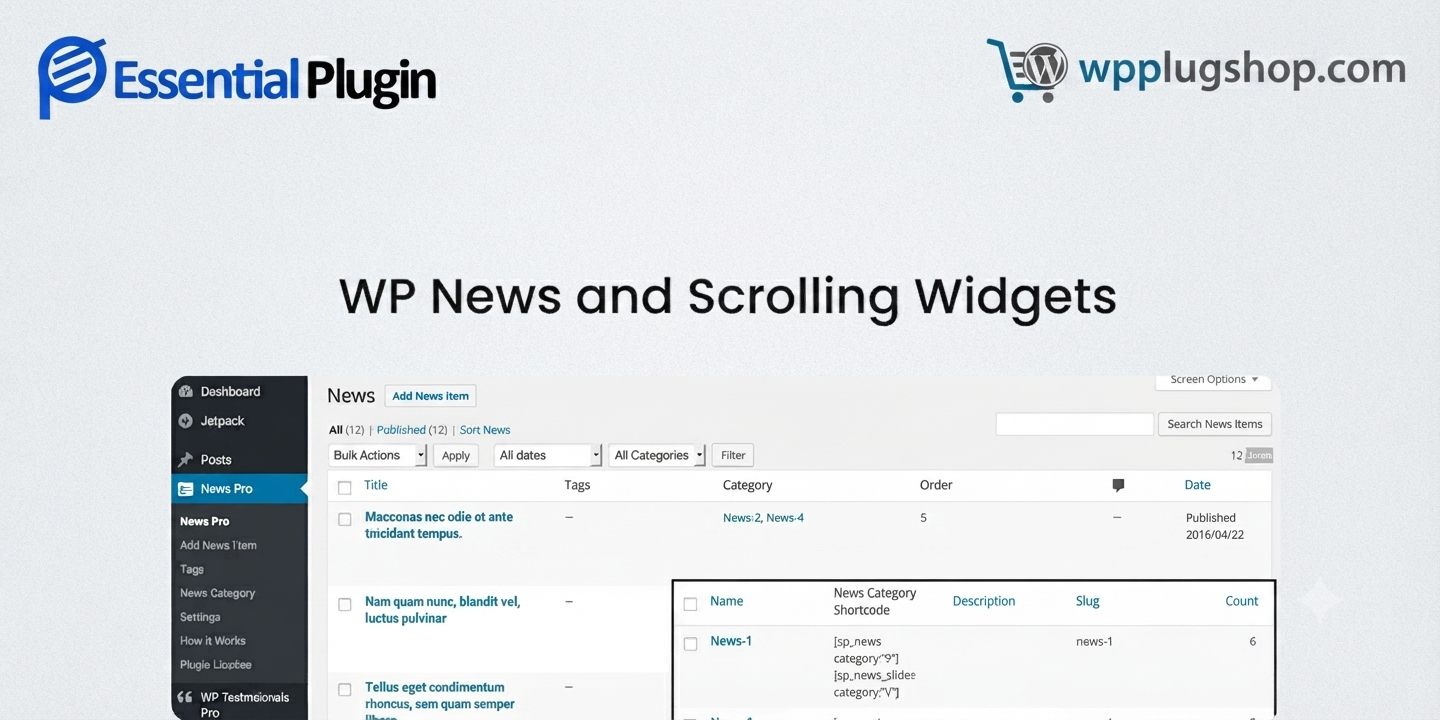
Preview WP News and Scrolling Widgets – WordPress News Ticker, Slider & Content Display Plugin
View the product artwork, switch gallery images, and open a larger preview before checkout.
Get secure digital access for real WordPress projects
This section summarizes the buying experience and what customers can expect after checkout.
Product overview, benefits, and digital access details
Review the key product details, practical use cases, and digital access information before checkout.
Product Overview
WP News and Scrolling Widgets is a powerful WordPress news display plugin designed to help website owners create attractive news sections, scrolling news tickers, post sliders, grids, and content showcase areas without complex development work.
This WordPress news widget plugin helps businesses, bloggers, publishers, agencies, and organizations display the latest posts, announcements, updates, events, and featured content in professional layouts that improve visitor engagement.
With multiple display styles, scrolling widgets, news sliders, and flexible content presentation options, this plugin makes it easier to transform a standard WordPress website into a dynamic content hub.
Why This Product Is Useful
Keeping visitors updated is essential for news websites, business websites, blogs, and online stores. Traditional blog layouts often hide important announcements and new content, making it harder for visitors to discover updates.
WP News and Scrolling Widgets solves this problem by providing professional news display solutions including scrolling news sections, latest post widgets, news grids, sliders, and announcement areas.
- Create engaging news sections for your WordPress website.
- Highlight important announcements and latest updates.
- Display blog posts in attractive layouts.
- Improve content visibility on homepage and landing pages.
- Create magazine-style content presentation.
- Help visitors discover important website information faster.
Key Features
- News Scrolling Widgets: Display headlines, updates, and announcements using dynamic scrolling news sections.
- News Slider Layouts: Showcase important articles, posts, and updates using attractive slider presentations.
- News Grid Display: Create organized content grids for magazines, blogs, and business websites.
- Multiple News Layout Options: Present content using different styles to match your website design.
- Latest Posts Showcase: Highlight recent WordPress posts and important website updates.
- Announcement Display: Share company news, events, promotions, and important notices.
- Responsive Design: Create content sections that work smoothly across desktop, tablet, and mobile devices.
- Page Builder Compatibility: Use the plugin with popular WordPress website building workflows.
- Shortcode Support: Display news sections in different pages and website areas.
- Easy Content Management: Manage displayed news content directly from your WordPress dashboard.
Main Benefits
- Increase Content Visibility: Make important posts, announcements, and updates easier for visitors to discover.
- Create Professional Website Sections: Add modern news layouts without manually designing custom components.
- Improve Visitor Engagement: Encourage visitors to explore more content through attractive displays.
- Support Business Communication: Publish company updates, events, offers, and announcements effectively.
- Enhance Blog and Magazine Websites: Create professional content showcases similar to modern publishing websites.
- Save Development Time: Add advanced news display functionality without building custom solutions from scratch.
Best Use Cases
- News Websites: Display breaking news, featured articles, and latest updates using professional layouts.
- Magazine Websites: Create attractive article sections and content showcase areas.
- Business Websites: Publish company announcements, press releases, and important updates.
- Educational Websites: Share school notices, events, courses, and student announcements.
- WooCommerce Stores: Display product launches, promotions, seasonal offers, and store updates.
- Blogs: Highlight recent articles, featured posts, and popular content.
- Agency Projects: Build professional content sections for client websites.
Who Should Use This Product?
- WordPress Website Owners: Add professional news and content display sections to websites.
- Bloggers: Showcase latest posts and improve content discovery.
- Business Owners: Communicate updates, announcements, and important information.
- News Publishers: Create engaging news feeds and magazine-style layouts.
- Freelancers and Agencies: Deliver advanced WordPress content solutions for clients.
- WooCommerce Store Owners: Promote products, sales, and store announcements.
WP Plug Shop Access Benefits
- WordPress-Ready Resource: Access a useful plugin solution designed for real WordPress website projects.
- Premium Digital Marketplace Experience: Purchase through a reliable digital product marketplace.
- Secure Checkout: Complete your purchase through a secure online checkout process.
- Budget-Friendly Website Enhancement: Access useful WordPress functionality for cost-conscious creators and developers.
- Digital Access: Receive access to your purchased digital resource according to marketplace delivery methods.
Product Details
| Detail | Information |
|---|---|
| Product Name | WP News and Scrolling Widgets |
| Product Type | WordPress News Display and Content Widget Plugin |
| Main Purpose | Create news tickers, scrolling widgets, sliders, and content showcases |
| Platform | WordPress |
| Ideal For | News websites, blogs, businesses, magazines, agencies |
| Core Functions | News display, scrolling widgets, sliders, grids, announcements |
| WooCommerce Usage | Suitable for store announcements and product updates |
| Access Type | Digital WordPress product access |
Feature Comparison
| Feature | Basic WordPress Widgets | WP News and Scrolling Widgets |
|---|---|---|
| News Display Layouts | Limited | Multiple professional layouts |
| Scrolling News Ticker | Usually unavailable | Dedicated scrolling news display |
| Content Showcase | Basic post lists | News grids, sliders, and widgets |
| Homepage Engagement | Limited | Designed for dynamic content presentation |
| Business Announcements | Requires manual setup | Built for displaying updates and notices |
Pros and Considerations
| Pros | Considerations |
|---|---|
| Multiple ways to display WordPress content | Requires quality content for best results |
| Useful for news, blogs, and business websites | Layout choices should match website goals |
| Improves content visibility | Large websites may need organized content planning |
| Helps create professional homepage sections | Customization depends on website setup |
Final Verdict
Frequently Asked Questions
What is WP News and Scrolling Widgets plugin?
WP News and Scrolling Widgets is a WordPress content display plugin that helps website owners create news tickers, scrolling news sections, sliders, grids, and latest post showcases for blogs, business websites, and online platforms.
Can I create a scrolling news ticker in WordPress?
Yes, WP News and Scrolling Widgets allows you to display scrolling news sections and announcement-style content areas, making it easier to highlight important updates and headlines on your WordPress website.
Is WP News and Scrolling Widgets useful for news websites?
Yes, this plugin is suitable for news portals, magazine websites, and content publishers who want to display featured articles, latest posts, trending updates, and organized news sections.
Can I use this plugin for business website announcements?
Yes, businesses can use WP News and Scrolling Widgets to display company announcements, events, promotions, press releases, and important updates in a professional format.
Does WP News and Scrolling Widgets work with WordPress blogs?
Yes, bloggers can use this WordPress news widget plugin to showcase recent posts, featured articles, category-based content, and improve content discovery for visitors.
Can I display latest WordPress posts using this plugin?
Yes, the plugin is designed to help display latest posts and website updates through different content layouts such as grids, sliders, lists, and scrolling widgets.
Is WP News and Scrolling Widgets compatible with page builders?
WP News and Scrolling Widgets can be used with common WordPress website-building workflows, including shortcode-based page layouts and popular page builders depending on your website configuration.
Can WooCommerce stores use WP News and Scrolling Widgets?
Yes, WooCommerce store owners can use this plugin to showcase new product announcements, seasonal offers, promotions, store updates, and important customer notifications.
How does a WordPress news plugin improve website engagement?
A WordPress news plugin helps visitors discover fresh content faster by placing important updates, articles, announcements, and featured information in visible website sections.
Who should use WP News and Scrolling Widgets?
This plugin is ideal for news publishers, bloggers, businesses, agencies, educational websites, organizations, and WordPress users who need professional content display widgets.
WP News and Scrolling Widgets is a practical WordPress content display solution for anyone who wants to create dynamic news sections, scrolling headlines, post showcases, and announcement areas.
Whether you run a news website, blog, business website, educational portal, or WooCommerce store, this plugin helps improve content visibility and create a more engaging visitor experience.
For users looking to add professional news widgets, latest post displays, and modern content presentation features to WordPress, WP News and Scrolling Widgets is a valuable addition to their website toolkit.
Quick product answers for buyers and AI search
Clear product answers help buyers, search engines, and AI answer engines understand this product faster.
Best ways to use this WordPress digital product
These use cases help buyers quickly decide if this product fits their workflow.
How digital access works
No physical shipping is required. This is a digital product access purchase designed for account-based downloads.
Secure payment options for digital checkout
WPPlugShop supports trusted checkout options so buyers can complete digital purchases with more confidence.
Frequently asked questions
Buyer-focused answers about digital access, secure payments, downloads, support, and product usage.
Related WordPress tools you may also like
Explore related WordPress tools that may support the same workflow, website type, or project goal.




Choose the right WordPress tool with confidence
Request a product, explore membership access, or contact support if you want help choosing the right WordPress digital product before checkout.