
Gravity Forms Tooltips Addon by JetSloth – Interactive Tooltips for WordPress Forms
Verified from VirusTotal 100% Original Product and Virus Free. Free New Version Lifetime On Single Purchase. Unlimited Website Usage Price is in US dollars and included tax
Buy confidently with secure digital checkout, account-based downloads, and a cleaner WPPlugShop product experience.
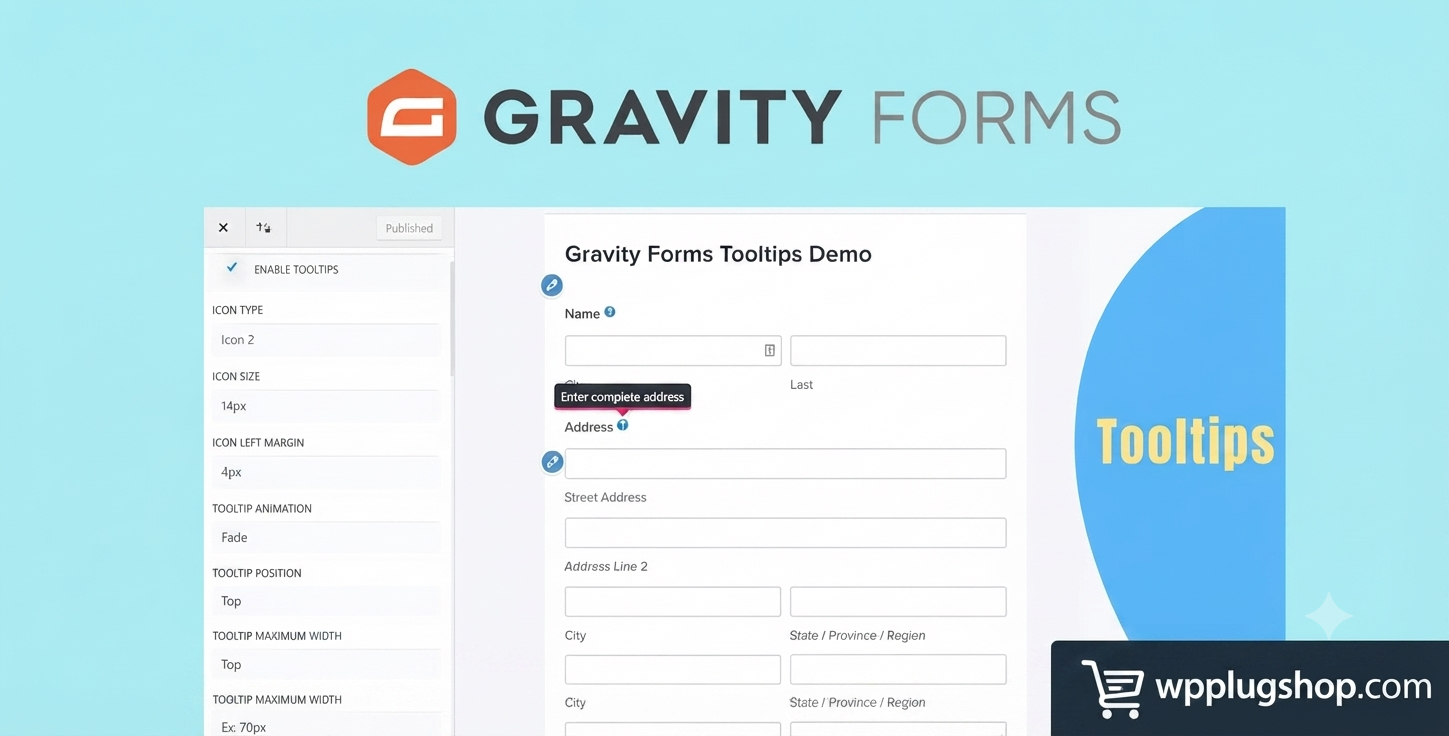
Preview Gravity Forms Tooltips Addon by JetSloth – Interactive Tooltips for WordPress Forms
View the product artwork, switch gallery images, and open a larger preview before checkout.
Get secure digital access for real WordPress projects
This section summarizes the buying experience and what customers can expect after checkout.
Product overview, benefits, and digital access details
Review the key product details, practical use cases, and digital access information before checkout.
Frequently Asked Questions
1. What is the Gravity Forms Tooltips Addon by JetSloth?
The Gravity Forms Tooltips Addon by JetSloth is a WordPress extension that lets you add informative and interactive tooltips to Gravity Forms fields, labels, checkboxes, radio buttons, and image choices. It helps users understand form fields and complete forms more accurately.
2. Why should I use tooltips in Gravity Forms?
Tooltips provide additional guidance without cluttering your forms. They reduce user confusion, improve form completion rates, minimize errors, and create a better overall user experience.
3. Which Gravity Forms fields support tooltips?
The addon supports tooltips for many Gravity Forms elements, including field labels, checkboxes, radio buttons, image choices, and other supported field types.
4. Can I customize the appearance of tooltips?
Yes. You can customize tooltip content, styling, positioning, icons, animations, and HTML formatting to match your website's branding and design.
5. Does the Gravity Forms Tooltips Addon support HTML content?
Yes. The addon allows HTML content inside tooltips, making it easy to include formatted text, links, icons, lists, and other supported elements.
6. Is coding required to use this addon?
No. The addon integrates directly with Gravity Forms and provides an easy-to-use interface, allowing you to add and manage tooltips without writing code.
7. Can I add tooltips to existing Gravity Forms?
Yes. You can enhance both new and existing Gravity Forms by adding helpful tooltips wherever additional guidance is needed.
8. Is the addon compatible with modern WordPress websites?
The Gravity Forms Tooltips Addon is designed for current WordPress environments. For the best compatibility, keep WordPress, Gravity Forms, and the addon updated to supported versions.
9. Who should use the Gravity Forms Tooltips Addon?
This addon is ideal for businesses, agencies, WooCommerce stores, membership websites, educational platforms, nonprofits, healthcare providers, and anyone using Gravity Forms to collect user information.
10. How does this addon improve form conversions?
By providing contextual guidance exactly where users need it, tooltips reduce uncertainty, lower abandonment rates, improve data accuracy, and encourage users to complete forms successfully.
Advanced Frequently Asked Questions
11. Can I add different tooltips to different fields?
Yes. You can configure unique tooltip content for individual form fields, allowing you to provide field-specific instructions, examples, or additional information where needed.
12. Will tooltips affect my form's performance?
The addon is designed to integrate efficiently with Gravity Forms. When used on a properly optimized WordPress website, it has minimal impact on overall form performance.
13. Can I use tooltips for registration and checkout forms?
Yes. Tooltips are especially useful for registration forms, contact forms, application forms, booking forms, surveys, quote requests, and checkout-related forms where users may need extra guidance.
14. Does the addon work on mobile devices?
Yes. Tooltips are designed to function on responsive WordPress websites, providing a helpful experience for users on desktops, tablets, and smartphones.
15. Can I include links or formatted text inside tooltips?
Yes. Since the addon supports HTML content, you can include formatted text, hyperlinks, lists, icons, and other supported HTML elements to make your guidance more informative.
16. Is the Gravity Forms Tooltips Addon suitable for WooCommerce websites?
Absolutely. WooCommerce stores that use Gravity Forms for product options, order forms, registrations, or custom requests can use tooltips to improve customer understanding and reduce input errors.
17. Can developers customize tooltip behavior?
Yes. Developers can extend the functionality through Gravity Forms and WordPress customization options, depending on the project's requirements.
18. Does the addon improve accessibility and usability?
By providing contextual guidance near form fields, the addon enhances usability and helps users understand required information more easily. Accessibility should also be evaluated based on your site's overall design and implementation.
19. Which websites benefit the most from this addon?
Business websites, eCommerce stores, educational platforms, membership sites, agencies, healthcare organizations, nonprofit websites, and service providers can all benefit from improved form guidance.
20. Why choose the Gravity Forms Tooltips Addon by JetSloth?
The addon offers a simple way to create more user-friendly forms by adding interactive guidance, reducing confusion, improving data quality, and increasing form completion rates without requiring custom development.
Expert FAQs – Gravity Forms Tooltips Addon by JetSloth
21. Can I use tooltips to explain complex form fields?
Yes. Tooltips are ideal for providing additional context, examples, or instructions for fields that may require detailed explanations, helping users complete forms with greater confidence.
22. Does the addon support conditional logic in Gravity Forms?
The addon works alongside Gravity Forms features, including forms that use conditional logic. Tooltip visibility and behavior depend on how your form is configured.
23. Can I add icons to trigger tooltips?
Yes. The addon provides customizable tooltip triggers and icons, allowing you to create a clean, intuitive interface that matches your website's design.
24. Is the Gravity Forms Tooltips Addon suitable for multilingual websites?
Yes. Tooltips can be translated using your preferred WordPress translation solution, making the addon suitable for multilingual and international websites.
25. Can I improve lead generation forms with this addon?
Absolutely. By clarifying field requirements and reducing uncertainty, tooltips can help increase form completion rates and improve the quality of lead submissions.
26. Is this addon useful for booking and appointment forms?
Yes. Booking forms often require additional instructions for dates, services, or customer information. Tooltips help users understand these requirements without overcrowding the form layout.
27. Can agencies use this addon for client websites?
Yes. Web designers, freelancers, and agencies can use the addon to create more user-friendly Gravity Forms for clients across various industries.
28. Does the addon require custom CSS or JavaScript?
No. Most tooltip customization options are available through the plugin settings. Advanced users can add custom styling if they want further visual customization.
29. What are the main benefits of adding tooltips to Gravity Forms?
Key benefits include improved user experience, fewer form errors, better data accuracy, increased accessibility, higher conversion rates, and reduced customer confusion.
30. Why should I choose the Gravity Forms Tooltips Addon by JetSloth?
The Gravity Forms Tooltips Addon provides an easy way to create more informative, professional, and user-friendly forms. It helps visitors understand form fields, reduces abandonment, improves submission accuracy, and enhances the overall experience without requiring custom development.
Quick product answers for buyers and AI search
Clear product answers help buyers, search engines, and AI answer engines understand this product faster.
Best ways to use this WordPress digital product
These use cases help buyers quickly decide if this product fits their workflow.
How digital access works
No physical shipping is required. This is a digital product access purchase designed for account-based downloads.
Secure payment options for digital checkout
WPPlugShop supports trusted checkout options so buyers can complete digital purchases with more confidence.
Frequently asked questions
Buyer-focused answers about digital access, secure payments, downloads, support, and product usage.
Related WordPress tools you may also like
Explore related WordPress tools that may support the same workflow, website type, or project goal.




Choose the right WordPress tool with confidence
Request a product, explore membership access, or contact support if you want help choosing the right WordPress digital product before checkout.