
WooCommerce Xero Extension – Automated Accounting & Invoice Sync Plugin
Verified from VirusTotal 100% Original Product and Virus Free. Free New Version Lifetime On Single Purchase. Unlimited Website Usage Price is in US dollars and included tax
Buy confidently with secure digital checkout, account-based downloads, and a cleaner WPPlugShop product experience.
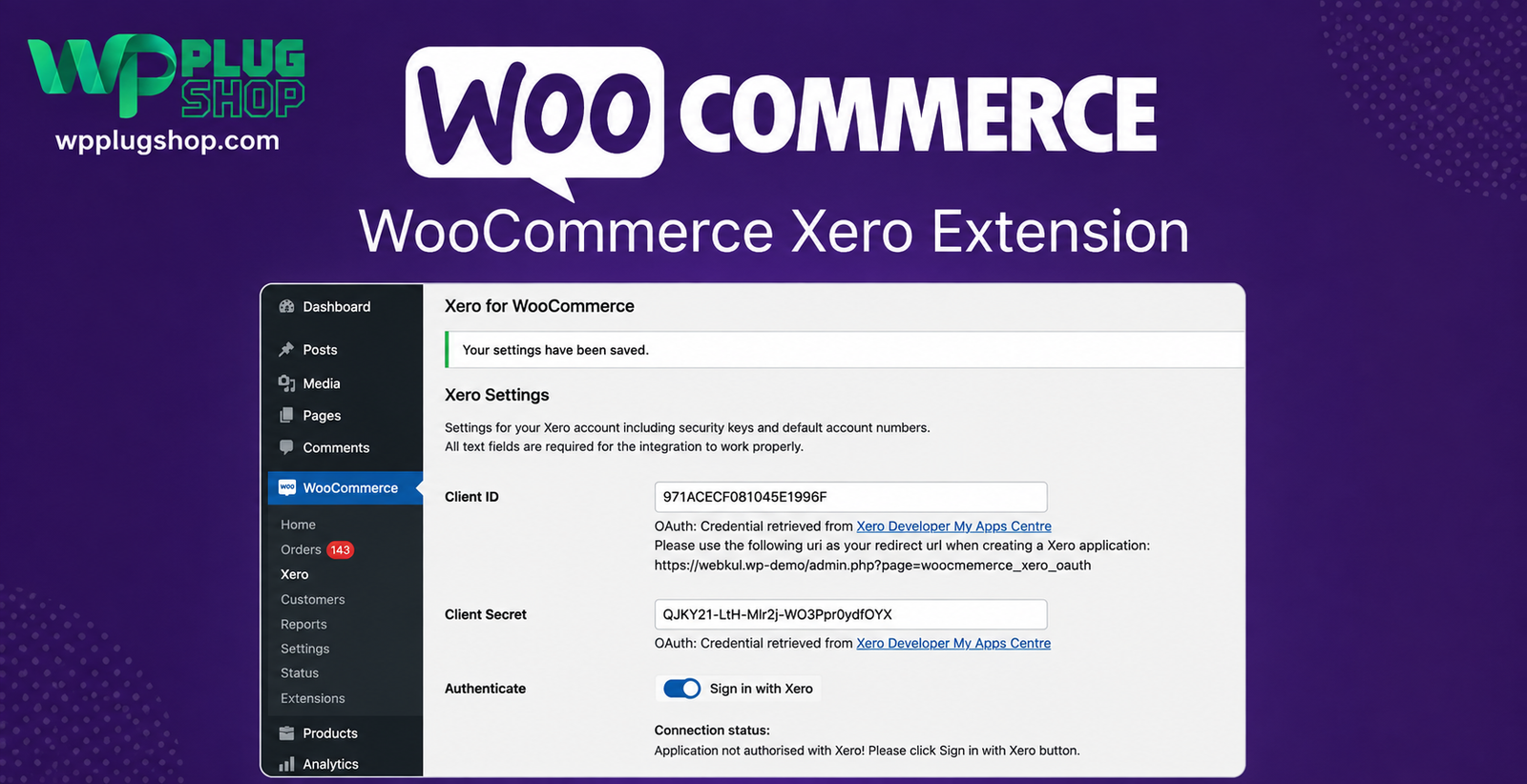
Preview WooCommerce Xero Extension – Automated Accounting & Invoice Sync Plugin
View the product artwork, switch gallery images, and open a larger preview before checkout.
Get secure digital access for real WordPress projects
This section summarizes the buying experience and what customers can expect after checkout.
Product overview, benefits, and digital access details
Review the key product details, practical use cases, and digital access information before checkout.
Frequently Asked Questions
1. What is WooCommerce Xero Extension?
WooCommerce Xero Extension is a WooCommerce accounting integration plugin that automatically connects your online store with your Xero account. It helps synchronize orders, customers, invoices, taxes, digital access charges, and payment information, reducing manual bookkeeping and improving accounting accuracy.
2. How does WooCommerce Xero Extension work?
The plugin securely connects your WooCommerce store to Xero using the Xero API. When customers place orders, the extension can automatically create invoices and synchronize important financial data with your Xero account, helping streamline your accounting workflow.
3. Can WooCommerce Xero Extension automatically create invoices in Xero?
Yes. One of the primary features of WooCommerce Xero Extension is automatic invoice creation. Eligible WooCommerce orders can be synchronized with Xero, helping reduce manual data entry and keeping your accounting records up to date.
4. What information can be synchronized between WooCommerce and Xero?
Depending on your configuration and plugin version, the extension can synchronize customer information, invoices, products, taxes, digital access charges, discounts, payment details, and order data to help maintain accurate financial records.
5. Who should use WooCommerce Xero Extension?
This plugin is ideal for WooCommerce store owners, accountants, bookkeepers, agencies, developers, online retailers, and businesses that use Xero Accounting and want to automate bookkeeping and financial management.
6. Does WooCommerce Xero Extension support tax and digital access synchronization?
Yes. The extension is designed to synchronize tax information and digital access charges along with WooCommerce order details, helping ensure your accounting records accurately reflect your store's transactions.
7. Do I need a Xero account to use this plugin?
Yes. A valid Xero account is required to connect your WooCommerce store and enable accounting synchronization. You will also need to authorize the connection through the Xero API during setup.
8. Will this plugin help reduce manual bookkeeping?
Yes. By automating invoice creation and synchronizing WooCommerce sales data with Xero, the plugin minimizes repetitive manual tasks, reduces the likelihood of data-entry errors, and saves valuable time for store owners and accounting teams.
9. Is WooCommerce Xero Extension suitable for growing eCommerce businesses?
Absolutely. Whether you operate a small online shop or manage a high-volume WooCommerce store, the extension helps streamline accounting workflows, improve financial reporting, and simplify day-to-day bookkeeping operations.
10. Why download WooCommerce Xero Extension from WP Plug Shop?
WP Plug Shop provides GPL-friendly access to premium WordPress plugins and WooCommerce extensions for freelancers, agencies, developers, and business owners. Enjoy secure digital downloads, budget-conscious access, and a growing collection of tools that help you build, manage, and optimize professional WordPress and WooCommerce websites.
Frequently Asked Questions
1. What is WooCommerce Xero Extension?
WooCommerce Xero Extension is a powerful WooCommerce integration plugin that connects your online store with Xero Accounting. It automatically synchronizes WooCommerce order data, customer information, invoices, taxes, digital access charges, and payment details, helping streamline your accounting workflow and reduce manual bookkeeping.
2. How does WooCommerce Xero Extension integrate with Xero?
The plugin securely connects your WooCommerce store to your Xero account using the Xero API. Once configured, it can automatically transfer eligible WooCommerce order data into Xero, helping maintain accurate financial records with minimal manual effort.
3. Can WooCommerce Xero Extension automatically create invoices?
Yes. The extension can automatically generate Xero invoices from WooCommerce orders, eliminating repetitive manual invoice creation while improving accounting efficiency and reducing the risk of data entry errors.
4. What data can be synchronized between WooCommerce and Xero?
Depending on your configuration, the plugin can synchronize customer information, invoices, products, taxes, digital access costs, discounts, payment transactions, and WooCommerce order details to keep your accounting records organized and up to date.
5. Is WooCommerce Xero Extension suitable for small businesses?
Absolutely. Whether you run a small online shop, a growing eCommerce business, or manage multiple WooCommerce stores, the plugin helps automate accounting tasks, improve financial accuracy, and save valuable administrative time.
6. Do I need an active Xero account to use this plugin?
Yes. A valid Xero account is required to establish the connection between WooCommerce and Xero. You will also need to authorize the integration using your Xero credentials during the setup process.
7. Does WooCommerce Xero Extension support tax and payment synchronization?
Yes. The plugin is designed to synchronize tax information, digital access charges, payment details, and other financial data with Xero, helping ensure your accounting records accurately reflect your WooCommerce transactions.
8. Will this plugin improve my WooCommerce accounting workflow?
Yes. By automating invoice generation and synchronizing financial data, WooCommerce Xero Extension helps reduce manual bookkeeping, minimizes accounting errors, improves reporting accuracy, and increases operational efficiency for your online business.
9. Is WooCommerce Xero Extension compatible with the latest WooCommerce versions?
The extension is developed specifically for WooCommerce-powered WordPress websites. Compatibility may vary depending on the plugin version and your site's environment, so it's recommended to review compatibility information and test updates on a staging website before deploying them to production.
10. Why choose WooCommerce Xero Extension from WP Plug Shop?
WP Plug Shop offers GPL-friendly access to premium WordPress plugins, WooCommerce extensions, and website development resources for freelancers, agencies, developers, accountants, and business owners. Enjoy secure digital downloads, budget-conscious pricing, and access to high-quality tools that help automate your WooCommerce store and simplify business management.
Frequently Asked Questions
1. What is WooCommerce Xero Extension used for?
WooCommerce Xero Extension is an accounting integration plugin that connects your WooCommerce store with Xero Accounting. It automates the synchronization of orders, invoices, customer information, taxes, digital access charges, and payment records, helping businesses streamline bookkeeping and financial management.
2. How does WooCommerce Xero Extension help automate accounting?
The plugin automatically transfers WooCommerce order data to your Xero account, reducing repetitive manual data entry. By synchronizing invoices, customers, payments, taxes, and digital access information, it helps improve accounting accuracy while saving valuable administrative time.
3. Can WooCommerce Xero Extension create invoices automatically in Xero?
Yes. The extension can automatically generate Xero invoices from eligible WooCommerce orders, making it easier to manage sales records and maintain organized financial data without creating invoices manually.
4. What information is synchronized between WooCommerce and Xero?
Depending on your configuration, the plugin can synchronize customer details, invoices, products, taxes, digital access fees, discounts, payment information, and WooCommerce order data to keep your accounting records consistent and up to date.
5. Is WooCommerce Xero Extension suitable for growing eCommerce businesses?
Yes. Whether you operate a startup, small business, or high-volume WooCommerce store, this extension helps simplify accounting workflows, improve reporting accuracy, and efficiently manage increasing order volumes through automation.
6. Do I need a Xero subscription to use this plugin?
Yes. You need an active Xero account to connect your WooCommerce store. The integration requires authorization through the Xero API to securely synchronize financial information between both platforms.
7. Does the plugin synchronize taxes, digital access charges, and payments?
Yes. WooCommerce Xero Extension is designed to synchronize key financial information, including tax amounts, digital access charges, payment records, and other order-related details, helping ensure accurate bookkeeping and financial reporting.
8. Is WooCommerce Xero Extension compatible with WooCommerce?
The extension is built specifically for WooCommerce and integrates directly into the WooCommerce ecosystem. Compatibility depends on your installed versions of WordPress, WooCommerce, and the extension, so testing updates before deploying them to a live store is recommended.
9. Why should I use WooCommerce Xero Extension instead of manual bookkeeping?
Manual bookkeeping can be time-consuming and prone to human error. WooCommerce Xero Extension automates data synchronization, improves financial accuracy, reduces duplicate work, and allows business owners and accountants to focus on more important operational tasks.
10. Why download WooCommerce Xero Extension from WP Plug Shop?
WP Plug Shop provides GPL-friendly access to premium WordPress plugins and WooCommerce extensions for freelancers, agencies, developers, accountants, and online business owners. Benefit from secure digital downloads, budget-conscious pricing, and a wide selection of professional WordPress resources to enhance your WooCommerce store.
Quick product answers for buyers and AI search
Clear product answers help buyers, search engines, and AI answer engines understand this product faster.
Best ways to use this WordPress digital product
These use cases help buyers quickly decide if this product fits their workflow.
How digital access works
No physical shipping is required. This is a digital product access purchase designed for account-based downloads.
Secure payment options for digital checkout
WPPlugShop supports trusted checkout options so buyers can complete digital purchases with more confidence.
Frequently asked questions
Buyer-focused answers about digital access, secure payments, downloads, support, and product usage.
Related WordPress tools you may also like
Explore related WordPress tools that may support the same workflow, website type, or project goal.




Choose the right WordPress tool with confidence
Request a product, explore membership access, or contact support if you want help choosing the right WordPress digital product before checkout.