
WP Timeline – Vertical & Horizontal Timeline Plugin for WordPress
Verified from VirusTotal 100% Original Product and Virus Free. Free New Version Lifetime On Single Purchase. Unlimited Website Usage Price is in US dollars and included tax
Buy confidently with secure digital checkout, account-based downloads, and a cleaner WPPlugShop product experience.
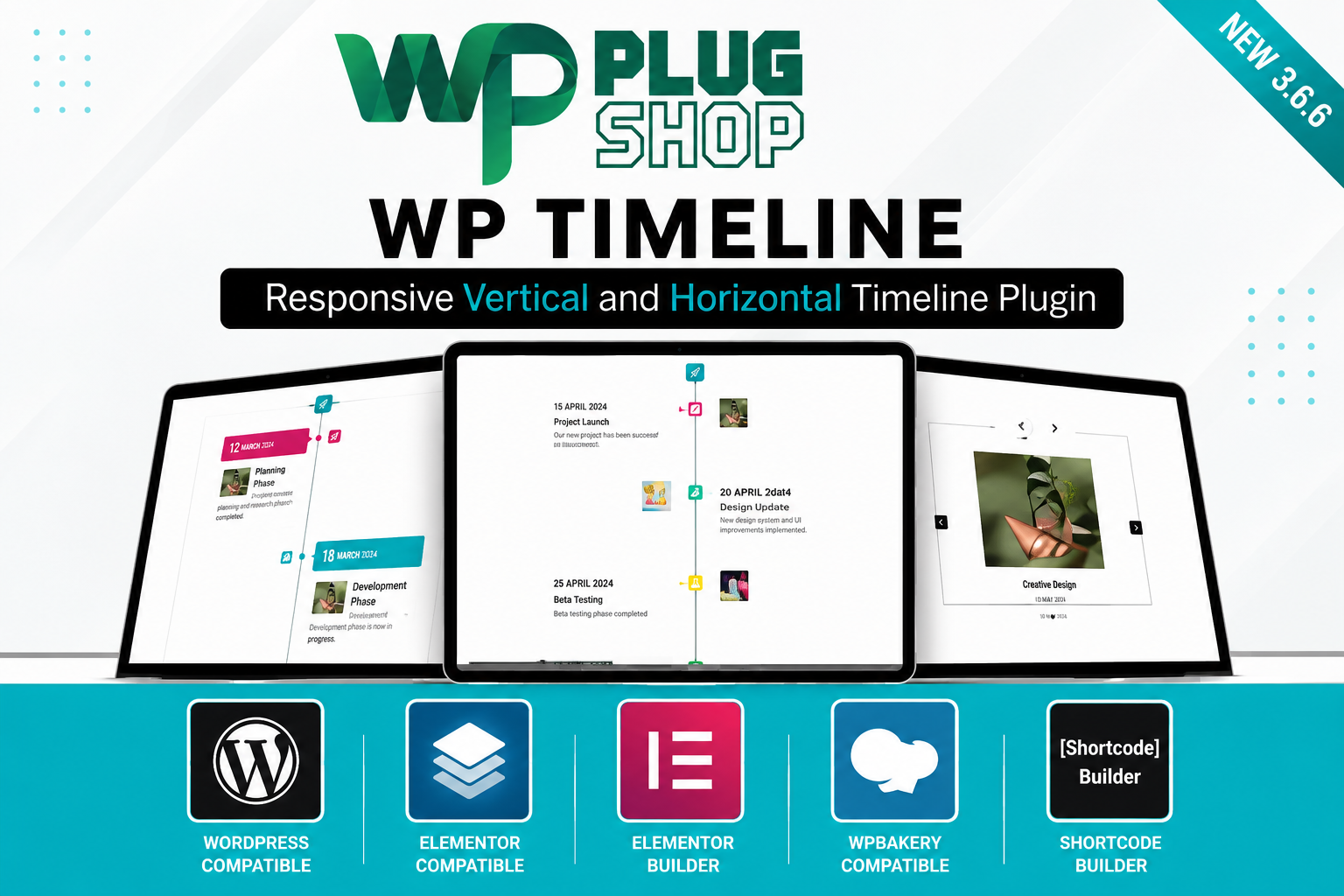
Preview WP Timeline – Vertical & Horizontal Timeline Plugin for WordPress
View the product artwork, switch gallery images, and open a larger preview before checkout.
Get secure digital access for real WordPress projects
This section summarizes the buying experience and what customers can expect after checkout.
Product overview, benefits, and digital access details
Review the key product details, practical use cases, and digital access information before checkout.
Frequently Asked Questions
What is WP Timeline – Vertical & Horizontal Timeline Plugin for WordPress?
WP Timeline is a premium WordPress plugin that helps you create responsive vertical and horizontal timelines for displaying company history, project milestones, product roadmaps, events, achievements, portfolios, case studies, and other chronological content in an attractive visual format.
Who should use the WP Timeline plugin?
This plugin is ideal for businesses, agencies, freelancers, developers, bloggers, educational institutions, nonprofits, startups, corporate websites, and portfolio owners who want to present chronological information in a clean and engaging timeline layout.
Can I create both vertical and horizontal timelines?
Yes. WP Timeline supports both vertical and horizontal timeline layouts, allowing you to choose the presentation style that best fits your website design and user experience goals.
Does WP Timeline work with Elementor?
Yes. The plugin is compatible with Elementor and also supports other popular WordPress page builders, making it easy to add timeline sections to custom page layouts.
Can I display company history and business milestones?
Absolutely. WP Timeline is well suited for showcasing company history, business growth, project progress, product launches, team achievements, organizational milestones, and historical events using visually organized timeline layouts.
Does the plugin support custom post types?
Yes. WP Timeline supports WordPress custom post types, giving you flexibility to create timelines from posts, projects, portfolios, events, testimonials, or other custom content.
Is WP Timeline mobile responsive?
Yes. The plugin is designed with responsive layouts that automatically adapt to desktops, tablets, and smartphones, providing a consistent viewing experience across different screen sizes.
Can I add images, videos, and other media to timeline entries?
Yes. WP Timeline supports multimedia content, allowing you to enrich timeline entries with images, videos, icons, and additional visual elements to improve storytelling and visitor engagement.
Can I use WP Timeline for product roadmaps and project planning?
Yes. Many businesses use WP Timeline to present product development roadmaps, software release schedules, project phases, event planning, educational timelines, and marketing campaigns in an easy-to-follow chronological format.
Why download WP Timeline from WP Plug Shop?
WP Plug Shop offers GPL-friendly digital access to premium WordPress plugins through secure checkout and scanned digital files. It is a practical option for freelancers, agencies, developers, and website owners seeking reliable WordPress resources while following safe marketplace practices.
Frequently Asked Questions
Can I create unlimited timelines with WP Timeline?
Yes. WP Timeline allows you to create multiple timeline layouts for different sections of your website. You can build separate timelines for company history, product launches, project milestones, client success stories, event schedules, educational content, and more, depending on your website requirements.
Does WP Timeline support shortcode placement?
Yes. WP Timeline includes shortcode functionality, allowing you to insert timelines into pages, posts, custom post types, widget-ready areas, or other supported locations within your WordPress website.
Can I customize the colors, typography, and layout?
Yes. The plugin offers flexible customization options so you can adjust colors, fonts, icons, spacing, timeline styles, and layouts to match your website branding and overall design.
Is WP Timeline suitable for business websites?
Absolutely. Businesses can use WP Timeline to showcase company growth, corporate history, achievements, service development, product releases, client milestones, and organizational success stories in a professional timeline format.
Can I use WP Timeline for educational or historical content?
Yes. Schools, universities, museums, historians, researchers, and educational organizations can use WP Timeline to display historical events, learning timelines, research milestones, biographies, and educational resources in chronological order.
Does WP Timeline improve content presentation?
Yes. Organizing information into a visual timeline improves readability, enhances user engagement, and helps visitors understand chronological events more quickly compared to traditional text-heavy layouts.
Is WP Timeline compatible with modern WordPress themes?
WP Timeline is designed to work with most modern WordPress themes that follow standard WordPress development practices. Compatibility may vary depending on theme customizations and third-party plugins.
Can developers extend WP Timeline functionality?
Developers can further customize the plugin using WordPress best practices, custom CSS, compatible hooks, and supported integrations to create timeline experiences tailored to specific project requirements.
Can I use WP Timeline on portfolio and agency websites?
Yes. Agencies, freelancers, designers, developers, architects, consultants, and creative professionals can use WP Timeline to showcase project progress, client work, business growth, and professional achievements.
Why choose WP Timeline from WP Plug Shop?
WP Plug Shop provides GPL-friendly digital access to premium WordPress plugins through secure checkout and scanned digital files. It is a practical solution for agencies, developers, freelancers, and business owners looking for high-quality WordPress resources while following safe marketplace practices.
Frequently Asked Questions
Can I create interactive product roadmaps using WP Timeline?
Yes. WP Timeline is an excellent solution for displaying product roadmaps, software release schedules, feature updates, development milestones, and future plans in a visually organized timeline. This makes it especially useful for SaaS businesses, software companies, startups, and technology websites.
Does WP Timeline support custom post types and taxonomy filtering?
Yes. WP Timeline supports WordPress custom post types and offers filtering options that make it easier to organize and display timeline content based on categories, tags, or other supported taxonomies, depending on your website configuration.
Can I use WP Timeline to showcase project portfolios?
Absolutely. Creative agencies, freelancers, architects, designers, developers, and consultants can use WP Timeline to present project stages, client work, completed milestones, and case studies in an engaging chronological format.
Is WP Timeline suitable for event websites?
Yes. Event organizers, conferences, exhibitions, educational institutions, and community organizations can use WP Timeline to display event schedules, agendas, speaker sessions, historical events, and upcoming activities with clear visual navigation.
Will WP Timeline work well with responsive WordPress websites?
Yes. The plugin is designed with responsive layouts that automatically adjust to desktops, tablets, and smartphones, helping deliver a consistent browsing experience across modern devices.
Can I include icons, featured images, and multimedia in timeline entries?
Yes. WP Timeline supports rich media content including images, icons, and other supported multimedia elements, allowing you to build visually engaging timelines that improve storytelling and visitor interaction.
Is coding knowledge required to use WP Timeline?
No. Most timeline layouts can be created and managed through the plugin's settings and shortcode options, making it suitable for beginners while still providing flexibility for experienced WordPress developers.
Can WP Timeline improve user engagement on my website?
Yes. Visual timelines make chronological information easier to follow, encourage visitors to explore more content, increase time spent on the page, and create a more engaging browsing experience compared to standard text layouts.
Is WP Timeline a good choice for corporate and company websites?
Yes. Many organizations use WP Timeline to showcase company history, corporate growth, awards, achievements, business milestones, leadership changes, and organizational development in a professional and visually appealing format.
Why choose WP Timeline from WP Plug Shop?
WP Plug Shop offers GPL-friendly digital access to premium WordPress plugins through secure checkout and scanned digital files. It provides a reliable solution for developers, agencies, freelancers, educators, and business owners seeking professional WordPress tools while following safe marketplace practices.
Quick product answers for buyers and AI search
Clear product answers help buyers, search engines, and AI answer engines understand this product faster.
Best ways to use this WordPress digital product
These use cases help buyers quickly decide if this product fits their workflow.
How digital access works
No physical shipping is required. This is a digital product access purchase designed for account-based downloads.
Secure payment options for digital checkout
WPPlugShop supports trusted checkout options so buyers can complete digital purchases with more confidence.
Frequently asked questions
Buyer-focused answers about digital access, secure payments, downloads, support, and product usage.
Related WordPress tools you may also like
Explore related WordPress tools that may support the same workflow, website type, or project goal.




Choose the right WordPress tool with confidence
Request a product, explore membership access, or contact support if you want help choosing the right WordPress digital product before checkout.