
Teams for WooCommerce Memberships – Team, Group & Corporate Membership Plugin for WordPress
Verified from VirusTotal 100% Original Product and Virus Free. Free New Version Lifetime On Single Purchase. Unlimited Website Usage Price is in US dollars and included tax
Buy confidently with secure digital checkout, account-based downloads, and a cleaner WPPlugShop product experience.
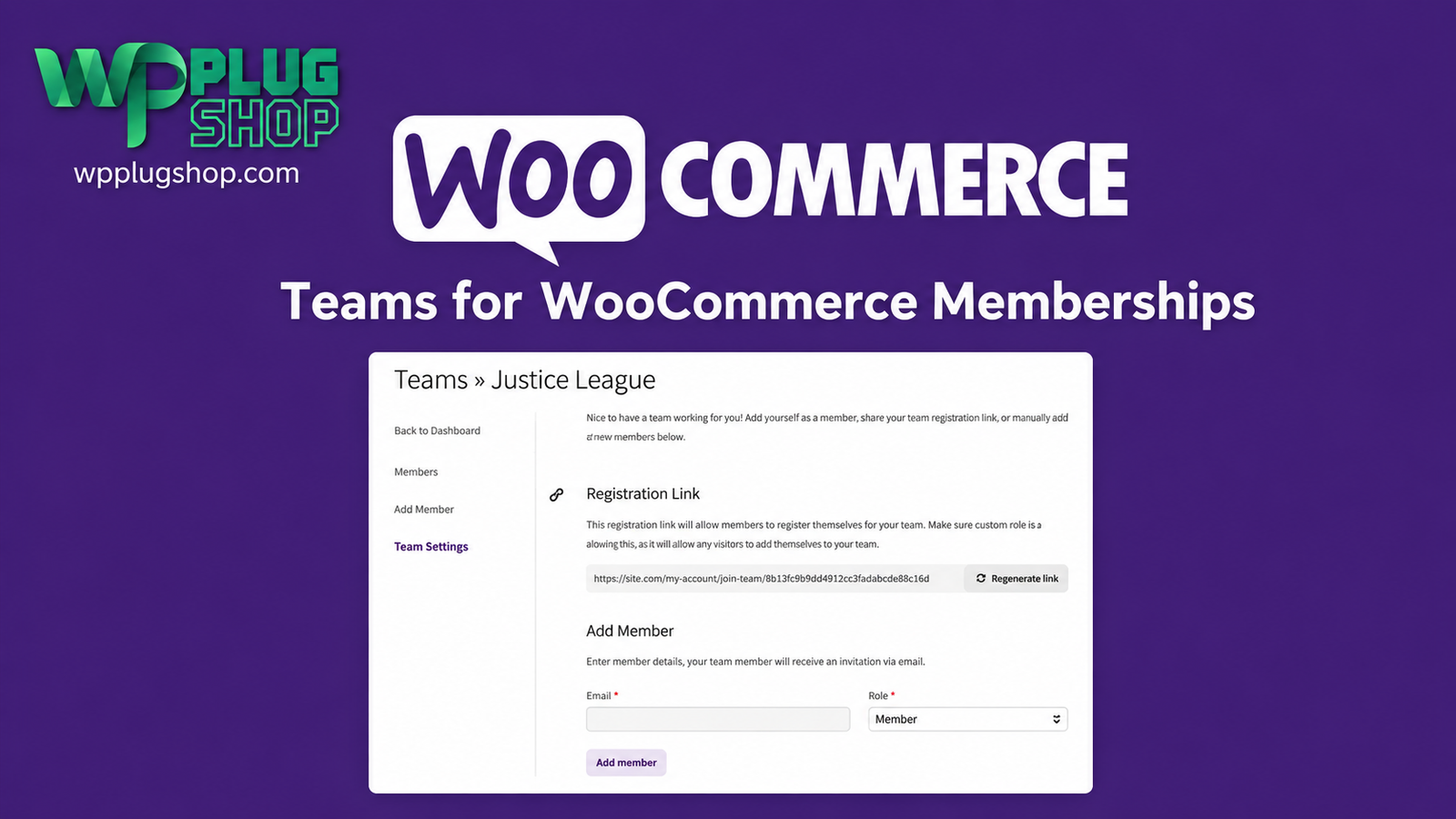
Preview Teams for WooCommerce Memberships – Team, Group & Corporate Membership Plugin for WordPress
View the product artwork, switch gallery images, and open a larger preview before checkout.
Get secure digital access for real WordPress projects
This section summarizes the buying experience and what customers can expect after checkout.
Product overview, benefits, and digital access details
Review the key product details, practical use cases, and digital access information before checkout.
Frequently Asked Questions
1. What is Teams for WooCommerce Memberships?
Teams for WooCommerce Memberships is a premium WooCommerce extension that allows you to sell and manage team, company, family, classroom, and organization memberships instead of limiting memberships to individual users.
2. Who should use Teams for WooCommerce Memberships?
This extension is ideal for businesses, corporate organizations, schools, universities, training providers, agencies, nonprofits, clubs, and membership websites that need to manage group memberships efficiently.
3. Does this plugin require WooCommerce Memberships?
Yes. Teams for WooCommerce Memberships is an extension that requires the WooCommerce Memberships plugin to function properly. It extends the membership system with team management capabilities.
4. Can team owners invite members?
Yes. Team owners can invite members to join their team, manage member access, and oversee team memberships directly from their account dashboard.
5. Does the plugin support corporate memberships?
Yes. It is designed specifically for organizations that want to purchase memberships for employees, departments, clients, students, or other groups under a single team account.
6. Can I sell memberships to schools and educational institutions?
Absolutely. Schools, universities, online learning platforms, coaching centers, and training providers can use this extension to sell memberships to classrooms, departments, or student groups.
7. Does Teams for WooCommerce Memberships support recurring subscriptions?
Yes. When used together with WooCommerce Subscriptions, you can offer recurring billing for team memberships, making membership renewals automatic.
8. Can team owners manage billing and membership details?
Yes. Team owners can manage their team information, membership status, invitations, and billing according to the available WooCommerce Memberships and subscription settings.
9. Is coding required to configure the plugin?
No. The extension integrates with WooCommerce Memberships and can be configured through the WordPress administration dashboard without requiring custom programming.
10. Why download Teams for WooCommerce Memberships from WP Plug Shop?
WP Plug Shop provides secure digital access to premium WordPress plugins, WooCommerce extensions, and GPL-friendly resources for agencies, businesses, developers, educators, and membership website owners.
Frequently Asked Questions
1. What is Teams for WooCommerce Memberships?
Teams for WooCommerce Memberships is a premium WooCommerce extension that allows you to sell and manage team, company, family, classroom, and organization memberships instead of limiting memberships to individual users.
2. Who should use Teams for WooCommerce Memberships?
This extension is ideal for businesses, corporate organizations, schools, universities, training providers, agencies, nonprofits, clubs, and membership websites that need to manage group memberships efficiently.
3. Does this plugin require WooCommerce Memberships?
Yes. Teams for WooCommerce Memberships is an extension that requires the WooCommerce Memberships plugin to function properly. It extends the membership system with team management capabilities.
4. Can team owners invite members?
Yes. Team owners can invite members to join their team, manage member access, and oversee team memberships directly from their account dashboard.
5. Does the plugin support corporate memberships?
Yes. It is designed specifically for organizations that want to purchase memberships for employees, departments, clients, students, or other groups under a single team account.
6. Can I sell memberships to schools and educational institutions?
Absolutely. Schools, universities, online learning platforms, coaching centers, and training providers can use this extension to sell memberships to classrooms, departments, or student groups.
7. Does Teams for WooCommerce Memberships support recurring subscriptions?
Yes. When used together with WooCommerce Subscriptions, you can offer recurring billing for team memberships, making membership renewals automatic.
8. Can team owners manage billing and membership details?
Yes. Team owners can manage their team information, membership status, invitations, and billing according to the available WooCommerce Memberships and subscription settings.
9. Is coding required to configure the plugin?
No. The extension integrates with WooCommerce Memberships and can be configured through the WordPress administration dashboard without requiring custom programming.
10. Why download Teams for WooCommerce Memberships from WP Plug Shop?
WP Plug Shop provides secure digital access to premium WordPress plugins, WooCommerce extensions, and GPL-friendly resources for agencies, businesses, developers, educators, and membership website owners.
Additional Frequently Asked Questions
11. Can I create multiple teams with this extension?
Yes. Depending on your membership configuration, customers can create and manage multiple teams, making it suitable for businesses, agencies, educational institutions, and organizations with different departments or groups.
12. Can team owners add or remove members?
Yes. Team owners can invite new members, manage existing members, and remove users from their team using the team management tools provided by the extension.
13. Does Teams for WooCommerce Memberships support flexible team sizes?
Yes. You can configure team membership products based on your business model, allowing organizations to purchase memberships for small groups or large teams.
14. Is this plugin suitable for employee training portals?
Absolutely. Businesses can use the extension to provide employees with access to training materials, premium content, documentation, certification programs, and corporate learning resources.
15. Can agencies use this plugin for client memberships?
Yes. Digital agencies and service providers can create team memberships for clients, allowing multiple client users to access protected resources under a single membership plan.
16. Does the plugin work with WooCommerce Subscriptions?
Yes. When combined with WooCommerce Subscriptions, you can offer recurring billing for team memberships, automating renewals and simplifying long-term membership management.
17. Can educational websites use team memberships?
Yes. Schools, universities, coaching centers, and online learning platforms can sell memberships to classrooms, student groups, instructors, departments, or institutions.
18. Is the plugin beginner-friendly?
Yes. The extension integrates with WooCommerce Memberships and provides an intuitive interface that allows administrators to manage team memberships without advanced technical knowledge.
19. What types of websites benefit most from Teams for WooCommerce Memberships?
This extension is ideal for corporate portals, membership websites, educational platforms, training providers, SaaS businesses, associations, nonprofits, agencies, and organizations that need centralized group membership management.
20. What are the benefits of downloading Teams for WooCommerce Memberships from WP Plug Shop?
WP Plug Shop provides secure digital access to premium WordPress plugins, WooCommerce extensions, and GPL-friendly resources for developers, businesses, agencies, educators, and membership website owners.
Advanced Frequently Asked Questions
21. Can I sell memberships to companies with multiple employees?
Yes. Teams for WooCommerce Memberships is designed to let businesses purchase a single membership that can be shared with multiple employees, making it an excellent solution for corporate training, internal resources, and business memberships.
22. Can team members access protected WooCommerce Memberships content?
Yes. Once invited and assigned to a team, members can access the protected content, products, courses, downloads, or benefits available through their team's membership according to your membership rules.
23. Does the plugin support team invitations by email?
Yes. Team owners can invite new members via email, allowing invited users to join the team and access membership benefits after accepting the invitation.
24. Can team owners manage memberships without administrator assistance?
Yes. Team owners can manage invitations, monitor team members, and oversee their team's membership from the frontend account area, reducing administrative workload for website owners.
25. Is Teams for WooCommerce Memberships suitable for SaaS businesses?
Absolutely. SaaS companies can sell team-based subscriptions, employee accounts, client portals, knowledge bases, premium documentation, and collaborative resources through WooCommerce Memberships.
26. Can this extension be used for associations and membership organizations?
Yes. Professional associations, clubs, nonprofits, trade organizations, and community groups can use the plugin to offer organization-wide memberships with centralized member management.
27. Is Teams for WooCommerce Memberships compatible with popular WordPress plugins?
The extension is designed to work with WooCommerce Memberships and is generally compatible with many popular WordPress plugins, including WooCommerce extensions, SEO plugins, caching plugins, multilingual plugins, and page builders, depending on your website configuration.
28. Does the plugin support scalable membership growth?
Yes. Whether you're managing small teams or large organizations, the extension provides a scalable solution for handling multiple members under a single team membership, making it suitable for growing businesses and expanding communities.
29. Who should choose Teams for WooCommerce Memberships?
This extension is ideal for businesses, agencies, SaaS companies, educational institutions, online learning platforms, nonprofits, associations, coaching organizations, membership websites, and developers who need advanced team-based membership management.
30. Why buy Teams for WooCommerce Memberships from WP Plug Shop?
WP Plug Shop provides secure digital access to premium WordPress plugins, WooCommerce extensions, and GPL-friendly digital resources, helping businesses, developers, agencies, and website owners build professional membership platforms with confidence.
Quick product answers for buyers and AI search
Clear product answers help buyers, search engines, and AI answer engines understand this product faster.
Best ways to use this WordPress digital product
These use cases help buyers quickly decide if this product fits their workflow.
How digital access works
No physical shipping is required. This is a digital product access purchase designed for account-based downloads.
Secure payment options for digital checkout
WPPlugShop supports trusted checkout options so buyers can complete digital purchases with more confidence.
Frequently asked questions
Buyer-focused answers about digital access, secure payments, downloads, support, and product usage.
Related WordPress tools you may also like
Explore related WordPress tools that may support the same workflow, website type, or project goal.




Choose the right WordPress tool with confidence
Request a product, explore membership access, or contact support if you want help choosing the right WordPress digital product before checkout.