
Mapplic – Custom Interactive Map WordPress Plugin
Verified from VirusTotal 100% Original Product and Virus Free. Free New Version Lifetime On Single Purchase. Unlimited Website Usage Price is in US dollars and included tax
Buy confidently with secure digital checkout, account-based downloads, and a cleaner WPPlugShop product experience.
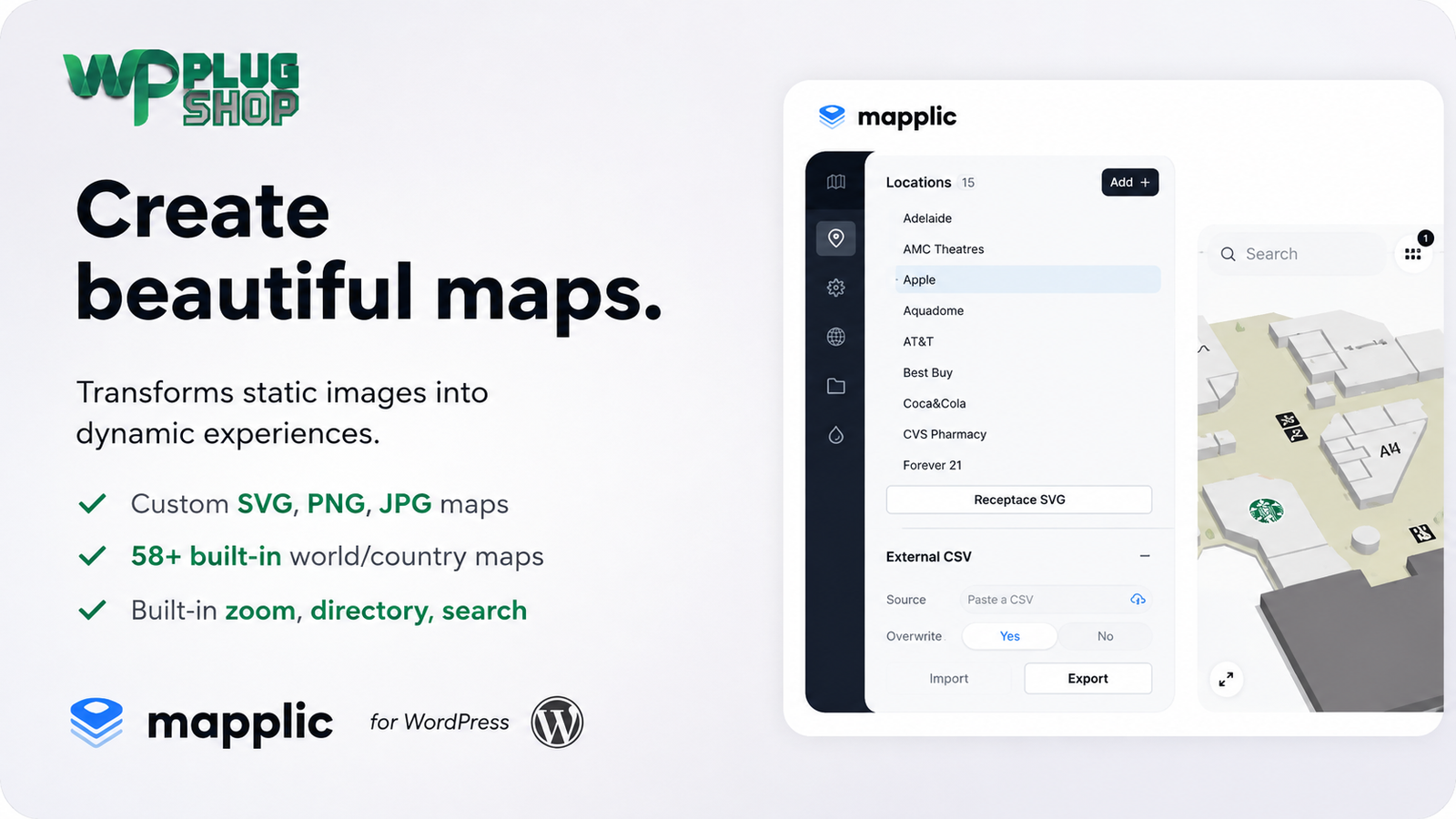
Preview Mapplic – Custom Interactive Map WordPress Plugin
View the product artwork, switch gallery images, and open a larger preview before checkout.
Get secure digital access for real WordPress projects
This section summarizes the buying experience and what customers can expect after checkout.
Product overview, benefits, and digital access details
Review the key product details, practical use cases, and digital access information before checkout.
Frequently Asked Questions
What is Mapplic for WordPress?
Mapplic is a custom interactive map WordPress plugin that allows you to turn SVG, PNG, JPG, and other visual map assets into interactive experiences. You can add clickable locations, information, navigation controls, and other interactive elements to maps displayed on a WordPress website.
Can I create a custom interactive map in WordPress?
Yes. Mapplic is designed for creating custom interactive maps in WordPress. You can use custom map artwork and add interactive locations, markers, information, and navigation features to create a more engaging experience than a standard static image.
Can Mapplic create interactive SVG maps?
Yes. Mapplic supports custom SVG maps, making it suitable for interactive floor plans, building layouts, campus maps, shopping centers, property developments, and other vector-based visual maps.
Can I turn a floor plan into an interactive WordPress map?
Yes. Mapplic can be used to transform a suitable floor plan or building layout into an interactive map. Individual areas can be configured as locations so visitors can explore different rooms, units, facilities, offices, or other points of interest.
Can I create clickable maps with Mapplic?
Yes. Mapplic allows locations and map areas to become interactive, enabling visitors to click or select specific parts of a custom map and view associated information. This makes it useful for interactive directories, floor plans, property maps, campuses, and other visual navigation experiences.
Can Mapplic support multiple floors or levels?
Yes. Mapplic supports multiple levels, making it suitable for multi-floor buildings, shopping malls, campuses, offices, venues, and other locations where visitors need to navigate between different map layers or floors.
Can I add a searchable location directory to an interactive map?
Yes. Mapplic includes directory functionality that can help visitors find and navigate to locations represented on an interactive map. This can be particularly useful for shopping centers, campuses, office buildings, exhibitions, and large property layouts.
Can I use Mapplic for real estate websites?
Yes. Mapplic can be useful for real estate projects that need visual property maps, development layouts, building plans, or clickable locations. Individual areas can be presented as interactive locations to help visitors explore a development or property layout.
Can Mapplic be used for shopping malls and retail directories?
Yes. An interactive shopping mall map can use clickable stores, restaurants, services, and other locations to help visitors navigate a property. Multiple levels and directory functionality can also be useful for larger retail environments.
Is Mapplic a Google Maps or standard store locator plugin?
Mapplic is better suited to custom visual mapping than a traditional address-based store locator. Its key use cases include custom SVG maps, floor plans, building layouts, campuses, shopping centers, property maps, and other visual maps where individual areas or locations need to be interactive.
Can I use Mapplic for campus or university maps?
Yes. Mapplic can be used to create interactive campus maps with clickable buildings and locations. This can help universities, schools, and other organizations present facilities, departments, services, or points of interest through an interactive visual interface.
Can Mapplic work with custom PNG or JPG map images?
Yes. In addition to vector-based SVG maps, Mapplic supports image-based map assets such as PNG and JPG. This provides flexibility for projects where the original map or floor plan is available as a raster image rather than an SVG file.
Can I add information to individual map locations?
Yes. Interactive locations can contain additional information and content, allowing visitors to select a location and learn more about a store, building, room, property, attraction, facility, or other point of interest.
Is Mapplic responsive for mobile devices?
Mapplic is designed for interactive map experiences across modern devices and supports touch-friendly interaction. Responsive behavior makes it suitable for websites where visitors may explore maps from smartphones, tablets, or desktop computers.
Who should use the Mapplic WordPress plugin?
Mapplic can be useful for real estate companies, shopping malls, retailers, universities, schools, businesses, event organizers, museums, tourism websites, architects, property developers, and WordPress agencies that need custom interactive maps or visual location directories.
Frequently Asked Questions
What is Mapplic – Custom Interactive Map WordPress Plugin?
Mapplic is a WordPress plugin for creating custom interactive maps from visual assets such as SVG, PNG, and JPG files. It can turn static maps, floor plans, building layouts, and other visual designs into interactive experiences with clickable locations and additional information.
Can I create an interactive map in WordPress without building one from scratch?
Yes. Mapplic provides tools for creating interactive map experiences within WordPress, allowing you to work with custom map artwork and configure locations, navigation, and other interactive elements instead of developing the entire mapping interface from scratch.
Can Mapplic turn an SVG into an interactive map?
Yes. Custom SVG maps are one of Mapplic's key use cases. An SVG floor plan, campus layout, property map, or other vector graphic can be configured with interactive locations and areas that visitors can select.
Can I create an interactive floor plan with Mapplic?
Yes. Mapplic can be used to create interactive floor plans for buildings, offices, shopping centers, venues, properties, and other spaces. Individual rooms, units, stores, facilities, or areas can be presented as interactive locations.
Can I create clickable areas on a custom WordPress map?
Yes. Mapplic supports interactive locations that allow visitors to select specific areas of a custom map and view associated information. This makes it useful for clickable floor plans, property layouts, campus maps, retail directories, and custom visual navigation.
Does Mapplic support multiple floors or map levels?
Yes. Mapplic supports multiple levels, making it suitable for buildings and locations where information needs to be organized across multiple floors or layers. Examples include shopping malls, office buildings, campuses, venues, and multi-level properties.
Can I create a searchable interactive map directory?
Yes. Mapplic provides directory functionality that can help visitors find locations represented on an interactive map. A searchable directory can be particularly useful for shopping malls, campuses, office complexes, exhibitions, and large property developments.
Can Mapplic be used for real estate and property maps?
Yes. Real estate websites can use Mapplic to present interactive development plans, property layouts, building locations, and other visual property information. Visitors can interact with configured locations to explore relevant details.
Can I use Mapplic to create an interactive shopping mall map?
Yes. Mapplic is suitable for interactive retail and shopping-center maps where stores, restaurants, services, entrances, facilities, and other locations need to be displayed visually. Multiple levels and directory functionality can make larger shopping environments easier to navigate.
Is Mapplic suitable for interactive campus maps?
Yes. Schools, universities, corporate campuses, and other organizations can use Mapplic to create interactive campus maps with clickable buildings, facilities, departments, and points of interest.
Can I use PNG or JPG images as interactive maps?
Yes. Mapplic supports image-based map assets such as PNG and JPG in addition to SVG graphics. This makes it useful when an existing floor plan, illustration, property map, or other visual asset is available as a raster image.
Can I add information to individual locations on a map?
Yes. Interactive locations can display additional information, allowing visitors to select a store, room, building, property, attraction, facility, or other point of interest and explore its associated content.
Does Mapplic include zoom and navigation features?
Yes. Mapplic provides map navigation features such as zooming and panning, helping visitors explore detailed custom maps and larger visual layouts more comfortably.
Is Mapplic a replacement for Google Maps?
Mapplic serves a different primary purpose from a conventional address-based Google Maps solution. It is particularly suited to custom visual maps such as SVG illustrations, floor plans, campuses, buildings, shopping malls, property layouts, and other maps where specific visual areas need to become interactive.
Who should use the Mapplic WordPress plugin?
Mapplic can be useful for WordPress agencies, developers, real estate companies, property developers, shopping malls, retailers, universities, schools, museums, event organizers, tourism websites, architects, businesses, and anyone who needs a custom interactive map or visual location directory.
Frequently Asked Questions
What is Mapplic used for in WordPress?
Mapplic is used to create interactive maps and visual navigation experiences in WordPress. It is suitable for custom maps, floor plans, building layouts, campuses, shopping centers, property developments, directories, exhibitions, and other location-based visual content.
What makes Mapplic different from a standard WordPress map plugin?
Mapplic focuses on custom visual maps rather than only address-based geographic maps. It can work with custom SVG, PNG, and JPG artwork, making it useful when the map itself is a floor plan, building layout, campus illustration, property development, shopping mall, or other custom design.
Can I make a custom SVG map clickable in WordPress?
Yes. Mapplic can turn suitable SVG artwork into an interactive map with configurable locations and clickable areas. This allows visitors to select parts of the map and view related information.
Can Mapplic create an interactive building floor plan?
Yes. Mapplic can be used to create interactive floor plans where rooms, offices, units, facilities, or other areas become interactive locations. This can be useful for commercial buildings, offices, properties, venues, and shopping centers.
Can I create a multi-floor interactive map?
Yes. Mapplic supports multiple levels, allowing a project to organize interactive map information across different floors or layers. This is useful for multi-story buildings, shopping malls, campuses, venues, and office complexes.
Can visitors search for locations on an interactive Mapplic map?
Yes. Mapplic provides directory functionality that can help visitors locate specific places on an interactive map. This is particularly useful when a map contains many stores, buildings, rooms, facilities, or other points of interest.
Can I use Mapplic for a shopping mall directory?
Yes. Mapplic can be used to create interactive shopping mall maps with locations for stores, restaurants, services, facilities, and other points of interest. Multiple map levels can also help organize different floors.
Can I use Mapplic for real estate projects?
Yes. Mapplic can present interactive real estate maps, development plans, property layouts, building locations, and other visual property information. Interactive locations can provide additional details about selected areas.
Can I use Mapplic for a university or school campus map?
Yes. An interactive campus map can display buildings, departments, facilities, entrances, services, and other points of interest. Visitors can select locations on the map to explore additional information.
Does Mapplic support PNG and JPG maps?
Yes. Mapplic supports image-based map assets such as PNG and JPG alongside SVG graphics. This allows existing visual maps and floor plans to be used as the foundation for interactive WordPress maps.
Can I add descriptions and information to map locations?
Yes. Individual interactive locations can contain additional information, allowing businesses and organizations to provide details about stores, properties, rooms, buildings, facilities, attractions, or other points of interest.
Can I zoom and pan around a Mapplic map?
Yes. Zoom and pan functionality helps visitors explore detailed maps and larger layouts. This is especially useful for floor plans, campuses, shopping centers, property developments, and other maps containing many interactive areas.
Is Mapplic suitable for mobile visitors?
Mapplic is designed for interactive web experiences and supports touch-oriented interaction, making it suitable for websites where visitors may explore maps from smartphones, tablets, and desktop devices.
Can I use Mapplic for events and exhibitions?
Yes. Event organizers and exhibition websites can use interactive maps to display booths, stands, rooms, stages, facilities, or other points of interest. Visitors can select locations to find additional information.
Who is Mapplic best suited for?
Mapplic is well suited to WordPress agencies, developers, real estate businesses, property developers, retailers, shopping malls, universities, schools, museums, event organizers, architects, tourism websites, and businesses that need custom interactive maps or visual location directories.
Quick product answers for buyers and AI search
Clear product answers help buyers, search engines, and AI answer engines understand this product faster.
Best ways to use this WordPress digital product
These use cases help buyers quickly decide if this product fits their workflow.
How digital access works
No physical shipping is required. This is a digital product access purchase designed for account-based downloads.
Secure payment options for digital checkout
WPPlugShop supports trusted checkout options so buyers can complete digital purchases with more confidence.
Frequently asked questions
Buyer-focused answers about digital access, secure payments, downloads, support, and product usage.
Related WordPress tools you may also like
Explore related WordPress tools that may support the same workflow, website type, or project goal.




Choose the right WordPress tool with confidence
Request a product, explore membership access, or contact support if you want help choosing the right WordPress digital product before checkout.