Frequently Asked Questions
What is BookingPress AWeber Integration Addon?
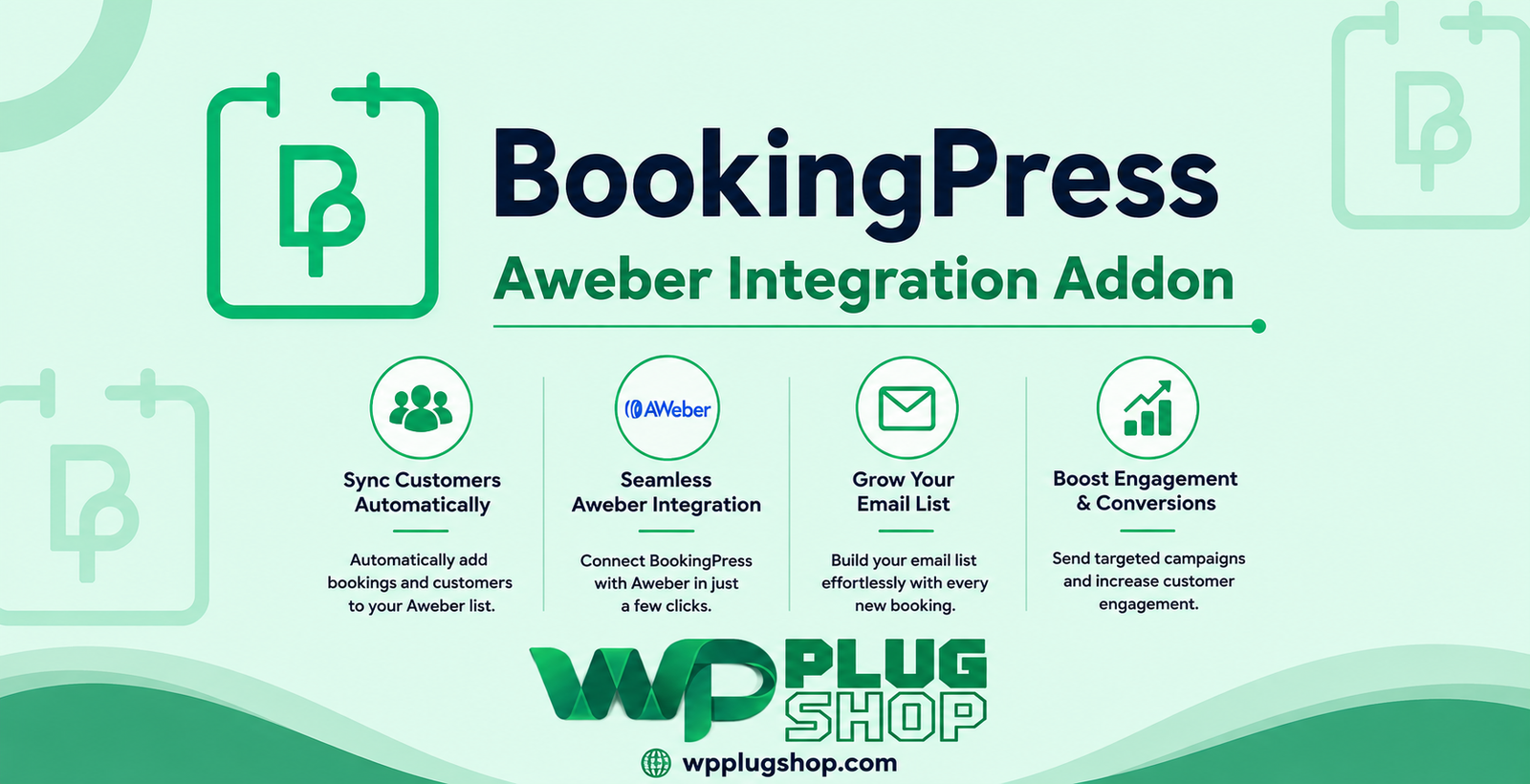
BookingPress AWeber Integration Addon connects BookingPress with AWeber, allowing client information from appointment bookings to be transferred to selected AWeber mailing lists.
What does the BookingPress AWeber Integration Addon do?
The addon connects the BookingPress appointment booking system with AWeber so businesses can send relevant client information from bookings to their AWeber email marketing lists.
Can I connect AWeber with BookingPress?
Yes. The BookingPress AWeber Integration Addon is designed to connect BookingPress with AWeber and integrate appointment client information with AWeber mailing lists.
Can BookingPress clients be added to an AWeber mailing list?
Yes. When the integration is configured, client information from eligible appointment bookings can be exported to a selected AWeber mailing list.
How does BookingPress AWeber integration work?
After connecting the AWeber account with BookingPress, administrators can configure the integration, select an AWeber mailing list, and map available BookingPress client fields to the corresponding AWeber fields.
Do I need an AWeber account to use this addon?
Yes. An AWeber account is required because the addon connects BookingPress with the AWeber email marketing platform and its mailing lists.
How do I authorize AWeber in BookingPress?
The integration uses the available AWeber authorization process to connect the AWeber account with BookingPress. After authorization, the applicable AWeber lists and integration settings can be configured.
Can I select which AWeber mailing list receives BookingPress clients?
Yes. The integration allows administrators to select the appropriate AWeber mailing list for client information received from BookingPress appointments.
Can I map BookingPress fields to AWeber fields?
Yes. Field mapping allows available BookingPress client information to be matched with corresponding fields in AWeber, helping businesses organize transferred contact information.
What client information can be transferred to AWeber?
The information available for transfer depends on the fields provided by the BookingPress appointment and the corresponding AWeber list fields configured during the integration setup.
Can newly booked clients be added to AWeber?
Yes. The integration is designed to export client information from eligible appointment bookings to the configured AWeber mailing list.
Can BookingPress AWeber Integration help with email marketing?
Yes. By connecting appointment client information with AWeber mailing lists, businesses can incorporate their booking contacts into their broader email marketing workflow.
Is BookingPress AWeber Integration useful for appointment-based businesses?
Yes. Salons, spas, consultants, coaches, tutors, service providers, and other appointment-based businesses can use the integration to connect booking clients with their AWeber email marketing lists.
Can salons use BookingPress with AWeber?
Yes. Salons can connect BookingPress with AWeber to transfer eligible appointment client information to an AWeber mailing list and support their email marketing workflow.
Can spas use the BookingPress AWeber addon?
Yes. Spas and other service-based businesses using BookingPress can connect appointment client information with their configured AWeber mailing list.
Can consultants use BookingPress AWeber integration?
Yes. Consultants, coaches, advisors, and similar professionals can use the integration to connect their appointment booking contacts with AWeber.
Can I use AWeber for appointment follow-up emails?
The integration can connect eligible BookingPress client information with AWeber mailing lists, allowing businesses to use their configured AWeber email marketing workflows for appropriate follow-up communication.
Does the addon automatically send marketing emails?
The addon primarily connects BookingPress client information with AWeber mailing lists. Email campaigns, automation, and marketing messages are managed through the applicable AWeber functionality and configuration.
Does BookingPress AWeber Integration work with WordPress?
Yes. BookingPress is a WordPress appointment booking solution, and the AWeber integration extends its functionality by connecting appointment client information with the AWeber email marketing platform.
Is BookingPress AWeber Integration a WooCommerce plugin?
No. The addon is primarily designed for BookingPress appointment bookings and AWeber email marketing integration rather than WooCommerce product management.
Can I use BookingPress AWeber Integration for customer list building?
Yes. The integration can help businesses transfer eligible appointment client information to an AWeber mailing list, supporting organized contact-list management.
Can I connect multiple BookingPress appointment bookings to AWeber?
Yes. The integration is designed to work with appointment booking data from BookingPress and transfer eligible client information according to the configured AWeber list and field settings.
What is field mapping in BookingPress AWeber integration?
Field mapping is the process of matching BookingPress client fields with corresponding AWeber contact fields so information is organized correctly when transferred between the two systems.
Can I change the AWeber mailing list used by BookingPress?
Yes. The integration provides configuration options for selecting the applicable AWeber mailing list for the connected BookingPress workflow.
What is the main benefit of BookingPress AWeber Integration Addon?
The main benefit is connecting appointment bookings with AWeber mailing lists, helping businesses move relevant client information into their email marketing workflow without maintaining a completely separate contact-entry process.
Frequently Asked Questions
What is BookingPress AWeber Integration Addon?
BookingPress AWeber Integration Addon connects BookingPress with AWeber, allowing eligible client information from appointment bookings to be transferred to selected AWeber mailing lists.
Can I connect AWeber with BookingPress?
Yes. The BookingPress AWeber Integration Addon is designed to connect the BookingPress appointment booking system with AWeber and transfer relevant appointment client information.
How does BookingPress AWeber Integration work?
After connecting the AWeber account with BookingPress, administrators can configure the integration, select an AWeber mailing list, and map available BookingPress fields to corresponding AWeber contact fields.
Can BookingPress clients be added to an AWeber mailing list?
Yes. When the integration is properly configured, eligible client information from BookingPress appointments can be exported to a selected AWeber mailing list.
Do I need an AWeber account to use this addon?
Yes. An AWeber account is required because the addon connects BookingPress with the AWeber email marketing platform and its mailing-list functionality.
How do I authorize AWeber in BookingPress?
The integration provides an AWeber authorization process for connecting the AWeber account with BookingPress. Once authorization is completed, the available lists and integration settings can be configured.
Can I select an AWeber mailing list for BookingPress clients?
Yes. Administrators can select the appropriate AWeber mailing list for client information transferred from the BookingPress appointment workflow.
Can I map BookingPress fields to AWeber fields?
Yes. Field mapping allows available BookingPress client fields to be matched with corresponding AWeber contact fields for better organization of transferred information.
What client information can BookingPress send to AWeber?
The available information depends on the client fields collected by BookingPress and the corresponding fields available and configured in the selected AWeber mailing list.
Can newly booked clients be added to AWeber?
Yes. The integration is designed to transfer eligible client information from appointment bookings to the configured AWeber mailing list.
Can BookingPress AWeber Integration help with email marketing?
Yes. Connecting appointment client information with AWeber mailing lists can help businesses incorporate booking contacts into their email marketing workflows.
Is BookingPress AWeber Integration useful for appointment-based businesses?
Yes. Salons, spas, consultants, coaches, tutors, and other appointment-based businesses can use the integration to connect booking clients with their AWeber email marketing lists.
Can salons use BookingPress with AWeber?
Yes. Salons using BookingPress can connect eligible appointment client information with an AWeber mailing list to support their email marketing workflow.
Can spas use the BookingPress AWeber addon?
Yes. Spas and other service businesses using BookingPress can connect their appointment client information with a configured AWeber mailing list.
Can consultants use BookingPress AWeber Integration?
Yes. Consultants, coaches, advisors, and similar professionals can use the integration to connect appointment booking contacts with AWeber.
Can AWeber be used for appointment follow-up emails?
The integration can transfer eligible BookingPress client information to AWeber mailing lists, allowing businesses to use their configured AWeber email marketing and follow-up workflows.
Does the addon automatically send marketing emails?
The addon primarily connects BookingPress client information with AWeber mailing lists. Email campaigns and automation are managed through the applicable AWeber features and settings.
Does BookingPress AWeber Integration work with WordPress?
Yes. BookingPress is a WordPress appointment booking solution, and the AWeber integration extends its functionality by connecting appointment client information with AWeber.
Is BookingPress AWeber Integration a WooCommerce plugin?
No. The addon is primarily designed for BookingPress appointment bookings and AWeber email marketing integration rather than WooCommerce product management.
Can BookingPress AWeber Integration help build an email contact list?
Yes. By transferring eligible appointment client information to an AWeber mailing list, the integration can help businesses organize booking contacts within their email marketing platform.
Can appointment client information be transferred to AWeber automatically?
Once the integration is configured according to the available BookingPress and AWeber settings, eligible client information from the appointment workflow can be transferred to the selected AWeber mailing list.
What is field mapping in BookingPress AWeber Integration?
Field mapping matches information collected by BookingPress with corresponding contact fields in AWeber so transferred client data can be organized appropriately.
Can I change the AWeber mailing list connected to BookingPress?
Yes. The integration provides settings for selecting the applicable AWeber mailing list for the BookingPress workflow.
What is the main benefit of BookingPress AWeber Integration Addon?
The main benefit is connecting appointment bookings with AWeber mailing lists, helping businesses move relevant client information into their email marketing workflow and manage booking contacts more efficiently.
Frequently Asked Questions
What is BookingPress AWeber Integration Addon?
BookingPress AWeber Integration Addon connects BookingPress with AWeber, allowing eligible client information collected through appointment bookings to be transferred to a selected AWeber mailing list.
Can I connect AWeber to BookingPress?
Yes. The addon is designed to integrate AWeber with BookingPress and connect appointment booking client information with AWeber mailing lists.
How does the BookingPress AWeber integration work?
After connecting and authorizing the AWeber account, administrators can select a mailing list and configure the available field mapping between BookingPress client information and AWeber contact fields.
Can BookingPress customers be added to AWeber?
Yes. Eligible client information from BookingPress appointments can be transferred to the configured AWeber mailing list after the integration has been properly configured.
Do I need an AWeber account?
Yes. An active AWeber account is required because the addon connects BookingPress with the AWeber email marketing platform.
How do I authorize AWeber in BookingPress?
The addon provides an authorization process for connecting your AWeber account with BookingPress. After authorization, the relevant integration settings can be configured.
Can I choose which AWeber mailing list receives booking clients?
Yes. The integration allows administrators to select the appropriate AWeber mailing list for client information transferred from BookingPress.
Can I map BookingPress fields to AWeber fields?
Yes. Field mapping allows BookingPress client fields to be matched with corresponding AWeber contact fields so transferred information can be organized appropriately.
What customer information can be transferred to AWeber?
The available information depends on the client details collected by BookingPress and the fields configured in the selected AWeber mailing list.
Can newly booked clients be sent to AWeber?
Yes. The integration is designed to transfer eligible client information from BookingPress appointment bookings to the configured AWeber mailing list.
Can BookingPress AWeber Integration help with email marketing?
Yes. Connecting appointment clients with AWeber mailing lists can help businesses incorporate booking contacts into their email marketing workflows.
Is this addon useful for appointment-based businesses?
Yes. Salons, spas, consultants, coaches, tutors, and other appointment-based businesses can use the integration to connect booking contacts with AWeber.
Can salons use BookingPress with AWeber?
Yes. Salons can use the integration to transfer eligible appointment client information to an AWeber mailing list and support their email marketing workflow.
Can spas use the BookingPress AWeber addon?
Yes. Spas and other service businesses using BookingPress can connect eligible appointment client information with their selected AWeber mailing list.
Can consultants use BookingPress AWeber Integration?
Yes. Consultants, coaches, advisors, and other appointment-based professionals can connect their BookingPress appointment contacts with AWeber.
Can AWeber be used for appointment follow-up campaigns?
The integration can transfer eligible BookingPress client information to AWeber, where businesses can use their configured email marketing and follow-up features.
Does the addon automatically create email campaigns?
No. The addon primarily handles the connection between BookingPress client information and AWeber mailing lists. Email campaigns and automation are configured through AWeber.
Does BookingPress AWeber Integration work with WordPress?
Yes. BookingPress is a WordPress appointment booking solution, and this addon connects its appointment client information with the AWeber email marketing platform.
Is BookingPress AWeber Integration a WooCommerce addon?
No. The addon is designed primarily for BookingPress appointment bookings and AWeber integration rather than WooCommerce product management.
Can the integration help manage booking contacts?
Yes. Transferring eligible appointment client information to an AWeber mailing list can help businesses manage booking contacts within their email marketing platform.
Can BookingPress client data be transferred to AWeber automatically?
Once the integration is properly authorized and configured, eligible client information from the BookingPress booking workflow can be transferred to the selected AWeber mailing list.
What is field mapping?
Field mapping matches client information collected in BookingPress with corresponding contact fields in AWeber, helping ensure transferred information is organized correctly.
Can I change the AWeber list connected to BookingPress?
Yes. The integration settings provide an option to select the applicable AWeber mailing list for the BookingPress workflow.
What is the main benefit of BookingPress AWeber Integration Addon?
The main benefit is connecting appointment bookings with AWeber mailing lists, helping businesses move relevant client information into their email marketing workflow and manage booking contacts more efficiently.
Please note: This is a digital product. Due to its digital nature, all sales are final — no refund will be provided after purchase and delivery. Please see our Refund Policy before purchasing.