
WooCommerce Autoresponder – Email Marketing & Automation Plugin
Verified from VirusTotal 100% Original Product and Virus Free. Free New Version Lifetime On Single Purchase. Unlimited Website Usage Price is in US dollars and included tax
Buy confidently with secure digital checkout, account-based downloads, and a cleaner WPPlugShop product experience.
Preview WooCommerce Autoresponder – Email Marketing & Automation Plugin
View the product artwork, switch gallery images, and open a larger preview before checkout.
Get secure digital access for real WordPress projects
This section summarizes the buying experience and what customers can expect after checkout.
Product overview, benefits, and digital access details
Review the key product details, practical use cases, and digital access information before checkout.
Frequently Asked Questions
What is WooCommerce Autoresponder?
WooCommerce Autoresponder is a WordPress plugin that connects WooCommerce customer activity with supported email autoresponder and marketing services. It can help store owners collect checkout opt-ins and automatically subscribe customers to relevant email lists based on their purchases.
What does the WooCommerce Autoresponder plugin do?
The plugin helps automate the connection between WooCommerce orders and email marketing lists. Store owners can configure supported autoresponder services, add an opt-in field to checkout, and associate products with specific email lists for targeted customer subscriptions.
Can I add an email opt-in field to WooCommerce checkout?
Yes. WooCommerce Autoresponder can add a newsletter or email subscription opt-in field to the WooCommerce checkout. This gives customers an opportunity to subscribe to an email list while completing their purchase.
Can WooCommerce customers be automatically added to an email list?
Yes. The plugin can automatically subscribe customers to configured email lists according to the store's selected autoresponder settings and order workflow. This can reduce the need to manually transfer customer information between WooCommerce and email marketing platforms.
Can I assign customers to different email lists based on products?
Yes. One of the key capabilities is product-level autoresponder configuration. Store owners can associate products with particular email lists, allowing customer subscriptions to be organized according to the products purchased.
Can I use multiple autoresponder services?
Yes. WooCommerce Autoresponder is designed to support multiple email autoresponder integrations from one plugin. The exact integrations available depend on the product version and supported services included with the package.
Does WooCommerce Autoresponder support Mailchimp?
Mailchimp is among the autoresponder services supported by the product. This allows WooCommerce stores to connect eligible customer subscription workflows with Mailchimp lists, subject to the supported integration and configuration of the installed version.
Does the plugin support ActiveCampaign?
Yes. ActiveCampaign is one of the supported autoresponder integrations associated with WooCommerce Autoresponder. Store owners can use the integration where supported by their installed product version and account configuration.
Can I connect WooCommerce with other email marketing services?
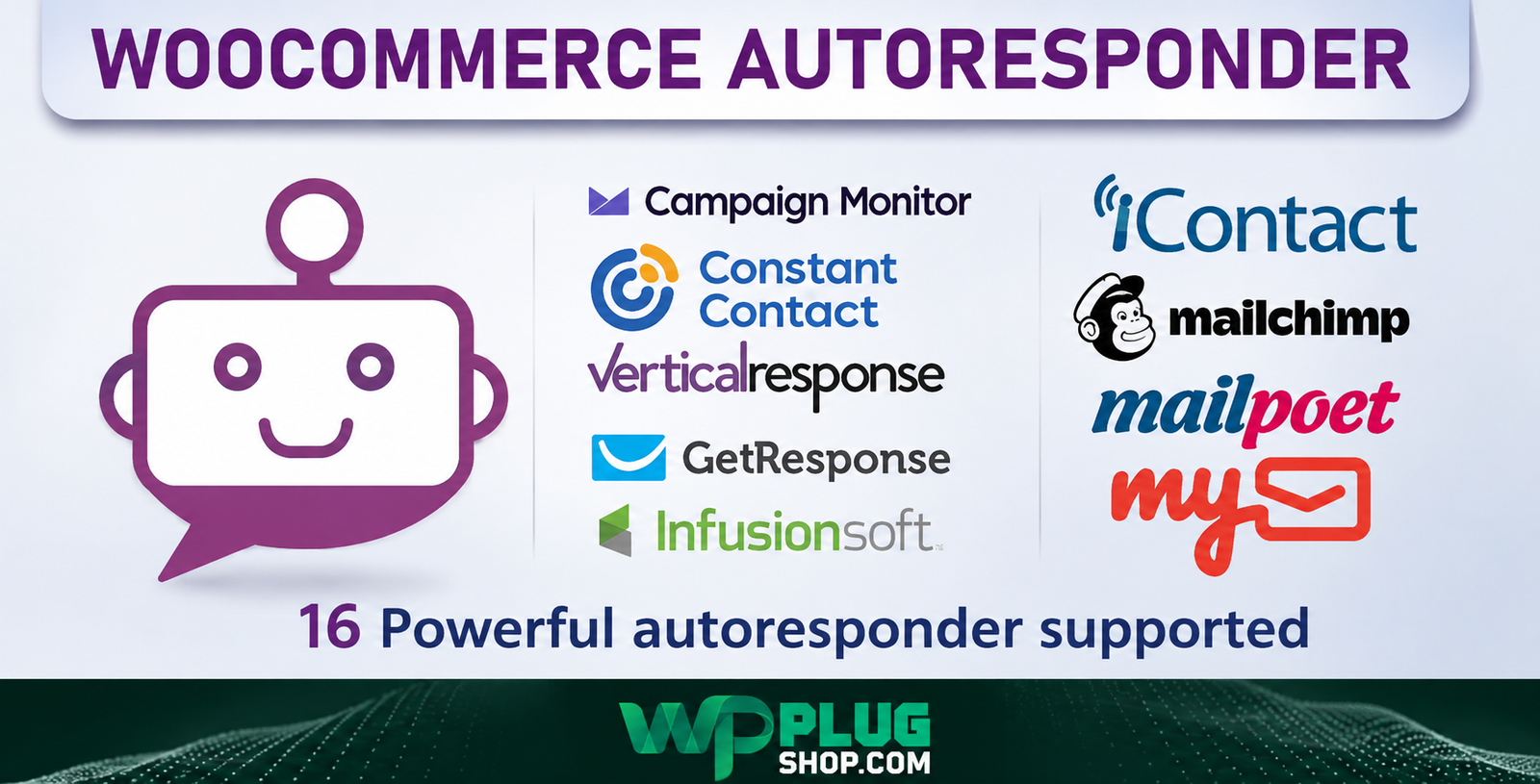
Yes. The plugin supports multiple email marketing and autoresponder platforms. Depending on the version, supported services may include platforms such as Mailchimp, ActiveCampaign, AWeber, GetResponse, Constant Contact, Campaign Monitor, ConvertKit, MailPoet, and Brevo.
Can I subscribe customers when an order is created?
Yes. The plugin provides configuration options for subscribing customers when a WooCommerce order is created, allowing store owners to connect their order workflow with supported email lists.
Can customers be subscribed when an order is completed?
Yes. WooCommerce Autoresponder can also support subscription workflows based on order completion. This gives store owners flexibility when deciding when customer information should be passed to an autoresponder list.
Can I enable or disable the checkout opt-in field?
Yes. The checkout subscription field can be configured according to the store's requirements. This allows administrators to control whether the email opt-in option is displayed during the WooCommerce checkout process.
Can I capture customer names and email addresses?
The plugin is designed to work with customer information such as email address, first name, and last name when subscribing customers to supported email marketing services, subject to the fields supported by the configured integration.
Can I use product-based email segmentation in WooCommerce?
Yes. Product-level configuration makes it possible to organize customers according to the products they purchase. This can be useful for targeted follow-up campaigns, product-specific newsletters, customer education, and cross-selling strategies.
Is WooCommerce Autoresponder useful for building an email list?
Yes. By providing a checkout opt-in and automating customer subscriptions to supported lists, the plugin can help WooCommerce stores build and organize their email marketing audience more efficiently.
Can WooCommerce Autoresponder help with post-purchase email marketing?
Yes. Product-based list assignment and automated subscriptions can provide a foundation for post-purchase email campaigns. The actual emails and campaign sequences are generally managed through the connected email marketing or autoresponder service.
Does the plugin send marketing emails itself?
The plugin primarily acts as a WooCommerce-to-autoresponder integration. It connects customer subscription information with supported email marketing services rather than being positioned as a complete standalone email delivery platform.
Can I use WooCommerce Autoresponder for digital products?
Yes. It can be useful for stores selling digital products, downloads, courses, memberships, or other WooCommerce products where customer segmentation and product-based email follow-up are important.
Who should use WooCommerce Autoresponder?
The plugin is suitable for WooCommerce store owners, online retailers, digital product sellers, marketers, agencies, freelancers, developers, and businesses that want to connect customer purchases and checkout subscriptions with email marketing lists.
What is the main benefit of WooCommerce Autoresponder?
The main benefit is automating the connection between WooCommerce customers and email marketing lists. Product-based subscriptions, checkout opt-ins, and supported autoresponder integrations can help reduce manual list management and create more targeted customer communication.
Is WooCommerce Autoresponder a full marketing automation platform?
No. It is better understood as a WooCommerce autoresponder and email-list integration plugin. Advanced campaigns, automation sequences, analytics, and email delivery are generally handled by the connected email marketing platform.
Frequently Asked Questions
What is WooCommerce Autoresponder?
WooCommerce Autoresponder is a WordPress plugin that connects WooCommerce with supported email autoresponder and marketing services. It helps store owners collect customer email opt-ins and automate subscriptions to relevant email lists.
How does WooCommerce Autoresponder work?
The plugin connects your WooCommerce checkout and order workflow with supported email marketing services. Depending on the configured settings, customers can be subscribed to selected lists when they opt in or when qualifying WooCommerce order events occur.
Can I add an email subscription checkbox to WooCommerce checkout?
Yes. WooCommerce Autoresponder provides a checkout opt-in field that can allow customers to subscribe to an email list while completing their purchase.
Can I automatically add WooCommerce customers to an email list?
Yes. The plugin is designed to automate customer subscription to supported email lists based on the configured autoresponder settings and WooCommerce order workflow.
Can customers be assigned to different email lists based on products?
Yes. Product-level autoresponder configuration allows store owners to associate products with particular email lists. This can help organize subscribers according to the products they purchase.
Can I connect multiple autoresponder services?
Yes. WooCommerce Autoresponder supports multiple autoresponder integrations. Available services can vary according to the installed product version and the integrations supported by that version.
Does WooCommerce Autoresponder support Mailchimp?
Yes. Mailchimp is among the supported email marketing integrations associated with the plugin. The available functionality depends on the installed version and the connected Mailchimp account.
Does WooCommerce Autoresponder support ActiveCampaign?
Yes. ActiveCampaign is supported by the plugin. Store owners can use the integration to connect eligible WooCommerce customer subscription workflows with ActiveCampaign lists.
Which email marketing services can WooCommerce Autoresponder connect with?
The product supports multiple email marketing and autoresponder services. Depending on the product version, supported integrations may include Mailchimp, ActiveCampaign, AWeber, GetResponse, Constant Contact, Campaign Monitor, ConvertKit, MailPoet, and Brevo.
Can I subscribe customers when a WooCommerce order is created?
Yes. The plugin provides order-based subscription options that can allow customers to be added to configured email lists when a WooCommerce order is created, according to the selected settings.
Can I subscribe customers when an order is completed?
Yes. The plugin can support subscription workflows triggered by WooCommerce order completion. This gives store administrators control over when customer information is sent to the configured autoresponder service.
Can I enable or disable the WooCommerce checkout opt-in?
Yes. Store administrators can configure whether the email subscription opt-in field is enabled during checkout, according to their store's requirements and marketing-consent process.
Can I use WooCommerce Autoresponder for product-based email segmentation?
Yes. Product-level list configuration can help segment customers according to the products they purchase. This can support product-specific newsletters, follow-up communication, customer education, and promotional campaigns managed through the connected email platform.
Can I capture customer names and email addresses?
The plugin can work with customer information such as email address, first name, and last name when supported by the configured integration and available WooCommerce customer data.
Can WooCommerce Autoresponder help build an email list?
Yes. By combining a checkout opt-in with automated subscriptions to supported email lists, the plugin can help WooCommerce stores collect and organize email subscribers as part of their purchasing workflow.
Can I use it for post-purchase email marketing?
Yes. Product-based list assignment and automated subscriptions can provide a foundation for post-purchase email marketing. Email campaigns and sequences themselves are generally managed through the connected autoresponder or email marketing platform.
Does WooCommerce Autoresponder send emails by itself?
The plugin primarily functions as a WooCommerce-to-email-marketing integration. It connects customer and order information with supported autoresponder services rather than replacing the connected platform's email delivery infrastructure.
Can I use WooCommerce Autoresponder for digital products?
Yes. The plugin can be useful for WooCommerce stores selling digital products, downloads, courses, memberships, or physical products where customer segmentation and email-list management are important.
Who should use WooCommerce Autoresponder?
It is suitable for WooCommerce store owners, online retailers, digital product sellers, marketers, agencies, freelancers, and developers who want to connect WooCommerce customer activity with supported email marketing lists.
What is the main benefit of WooCommerce Autoresponder?
The main benefit is reducing manual email-list management by connecting WooCommerce checkout and purchase activity with autoresponder lists. Product-based subscriptions can also help businesses create more relevant customer segments.
Is WooCommerce Autoresponder a complete email marketing platform?
No. It is best understood as a WooCommerce autoresponder integration plugin. Advanced email campaigns, automation sequences, analytics, and email delivery are handled by the connected email marketing service where applicable.
Frequently Asked Questions
What is WooCommerce Autoresponder?
WooCommerce Autoresponder is a WordPress plugin that connects WooCommerce with supported email autoresponder and email marketing services. It helps store owners collect customer opt-ins and automate customer subscriptions to relevant email lists.
How does WooCommerce Autoresponder work?
The plugin connects the WooCommerce checkout and order workflow with supported autoresponder services. Depending on the configured settings, customers can be subscribed to selected email lists based on checkout opt-in and qualifying WooCommerce order activity.
Can I add an email opt-in field to WooCommerce checkout?
Yes. WooCommerce Autoresponder provides a checkout email subscription opt-in that can allow customers to subscribe to a configured email list while completing their purchase.
Can I automatically add WooCommerce customers to an email list?
Yes. The plugin can automate customer subscriptions to supported email lists according to the configured autoresponder and WooCommerce order settings. This can reduce the need to manually move customer information between platforms.
Can I assign customers to different email lists based on products?
Yes. The plugin supports product-level autoresponder configuration, allowing products to be associated with particular email lists. This can help organize subscribers according to the products they purchase.
Can I connect multiple autoresponder services?
Yes. WooCommerce Autoresponder supports multiple autoresponder integrations. The exact services available can depend on the installed product version and its supported integrations.
Does WooCommerce Autoresponder support Mailchimp?
Yes. Mailchimp is among the supported email marketing integrations associated with WooCommerce Autoresponder. The available functionality depends on the installed version and the configuration of the connected Mailchimp account.
Does WooCommerce Autoresponder support ActiveCampaign?
Yes. ActiveCampaign is supported by the plugin. It can be used to connect eligible WooCommerce customer subscription workflows with supported ActiveCampaign lists.
Which email marketing services are supported?
The product supports multiple email marketing and autoresponder services. Depending on the product version, integrations may include Mailchimp, ActiveCampaign, AWeber, GetResponse, Constant Contact, Campaign Monitor, ConvertKit, MailPoet, and Brevo. Always verify the included integrations for the specific version being used.
Can customers be subscribed when an order is created?
Yes. The plugin provides order-based subscription options that can allow customers to be added to configured email lists when a WooCommerce order is created, depending on the selected settings.
Can customers be subscribed when an order is completed?
Yes. WooCommerce Autoresponder can support subscription workflows based on order completion. This provides an additional way to control when customer information is sent to the configured autoresponder service.
Can I enable or disable the checkout subscription field?
Yes. Store administrators can configure the checkout email opt-in field according to their store requirements and email-marketing consent process.
Can I use WooCommerce Autoresponder for product-based email segmentation?
Yes. Product-level configuration can help segment customers according to the products they purchase. This can be useful for product-specific newsletters, follow-up campaigns, customer education, and relevant promotional communication.
Can the plugin use customer names and email addresses?
Yes. The plugin can work with customer information such as email address, first name, and last name when those fields are available and supported by the configured email marketing integration.
Can WooCommerce Autoresponder help build an email list?
Yes. By combining a checkout opt-in with automated subscriptions to supported email lists, the plugin can help WooCommerce stores collect and organize email subscribers as part of their customer journey.
Can it be used for post-purchase email marketing?
Yes. Automated customer subscriptions and product-based list assignment can provide a foundation for post-purchase email marketing. The actual campaigns, sequences, and email delivery are handled through the connected email marketing platform.
Does WooCommerce Autoresponder send marketing emails itself?
The plugin primarily functions as a WooCommerce-to-autoresponder integration. It transfers or subscribes relevant customer information to supported email marketing services rather than acting as a complete standalone email delivery platform.
Can I use the plugin for digital and physical products?
Yes. WooCommerce Autoresponder can be useful for stores selling digital products, downloadable products, courses, memberships, and physical products where customer email segmentation and list management are important.
Who should use WooCommerce Autoresponder?
The plugin is suitable for WooCommerce store owners, online retailers, digital product sellers, marketers, agencies, freelancers, and WordPress developers who want to connect WooCommerce customer activity with supported email marketing lists.
What is the main benefit of WooCommerce Autoresponder?
The main benefit is reducing manual email-list management by connecting WooCommerce checkout and purchase activity with supported autoresponder lists. Product-based list assignment can also help businesses create more relevant customer segments.
Is WooCommerce Autoresponder a complete email marketing platform?
No. It is best understood as a WooCommerce autoresponder integration plugin. Advanced email campaigns, automation sequences, analytics, and email delivery are generally handled by the connected email marketing service.
Does the plugin automatically send emails after every purchase?
The plugin's primary role is to connect WooCommerce customer activity with configured email lists and autoresponder services. Any automated emails sent after subscription or purchase depend on the automation rules configured within the connected email marketing platform.
Can I use different email lists for different WooCommerce products?
Yes. Product-level configuration allows store owners to associate different products with different email lists. This can be useful when customers who purchase different products need to receive different follow-up or marketing communications.
Quick product answers for buyers and AI search
Clear product answers help buyers, search engines, and AI answer engines understand this product faster.
Best ways to use this WordPress digital product
These use cases help buyers quickly decide if this product fits their workflow.
How digital access works
No physical shipping is required. This is a digital product access purchase designed for account-based downloads.
Secure payment options for digital checkout
WPPlugShop supports trusted checkout options so buyers can complete digital purchases with more confidence.
Frequently asked questions
Buyer-focused answers about digital access, secure payments, downloads, support, and product usage.
Related WordPress tools you may also like
Explore related WordPress tools that may support the same workflow, website type, or project goal.




Choose the right WordPress tool with confidence
Request a product, explore membership access, or contact support if you want help choosing the right WordPress digital product before checkout.