
Posts Table Pro – WordPress Table Plugin
Verified from VirusTotal 100% Original Product and Virus Free. Free New Version Lifetime On Single Purchase. Unlimited Website Usage Price is in US dollars and included tax
Buy confidently with secure digital checkout, account-based downloads, and a cleaner WPPlugShop product experience.
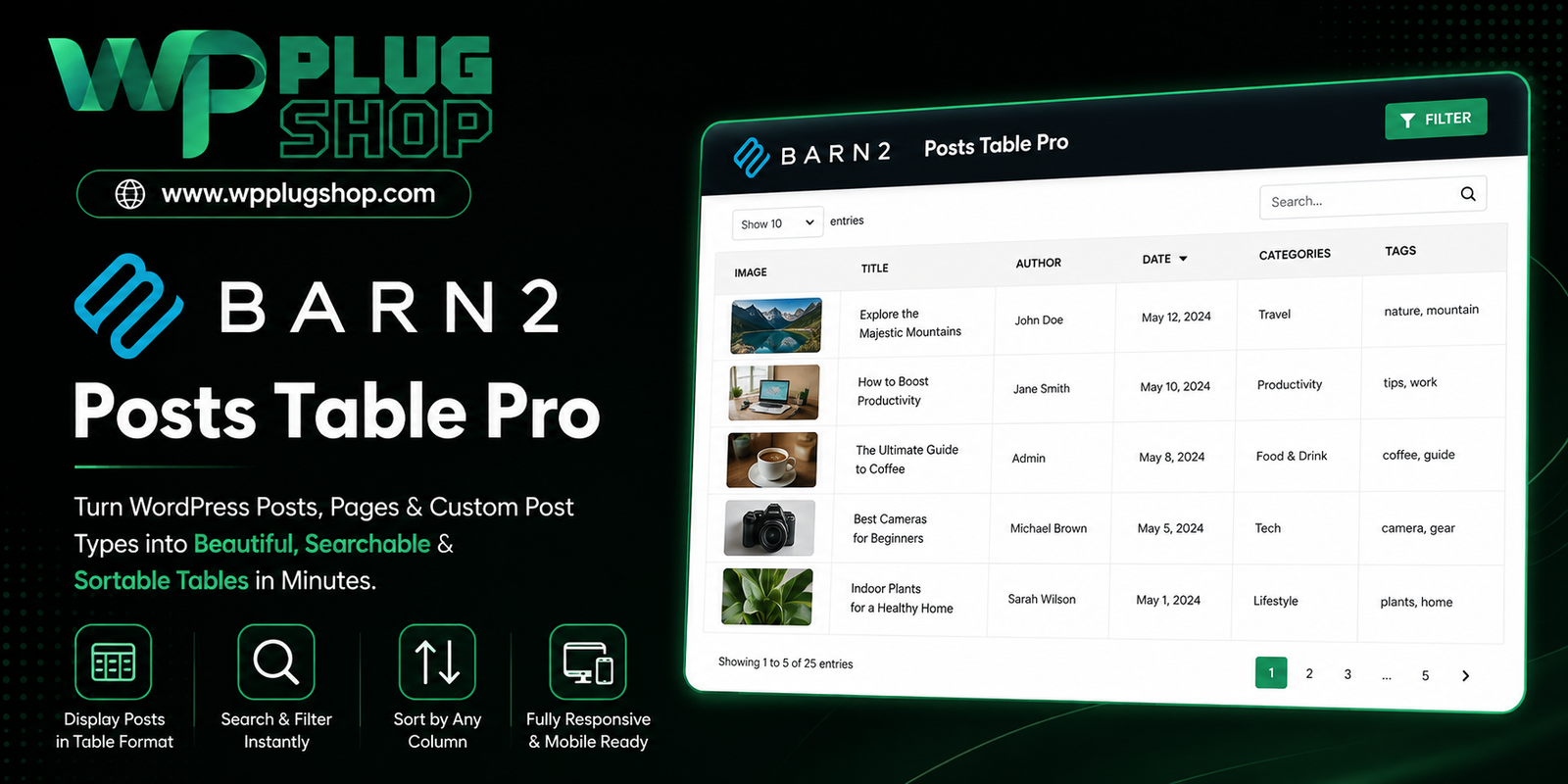
Preview Posts Table Pro – WordPress Table Plugin
View the product artwork, switch gallery images, and open a larger preview before checkout.
Get secure digital access for real WordPress projects
This section summarizes the buying experience and what customers can expect after checkout.
Product overview, benefits, and digital access details
Review the key product details, practical use cases, and digital access information before checkout.
Frequently Asked Questions About Posts Table Pro
What is Posts Table Pro?
Posts Table Pro is a WordPress table plugin that automatically displays WordPress content in searchable, sortable, and filterable tables. It can be used with posts, pages, custom post types, products, documents, events, media, and other structured content.
What can I display with Posts Table Pro?
Posts Table Pro can display a wide range of WordPress content, including blog posts, pages, custom post types, WooCommerce products, documents, events, audio, video, resources, and other content stored in WordPress.
Can Posts Table Pro create searchable WordPress tables?
Yes. Posts Table Pro includes a search feature that allows website visitors to search the content displayed in a table. This is useful for large content collections where visitors need to quickly find specific posts, products, documents, resources, or other entries.
Can visitors filter content in Posts Table Pro tables?
Yes. Posts Table Pro supports filtering options that can help visitors narrow down table content using categories, tags, custom taxonomies, and other available criteria.
Can Posts Table Pro sort WordPress content?
Yes. Tables can include sortable columns so visitors can organize displayed content according to supported fields. Multi-column sorting is also available for more advanced table organization.
Can Posts Table Pro display custom post types?
Yes. Custom post type support makes Posts Table Pro suitable for websites containing structured content such as resources, events, members, portfolios, documents, media, and other custom WordPress content types.
Can Posts Table Pro create WooCommerce product tables?
Yes. Posts Table Pro can display WooCommerce products in table layouts, making it useful for product catalogs, searchable product listings, and other WooCommerce content presentation requirements.
Can I use Posts Table Pro to create a WordPress document library?
Yes. Posts Table Pro can be used to organize documents and downloadable resources into searchable and filterable tables. This can be useful for creating document libraries, resource centers, knowledge collections, and download directories.
Does Posts Table Pro work with Elementor?
Yes. Posts Table Pro is designed to work with popular WordPress page builders, including Elementor. This allows users to incorporate dynamic content tables into visually designed WordPress pages.
Does Posts Table Pro work with Gutenberg and the Classic Editor?
Yes. Posts Table Pro supports WordPress content-building workflows including Gutenberg and the Classic Editor. Tables can also be inserted using shortcode-based methods where appropriate.
Can Posts Table Pro create a searchable WordPress directory?
Yes. The plugin can be used to create directories for members, resources, events, products, documents, and other structured WordPress content. Search, sorting, filtering, and pagination can make large directories easier for visitors to browse.
Does Posts Table Pro support custom fields and taxonomies?
Yes. Posts Table Pro supports working with custom WordPress data such as custom fields and taxonomies, making it suitable for websites that organize content using structured metadata and custom classification systems.
Can Posts Table Pro handle large amounts of WordPress content?
Posts Table Pro is designed for displaying collections of WordPress content in structured tables. Features such as pagination, filtering, caching, and configurable table loading options can help organize larger content collections more effectively.
Can I create multiple tables with Posts Table Pro?
Yes. Multiple tables can be created with different content sources, columns, filters, sorting rules, and display settings. This makes it possible to create separate tables for products, documents, posts, events, resources, or other content collections.
Is Posts Table Pro suitable for WordPress directories and resource libraries?
Yes. Its ability to dynamically display WordPress content with search, sorting, filtering, and pagination makes it suitable for directories, document libraries, resource catalogs, member listings, event directories, media collections, and similar structured-content websites.
Frequently Asked Questions About Posts Table Pro
What is Posts Table Pro used for?
Posts Table Pro is used to turn WordPress content into structured, searchable and sortable tables. It can organize posts, pages, custom post types, WooCommerce products, documents, events, resources, media and other WordPress content into easier-to-browse table layouts.
How does Posts Table Pro create WordPress tables?
Posts Table Pro dynamically pulls content from WordPress and displays selected information in table columns. Instead of manually entering every row, users can configure the content source, columns, sorting, filtering and other display options for the table.
Can Posts Table Pro create searchable and filterable tables?
Yes. Posts Table Pro provides search and filtering functionality that can help visitors locate specific content within larger tables. Filters can be configured around supported categories, tags, taxonomies and other WordPress data.
Can I sort WordPress posts and custom content in a table?
Yes. Posts Table Pro supports sortable columns and advanced sorting options, allowing visitors to organize table information according to available fields. This can be useful for content directories, product catalogs, document libraries and resource listings.
Does Posts Table Pro support custom post types?
Yes. Custom post type support makes Posts Table Pro useful for displaying structured WordPress content beyond standard posts and pages. Examples include events, documents, resources, portfolios, members, media and other custom content types.
Can Posts Table Pro be used for WooCommerce product tables?
Yes. Posts Table Pro can display WooCommerce products in table layouts. This can be useful for creating searchable product catalogs, product directories and alternative product-listing layouts where customers need to compare or browse multiple products.
Can Posts Table Pro create a WordPress document library?
Yes. Posts Table Pro can organize documents and downloadable resources into structured tables. Search, sorting, filtering and pagination can make larger document collections easier for visitors to browse and locate.
Can Posts Table Pro be used to build a WordPress directory?
Yes. Posts Table Pro can be used for directory-style websites where information needs to be presented in rows and columns. It can be useful for member directories, resource directories, event listings, product catalogs and other structured-content collections.
Does Posts Table Pro work with Elementor?
Yes. Posts Table Pro is compatible with Elementor and several other popular WordPress page builders. This allows users to incorporate dynamic tables into visually designed pages instead of relying only on standard WordPress layouts.
Can I use Posts Table Pro with Gutenberg or the Classic Editor?
Yes. Posts Table Pro supports WordPress editing workflows including Gutenberg and the Classic Editor. Shortcodes can also be used to place configured tables within suitable WordPress content areas.
Does Posts Table Pro support custom fields and custom taxonomies?
Yes. The plugin is designed to work with structured WordPress data, including custom fields and custom taxonomies. This allows tables to present additional information and provide more relevant ways to organize and filter custom content.
Can Posts Table Pro display different types of WordPress content?
Yes. One of the main advantages of Posts Table Pro is its flexibility with different content types. Depending on the configuration, it can be used with posts, pages, products, documents, events, media, custom post types and other WordPress content.
Does Posts Table Pro support pagination and responsive tables?
Yes. Posts Table Pro includes pagination and responsive display options that can help organize larger tables and improve usability across different screen sizes.
Can Posts Table Pro display large content collections?
Posts Table Pro is designed for displaying collections of WordPress content in structured table layouts. Features such as pagination, filtering, caching and configurable loading options can help manage larger content collections more efficiently.
Is Posts Table Pro a good WordPress table plugin for content directories?
Posts Table Pro is well suited to directory-style content presentation because it combines dynamic WordPress content with search, sorting, filtering and pagination. It can therefore be considered for document libraries, resource directories, member listings, event collections and product catalogs.
Frequently Asked Questions About Posts Table Pro
What is Posts Table Pro?
Posts Table Pro is an advanced WordPress table plugin for displaying posts, pages, custom post types, WooCommerce products, documents, events, resources, and other WordPress content in searchable and sortable table layouts.
What makes Posts Table Pro different from a basic WordPress table plugin?
Posts Table Pro can dynamically pull existing WordPress content into tables instead of requiring users to manually enter every row. It combines dynamic content with search, sorting, filtering, pagination, responsive display options, and configurable table layouts.
Can Posts Table Pro create searchable WordPress tables?
Yes. Posts Table Pro includes table search functionality that allows visitors to quickly locate relevant entries within larger collections of WordPress content. This can be useful for posts, products, documents, resources, events, and other structured content.
Can I create filterable WordPress tables with Posts Table Pro?
Yes. Posts Table Pro supports filtering using relevant WordPress taxonomies and other available data. This allows visitors to narrow table results and find specific content more efficiently.
Can Posts Table Pro display custom post types?
Yes. Custom post type support is one of the important use cases for Posts Table Pro. You can use structured tables to display content such as events, resources, documents, portfolios, members, media, or other custom WordPress content types.
Can Posts Table Pro display WooCommerce products?
Yes. Posts Table Pro can display WooCommerce products in table layouts. This makes it useful for product catalogs, searchable product directories, comparison-style listings, and other WooCommerce content presentation scenarios.
Can I use Posts Table Pro to create a WooCommerce product table?
Yes. Posts Table Pro can be used to organize WooCommerce products into structured tables with configurable columns, search, sorting, filtering, and pagination. The exact table configuration depends on the product data and the requirements of the store.
Can Posts Table Pro create a WordPress document library?
Yes. Posts Table Pro can be used to organize documents and downloadable resources into searchable table-based libraries. This can help businesses, educational websites, membership sites, and resource portals make large collections easier to browse.
Can Posts Table Pro be used for WordPress directories?
Yes. Posts Table Pro is suitable for directory-style content such as member directories, resource directories, event listings, product catalogs, document collections, and other structured WordPress databases.
Does Posts Table Pro work with Elementor?
Yes. Posts Table Pro supports Elementor and several other popular WordPress page builders. This allows tables to be incorporated into custom page layouts while retaining the plugin's dynamic table functionality.
Does Posts Table Pro work with Gutenberg and the Classic Editor?
Yes. Posts Table Pro can be used within WordPress editing workflows including Gutenberg and the Classic Editor. Its shortcode functionality also provides a flexible method for placing tables within WordPress content.
Can Posts Table Pro use custom fields and custom taxonomies?
Yes. Posts Table Pro is designed to work with structured WordPress data such as custom fields and taxonomies. This makes it useful for websites that need to display additional metadata or organize custom content using specific classification systems.
Can visitors sort content in a Posts Table Pro table?
Yes. Posts Table Pro provides sortable columns so visitors can organize displayed information according to supported table fields. This can be particularly useful for product catalogs, directories, document libraries, resource collections, and content archives.
Does Posts Table Pro support pagination and responsive table layouts?
Yes. Posts Table Pro includes pagination and responsive display options designed to help organize larger tables and make table-based content more practical across different screen sizes.
Is Posts Table Pro suitable for large WordPress content libraries?
Posts Table Pro is designed to present collections of WordPress content in structured table layouts. Features such as search, filtering, pagination, caching, and configurable table settings can help users manage and navigate larger collections more effectively.
Is Posts Table Pro suitable for freelancers and agencies?
Yes. Freelancers and agencies can use Posts Table Pro to create reusable table-based content directories for clients, including resource libraries, document collections, event listings, product catalogs, member directories, and custom post type listings.
Is Posts Table Pro a good alternative to manually creating WordPress tables?
Posts Table Pro can reduce the need to manually build and maintain individual table rows because it can pull content dynamically from WordPress. This can be particularly useful when the underlying posts, products, documents, or custom content changes regularly.
Who should use Posts Table Pro?
Posts Table Pro can be useful for WordPress website owners, WooCommerce store owners, freelancers, agencies, developers, bloggers, membership websites, educational websites, businesses, and anyone who needs to organize WordPress content into searchable, sortable, and filterable tables.
Quick product answers for buyers and AI search
Clear product answers help buyers, search engines, and AI answer engines understand this product faster.
Best ways to use this WordPress digital product
These use cases help buyers quickly decide if this product fits their workflow.
How digital access works
No physical shipping is required. This is a digital product access purchase designed for account-based downloads.
Secure payment options for digital checkout
WPPlugShop supports trusted checkout options so buyers can complete digital purchases with more confidence.
Frequently asked questions
Buyer-focused answers about digital access, secure payments, downloads, support, and product usage.
Related WordPress tools you may also like
Explore related WordPress tools that may support the same workflow, website type, or project goal.




Choose the right WordPress tool with confidence
Request a product, explore membership access, or contact support if you want help choosing the right WordPress digital product before checkout.