
Fake Customer Blocker – WooCommerce Fake Customer Protection Plugin
Verified from VirusTotal 100% Original Product and Virus Free. Free New Version Lifetime On Single Purchase. Unlimited Website Usage Price is in US dollars and included tax
Buy confidently with secure digital checkout, account-based downloads, and a cleaner WPPlugShop product experience.
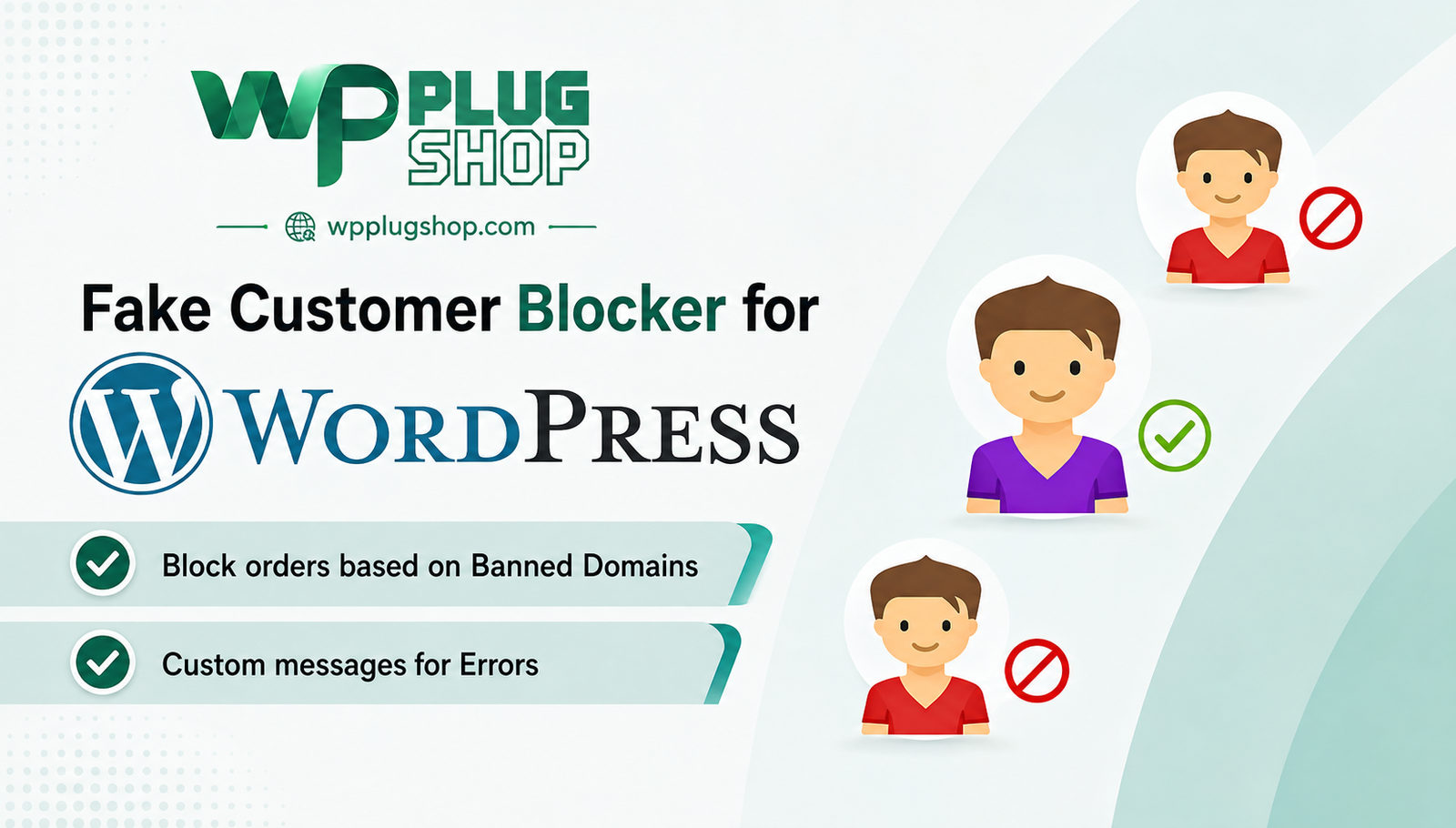
Preview Fake Customer Blocker – WooCommerce Fake Customer Protection Plugin
View the product artwork, switch gallery images, and open a larger preview before checkout.
Get secure digital access for real WordPress projects
This section summarizes the buying experience and what customers can expect after checkout.
Product overview, benefits, and digital access details
Review the key product details, practical use cases, and digital access information before checkout.
Frequently Asked Questions About Fake Customer Blocker
What is Fake Customer Blocker for WordPress?
Fake Customer Blocker is a WordPress protection plugin designed to help website administrators identify and block unwanted or suspicious customers. It is particularly useful for WooCommerce stores dealing with fake registrations, unwanted orders, spam customers, or potentially fraudulent activity.
Can Fake Customer Blocker be used with WooCommerce?
Yes. Fake Customer Blocker is designed for WooCommerce environments and can help store administrators control which customers or transactions are allowed based on configurable blocking criteria.
Can this plugin block fake WooCommerce customers?
Yes. The plugin is designed to help WooCommerce store owners block customers that match configured criteria associated with unwanted or suspicious activity. This can provide an additional layer of control over customer registration and purchasing activity.
Can Fake Customer Blocker help prevent fake WooCommerce orders?
Fake Customer Blocker can help reduce unwanted orders by allowing administrators to define blocking rules for customer information and other identifying criteria. It should be considered a preventative store-management tool rather than a guarantee against every type of fraudulent transaction.
What information can be used to block suspicious customers?
The documented feature set includes configurable blocking based on information such as email addresses, IP addresses, countries, states, and ZIP or postal codes. These controls can help store administrators create rules suited to their particular customer-management requirements.
Can I block customers by IP address?
Yes. IP-based blocking is among the documented criteria supported by Fake Customer Blocker. This can be useful when administrators need to restrict access from an IP address associated with unwanted registrations or other suspicious activity.
Can I block customers by email address?
Yes. Email-based blocking can be used to prevent customers matching configured email criteria from accessing selected customer or purchasing functionality. This can be useful for managing recurring spam registrations or unwanted customer activity.
Can I block customers by country, state, or ZIP code?
Yes. The documented functionality includes geographic criteria such as country, state, and ZIP or postal code. These options can help WooCommerce administrators create location-based customer restrictions when appropriate for their business.
Is Fake Customer Blocker an anti-fraud WooCommerce plugin?
Fake Customer Blocker can be used as part of a broader WooCommerce fraud-prevention strategy because it provides configurable customer-blocking controls. However, it should not be presented as a complete fraud-detection or payment-security solution, and additional security measures may be appropriate for an online store.
Can Fake Customer Blocker help reduce spam customers?
Yes. By allowing administrators to define rules around customer information and identifying characteristics, the plugin can help reduce unwanted registrations and recurring spam customer activity on WooCommerce websites.
Who should use Fake Customer Blocker?
Fake Customer Blocker is suitable for WooCommerce store owners, WordPress administrators, e-commerce businesses, freelancers, agencies, and website managers who need additional controls for managing suspicious or unwanted customers and orders.
Can agencies use Fake Customer Blocker on client websites?
Agencies and freelancers may find the plugin useful when managing WooCommerce stores that experience unwanted customer registrations or suspicious ordering activity. The appropriate use should always follow the applicable product licensing terms and the client's business requirements.
Is Fake Customer Blocker a general WordPress security plugin?
No. Its primary purpose is customer and e-commerce activity management rather than providing comprehensive WordPress security. It is better positioned as a WooCommerce-focused customer-blocking and protection tool that can complement a broader WordPress security strategy.
Can Fake Customer Blocker guarantee protection from fraudulent customers?
No security or customer-blocking plugin should be treated as a guarantee against every form of fraud. Fake Customer Blocker provides configurable rules that can help restrict unwanted customers and activity, but store owners should combine it with appropriate payment security, account protection, monitoring, and other WooCommerce security practices.
Is Fake Customer Blocker useful for stores with recurring fake registrations?
It can be useful for stores experiencing repeated unwanted registrations because administrators can configure blocking criteria based on available customer information. The most effective configuration will depend on the type and pattern of unwanted activity affecting the particular store.
Frequently Asked Questions About Fake Customer Blocker
What is Fake Customer Blocker for WordPress?
Fake Customer Blocker is a WordPress plugin designed to help website administrators block unwanted or suspicious customers. It is particularly useful for WooCommerce stores dealing with fake registrations, unwanted orders, spam customers, and potentially fraudulent activity.
Is Fake Customer Blocker compatible with WooCommerce?
Yes. Fake Customer Blocker is designed for WooCommerce websites and provides customer-blocking controls that can help store administrators manage unwanted customer activity and transactions.
Can Fake Customer Blocker block fake WooCommerce customers?
Yes. The plugin allows WooCommerce store administrators to configure blocking criteria for customers who match specific conditions. This can help restrict unwanted or suspicious customer activity before it becomes a recurring problem.
Can this plugin help block fake WooCommerce orders?
Fake Customer Blocker can help reduce unwanted WooCommerce orders by allowing administrators to configure rules based on available customer information. It should be viewed as a customer and order management protection tool rather than a guarantee against every form of fraudulent transaction.
What criteria can I use to block customers?
Documented blocking criteria include customer email addresses, IP addresses, countries, states, and ZIP or postal codes. These options give WooCommerce administrators flexibility when creating customer-blocking rules for their stores.
Can I block a customer by IP address?
Yes. IP-based blocking is one of the documented capabilities of Fake Customer Blocker. It can be useful when an IP address has been associated with unwanted registrations, suspicious activity, or repeated attempts to access a store.
Can I block customers by email address?
Yes. Email-based blocking allows administrators to configure rules around specific email addresses or applicable email information. This can help manage repeated spam registrations and unwanted customer activity.
Can I block customers by country, state, or ZIP code?
Yes. Fake Customer Blocker supports geographic blocking criteria such as country, state, and ZIP or postal code. These controls can be useful when a store needs to restrict customer activity from specific locations based on its business requirements.
Is Fake Customer Blocker an anti-fraud plugin for WooCommerce?
Fake Customer Blocker can form part of a broader WooCommerce fraud-prevention strategy by providing configurable customer-blocking controls. However, it should not be considered a complete payment-fraud detection system or a guarantee against all fraudulent transactions.
Can Fake Customer Blocker reduce spam customer registrations?
Yes. The plugin's configurable customer-blocking rules can help reduce unwanted registrations and recurring spam customer activity. Administrators can select criteria that match the patterns of unwanted activity affecting their WooCommerce store.
Who can benefit from Fake Customer Blocker?
Fake Customer Blocker can be useful for WooCommerce store owners, WordPress administrators, e-commerce businesses, freelancers, agencies, and website managers who need additional controls for managing suspicious customers, unwanted registrations, and potentially problematic orders.
Can agencies use Fake Customer Blocker for client WooCommerce stores?
Yes, agencies and freelancers may use this type of customer-blocking solution when managing WooCommerce websites that experience unwanted registrations or suspicious customer activity, subject to the applicable product licensing terms and client requirements.
Is Fake Customer Blocker a complete WordPress security plugin?
No. Fake Customer Blocker is primarily focused on customer and e-commerce activity management rather than comprehensive WordPress security. It can complement other security, authentication, monitoring, and payment-protection measures used by a WooCommerce store.
Can Fake Customer Blocker guarantee protection against fraud?
No. Fake Customer Blocker provides configurable rules for restricting customers and unwanted activity, but no single plugin can guarantee protection against every type of fraud. Store owners should combine customer-blocking controls with appropriate payment security and broader WooCommerce security practices.
Is Fake Customer Blocker useful for stores experiencing repeated fake orders?
It can be useful for WooCommerce stores experiencing recurring unwanted orders because administrators can configure blocking criteria based on available customer information. The most appropriate configuration depends on the type and pattern of activity affecting the individual store.
Frequently Asked Questions About Fake Customer Blocker
What is Fake Customer Blocker for WordPress?
Fake Customer Blocker is a WordPress plugin designed to help website administrators block unwanted or suspicious customers. It is particularly useful for WooCommerce stores dealing with fake registrations, unwanted orders, spam customers, and potentially fraudulent activity.
Is Fake Customer Blocker compatible with WooCommerce?
Yes. Fake Customer Blocker is designed for WooCommerce websites and provides customer-blocking controls that can help store administrators manage unwanted customer activity and transactions.
Can Fake Customer Blocker block fake WooCommerce customers?
Yes. The plugin allows WooCommerce store administrators to configure blocking criteria for customers who match specific conditions. This can help restrict unwanted or suspicious customer activity before it becomes a recurring problem.
Can this plugin help block fake WooCommerce orders?
Fake Customer Blocker can help reduce unwanted WooCommerce orders by allowing administrators to configure rules based on available customer information. It should be viewed as a customer and order management protection tool rather than a guarantee against every form of fraudulent transaction.
What criteria can I use to block customers?
Documented blocking criteria include customer email addresses, IP addresses, countries, states, and ZIP or postal codes. These options give WooCommerce administrators flexibility when creating customer-blocking rules for their stores.
Can I block a customer by IP address?
Yes. IP-based blocking is one of the documented capabilities of Fake Customer Blocker. It can be useful when an IP address has been associated with unwanted registrations, suspicious activity, or repeated attempts to access a store.
Can I block customers by email address?
Yes. Email-based blocking allows administrators to configure rules around specific email addresses or applicable email information. This can help manage repeated spam registrations and unwanted customer activity.
Can I block customers by country, state, or ZIP code?
Yes. Fake Customer Blocker supports geographic blocking criteria such as country, state, and ZIP or postal code. These controls can be useful when a store needs to restrict customer activity from specific locations based on its business requirements.
Is Fake Customer Blocker an anti-fraud plugin for WooCommerce?
Fake Customer Blocker can form part of a broader WooCommerce fraud-prevention strategy by providing configurable customer-blocking controls. However, it should not be considered a complete payment-fraud detection system or a guarantee against all fraudulent transactions.
Can Fake Customer Blocker reduce spam customer registrations?
Yes. The plugin's configurable customer-blocking rules can help reduce unwanted registrations and recurring spam customer activity. Administrators can select criteria that match the patterns of unwanted activity affecting their WooCommerce store.
Who can benefit from Fake Customer Blocker?
Fake Customer Blocker can be useful for WooCommerce store owners, WordPress administrators, e-commerce businesses, freelancers, agencies, and website managers who need additional controls for managing suspicious customers, unwanted registrations, and potentially problematic orders.
Can agencies use Fake Customer Blocker for client WooCommerce stores?
Yes, agencies and freelancers may use this type of customer-blocking solution when managing WooCommerce websites that experience unwanted registrations or suspicious customer activity, subject to the applicable product licensing terms and client requirements.
Is Fake Customer Blocker a complete WordPress security plugin?
No. Fake Customer Blocker is primarily focused on customer and e-commerce activity management rather than comprehensive WordPress security. It can complement other security, authentication, monitoring, and payment-protection measures used by a WooCommerce store.
Can Fake Customer Blocker guarantee protection against fraud?
No. Fake Customer Blocker provides configurable rules for restricting customers and unwanted activity, but no single plugin can guarantee protection against every type of fraud. Store owners should combine customer-blocking controls with appropriate payment security and broader WooCommerce security practices.
Is Fake Customer Blocker useful for stores experiencing repeated fake orders?
It can be useful for WooCommerce stores experiencing recurring unwanted orders because administrators can configure blocking criteria based on available customer information. The most appropriate configuration depends on the type and pattern of activity affecting the individual store.
Frequently Asked Questions About Fake Customer Blocker
What is Fake Customer Blocker for WordPress?
Fake Customer Blocker is a WordPress plugin designed to help WooCommerce store owners block unwanted or suspicious customers. It provides configurable customer-blocking controls that can be used to manage fake registrations, unwanted orders, spam activity, and other problematic customer interactions.
What does Fake Customer Blocker do?
Fake Customer Blocker allows administrators to define rules for blocking customers based on selected information such as email addresses, IP addresses, geographic location, and ZIP or postal codes. These controls can help stores manage unwanted customer activity more effectively.
Can Fake Customer Blocker block fake customers in WooCommerce?
Yes. The plugin is designed for WooCommerce environments and can help administrators restrict customers who match configured blocking criteria. This makes it useful for stores experiencing recurring fake accounts, suspicious registrations, or unwanted purchasing activity.
Can Fake Customer Blocker help prevent fake WooCommerce orders?
It can help reduce unwanted orders by applying customer-blocking rules to information associated with incoming activity. However, it should be considered an additional store-management and protection layer rather than a complete fraud-prevention system.
Can I block WooCommerce customers by email address?
Yes. Email address information can be used as a blocking criterion. This can be useful for restricting known unwanted email addresses or managing repeated customer registrations associated with problematic email information.
Can I block WooCommerce customers by IP address?
Yes. IP-based customer blocking is supported by the documented feature set. Store administrators can use IP information as part of their rules when dealing with repeated unwanted registrations or suspicious activity originating from particular network addresses.
Can I block customers based on their location?
Yes. Fake Customer Blocker provides geographic blocking options that include criteria such as country, state, and ZIP or postal code. These controls can help businesses apply location-based restrictions when they are appropriate for their store operations.
Is Fake Customer Blocker a WooCommerce anti-fraud plugin?
Fake Customer Blocker can complement a WooCommerce anti-fraud strategy by providing configurable rules for restricting unwanted customers and activity. It should not be represented as a complete payment-fraud detection solution or as protection against every form of fraudulent transaction.
Can this plugin help reduce spam registrations?
Yes. Customer-blocking rules can help WooCommerce administrators reduce recurring unwanted registrations and spam customer activity when the problematic accounts match the configured criteria.
Can I use Fake Customer Blocker to restrict specific countries?
The documented feature set includes country-based blocking, allowing administrators to configure geographic restrictions according to their store's operational requirements. Any location-based restriction should be configured carefully to avoid unintentionally blocking legitimate customers.
Who should use Fake Customer Blocker?
Fake Customer Blocker is intended for WooCommerce store owners, WordPress administrators, online businesses, agencies, freelancers, and e-commerce managers who need additional controls for managing unwanted or suspicious customer activity.
Is Fake Customer Blocker suitable for WooCommerce stores with recurring fake orders?
It can be useful for stores dealing with recurring unwanted orders because administrators can configure customer-blocking rules around available identifying information. The appropriate rules depend on the specific patterns affecting the store.
Is Fake Customer Blocker a complete WordPress security solution?
No. Its primary purpose is customer and WooCommerce activity management rather than comprehensive WordPress security. It can be used alongside appropriate WordPress security, payment protection, account security, monitoring, and fraud-management practices.
Does Fake Customer Blocker guarantee fraud prevention?
No. The plugin provides configurable blocking controls but cannot guarantee protection against every type of fraud or abuse. WooCommerce store owners should use it as one component of a broader security and customer-management strategy.
Can agencies use Fake Customer Blocker on WooCommerce client websites?
Agencies and freelancers can consider the plugin when managing WooCommerce websites that experience unwanted registrations, suspicious customers, or problematic orders. Usage should follow the applicable product licensing terms and the requirements of each client project.
Quick product answers for buyers and AI search
Clear product answers help buyers, search engines, and AI answer engines understand this product faster.
Best ways to use this WordPress digital product
These use cases help buyers quickly decide if this product fits their workflow.
How digital access works
No physical shipping is required. This is a digital product access purchase designed for account-based downloads.
Secure payment options for digital checkout
WPPlugShop supports trusted checkout options so buyers can complete digital purchases with more confidence.
Frequently asked questions
Buyer-focused answers about digital access, secure payments, downloads, support, and product usage.
Related WordPress tools you may also like
Explore related WordPress tools that may support the same workflow, website type, or project goal.




Choose the right WordPress tool with confidence
Request a product, explore membership access, or contact support if you want help choosing the right WordPress digital product before checkout.