
JobBank – WordPress Job Board & Job Manager Plugin
Verified from VirusTotal 100% Original Product and Virus Free. Free New Version Lifetime On Single Purchase. Unlimited Website Usage Price is in US dollars and included tax
Buy confidently with secure digital checkout, account-based downloads, and a cleaner WPPlugShop product experience.
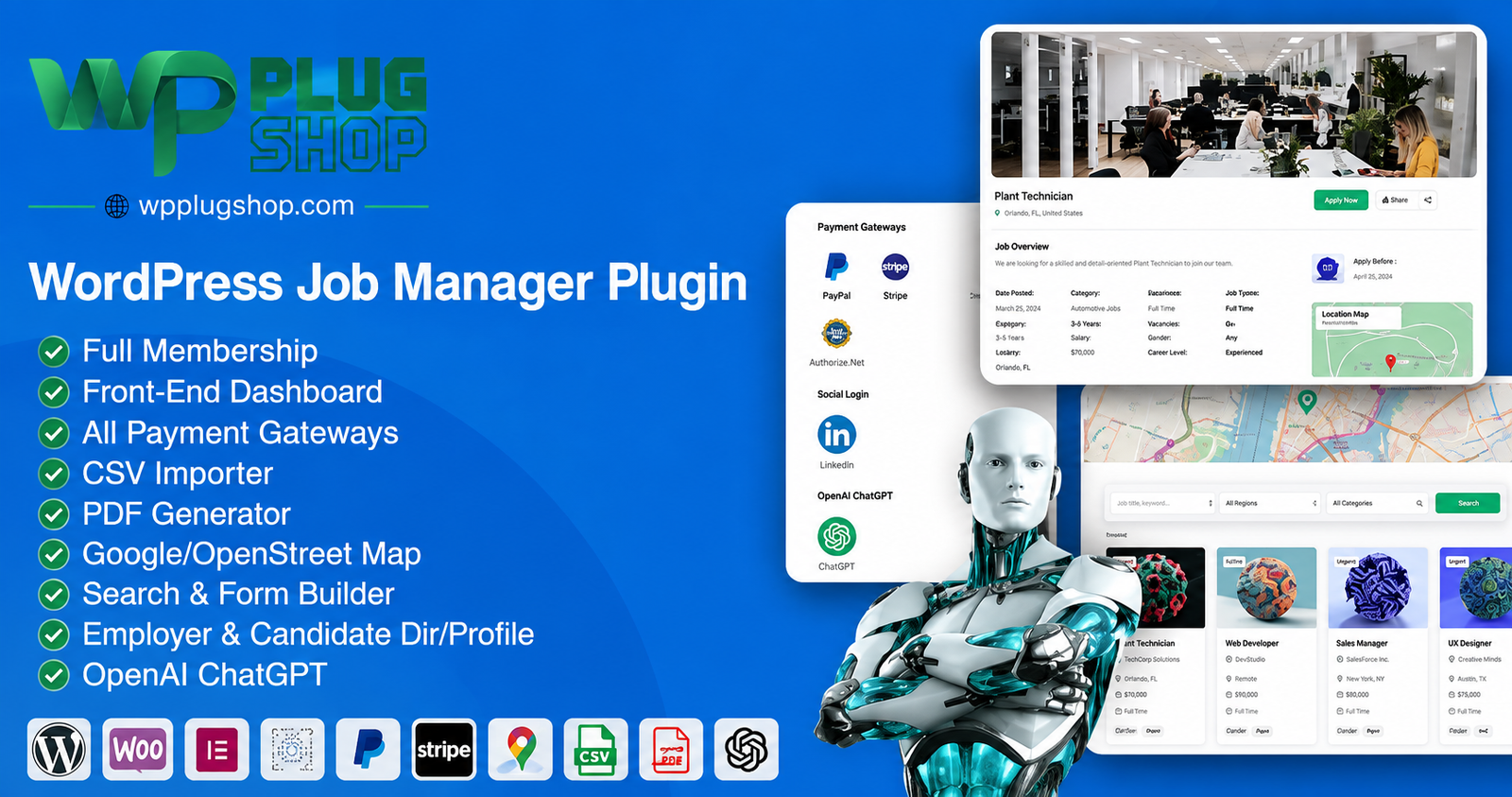
Preview JobBank – WordPress Job Board & Job Manager Plugin
View the product artwork, switch gallery images, and open a larger preview before checkout.
Get secure digital access for real WordPress projects
This section summarizes the buying experience and what customers can expect after checkout.
Product overview, benefits, and digital access details
Review the key product details, practical use cases, and digital access information before checkout.
Frequently Asked Questions About JobBank WordPress Job Manager
What is JobBank for WordPress?
JobBank is a WordPress job management plugin designed to help create and manage job boards, career portals, and recruitment-focused websites. It provides tools for job listings, employers, candidates, applications, dashboards, and other job-management workflows.
Can I create a job board website with JobBank?
Yes. JobBank is designed for creating WordPress job board websites where employers can publish opportunities and candidates can browse available positions. Its job management functionality can be used to organize listings and recruitment-related activity from a central WordPress website.
Is JobBank a WordPress job portal plugin?
Yes. JobBank can be used to build a WordPress job portal that connects job listings with employers and candidates. Depending on the configuration, a website can provide job search, applications, employer functionality, candidate features, and job-management tools.
Can employers manage job listings with JobBank?
Yes. JobBank provides employer-oriented functionality for managing job listings and recruitment activity. Employer dashboards can provide a dedicated area for handling relevant job and candidate information within the WordPress website.
Does JobBank provide a candidate dashboard?
Yes. JobBank includes candidate-focused functionality and dashboards designed to give job seekers access to relevant job-management features. This can help create a more structured experience for candidates using a WordPress job portal.
Can candidates apply for jobs through JobBank?
Yes. JobBank includes job application functionality that can be used to allow candidates to submit applications for available positions. The application workflow can form part of a complete WordPress recruitment or job-board website.
Can JobBank manage resumes or candidate profiles?
Yes. The product includes resume and candidate-management functionality. This can help job seekers maintain relevant information while giving a recruitment website additional tools for organizing candidate-related data.
Does JobBank support job search and job listings?
Yes. JobBank is designed around job listings and job discovery, making it suitable for websites where visitors need to browse and search available employment opportunities according to the site's configured categories and criteria.
Can I create a recruitment website with JobBank?
Yes. JobBank can be used as the foundation for a WordPress recruitment website. Its combination of job listings, employer features, candidate functionality, applications, dashboards, and recruitment-management tools can support different types of hiring websites.
Does JobBank support Elementor?
Yes. The documented product functionality includes Elementor support. This can provide additional flexibility when designing and arranging compatible job-board content within WordPress websites that use Elementor.
Does JobBank support Gutenberg?
Yes. JobBank includes Gutenberg compatibility, allowing it to fit into WordPress websites that use the native block editor alongside its job-management functionality.
Can I import jobs into JobBank?
Yes. JobBank includes CSV import functionality, which can be useful when transferring or adding job information in bulk rather than entering every listing individually.
Does JobBank support payment gateways?
Yes. The documented feature set includes payment gateway functionality. This can be useful for job-board business models that charge for listings, packages, memberships, or other paid recruitment-related services, depending on the configured setup.
Can I create paid job listing packages?
Yes. JobBank includes pricing-package functionality that can support business models where employers purchase packages or pay for selected job-board services. The exact commercial configuration depends on the website's chosen settings and payment setup.
Can JobBank support employer memberships?
Yes. The product includes membership-related functionality that can be used to structure access or services for employers. This can be useful when creating a job portal with different employer plans or recruitment packages.
Can JobBank be used to create a job marketplace?
JobBank can be used to build a job marketplace-style website where employers publish opportunities and candidates discover and apply for jobs. Its combination of listings, employer functionality, candidate tools, applications, and paid packages can support different marketplace models.
Can JobBank generate PDF documents?
The documented feature set includes PDF generation functionality. This can be useful for certain job-board or recruitment workflows where information needs to be presented or exported in a PDF format.
Does JobBank support Google Maps or OpenStreetMap?
Yes. The documented product functionality includes integration options for Google Maps and OpenStreetMap. These features can be useful for displaying job locations and improving location-based job discovery.
Can I use JobBank for a recruitment agency website?
Yes. Recruitment agencies can use JobBank as a foundation for a WordPress job portal where vacancies, candidates, applications, and employer-related information need to be organized in one place.
Who should use JobBank?
JobBank can be useful for recruitment agencies, employment websites, HR-focused businesses, job-board operators, staffing companies, freelancers, WordPress developers, and businesses that want to build a job listing or career portal using WordPress.
Frequently Asked Questions About JobBank WordPress Job Manager
What is JobBank – WordPress Job Manager?
JobBank is a WordPress job management plugin designed for creating job boards, recruitment websites, career portals, and job listing platforms. It provides tools for managing jobs, employers, candidates, applications, resumes, dashboards, and related recruitment workflows.
Can I create a WordPress job board with JobBank?
Yes. JobBank can be used to build a WordPress job board where employers can publish job opportunities and candidates can browse available positions. Its job management features help organize listings and recruitment activity from within a WordPress website.
Is JobBank suitable for building a WordPress job portal?
Yes. JobBank is suitable for creating a WordPress job portal that connects employers with candidates. A configured job portal can provide job listings, search functionality, candidate tools, employer features, applications, and other recruitment-related workflows.
Can employers publish and manage job listings?
Yes. JobBank includes employer-oriented job management functionality that can help employers publish and manage job opportunities. Employer dashboards can provide a dedicated interface for handling relevant listings and recruitment information.
Does JobBank provide employer and candidate dashboards?
Yes. The documented feature set includes dashboards for employers and candidates. These dedicated areas can help different user types access the job-management functions relevant to their role on a WordPress job portal.
Can candidates apply for jobs through JobBank?
Yes. JobBank includes application functionality that allows candidates to apply for available job opportunities through the job-board website. This makes it suitable for recruitment workflows where job discovery and applications need to be managed through WordPress.
Does JobBank include resume management?
Yes. JobBank includes resume-related functionality that can support candidate profiles and recruitment workflows. This can help candidates present their professional information while giving job portals additional tools for managing candidate data.
Can JobBank be used for a recruitment website?
Yes. JobBank can serve as a foundation for a WordPress recruitment website by combining job listings, employer functionality, candidate features, applications, dashboards, and recruitment management tools in one solution.
Does JobBank support Elementor?
Yes. The documented feature set includes Elementor support, allowing compatible JobBank content and website layouts to be used alongside the Elementor page-building environment.
Does JobBank work with Gutenberg?
Yes. JobBank supports Gutenberg, making it suitable for WordPress websites that use the native block editor as part of their content and page-building workflow.
Can I import job listings using CSV?
Yes. JobBank includes CSV import functionality. This can make it easier to add or migrate multiple job records without manually creating every listing individually.
Can JobBank support paid job listings?
Yes. JobBank includes pricing packages and payment-related functionality that can be used to create paid job-board services. Depending on the configuration, employers may be offered packages for publishing listings or accessing selected services.
Does JobBank support memberships?
Yes. The product includes membership functionality that can be used to structure different access levels or services for users such as employers. This can support various business models for operating a WordPress job portal.
Can I use JobBank to create a job marketplace?
Yes. JobBank can be used to build a job marketplace-style website where employers publish opportunities and candidates search and apply for jobs. Its employer, candidate, listing, application, and package functionality can support different job-marketplace models.
Does JobBank support payment gateways?
Yes. The documented feature set includes payment gateway functionality. This can be useful for job-board websites that charge employers for job listings, packages, memberships, or other paid recruitment services.
Can JobBank display job locations on maps?
Yes. JobBank includes integration options for Google Maps and OpenStreetMap. These mapping capabilities can help display job locations and provide additional location context for job seekers.
Can JobBank generate PDF documents?
Yes. PDF generation is included among the documented features. This can be useful for recruitment workflows where certain job or candidate information needs to be presented in a PDF format.
Is JobBank suitable for recruitment agencies?
Yes. Recruitment agencies and staffing businesses can use JobBank to create a centralized WordPress platform for managing vacancies, employers, candidates, applications, and recruitment-related information.
Can freelancers and agencies use JobBank for client websites?
Yes. WordPress freelancers and agencies can consider JobBank for building customized job boards, recruitment portals, career websites, and employment platforms for clients, subject to the applicable product licensing terms and project requirements.
Who should use JobBank – WordPress Job Manager?
JobBank can be useful for recruitment agencies, staffing companies, employment websites, HR businesses, job-board operators, career portals, freelancers, agencies, and organizations that want to create a job listing and recruitment platform with WordPress.
Frequently Asked Questions About JobBank – WordPress Job Board & Job Manager Plugin
What is JobBank – WordPress Job Board & Job Manager Plugin?
JobBank is a WordPress job management plugin designed to help create job boards, recruitment websites, career portals, and online job listing platforms. It combines job listings, employer tools, candidate functionality, applications, dashboards, and recruitment management features.
Can I create a complete job board website with JobBank?
Yes. JobBank can be used as the foundation for a WordPress job board where employers can publish opportunities and candidates can search and apply for available positions. The plugin provides multiple tools for managing the different parts of a job-board workflow.
Can JobBank be used to create a WordPress job portal?
Yes. JobBank is suitable for creating a WordPress job portal that connects employers and job seekers. Depending on the configuration, the portal can include job listings, candidate profiles, employer areas, applications, resumes, packages, memberships, and other recruitment features.
Can employers publish and manage job listings?
Yes. JobBank includes employer-focused functionality for managing job opportunities. Employers can work with job listings through the available management tools and dashboards configured for the website.
Does JobBank provide employer dashboards?
Yes. Employer dashboard functionality is included in the documented feature set. A dedicated employer area can help users manage relevant job listings and recruitment-related information without relying entirely on the WordPress administration interface.
Does JobBank provide a candidate dashboard?
Yes. JobBank includes candidate-focused dashboard functionality. This can provide job seekers with a dedicated area for accessing relevant features associated with their job-search and application activities.
Can candidates apply for jobs through JobBank?
Yes. JobBank includes job application functionality, allowing candidates to submit applications for available positions through the configured job portal. This supports a more structured recruitment workflow within WordPress.
Does JobBank support resumes and candidate profiles?
Yes. Resume-related functionality is included in the product's documented feature set. This can help candidates present professional information and provide recruitment websites with additional candidate-management capabilities.
Can JobBank be used for a recruitment agency website?
Yes. Recruitment agencies and staffing businesses can use JobBank to build a WordPress-based recruitment portal for managing vacancies, candidate information, applications, and employer-related activities.
Does JobBank support Elementor?
Yes. JobBank includes Elementor support, making it suitable for WordPress websites that use Elementor for page and layout design alongside the plugin's job-management functionality.
Does JobBank support Gutenberg?
Yes. JobBank supports the Gutenberg block editor, allowing it to fit into WordPress websites that use the native block-based content editing environment.
Can I import jobs using CSV?
Yes. JobBank includes CSV import functionality, which can be useful when adding or migrating multiple job listings without manually entering every job record one at a time.
Can JobBank support paid job listings?
Yes. JobBank includes pricing-package and payment-related functionality that can support paid job-board business models. Depending on the configuration, employers can be offered paid packages or services related to publishing job opportunities.
Does JobBank support employer memberships?
Yes. Membership functionality is included in the documented feature set. This can help job-board operators create different employer access levels, packages, or membership-based services.
Can JobBank be used to build a job marketplace?
Yes. JobBank can support a job marketplace-style website where employers publish opportunities and candidates search and apply for positions. Employer management, candidate features, job listings, applications, and package functionality can be combined according to the site's business model.
Does JobBank support payment gateways?
Yes. The documented feature set includes payment gateway functionality. This can be useful for websites that charge employers for job postings, packages, memberships, or other paid recruitment-related services.
Can JobBank display job locations on maps?
Yes. JobBank includes integration options for Google Maps and OpenStreetMap. These mapping features can help display job locations and provide location-based information to candidates browsing available opportunities.
Can JobBank generate PDF documents?
Yes. PDF generation is included among the documented features. This can be useful for recruitment workflows that require selected job or candidate information to be presented in PDF format.
Can JobBank support different job packages?
Yes. JobBank includes pricing-package functionality that can be used to structure different paid services for job-board users. The exact package structure depends on how the website administrator configures the available options.
Who should use JobBank – WordPress Job Manager?
JobBank can be useful for recruitment agencies, staffing companies, employment websites, HR businesses, job-board operators, career portals, freelancers, WordPress agencies, and organizations that want to create a job listing and recruitment platform using WordPress.
Quick product answers for buyers and AI search
Clear product answers help buyers, search engines, and AI answer engines understand this product faster.
Best ways to use this WordPress digital product
These use cases help buyers quickly decide if this product fits their workflow.
How digital access works
No physical shipping is required. This is a digital product access purchase designed for account-based downloads.
Secure payment options for digital checkout
WPPlugShop supports trusted checkout options so buyers can complete digital purchases with more confidence.
Frequently asked questions
Buyer-focused answers about digital access, secure payments, downloads, support, and product usage.
Related WordPress tools you may also like
Explore related WordPress tools that may support the same workflow, website type, or project goal.




Choose the right WordPress tool with confidence
Request a product, explore membership access, or contact support if you want help choosing the right WordPress digital product before checkout.