
Struninn – YouTube Subscriber Counter for Elementor
Verified from VirusTotal 100% Original Product and Virus Free. Free New Version Lifetime On Single Purchase. Unlimited Website Usage Price is in US dollars and included tax
Buy confidently with secure digital checkout, account-based downloads, and a cleaner WPPlugShop product experience.
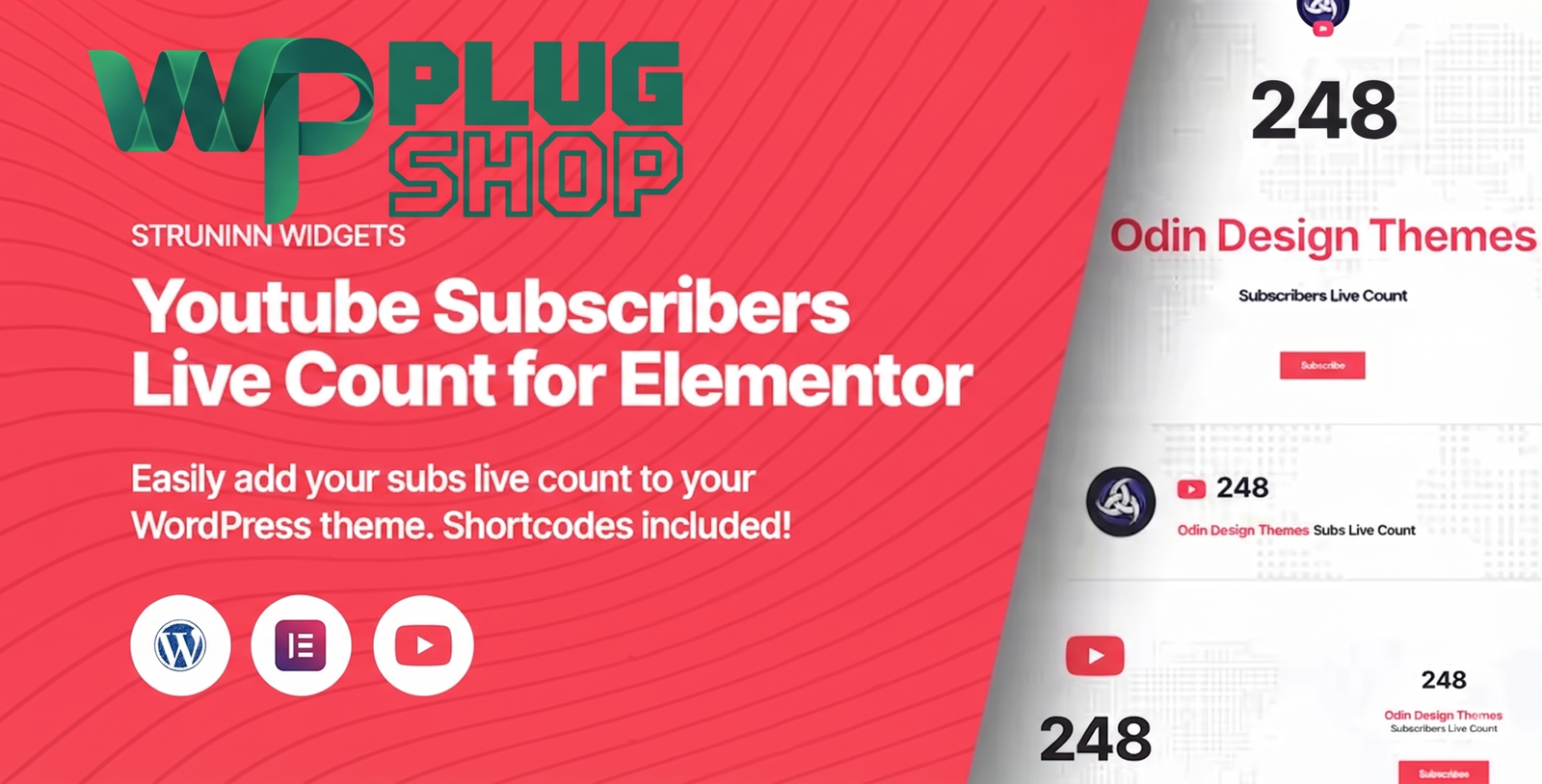
Preview Struninn – YouTube Subscriber Counter for Elementor
View the product artwork, switch gallery images, and open a larger preview before checkout.
Get secure digital access for real WordPress projects
This section summarizes the buying experience and what customers can expect after checkout.
Product overview, benefits, and digital access details
Review the key product details, practical use cases, and digital access information before checkout.
Struninn – YouTube Subscriber Counter for Elementor
Struninn – YouTube Subscriber Counter for Elementor is a WordPress Elementor widget designed to display a YouTube channel's subscriber count directly on your website. It helps creators, businesses, bloggers, agencies, and website owners connect their YouTube presence with their WordPress website through a dedicated subscriber-count element.
With multiple display templates, color customization, an optional subscribe button, shortcode support, and YouTube API connectivity, Struninn provides a practical way to present YouTube audience information inside Elementor-powered WordPress websites.
Display Your YouTube Subscriber Count on WordPress
Your website can be an important extension of your YouTube channel. Instead of making visitors leave your website to discover your YouTube audience, Struninn lets you place a dedicated YouTube subscriber counter within your WordPress page layout.
The widget can be used on homepages, landing pages, creator websites, portfolios, blogs, marketing pages, and other Elementor designs where displaying YouTube audience information can add social proof and encourage visitors to connect with your channel.
Key Features
- Display a YouTube channel subscriber count on WordPress.
- Designed specifically for Elementor-based WordPress websites.
- Four different display templates for presenting subscriber information.
- Optional YouTube subscribe button.
- Color customization for adapting the widget to your website design.
- Uses YouTube API connectivity to retrieve channel information.
- Supports WordPress shortcode placement.
- Can be added through the Elementor visual editor.
- Designed for creators, businesses, bloggers, agencies, and content-focused websites.
- Useful for displaying social proof alongside website content.
Product Details
| Detail | Information |
|---|---|
| Product Name | Struninn – YouTube Subscribers Live Count |
| Product Type | Elementor YouTube subscriber counter widget |
| Platform | WordPress |
| Primary Builder | Elementor |
| Display Templates | 4 |
| Subscriber Counter | Yes |
| Subscribe Button | Optional |
| Color Customization | Yes |
| Shortcode Support | Yes |
| API Connectivity | YouTube API |
| Listed Version | 1.0.0 |
Elementor YouTube Subscriber Widget
Struninn is designed around the Elementor editing experience. Once the plugin is available in your WordPress installation, the subscriber-count widget can be added to an Elementor page and positioned within your existing layout.
This makes it useful for users who prefer a visual website-building workflow and want to add a YouTube subscriber count widget without building a custom counter element from scratch.
Four Display Templates
Different website designs call for different presentation styles. Struninn provides four display templates so you can select a layout that better matches the surrounding Elementor section.
Whether the widget is being used in a creator homepage, portfolio section, landing page, blog layout, or promotional area, the available templates provide flexibility for presenting the YouTube subscriber information.
Optional YouTube Subscribe Button
Displaying a subscriber count can provide useful social proof, while a subscribe button gives visitors a direct way to connect with your YouTube channel. Struninn allows the subscribe button to be included as an optional part of the widget.
This combination can be particularly useful on websites where YouTube is an important part of the overall content strategy.
YouTube Subscriber Counter for WordPress
A dedicated YouTube subscriber counter for WordPress can help bridge the gap between your website and video-content audience. Instead of keeping your YouTube presence separate from your website, you can make subscriber information part of the page experience.
For creators and businesses that actively use YouTube, this can help visitors discover another channel where they can follow video content, updates, tutorials, reviews, educational material, or other published content.
Customization Options
Website designs vary from project to project, so a social-media widget should be adaptable to its surroundings. Struninn provides color customization so the subscriber counter can be adjusted to complement the visual identity of the website.
Combined with the four available display templates, this gives Elementor users a straightforward way to create a YouTube subscriber section that fits the overall page design.
YouTube API Integration
Struninn uses the YouTube API to retrieve relevant YouTube channel information for the subscriber counter. This allows the widget to connect the WordPress website with the associated YouTube channel rather than relying on a manually entered static number.
Because the widget depends on YouTube API access, setup requirements, API quotas, response behavior, and data availability can be affected by YouTube's current API policies and technical limitations.
Feature Comparison
| Capability | Struninn | Basic YouTube Link |
|---|---|---|
| Display Subscriber Count | Yes | No dedicated counter |
| Elementor Widget | Yes | Not applicable |
| Display Templates | 4 | None |
| Optional Subscribe Button | Yes | Requires separate implementation |
| Color Customization | Yes | Limited |
| YouTube API Connectivity | Yes | No |
| Shortcode Support | Yes | Not applicable |
Best Use Cases
- YouTube creator websites: Display your channel audience alongside your website content.
- Personal brands: Connect your personal website with your YouTube presence.
- Portfolio websites: Showcase video content and social audience information.
- Blogs: Encourage readers to discover and follow your YouTube channel.
- Educational websites: Display YouTube audience information alongside tutorials and learning resources.
- Agency websites: Add YouTube social proof to selected marketing sections.
- Landing pages: Use a subscriber counter as part of a broader social-proof section.
- WooCommerce websites: Add creator or brand YouTube information to storefront content and promotional pages.
Who Should Use Struninn?
Struninn is particularly suitable for WordPress users who build pages with Elementor and want to display their YouTube subscriber count as part of the website design.
It can be useful for YouTube creators, influencers, educators, bloggers, agencies, businesses, freelancers, and personal brands that want to make their YouTube audience more visible to website visitors.
Pros and Considerations
| Pros | Considerations |
|---|---|
| Dedicated YouTube subscriber-count widget | Designed primarily for Elementor-based workflows |
| Four display templates | YouTube API access is required |
| Optional subscribe button | API quotas and policies can affect data requests |
| Color customization | Live data availability depends on the YouTube API |
| Shortcode support | Third-party YouTube services and policies may change independently |
Make Your YouTube Presence More Visible
Your YouTube channel and WordPress website can work together as part of one digital presence. Adding a subscriber counter to your website gives visitors a quick way to recognize your YouTube audience while an optional subscribe button provides an additional engagement path.
With its Elementor integration, four display templates, color controls, shortcode support, and YouTube API connectivity, Struninn – YouTube Subscriber Counter for Elementor provides a focused solution for presenting YouTube subscriber information on WordPress websites.
Important Product Information
The supplied product information lists Struninn version 1.0.0. YouTube API access and quota requirements should be considered when configuring the widget. Product functionality can also be affected by changes to WordPress, Elementor, YouTube, or their respective APIs and policies.
WP Plug Shop is not the developer or official owner of Struninn, YouTube, or Elementor and does not claim ownership of their respective trademarks or software.
Struninn – YouTube Subscriber Counter for Elementor FAQs
What is Struninn – YouTube Subscriber Counter for Elementor?
Struninn is a WordPress Elementor widget that displays a YouTube channel's subscriber count on your website. It also provides multiple display templates, color customization, shortcode support, and an optional subscribe button.
Can I display my YouTube subscriber count on WordPress?
Yes. Struninn is designed to display YouTube subscriber information directly on WordPress websites, making it useful for creators and businesses that want to connect their website with their YouTube audience.
Does Struninn work with Elementor?
Yes. Struninn is designed as an Elementor widget and can be added to Elementor-built pages as part of the website layout.
How can I add a YouTube subscriber counter to Elementor?
After installing and configuring Struninn, the YouTube subscriber counter can be added through the Elementor editing workflow. You can then select a suitable display template and customize available settings.
How many display templates does Struninn include?
Struninn provides four display templates for presenting the YouTube subscriber count, giving Elementor users different layout options for their website designs.
Does Struninn include a YouTube subscribe button?
Yes. The product includes an optional subscribe button that can be displayed alongside the YouTube subscriber count, depending on the desired widget configuration.
Can I customize the YouTube subscriber counter?
Yes. Struninn provides color customization options so the subscriber counter can better match the visual design of your WordPress website and Elementor layout.
Does the YouTube subscriber counter use the YouTube API?
Yes. Struninn uses YouTube API connectivity to retrieve relevant YouTube channel information. API access, quotas, and current YouTube requirements should be considered during setup.
Can I use Struninn without Elementor?
Struninn is primarily positioned as an Elementor widget, but the product also provides shortcode support. The exact placement and functionality should be verified against your WordPress and plugin configuration.
Who can benefit from a YouTube subscriber counter widget?
YouTube creators, bloggers, educators, agencies, businesses, freelancers, personal brands, and other content-focused website owners can use a subscriber counter to make their YouTube presence more visible on their WordPress websites.
Is Struninn a good option for YouTube social proof?
It can be useful for displaying YouTube audience information as part of a website's social-proof or creator-focused sections. An optional subscribe button can also provide visitors with a direct engagement option.
Does Struninn guarantee perfectly real-time subscriber updates?
The product is designed around displaying YouTube subscriber information, but data availability and update behavior can depend on the YouTube API, API quotas, network conditions, and changes to YouTube's services.
Quick product answers for buyers and AI search
Clear product answers help buyers, search engines, and AI answer engines understand this product faster.
Best ways to use this WordPress digital product
These use cases help buyers quickly decide if this product fits their workflow.
How digital access works
No physical shipping is required. This is a digital product access purchase designed for account-based downloads.
Secure payment options for digital checkout
WPPlugShop supports trusted checkout options so buyers can complete digital purchases with more confidence.
Frequently asked questions
Buyer-focused answers about digital access, secure payments, downloads, support, and product usage.
Related WordPress tools you may also like
Explore related WordPress tools that may support the same workflow, website type, or project goal.




Choose the right WordPress tool with confidence
Request a product, explore membership access, or contact support if you want help choosing the right WordPress digital product before checkout.