
Imager – Advanced Image Box & Hover Effects for Elementor
Verified from VirusTotal 100% Original Product and Virus Free. Free New Version Lifetime On Single Purchase. Unlimited Website Usage Price is in US dollars and included tax
Buy confidently with secure digital checkout, account-based downloads, and a cleaner WPPlugShop product experience.
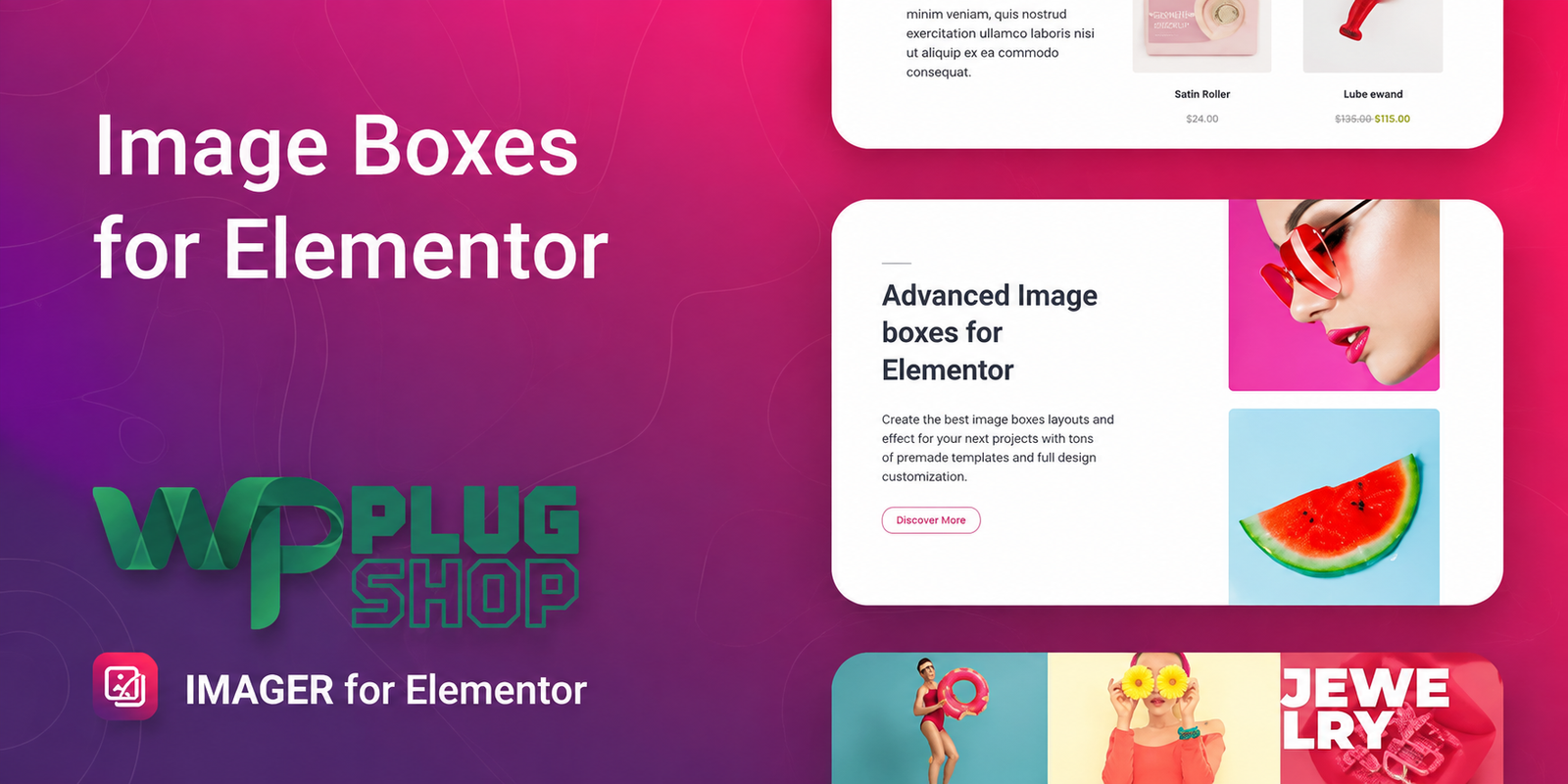
Preview Imager – Advanced Image Box & Hover Effects for Elementor
View the product artwork, switch gallery images, and open a larger preview before checkout.
Get secure digital access for real WordPress projects
This section summarizes the buying experience and what customers can expect after checkout.
Product overview, benefits, and digital access details
Review the key product details, practical use cases, and digital access information before checkout.
Imager – Advanced Image Box & Hover Effects for Elementor
Imager – Advanced Image Box & Hover Effects for Elementor is a WordPress Elementor widget designed to create interactive image boxes, information boxes, content cards, and visual product showcases. It adds animated hover effects, flexible layouts, image filters, responsive controls, and styling options directly inside the Elementor editing experience.
Instead of relying on basic static image blocks, Imager helps you create more engaging visual sections where images, text, posts, categories, and WooCommerce products can be presented through customizable animated boxes.
Create Interactive Image Boxes in Elementor
Modern websites often need more than a simple image and text combination. Imager for Elementor provides a dedicated way to build image boxes that respond to visitor interaction with hover animations and customizable visual effects.
The widget can be used for portfolios, service sections, featured content, blog categories, product showcases, landing pages, creative agency websites, and other Elementor-powered WordPress projects.
Key Features
- Create custom image boxes directly with Elementor.
- Add animated hover effects to image boxes.
- Use images or photos as visual content.
- Display WordPress posts as image-box content.
- Use WooCommerce products as an image-box source.
- Create custom image-box layouts.
- Add text overlays to images.
- Apply CSS image filters.
- Control image and text animation settings.
- Customize colors, typography, backgrounds, borders, margins, and padding.
- Control the number of columns for different device sizes.
- Use five prepared templates as starting points.
- Support responsive website layouts.
- Support RTL website direction.
- Designed for use with Elementor-based WordPress themes.
Product Details
| Detail | Information |
|---|---|
| Product Name | Imager – Advanced Image-Box for Elementor |
| Product Type | Elementor Image Box Widget |
| Platform | WordPress |
| Page Builder | Elementor |
| Image Source | Custom Images |
| Content Sources | Posts and WooCommerce Products |
| Hover Animation | Yes |
| Image Filters | CSS Image Filters |
| Responsive Columns | Yes |
| Prepared Templates | 5 |
| RTL Support | Yes |
| WooCommerce Support | Yes, for product-based content sources |
Animated Image Box for Elementor
Imager is built for users who want to add movement and interaction to image-based sections. Its hover animation capabilities allow an image box to respond visually when a visitor interacts with it.
This makes the widget useful for creating animated image boxes for Elementor, interactive service cards, creative portfolio layouts, product showcases, and visually focused content sections.
Flexible Image and Content Layouts
The widget is not limited to one fixed image-box structure. Imager provides custom layout controls that allow you to organize elements according to the needs of your page.
You can combine images with text overlays and other content elements to create visual cards that fit your website's design. This flexibility is useful when building custom Elementor sections instead of relying exclusively on standard widgets.
Showcase WooCommerce Products
For online stores, Imager can use WooCommerce products as a content source. This creates an additional option for presenting products through visually engaging image boxes and animated layouts.
A WooCommerce website can use the widget for featured products, promotional sections, category highlights, product collections, or other visual areas where an interactive presentation can complement the store layout.
Display WordPress Posts and Categories
Imager can also work with WordPress content, including posts and categories. This makes it useful beyond portfolio images or product displays.
For example, a blog can use animated content boxes to highlight selected posts or organize categories into a visually engaging grid. Agencies and publishers can similarly use image-based cards to present different areas of their website.
Image Hover Effects and Animations
One of the main strengths of this Elementor image box plugin is its focus on hover interaction. Image boxes can use animation effects to make content more noticeable when visitors interact with the visual element.
The plugin also provides flexible image and text animation settings, allowing designers to create visual transitions that suit the style of their page rather than depending on a single predefined effect.
Customize Images with CSS Filters
Imager includes CSS image-filter options that provide additional control over how images appear inside the widget. These controls can help designers create a more consistent visual presentation across image-box sections.
Combined with color, typography, background, border, spacing, and animation controls, the widget gives Elementor users a broad set of styling options without requiring every visual adjustment to be created manually with custom code.
Responsive Image Box Layouts
Image grids need to work across different screen sizes. Imager provides controls for the number of columns used on different devices, making it possible to create responsive image-box layouts for desktop, tablet, and mobile experiences.
This is particularly useful for portfolio grids, product showcases, post displays, service sections, and other visual layouts where the number of items shown per row should adapt to the available screen space.
Five Prepared Templates
Imager includes five prepared templates that can provide a starting point for your Elementor project. Templates can help speed up the initial design process while still allowing the widget's individual styling and layout controls to be customized.
Elementor-Based Visual Editing
The widget's styling and layout settings are designed to be managed through the Elementor interface. This allows users to work visually with image boxes instead of depending entirely on custom CSS or development work for everyday design adjustments.
Available controls cover areas such as typography, colors, backgrounds, borders, margins, padding, image filters, animations, and responsive columns.
Feature Comparison
| Capability | Imager | Basic Image Widget |
|---|---|---|
| Custom Image Boxes | Yes | Limited to basic image presentation |
| Hover Animations | Yes | Depends on the available widget controls |
| Text Overlay | Yes | May require additional elements |
| WordPress Posts as Source | Yes | Not the primary purpose |
| WooCommerce Products as Source | Yes | Not the primary purpose |
| CSS Image Filters | Yes | Depends on the widget |
| Custom Image-Box Layout | Yes | More limited |
| Responsive Column Controls | Yes | Depends on the implementation |
Best Use Cases
- Creative portfolios: Build interactive image grids for projects and creative work.
- Agency websites: Present services, projects, and featured content through animated cards.
- WooCommerce stores: Showcase products using image-based content boxes.
- Blogs: Highlight posts and categories in an engaging visual layout.
- Landing pages: Create interactive feature and content sections.
- Service websites: Present individual services through custom image boxes.
- Photography websites: Create image-focused layouts with hover effects.
- Creative business websites: Add motion and visual interaction to key sections.
Who Should Use Imager?
Imager is a strong fit for Elementor users who need more flexibility than a basic image widget provides. Designers, freelancers, agencies, bloggers, WooCommerce store owners, and creative professionals can use it to build visually engaging image and content sections.
It is particularly useful when the goal is to combine imagery, text, animation, and structured content into responsive visual cards.
Pros and Considerations
| Pros | Considerations |
|---|---|
| Dedicated advanced image-box widget for Elementor | Requires Elementor for its primary workflow |
| Multiple hover and animation options | Animation should be used thoughtfully to maintain a clear user experience |
| Supports custom images, posts, and WooCommerce products | WooCommerce-specific functionality depends on having compatible WooCommerce content |
| Five prepared templates | Available features can vary by plugin version and environment |
| Responsive column controls | Final appearance can depend on the active theme, Elementor version, and other plugins |
| Extensive visual styling controls | Very large or animation-heavy layouts should be tested for performance |
Why Use an Advanced Image Box Plugin for Elementor?
Elementor makes it easy to build WordPress pages, but specialized widgets can provide additional ways to present content. An advanced image box for Elementor can combine visual presentation, text, animation, and structured content into a single reusable design element.
Imager is designed around that specific need. It provides a focused toolkit for creating interactive image boxes while also supporting WordPress posts and WooCommerce products as content sources.
Create More Engaging Visual Sections
Whether you are designing a portfolio, building a WooCommerce storefront, publishing a blog, or creating a business website, interactive image boxes can help organize visual information in a more engaging format.
With Imager – Advanced Image Box & Hover Effects for Elementor, you can combine custom images, content sources, animations, image filters, responsive columns, and detailed styling controls within the Elementor workflow.
Compatibility and Version Information
The current developer listing identifies Imager as an Elementor-focused WordPress plugin and lists support for WooCommerce product sources, responsive layouts, RTL direction, and major modern browsers. The developer changelog lists version 2.0.5, released on February 21, 2026, with security fixes. Compatibility should always be checked against the specific WordPress, Elementor, WooCommerce, theme, and plugin versions used on your website.
WP Plug Shop is not the developer or official owner of Imager, Elementor, WooCommerce, WordPress, or Merkulove and does not claim ownership of their respective trademarks or software.
Imager – Advanced Image Box & Hover Effects for Elementor FAQs
What is Imager for Elementor?
Imager is an advanced image box widget for Elementor that helps create interactive image boxes, content cards, animated image sections, post displays, category layouts, and WooCommerce product showcases in WordPress.
Can I create animated image boxes in Elementor?
Yes. Imager provides hover and animation controls that can be used to create interactive image boxes and visual content sections within Elementor.
Does Imager support image hover effects?
Yes. Image hover effects are one of the main features of Imager. The widget provides animation options for creating more interactive image and content presentations.
Can I use Imager with WooCommerce products?
Yes. Imager can use WooCommerce products as a content source, making it useful for creating product image boxes, product showcases, and visually engaging store sections with Elementor.
Can Imager display WordPress posts and categories?
Yes. The widget supports WordPress content sources such as posts and categories, allowing you to create visual content grids and animated cards for blog or content-focused websites.
Does Imager include image filters?
Yes. Imager provides CSS image-filter options that can be used to adjust the visual appearance of images inside your image-box layouts.
Is Imager responsive?
Yes. Imager provides responsive column controls so image-box layouts can be adapted for different screen sizes, including desktop, tablet, and mobile layouts.
How many templates are included with Imager?
The product documentation lists five prepared templates that can be used as starting points for creating image-box layouts in Elementor.
Can I customize the appearance of an Imager image box?
Yes. The widget provides controls for areas such as typography, colors, backgrounds, borders, spacing, image filters, animations, and responsive columns, allowing the design to be adapted to the website.
Can I use Imager for a portfolio website?
Yes. Imager is well suited to portfolio layouts where images, projects, or creative work need to be presented through interactive cards, image grids, and hover effects.
Can Imager be used for WooCommerce product showcases?
Yes. WooCommerce products can be used as a content source, making the widget useful for featured-product sections, promotional areas, product collections, and other visual storefront layouts.
Is Imager a standalone page builder?
No. Imager is an Elementor-focused widget/plugin rather than a standalone page builder. Its primary purpose is to extend Elementor with advanced image-box and visual content functionality.
Does Imager require Elementor?
Imager is designed around Elementor and its primary workflow uses the Elementor page-building environment. Make sure your Elementor installation meets the product's current compatibility requirements before installation.
Is Imager useful for creative agencies and freelancers?
Yes. Creative agencies and freelancers can use Imager to build service cards, portfolio sections, project showcases, blog layouts, and interactive image grids for client websites.
What should I consider before using animated image boxes?
Animations should support the content rather than distract from it. Large image grids, heavy effects, and animation-rich pages should also be tested on the target devices to ensure a smooth user experience.
Quick product answers for buyers and AI search
Clear product answers help buyers, search engines, and AI answer engines understand this product faster.
Best ways to use this WordPress digital product
These use cases help buyers quickly decide if this product fits their workflow.
How digital access works
No physical shipping is required. This is a digital product access purchase designed for account-based downloads.
Secure payment options for digital checkout
WPPlugShop supports trusted checkout options so buyers can complete digital purchases with more confidence.
Frequently asked questions
Buyer-focused answers about digital access, secure payments, downloads, support, and product usage.
Related WordPress tools you may also like
Explore related WordPress tools that may support the same workflow, website type, or project goal.




Choose the right WordPress tool with confidence
Request a product, explore membership access, or contact support if you want help choosing the right WordPress digital product before checkout.