
Sticky Radio Player – WordPress Shoutcast & Icecast Radio Plugin
Verified from VirusTotal 100% Original Product and Virus Free. Free New Version Lifetime On Single Purchase. Unlimited Website Usage Price is in US dollars and included tax
Buy confidently with secure digital checkout, account-based downloads, and a cleaner WPPlugShop product experience.
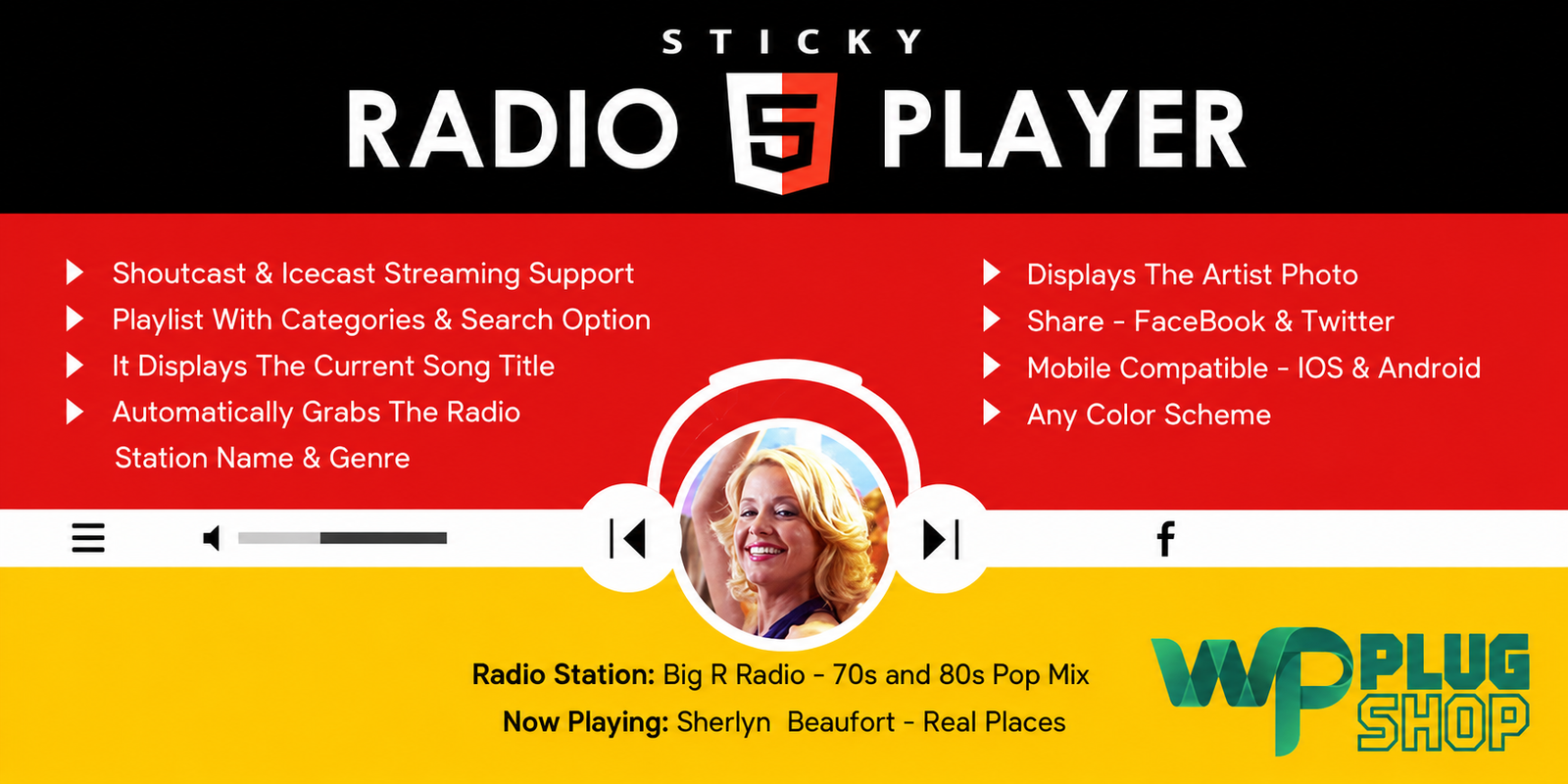
Preview Sticky Radio Player – WordPress Shoutcast & Icecast Radio Plugin
View the product artwork, switch gallery images, and open a larger preview before checkout.
Get secure digital access for real WordPress projects
This section summarizes the buying experience and what customers can expect after checkout.
Product overview, benefits, and digital access details
Review the key product details, practical use cases, and digital access information before checkout.
Sticky Radio Player – WordPress Shoutcast & Icecast Radio Plugin
Sticky Radio Player is a WordPress HTML5 radio player designed for websites that stream live online radio through Shoutcast and Icecast. Its full-width sticky layout keeps the radio player readily accessible while visitors browse the website, making it suitable for online radio stations, DJs, music websites, broadcasters, and audio-focused WordPress projects.
The plugin combines live radio streaming with responsive design, playlist organization, radio categories, current-song information, artist imagery, sharing controls, and extensive customization options. It can be configured as a sticky player for a website or used in a more traditional player placement depending on the desired layout. :contentReference[oaicite:0]{index=0}
WordPress Shoutcast & Icecast Radio Player
Sticky Radio Player provides a dedicated way to add a Shoutcast and Icecast radio player to WordPress. Instead of building a custom HTML5 streaming interface from scratch, website administrators can configure the player around their existing radio stream and website design.
The player is particularly useful for online radio websites where keeping the listening experience visible is important. Its sticky configuration can position the player across the website while visitors move through pages and content.
Key Features
- Full-width sticky radio player for WordPress.
- Shoutcast radio stream support.
- Icecast radio stream support.
- HTML5 audio playback.
- Responsive design for modern websites.
- Mobile-compatible presentation.
- Multiple radio streams and playlist organization.
- Playlist categories and search functionality.
- Current playing song and artist information.
- Artist image support where compatible information is available.
- Custom radio and category names.
- Configurable player colors and visual styling.
- Controls for showing or hiding playlist, volume, and sharing buttons.
- Autoplay configuration where supported by the visitor's browser.
- Initial volume configuration where supported by the browser or device.
- Multiple customization parameters.
- Sharing functionality.
- Website-navigation improvements for the sticky player experience.
Product Details
| Detail | Information |
|---|---|
| Product Name | Sticky Radio Player – Full Width Shoutcast and Icecast HTML5 Player |
| Product Type | WordPress HTML5 Radio Player Plugin |
| Platform | WordPress |
| Streaming Sources | Shoutcast and Icecast |
| Player Format | HTML5 Audio |
| Layout | Full-Width Sticky Player |
| Responsive | Yes |
| Mobile Compatible | Yes, subject to browser and platform restrictions |
| Playlist Support | Yes |
| Playlist Categories | Yes |
| Playlist Search | Yes |
| Current Song Information | Supported where stream metadata is available |
| Artist Information | Supported where compatible data is available |
| Customization | Colors, controls, layout and other player parameters |
Keep Your Radio Player Visible While Visitors Browse
A conventional audio player can become difficult to access when visitors move between different areas of a website. The sticky configuration of this WordPress radio player plugin is designed to keep the player available as part of the site's persistent interface.
This makes Sticky Radio Player a practical choice for radio stations and music websites that want visitors to have convenient access to the live stream while exploring pages, articles, schedules, station information, or other website content.
Shoutcast Radio Player for WordPress
Sticky Radio Player supports Shoutcast streaming, making it suitable for websites connected to compatible Shoutcast radio streams. The player can read available stream information and present current playing information when the required metadata is available.
For websites already operating an online radio station through Shoutcast, the plugin provides a WordPress-focused presentation layer for integrating the live audio stream into the site's design.
Icecast Radio Player for WordPress
The plugin also supports Icecast radio streams. This gives online broadcasters another option for presenting their live audio stream through a WordPress website.
Actual playback and metadata behavior can depend on the radio server configuration, stream format, browser, and device. Testing the specific stream on the target website is recommended before launch.
Full-Width HTML5 Radio Player
The full-width design provides a prominent presentation that can span the available website area. This can work particularly well for radio stations where the player is an important part of the site's identity and visitor experience.
Because the player uses HTML5 audio technology, it is designed for modern web environments without relying on the older Flash-based playback approach used by earlier generations of web radio players. The developer's changelog also documents the removal of the Flash fallback. :contentReference[oaicite:1]{index=1}
Playlists, Categories & Search
Websites with multiple radio stations or streams can benefit from structured playlist organization. Sticky Radio Player provides playlist-related controls and supports categories and search, helping visitors find the stream they want to listen to.
This can be useful for radio networks, multi-channel broadcasting websites, music portals, and websites presenting several online radio streams from one interface.
Current Song and Artist Information
Where the supported radio stream provides the required metadata, the player can display information about the currently playing song and artist. Artist imagery can also be presented when compatible information is available.
This creates a more informative listening experience than a basic play-and-pause audio control, particularly for music-focused radio stations.
Responsive Radio Player for WordPress
Sticky Radio Player is designed for responsive websites, allowing the radio interface to adapt to different screen sizes. This makes it suitable for websites that receive visitors across desktop and mobile devices.
Mobile browsers can impose restrictions on media playback, autoplay, and volume controls. These are browser and operating-system policies rather than settings that a WordPress plugin can always override.
Customize the Radio Player
Sticky Radio Player includes a range of configuration parameters for adapting the player to a website's visual design and functional requirements.
Depending on the available version and configuration, administrators can customize areas such as colors, dimensions, autoplay behavior, visibility of controls, volume settings, playlist presentation, and sharing options.
Control Player Buttons
The player provides controls for deciding which interface elements should be visible. Playlist, volume, and sharing controls can be shown or hidden according to the desired design.
This flexibility makes it possible to create either a feature-rich radio interface or a cleaner, more minimal player presentation.
Share Your Radio Experience
Sharing functionality allows visitors to share the radio player through supported social sharing options. This can provide an additional way for listeners to spread awareness of an online radio station or music website.
Feature Comparison
| Capability | Sticky Radio Player | Basic HTML5 Audio Player |
|---|---|---|
| Shoutcast Support | Yes | Not specifically designed for it |
| Icecast Support | Yes | Not specifically designed for it |
| Sticky Website Player | Yes | Usually not the primary feature |
| Full-Width Layout | Yes | Depends on implementation |
| Radio Playlists | Yes | Basic players may require additional setup |
| Radio Categories | Yes | Not a standard audio-player feature |
| Current Song Information | Supported with compatible metadata | Not typically a core feature |
| Artist Information | Supported where compatible data is available | Not typically a core feature |
| Radio-Specific Controls | Yes | Limited |
| Responsive Design | Yes | Depends on implementation |
Best Use Cases
- Online radio stations: Add a persistent live-stream player to a WordPress radio website.
- Internet broadcasters: Present Shoutcast or Icecast streams through a dedicated website player.
- DJ websites: Provide visitors with convenient access to live broadcasts.
- Music websites: Add an interactive streaming experience alongside website content.
- Radio networks: Organize multiple streams through playlists and categories.
- Entertainment websites: Add live audio to an existing WordPress website.
- Community radio projects: Present a live stream through a branded website interface.
- Audio-focused websites: Combine live streaming with responsive WordPress content.
Who Should Use Sticky Radio Player?
Sticky Radio Player is designed for WordPress users who operate or promote online radio streams and want a dedicated radio interface rather than a generic audio widget.
It can be useful for radio broadcasters, DJs, music publishers, entertainment websites, online radio stations, developers, freelancers, and agencies building media-focused WordPress websites.
Pros and Considerations
| Pros | Considerations |
|---|---|
| Dedicated Shoutcast and Icecast radio playback | Requires a compatible radio stream |
| Full-width sticky presentation | Sticky positioning should be tested with the site's theme and header layout |
| Responsive and mobile-oriented design | Mobile browsers impose their own media playback restrictions |
| Playlist and category organization | Exact functionality depends on the configured stream and player version |
| Current song and artist information | Metadata availability depends on the radio stream |
| Multiple visual and functional controls | Extensive configuration may require testing to achieve the desired design |
| HTML5-based playback | Browser support and stream format can affect playback behavior |
Browser and Mobile Playback Considerations
Modern browsers can restrict autoplay for audio and video. As a result, autoplay should not be presented as guaranteed across every desktop and mobile browser.
Mobile operating systems may also restrict programmatic volume controls. In addition, HTTPS websites should use compatible HTTPS radio streams where required by browser security policies. The developer documentation specifically highlights these browser and mobile restrictions. :contentReference[oaicite:2]{index=2}
Radio Stream Compatibility
Sticky Radio Player is intended for Shoutcast and Icecast radio streaming. The developer documentation indicates that MP3 radio streams are supported, while AAC playback depends on browser support. Always test the actual radio stream and target devices before deploying the player as the primary listening interface. :contentReference[oaicite:3]{index=3}
Why Choose a Sticky Radio Player for WordPress?
A dedicated WordPress live radio player can make an online station more visible than a conventional audio element placed inside a single page section. A sticky player gives the stream a persistent position within the website interface and can help visitors access listening controls without searching for the player again.
For websites where live audio is central to the visitor experience, Sticky Radio Player combines radio-specific streaming support with playlist management, responsive design, metadata presentation, and customizable controls.
Compatibility and Product Information
Current marketplace information identifies Sticky Radio Player as a LambertGroup WordPress plugin and lists compatibility with WordPress and Elementor. The product is specifically positioned around Shoutcast and Icecast HTML5 radio streaming. :contentReference[oaicite:4]{index=4}
Product versions and compatibility requirements can change. Before installation, verify the specific version supplied through your digital access and confirm compatibility with your WordPress installation, active theme, radio stream, browser requirements, and other plugins.
WP Plug Shop is not the developer or official owner of Sticky Radio Player, LambertGroup, WordPress, Shoutcast, Icecast, or any other third-party trademarks or software mentioned above.
Build a Professional Online Radio Experience
Sticky Radio Player – WordPress Shoutcast & Icecast Radio Plugin gives radio-focused WordPress websites a dedicated way to present live streaming audio through a responsive, customizable HTML5 player.
With Shoutcast and Icecast support, sticky full-width presentation, playlists, categories, current-track information, sharing controls, and flexible player settings, it provides a practical foundation for creating a branded online radio listening experience in WordPress.
Sticky Radio Player – WordPress Shoutcast & Icecast FAQ
What is Sticky Radio Player for WordPress?
Sticky Radio Player is a WordPress HTML5 radio player plugin designed to add a full-width, sticky audio player to websites that stream online radio through compatible Shoutcast and Icecast sources.
Does Sticky Radio Player support Shoutcast streams?
Yes. The plugin is designed to support compatible Shoutcast radio streams, allowing WordPress websites to present live online radio through a dedicated HTML5 player.
Does Sticky Radio Player support Icecast?
Yes. Icecast is one of the primary streaming technologies supported by the plugin, making it suitable for websites using compatible Icecast radio streams.
Can I add a sticky radio player to WordPress?
Yes. Sticky Radio Player is specifically designed for a persistent radio-player layout that can remain accessible while visitors browse the website.
Can the WordPress radio player use a full-width layout?
Yes. The plugin provides a full-width player presentation, making it suitable for online radio stations and music websites where the live stream should have a prominent position.
Does Sticky Radio Player support playlists?
Yes. Playlist functionality allows supported radio content to be organized into a more structured listening interface. Playlist categories and search options can also help visitors find available streams.
Can I show current song and artist information?
Yes, where the compatible radio stream provides the required metadata. The player can present available current-track and artist information to create a more informative listening experience.
Is Sticky Radio Player responsive?
Yes. The player is designed for responsive websites and can adapt its presentation to different screen sizes. Actual playback behavior can still vary according to the visitor's browser, device, and radio-stream configuration.
Can I customize the WordPress radio player?
Yes. Sticky Radio Player provides multiple configuration options for areas such as colors, controls, playlist presentation, volume settings, sharing options, and other player behavior.
Can I hide some player controls?
Yes. The plugin provides options for controlling the visibility of interface elements such as playlist, volume, and sharing controls, helping you create a cleaner player layout when needed.
Does the radio player support multiple streams?
Yes. Playlist and category functionality makes the plugin suitable for websites that need to organize multiple radio streams or listening options within one radio-player interface.
Can I use Sticky Radio Player for an online radio station?
Yes. Online radio stations are one of the primary use cases for this type of WordPress plugin. It can provide a dedicated listening interface for compatible Shoutcast and Icecast streams.
Does Sticky Radio Player support mobile devices?
The player is designed to work with responsive websites and modern mobile browsers. However, mobile operating systems and browsers can impose their own restrictions on autoplay, audio playback, and volume controls.
Does autoplay work on every browser?
No autoplay behavior should be considered guaranteed across every browser or device. Modern browsers can restrict automatic audio playback, particularly when there has been no prior user interaction with the website.
Can I use an existing Shoutcast or Icecast radio stream?
Yes, provided the stream is compatible with the plugin and the browser environment. It is recommended to test the specific stream before publishing the player as the main listening interface.
Who can benefit from a WordPress radio player plugin?
Online radio stations, DJs, broadcasters, music websites, entertainment websites, radio networks, and WordPress developers can use a dedicated radio player to present compatible live audio streams through their websites.
Quick product answers for buyers and AI search
Clear product answers help buyers, search engines, and AI answer engines understand this product faster.
Best ways to use this WordPress digital product
These use cases help buyers quickly decide if this product fits their workflow.
How digital access works
No physical shipping is required. This is a digital product access purchase designed for account-based downloads.
Secure payment options for digital checkout
WPPlugShop supports trusted checkout options so buyers can complete digital purchases with more confidence.
Frequently asked questions
Buyer-focused answers about digital access, secure payments, downloads, support, and product usage.
Related WordPress tools you may also like
Explore related WordPress tools that may support the same workflow, website type, or project goal.




Choose the right WordPress tool with confidence
Request a product, explore membership access, or contact support if you want help choosing the right WordPress digital product before checkout.