⚡ Premium WordPress Plugins & Themes — Affordable prices, scanned tools, regular updates & fast support.

WooCommerce Conditional Content – Smart Rules & Dynamic Store Messaging
Verified from VirusTotal 100% Original Product and Virus Free. Free New Version Lifetime On Single Purchase. Unlimited Website Usage Price is in US dollars and included tax
Buy confidently with secure digital checkout, account-based downloads, and a cleaner WPPlugShop product experience.
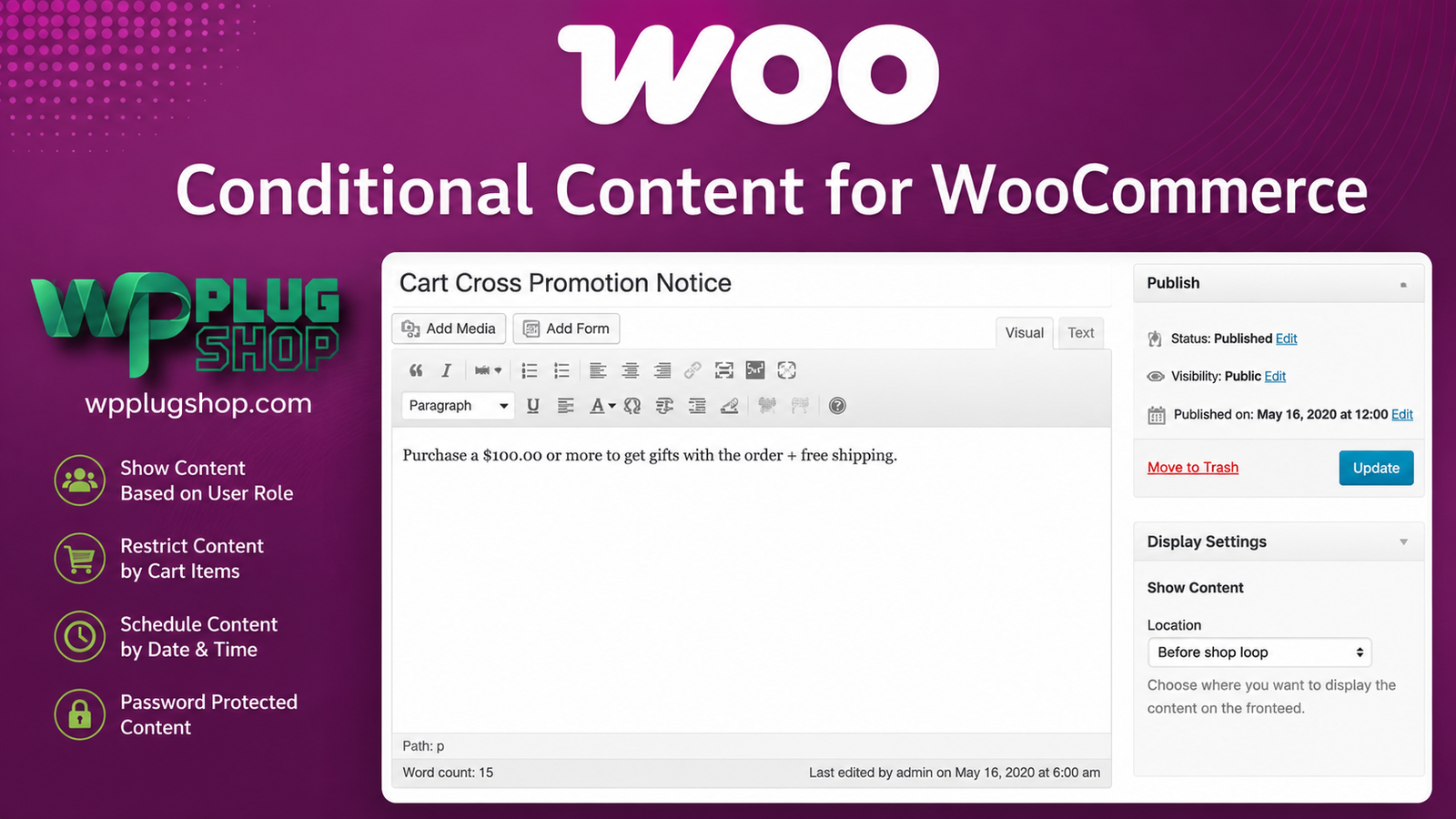
Preview WooCommerce Conditional Content – Smart Rules & Dynamic Store Messaging
View the product artwork, switch gallery images, and open a larger preview before checkout.
Get secure digital access for real WordPress projects
This section summarizes the buying experience and what customers can expect after checkout.
Product overview, benefits, and digital access details
Review the key product details, practical use cases, and digital access information before checkout.
Product Overview
WooCommerce Conditional Content – Smart Rules & Dynamic Store Messaging helps WooCommerce store owners display targeted content, promotional messages, notices, reminders, and customer-specific information based on configurable conditions.
Instead of showing the same message to every visitor, you can create conditional content that appears when specific product, cart, customer, inventory, pricing, sale, or geographic conditions are met. This makes it easier to create a more relevant shopping experience while supporting promotions, cross-selling, customer segmentation, and conversion-focused store messaging.
Whether you want to show a message for a particular product category, display a low-stock notice, target a specific user role, promote an offer based on cart contents, or explain a pricing promotion, this WooCommerce conditional content solution gives you a flexible rule-based approach to managing store messaging.
Why This Product Is Useful
Traditional WooCommerce content is often displayed broadly, which means customers may see promotional messages that are not relevant to their current shopping activity. Conditional content allows you to make those messages more contextual.
With configurable rules, you can determine when content should appear, which shoppers should see it, and where the message should be displayed. This can be useful for product promotions, cart-based offers, inventory notices, sale campaigns, customer-role messaging, cross-selling, and other WooCommerce marketing workflows.
For example, a store could display a promotional notice only when a customer has a particular product in their cart, show an inventory message when stock reaches a certain level, or provide different information to customers belonging to a particular WordPress user role.
This makes the product particularly useful for merchants looking for a WooCommerce conditional content plugin that can support targeted store messaging without requiring every display condition to be manually hard-coded.
Key Features
- Flexible Conditional Rules: Build content-display rules around different WooCommerce and customer conditions.
- Product-Based Conditions: Target specific products and create content that is relevant to selected products.
- Product Category Rules: Display messages or promotions for products belonging to particular WooCommerce categories.
- Product Type Conditions: Create rules based on supported WooCommerce product types.
- Product Attribute Conditions: Use product attributes as part of your conditional content strategy.
- Price Range Conditions: Display content according to configured product price ranges.
- Stock Conditions: Create inventory-related messages based on stock status or stock levels.
- Sale Conditions: Display content when products are on sale or according to configured sale periods.
- Sale Date Rules: Build content rules around sale start and end dates for time-sensitive campaigns.
- User-Based Targeting: Display content for selected users when a specific targeting scenario requires it.
- User Role Targeting: Create different messages for customer groups or WordPress user roles.
- Cart Total Conditions: Trigger content according to the total value of the customer's cart.
- Cart Product Conditions: Display content when specific products are added to the cart.
- Cart Category Conditions: Build cart-based rules around products from selected categories.
- Geographic Conditions: Use supported country-based conditions for location-oriented messaging.
- Multiple Rule Combinations: Combine conditions to create more specific content-display scenarios.
- Flexible Content Placement: Use supported WooCommerce output locations and hooks to control where conditional content appears.
- Custom Hook Support: Advanced users can use custom WooCommerce hooks for more specialized placement requirements.
- Template-Tag Output: Use supported template-tag functionality where appropriate for customized WooCommerce implementations.
- Promotional Messaging: Create targeted messages for offers, campaigns, reminders, and store promotions.
- Cross-Selling Opportunities: Display contextual messages based on products or categories already present in the shopping cart.
- Dynamic Pricing Support: Use conditional messaging alongside compatible pricing strategies to explain discounts, incentives, or pricing rules.
Main Benefits
- Deliver More Relevant Messages: Show shoppers content that relates to their current products, cart, customer status, or shopping conditions.
- Improve Promotional Targeting: Create product-specific and category-specific promotional messages instead of relying on one generic announcement.
- Support Conversion-Focused Messaging: Use contextual notices to communicate relevant offers, incentives, and purchase information.
- Create Inventory-Based Notices: Display appropriate messages when products meet configured stock conditions.
- Strengthen Cross-Selling: Use cart conditions to present relevant recommendations or promotional information.
- Segment Customer Messaging: Create different content experiences for selected users or WordPress user roles.
- Build Time-Sensitive Campaigns: Use sale status and sale-date conditions to support scheduled promotions.
- Reduce Unnecessary Manual Coding: Configure many common conditional display scenarios through rules instead of creating individual custom solutions for every message.
- Control Content Placement: Take advantage of WooCommerce output locations and hook-based placement for more flexible implementations.
- Improve Store Personalization: Create a more contextual WooCommerce shopping experience by displaying information according to shopper and store conditions.
Best Use Cases
Targeted WooCommerce Promotions
Create promotional messages that appear only for selected products, categories, customers, or shopping conditions. This can help keep promotional content more relevant to the shopper.
Low-Stock Messaging
Use stock-related conditions to display inventory messages when products reach a configured stock level or status. This can support urgency-focused merchandising while keeping the message connected to actual product conditions.
Cart-Based Offers
Create conditional messages based on products, categories, or cart totals. For example, a store can communicate a relevant promotion when a qualifying product has been added to the customer's cart.
Cross-Selling Messages
Use cart conditions to introduce complementary products or contextual purchasing suggestions. This provides an additional way to support cross-selling directly within the WooCommerce shopping journey.
Customer Role Messaging
Display different information for different WordPress user roles. This can be useful for stores serving retail customers, wholesale buyers, members, partners, or other segmented audiences.
Product Category Campaigns
Target a specific WooCommerce product category with promotional notices, educational messages, campaign information, or purchasing guidance.
Sale Campaigns
Create content that responds to sale status or configured sale dates. This can be useful for temporary promotions, seasonal campaigns, limited-time offers, and scheduled merchandising activities.
Geographic Store Messaging
Use supported country conditions to create location-oriented content where regional messaging is appropriate for the store's audience and business requirements.
Dynamic Pricing Explanations
Conditional content can complement Dynamic Pricing strategies by helping explain discounts, quantity incentives, special offers, or other pricing-related information to shoppers.
Custom WooCommerce Implementations
Developers and agencies can take advantage of WooCommerce hooks and supported custom placement options when implementing more specialized conditional-content workflows.
Who Should Use This Product?
- WooCommerce Store Owners: Create more targeted promotional and informational messages.
- E-commerce Businesses: Improve product, cart, and customer-specific communication.
- Marketing Professionals: Build condition-based promotional campaigns.
- WooCommerce Freelancers: Add flexible conditional messaging functionality to client stores.
- WordPress Agencies: Create customized WooCommerce shopping experiences for multiple clients.
- WooCommerce Developers: Work with rules, hooks, and customized content-placement scenarios.
- Wholesale Stores: Provide role-specific information to wholesale or business customers.
- Online Retailers: Create product- and category-specific promotional messaging.
- Conversion Optimization Specialists: Test contextual messaging strategies around products, carts, promotions, and customer segments.
WP Plug Shop Access Benefits
- WordPress-Ready Resource: Add a WooCommerce-focused conditional content solution to your WordPress toolkit.
- Convenient Digital Access: Get access to the digital product through the WP Plug Shop purchasing workflow.
- Useful for Real Projects: Suitable for store owners, freelancers, agencies, and developers working on WooCommerce websites.
- Budget-Conscious Option: A practical resource for users looking to expand WooCommerce functionality while managing project costs.
- Secure Checkout: Complete your purchase through the WP Plug Shop digital marketplace experience.
- Organized Digital Marketplace: Discover WooCommerce plugins and related WordPress resources in one place.
Important: WP Plug Shop is a digital marketplace and is not the developer of this third-party WooCommerce extension. Product compatibility, licensing terms, updates, and developer support should be verified against the package and access terms provided with your purchase.
Product Details
| Product Detail | Information |
|---|---|
| Product Name | WooCommerce Conditional Content |
| Product Type | WooCommerce Extension / Conditional Content Plugin |
| Platform | WordPress |
| Primary Ecosystem | WooCommerce |
| Primary Function | Rule-based conditional content display |
| Content Types | Messages, promotions, notices, reminders, and other configurable content |
| Rule Examples | Products, categories, attributes, price, stock, sale status, users, user roles, cart conditions, and supported geographic conditions |
| Cart Targeting | Supported |
| User Role Targeting | Supported |
| Stock-Based Rules | Supported |
| Sale-Based Rules | Supported |
| WooCommerce Hooks | Supported for flexible content placement |
| Dynamic Pricing Use Case | Can complement pricing and promotional messaging workflows |
| Best For | WooCommerce stores requiring targeted, rule-based content and promotional messaging |
Feature Comparison
| Capability | Basic Static Content | WooCommerce Conditional Content |
|---|---|---|
| Show one generic message | Yes | Yes |
| Product-based content rules | No | Yes |
| Category-based content | No | Yes |
| Cart-based conditions | No | Yes |
| Cart total conditions | No | Yes |
| User role targeting | No | Yes |
| Stock-based messaging | No | Yes |
| Sale-status conditions | No | Yes |
| Sale-date conditions | No | Yes |
| Geographic conditions | No | Supported |
| Multiple conditional rules | Limited | Yes |
| WooCommerce hook-based placement | Not applicable | Yes |
| Contextual promotional messaging | Limited | Yes |
| Cart-based cross-selling messages | Limited | Yes |
Pros and Considerations
| Pros | Considerations |
|---|---|
| Flexible WooCommerce conditional content rules | Requires a compatible WooCommerce environment |
| Supports product and category targeting | Advanced rule combinations may require careful configuration |
| Useful for cart-based promotions | Actual compatibility should be checked before deployment |
| Supports user and user-role targeting | Some advanced implementations may benefit from WooCommerce development knowledge |
| Can support inventory and sale-based messaging | Conditional messaging should be planned carefully to avoid overwhelming shoppers |
| Flexible WooCommerce content placement | Available features can vary according to the installed product version |
| Useful alongside Dynamic Pricing strategies | Dynamic Pricing functionality itself is not the primary purpose of this extension |
| Suitable for promotional and conversion-focused campaigns | Product-specific licensing, updates, and support terms should be verified before purchase |
Final Verdict
WooCommerce Conditional Content – Smart Rules & Dynamic Store Messaging is a strong choice for WooCommerce merchants who want more control over when promotional, informational, and customer-specific content appears throughout their store.
Its biggest advantage is the ability to connect content display with practical WooCommerce conditions such as products, categories, attributes, prices, stock, sale status, customers, user roles, carts, cart totals, and supported geographic rules.
For a store owner, this means promotional messaging can become more contextual. For an agency or developer, it provides a flexible foundation for creating rule-based WooCommerce experiences. For marketers, it creates additional opportunities for targeted promotions, cross-selling, urgency messaging, and customer segmentation.
If your goal is to show the right WooCommerce message to the right shopper at the right time, this conditional content approach can be a valuable addition to a conversion-focused WordPress store.
Recommended for: WooCommerce store owners, e-commerce businesses, agencies, freelancers, marketers, and developers who need flexible conditional content and targeted store messaging.
Frequently Asked Questions
What is WooCommerce Conditional Content?
WooCommerce Conditional Content is a WooCommerce extension that lets you display targeted messages, promotions, notices, and other content when specific product, cart, customer, stock, sale, or other configured conditions are met.
How does conditional content work in WooCommerce?
You create content and define rules that determine when it should appear. Depending on the configuration, rules can use products, categories, attributes, prices, stock levels, sale status, users, user roles, cart contents, cart totals, and supported geographic conditions.
Can I show WooCommerce content based on a specific product?
Yes. Product-based conditions can be used to display relevant messages or promotional content for selected WooCommerce products.
Can I display a message based on WooCommerce cart contents?
Yes. Cart-product and cart-category conditions can be used to trigger content when qualifying products or categories are present in the customer's cart. Cart-total conditions can also support value-based messaging.
Can I target different WooCommerce user roles?
Yes. User and user-role conditions can be used to create different content experiences for customer groups such as wholesale buyers, members, or other WordPress user roles.
Can WooCommerce Conditional Content display low-stock messages?
Yes. Stock-related conditions can be used to create inventory-based messages when products meet configured stock-status or stock-level requirements. This can be useful for relevant inventory and urgency messaging.
Can I create sale or time-based promotional messages?
Yes. Sale-status and sale-date conditions can be used to create content for products that are on sale or for campaigns operating during defined sale periods.
Can WooCommerce Conditional Content be used for cross-selling?
Yes. Cart-based conditions can support contextual cross-selling messages by displaying relevant information or recommendations when particular products or categories are already in the customer's cart.
Can I control where conditional content appears in WooCommerce?
Yes. The extension supports WooCommerce output locations and hook-based placement options. More advanced implementations can use supported custom hooks and template-tag functionality where appropriate.
Can WooCommerce Conditional Content work with Dynamic Pricing?
It can complement Dynamic Pricing workflows by displaying explanatory content around discounts, pricing incentives, quantity-based offers, or other pricing-related conditions. The conditional content extension itself is focused on content display rather than creating the pricing rules.
Can I use WooCommerce Conditional Content for personalized store messaging?
Yes. By combining product, cart, customer, user-role, inventory, sale, and other conditions, store owners can create more contextual WooCommerce messages instead of showing identical content to every shopper.
Is WooCommerce Conditional Content suitable for WooCommerce agencies and developers?
Yes. Its rule-based approach and WooCommerce hook options make it useful for agencies, freelancers, and developers creating customized content-display workflows for WooCommerce stores.
Is Elementor required to use WooCommerce Conditional Content?
Elementor is not the core requirement or primary functionality of this product. WooCommerce Conditional Content is designed around WooCommerce rules, content display, and WooCommerce placement options.
Who should use a WooCommerce conditional content plugin?
It is particularly useful for WooCommerce store owners, marketers, agencies, freelancers, and developers who want to create targeted promotions, cart-based messages, customer-specific content, inventory notices, and other rule-based store messaging.
Is WooCommerce Conditional Content a good choice for promotional campaigns?
It can be useful for promotional campaigns because content can be connected to products, categories, carts, sale status, sale dates, customer roles, and other conditions. This allows merchants to make promotional messaging more relevant to the shopper's current context.
Quick product answers for buyers and AI search
Clear product answers help buyers, search engines, and AI answer engines understand this product faster.
Best ways to use this WordPress digital product
These use cases help buyers quickly decide if this product fits their workflow.
How digital access works
No physical shipping is required. This is a digital product access purchase designed for account-based downloads.
Secure payment options for digital checkout
WPPlugShop supports trusted checkout options so buyers can complete digital purchases with more confidence.
Frequently asked questions
Buyer-focused answers about digital access, secure payments, downloads, support, and product usage.
Related WordPress tools you may also like
Explore related WordPress tools that may support the same workflow, website type, or project goal.

CartFlows Pro WooCommerce Cart Recovery

FluentBooking Pro – Ultimate WordPress

Elementor Pro – Premium WordPress Page Builder with Free Pro Templates

YITH WooCommerce Recover Abandoned Cart
Choose the right WordPress tool with confidence
Request a product, explore membership access, or contact support if you want help choosing the right WordPress digital product before checkout.