
Analytify Pro WooCommerce Addon – Advanced Sales & Store Analytics
erified from VirusTotal 100% Original Product and Virus Free. Free New Version Lifetime On Single Purchase. Unlimited Website Usage Price is in US dollars and included tax
Buy confidently with secure digital checkout, account-based downloads, and a cleaner WPPlugShop product experience.
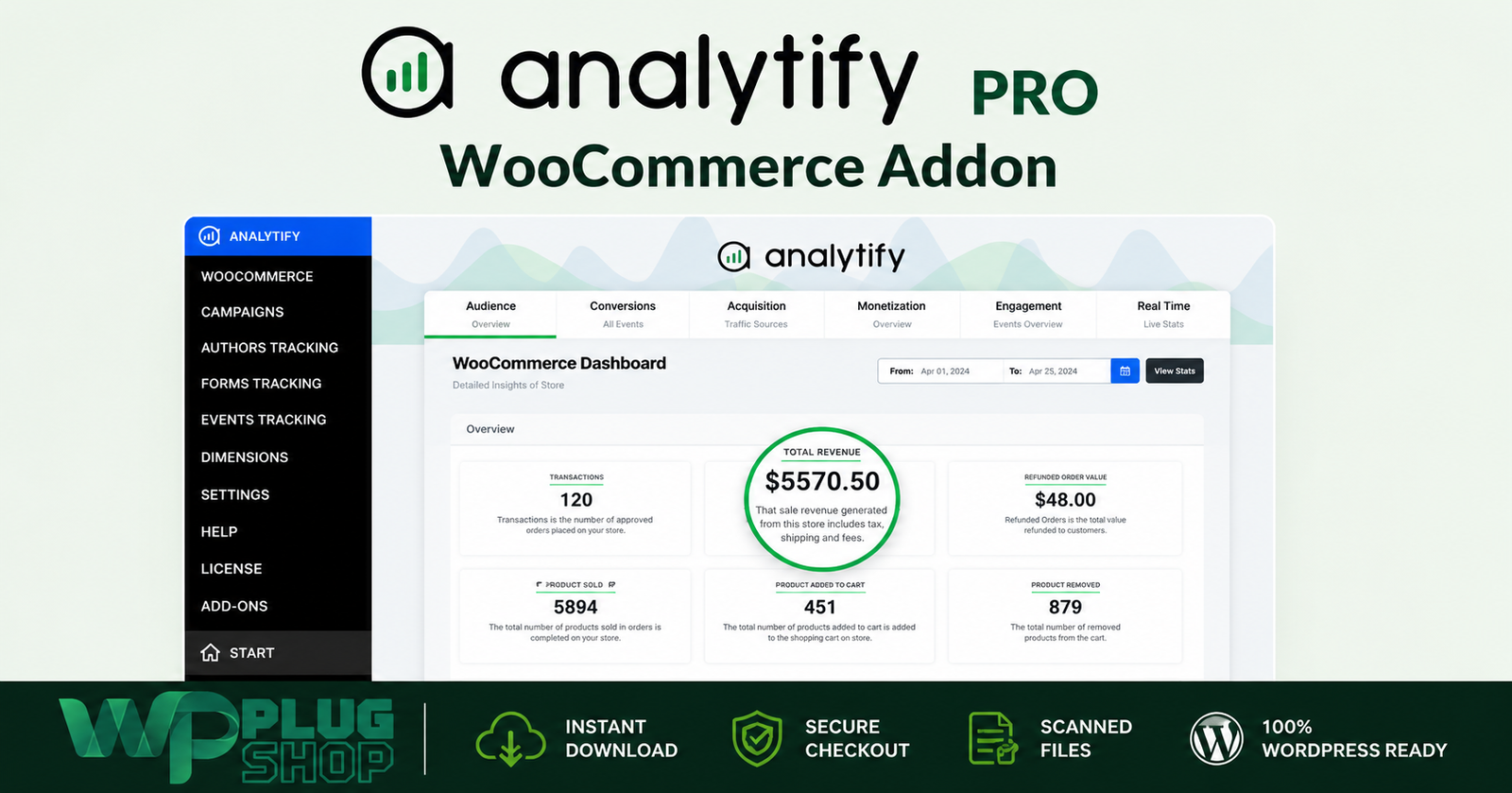
Preview Analytify Pro WooCommerce Addon – Advanced Sales & Store Analytics
View the product artwork, switch gallery images, and open a larger preview before checkout.
Get secure digital access for real WordPress projects
This section summarizes the buying experience and what customers can expect after checkout.
Product overview, benefits, and digital access details
Review the key product details, practical use cases, and digital access information before checkout.
Product Overview
Analytify Pro WooCommerce Addon is a WooCommerce analytics and eCommerce tracking solution designed to help WordPress store owners understand sales performance, product activity, customer shopping behavior, and revenue data through the Analytify reporting experience.
By connecting WooCommerce with Google Analytics 4, the WooCommerce tracking functionality helps monitor important stages of the customer journey, including product views, add-to-cart activity, checkout interactions, transactions, purchases, and revenue. Store owners can access WooCommerce analytics through the WordPress dashboard instead of relying exclusively on separate analytics interfaces.
For businesses that want a clearer view of WooCommerce sales analytics, product performance, revenue tracking, shopping behavior, conversion activity, and eCommerce reporting, this solution provides a practical analytics workflow for turning store data into more informed decisions.
Why This Product Is Useful
Running a WooCommerce store generates a large amount of customer and sales data, but collecting data is only useful when you can understand what it means. Store owners need to know which products attract attention, which products generate purchases, where shoppers leave the buying journey, and how sales performance changes over time.
Analytify Pro WooCommerce Addon helps organize this information into a WooCommerce-focused analytics experience. Instead of looking only at total sales, merchants can examine different stages of the shopping funnel and connect product interactions with purchasing outcomes.
This makes the solution useful for merchants who want to improve WooCommerce conversion tracking, product merchandising, promotional campaigns, customer experience, and sales performance using measurable store data.
Key Features
- WooCommerce eCommerce Tracking: Track important WooCommerce shopping and sales activity through Google Analytics integration.
- Product View Tracking: Monitor product views and understand which products receive shopper attention.
- Product Click and Interaction Tracking: Analyze product interactions to better understand shopper interest.
- Add-to-Cart Tracking: Measure when visitors add products to their shopping carts.
- Checkout Tracking: Monitor checkout activity to understand progression through the purchase journey.
- Transaction Tracking: Track completed WooCommerce transactions and purchasing activity.
- Revenue Tracking: Monitor transaction revenue over selected reporting periods.
- Product Performance Analytics: Compare products using sales and engagement-related metrics.
- Shopping Behavior Analysis: Understand how visitors move from product discovery toward purchase.
- Checkout Funnel Insights: Examine different stages of the WooCommerce purchase journey and identify potential drop-off points.
- Average Order Value Reporting: Review average transaction value as part of store performance analysis.
- Refund Reporting: Review refund-related information to better understand returned revenue and refunded orders.
- Coupon Analysis: Evaluate coupon activity, associated transactions, and revenue generated through promotional codes.
- Product Category Analysis: Review performance across product categories to identify stronger areas of the catalog.
- Google Analytics 4 Integration: Connect WooCommerce eCommerce activity with GA4 reporting.
- WordPress Dashboard Reporting: Access WooCommerce analytics through the Analytify dashboard inside WordPress.
Main Benefits
- Understand Store Performance: Get a clearer picture of WooCommerce sales, transactions, revenue, and customer activity.
- Identify High-Performing Products: Discover which products contribute most effectively to store performance.
- Find Potential Conversion Issues: Examine shopping and checkout behavior to identify stages where customers may drop off.
- Improve Product Decisions: Use product-level analytics to make more informed merchandising and promotional decisions.
- Measure Marketing Performance: Use sales and coupon information to evaluate the impact of promotional activities.
- Monitor Revenue Trends: Compare store revenue and transaction activity across selected periods.
- Understand Customer Behavior: Connect product interaction, cart activity, checkout behavior, and purchases to create a clearer view of the customer journey.
- Work From WordPress: Review WooCommerce analytics through the WordPress dashboard for a more centralized workflow.
- Support Data-Driven Optimization: Use real store activity to guide conversion optimization, product selection, pricing decisions, and marketing strategies.
Best Use Cases
WooCommerce Sales Tracking
Store owners can use WooCommerce analytics to monitor transactions, revenue, purchases, and other important sales metrics over a selected reporting period.
Product Performance Analysis
Analyze individual products and product categories to identify items that attract attention, generate cart activity, and contribute to completed purchases.
Shopping Funnel Analysis
Review the progression from product interaction to cart addition, checkout, and transaction. This can help merchants identify possible friction within the customer journey.
Conversion Optimization
Use product and checkout behavior data to identify areas that may require improvements to product pages, offers, merchandising, checkout experiences, or promotional strategies.
Coupon Performance Analysis
Evaluate coupon codes by examining associated transactions and revenue, helping merchants understand which promotions contribute to store performance.
Revenue Monitoring
Monitor transaction revenue and average order value to develop a clearer understanding of store growth and sales trends.
eCommerce Marketing Analysis
Combine WooCommerce sales information with Google Analytics data to evaluate the relationship between customer activity, promotional campaigns, and completed purchases.
WooCommerce Agency Reporting
Freelancers and agencies can use structured WooCommerce analytics when reviewing store performance and preparing data-informed recommendations for clients.
Who Should Use This Product?
- WooCommerce Store Owners: For monitoring sales, revenue, product performance, and customer shopping behavior.
- eCommerce Businesses: For analyzing the performance of an online product catalog.
- Digital Marketers: For measuring store activity and evaluating promotional campaigns.
- Conversion Optimization Specialists: For studying customer journeys and identifying potential funnel improvements.
- WooCommerce Agencies: For analyzing client store performance and creating data-informed optimization strategies.
- WordPress Freelancers: For implementing analytics-focused WooCommerce solutions for client projects.
- eCommerce Managers: For monitoring product, sales, revenue, and promotional performance.
- Online Retailers: For making more informed merchandising and marketing decisions based on store analytics.
WP Plug Shop Access Benefits
- WordPress-Ready Resource: Designed for WooCommerce and WordPress-based eCommerce workflows.
- WooCommerce-Focused: Built around the analytics needs of WooCommerce stores.
- Digital Access: Convenient access to the digital product package available through WP Plug Shop.
- Secure Checkout: Purchase through the WP Plug Shop digital marketplace.
- Budget-Conscious Option: A practical resource for WordPress users looking to expand their WooCommerce analytics capabilities.
- Useful for Real Projects: Suitable for store owners, freelancers, agencies, developers, and digital businesses working with WooCommerce.
Important: Current Analytify documentation states that the WooCommerce tracking functionality requires Analytify Pro and a connected Google Analytics 4 setup. The WooCommerce tracking feature is currently bundled within Analytify Pro rather than requiring a separate standalone add-on download. Verify the exact package, access method, version, and licensing terms supplied by WP Plug Shop before purchase.
Product Details
| Product Detail | Information |
|---|---|
| Product Name | Analytify Pro WooCommerce Addon |
| Product Type | WooCommerce Analytics & eCommerce Tracking Add-on |
| Platform | WordPress |
| eCommerce Platform | WooCommerce |
| Analytics Platform | Google Analytics 4 |
| Primary Function | WooCommerce sales, product, shopping behavior, and eCommerce analytics |
| Tracking Areas | Product views, product interactions, add-to-cart activity, checkout, purchases, transactions, and revenue |
| Reporting | WooCommerce analytics through the Analytify WordPress dashboard |
| Product Analytics | Product and category performance analysis |
| Promotional Analytics | Coupon performance and revenue-related analysis |
| Refund Analytics | Refunded orders and refunded revenue reporting |
| Required Base Product | Analytify Pro |
| WooCommerce Requirement | WooCommerce must be installed and configured |
| Google Analytics Requirement | Google Analytics 4 must be connected with Analytify |
Feature Comparison
| Capability | Analytify Pro WooCommerce Addon | Basic WooCommerce Reporting |
|---|---|---|
| WooCommerce Sales Tracking | Yes | Basic store-level information |
| Revenue Tracking | Yes | Limited depending on reporting setup |
| Transaction Tracking | Yes | Basic order reporting |
| Product Performance | Detailed analytics-oriented reporting | Basic product sales information |
| Add-to-Cart Tracking | Yes | Not typically available as detailed analytics |
| Checkout Tracking | Yes | Limited |
| Shopping Behavior Analysis | Yes | Limited |
| Google Analytics 4 Integration | Yes | Requires separate analytics implementation |
| Coupon Analysis | Yes | Basic WooCommerce coupon reporting |
| Refund Analysis | Yes | Basic order/refund information |
| WordPress Dashboard Analytics | Yes | Primarily WooCommerce administration data |
| Conversion-Focused Insights | Strong | More limited without additional analytics tools |
Pros and Considerations
| Pros | Considerations |
|---|---|
| Provides WooCommerce-focused eCommerce tracking. | Requires Analytify Pro. |
| Connects WooCommerce activity with Google Analytics 4. | Google Analytics 4 must be connected to Analytify. |
| Helps monitor products, carts, checkouts, transactions, and revenue. | Analytics quality depends on correct tracking and configuration. |
| Provides WooCommerce reporting inside the WordPress dashboard. | Users should understand basic analytics concepts to make effective decisions from the data. |
| Supports product and category performance analysis. | Some advanced analytics interpretation may still require Google Analytics 4. |
| Useful for conversion and customer journey analysis. | Exact functionality can depend on the current Analytify Pro version and connected setup. |
| Useful for WooCommerce merchants, agencies, and marketers. | Verify the supplied WP Plug Shop package, access method, and licensing terms before purchase. |
Final Verdict
Analytify Pro WooCommerce Addon is a strong choice for WooCommerce users who want to move beyond basic order statistics and understand the wider eCommerce customer journey.
Its greatest value comes from connecting WooCommerce, Google Analytics 4, product performance, shopping behavior, checkout activity, transactions, and revenue reporting into a more accessible analytics workflow inside WordPress.
For store owners, marketers, freelancers, agencies, and eCommerce professionals, the most useful application is turning raw WooCommerce activity into actionable insights: identifying high-performing products, understanding cart and checkout behavior, evaluating promotions, monitoring revenue, and finding opportunities to improve conversion performance.
If your goal is to build a more data-informed WooCommerce store and understand what happens between product discovery, cart activity, checkout, and purchase, Analytify's WooCommerce analytics functionality provides a practical foundation for eCommerce tracking and performance analysis.
Before purchasing, verify that your WP Plug Shop package includes the required Analytify Pro access
Frequently Asked Questions
What is Analytify Pro WooCommerce Addon?
Analytify Pro WooCommerce Addon provides WooCommerce-focused eCommerce analytics and tracking, helping store owners understand product performance, shopping behavior, add-to-cart activity, checkout activity, transactions, purchases, and revenue through the Analytify reporting experience.
What can Analytify track in WooCommerce?
The WooCommerce analytics functionality can track important eCommerce events such as product views, product interactions, add-to-cart activity, checkout activity, transactions, purchases, and revenue. These metrics help merchants understand the customer journey from product discovery through purchase.
Can Analytify track WooCommerce sales and revenue?
Yes. WooCommerce sales and revenue tracking is one of the primary purposes of the integration. Store owners can use transaction and revenue information to evaluate sales performance over selected reporting periods.
Can I track WooCommerce product performance?
Yes. Product-focused analytics can help merchants understand product views, interactions, sales activity, and revenue contribution. This can be useful for identifying high-performing products and products that may require merchandising or promotional improvements.
Can Analytify track WooCommerce add-to-cart activity?
Yes. Add-to-cart activity can be tracked as part of the WooCommerce eCommerce customer journey. This allows store owners to compare product interest with later checkout and purchase activity.
Can Analytify track WooCommerce checkout activity?
Yes. Checkout activity can be included in the eCommerce tracking workflow. Reviewing checkout behavior alongside product and cart activity can help merchants identify potential friction within the WooCommerce purchasing funnel.
Does Analytify support Google Analytics 4 for WooCommerce?
Yes. The WooCommerce analytics functionality works with Google Analytics 4 through Analytify, allowing WooCommerce activity to be connected with broader Google Analytics eCommerce reporting.
Can I view WooCommerce analytics inside WordPress?
Yes. A key benefit of Analytify is its WordPress dashboard reporting experience, which makes it possible to review important analytics information from within the WordPress administration environment instead of relying exclusively on a separate analytics interface.
Can Analytify track WooCommerce transactions and purchases?
Yes. Transaction and purchase activity can be tracked to help merchants understand completed orders and connect purchasing activity with product and customer behavior.
Can Analytify help analyze WooCommerce shopping behavior?
Yes. By examining product views, interactions, cart activity, checkout behavior, and purchases, merchants can develop a clearer picture of how shoppers move through the WooCommerce sales funnel.
Can Analytify track WooCommerce coupons?
Coupon-related analytics can help merchants evaluate promotional activity, associated transactions, and revenue. This can be useful when comparing the effectiveness of different discount campaigns.
Can Analytify provide WooCommerce refund analytics?
Refund-related information can be used to understand returned orders and refunded revenue, giving merchants another perspective on overall WooCommerce sales performance.
Can Analytify help with WooCommerce conversion optimization?
Yes. Analytics from product views, cart activity, checkout behavior, and purchases can help identify potential opportunities to improve product pages, promotions, merchandising, and the overall customer journey.
Does Analytify Pro WooCommerce Addon require Analytify Pro?
Yes. The WooCommerce eCommerce tracking functionality is associated with Analytify Pro. Before purchasing, verify that your WP Plug Shop package includes the required Analytify Pro access and confirm the applicable product and access requirements.
Is Analytify Pro WooCommerce Addon suitable for WooCommerce agencies?
Yes. WooCommerce agencies, freelancers, and developers can use eCommerce analytics to review client store performance, analyze product and sales activity, and make data-informed recommendations for conversion and marketing improvements.
Is Analytify Pro WooCommerce Addon an Elementor addon?
No. Elementor is not the primary focus of this product. Its main purpose is WooCommerce eCommerce tracking and analytics through the Analytify and Google Analytics ecosystem.
Who should use Analytify Pro WooCommerce Addon?
It is particularly useful for WooCommerce store owners, eCommerce businesses, digital marketers, agencies, freelancers, and developers who need greater visibility into product performance, shopping behavior, sales, transactions, and revenue.
What is the main benefit of WooCommerce analytics with Analytify?
The main benefit is turning WooCommerce store activity into useful performance information. Instead of looking only at completed orders, merchants can analyze the wider journey from product interaction and cart activity through checkout, purchase, and revenue.
Is Analytify Pro WooCommerce Addon a standalone WooCommerce plugin?
The current Analytify product structure associates WooCommerce eCommerce tracking with Analytify Pro. Because package structure and access can vary, buyers should verify the exact WP Plug Shop package, included components, version, and applicable licensing terms before purchase.
and confirm the applicable access, licensing, update, and support terms.
Quick product answers for buyers and AI search
Clear product answers help buyers, search engines, and AI answer engines understand this product faster.
Best ways to use this WordPress digital product
These use cases help buyers quickly decide if this product fits their workflow.
How digital access works
No physical shipping is required. This is a digital product access purchase designed for account-based downloads.
Secure payment options for digital checkout
WPPlugShop supports trusted checkout options so buyers can complete digital purchases with more confidence.
Frequently asked questions
Buyer-focused answers about digital access, secure payments, downloads, support, and product usage.
Related WordPress tools you may also like
Explore related WordPress tools that may support the same workflow, website type, or project goal.




Choose the right WordPress tool with confidence
Request a product, explore membership access, or contact support if you want help choosing the right WordPress digital product before checkout.