
WooCommerce Product Vendors – Multi Vendor Marketplace Plugin
Verified from VirusTotal 100% Original Product and Virus Free. Free New Version Lifetime On Single Purchase. Unlimited Website Usage Price is in US dollars and included tax
Buy confidently with secure digital checkout, account-based downloads, and a cleaner WPPlugShop product experience.
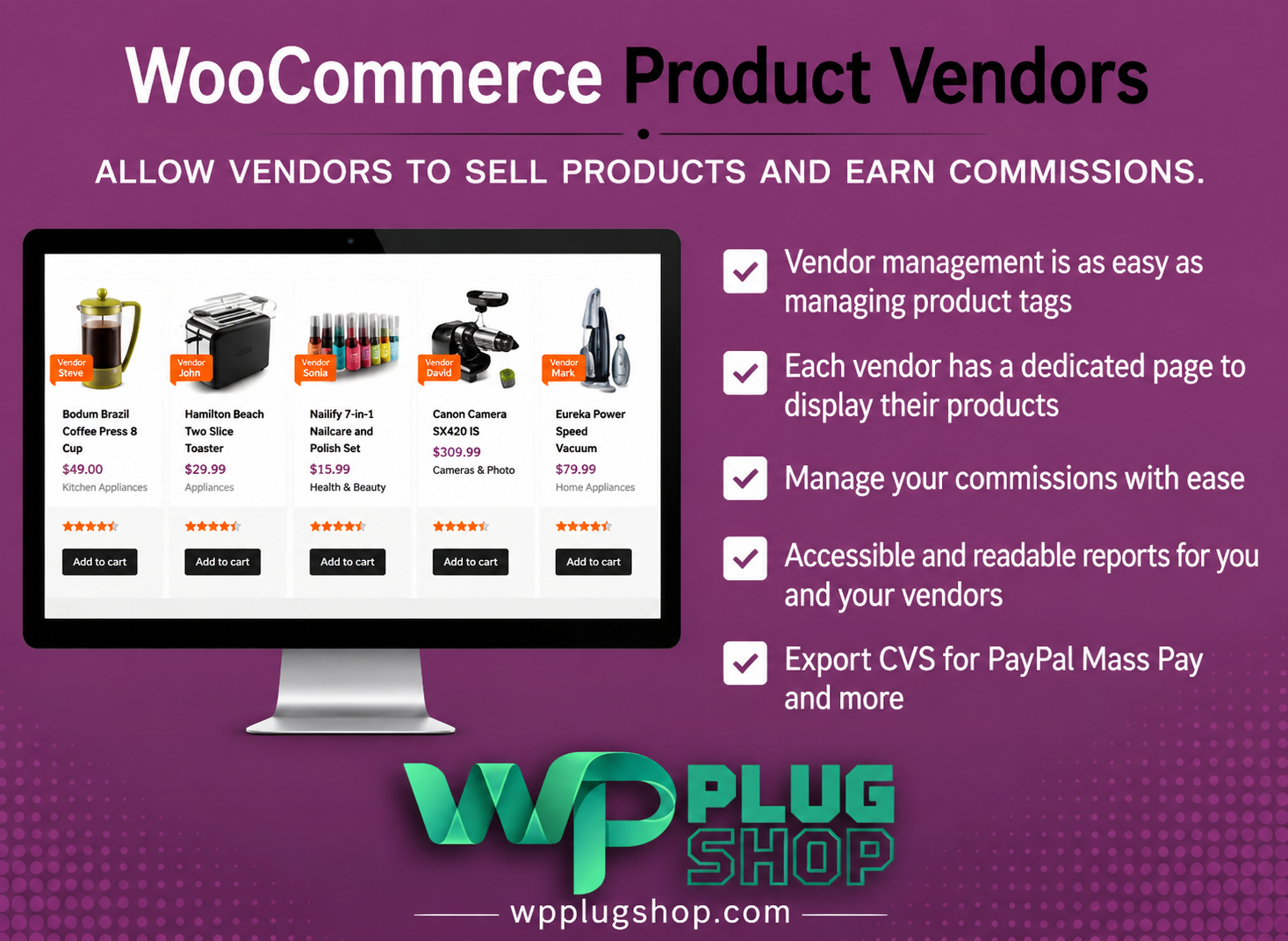
Preview WooCommerce Product Vendors – Multi Vendor Marketplace Plugin
View the product artwork, switch gallery images, and open a larger preview before checkout.
Get secure digital access for real WordPress projects
This section summarizes the buying experience and what customers can expect after checkout.
Product overview, benefits, and digital access details
Review the key product details, practical use cases, and digital access information before checkout.
Product Overview
WooCommerce Product Vendors – Multi Vendor Marketplace Plugin helps transform a WooCommerce store into a multi-vendor marketplace where multiple approved vendors can sell products through the same website.
Store owners can assign existing products to vendors or allow vendors to add and manage their own products. Each vendor can have a dedicated profile and product presence within the store, while the marketplace owner maintains control over vendor approvals, commissions, products, digital access settings, and payouts.
WooCommerce Product Vendors supports marketplace models for physical products, digital/downloadable products, and time-based bookings when the relevant WooCommerce integration is enabled. :contentReference[oaicite:0]{index=0}
Why This Product Is Useful
A standard WooCommerce store is generally managed by one business. If you want multiple sellers to contribute products and earn commissions from sales, additional marketplace functionality is required.
Product Vendors adds a structured vendor-management layer to WooCommerce. Marketplace owners can accept vendor applications, assign vendor roles, configure commissions, manage products, review sales information, and handle vendor payouts.
This makes the plugin useful for businesses that want to build a WooCommerce multi-vendor marketplace while continuing to use WooCommerce as the underlying eCommerce platform.
Key Features
- Multi-Vendor Marketplace: Turn a WooCommerce store into a marketplace with multiple vendors.
- Vendor Registration: Allow potential vendors to apply through a registration form.
- Vendor Approval: Review and approve vendor applications before they begin managing their marketplace presence.
- Vendor Profiles: Create dedicated vendor information including names, profiles, logos, and other public details.
- Vendor Product Management: Allow authorized vendors to add and edit their own products.
- Product Approval Controls: Configure whether vendor products require store-owner approval before publication.
- Flexible Commissions: Set fixed or percentage commissions at store, vendor, or product level.
- Vendor-Specific Commissions: Configure different commission rates for individual vendors.
- Commission Reporting: Review commissions and sales-related information through WooCommerce reporting tools.
- Vendor Payouts: Support manual and scheduled payout workflows, with PayPal Payouts available for supported automated payout configurations.
- Per-Product digital access: Vendors can manage product-level digital access rules when enabled by the marketplace owner.
- Vendor Order Management: Vendors can access relevant orders and add notes where permitted.
- Physical and Digital Products: Support marketplace products such as physical goods and digital/downloadable products.
- Bookings Integration: Support bookable products when WooCommerce Bookings is enabled.
- Vendor Sales Reports: Vendors can view reports related to their own sales performance.
- Marketplace Owner Reports: Store owners can review vendor sales and commission information.
- Vendor Ratings and Information: Display vendor-related information such as profiles, logos, and ratings according to configuration.
- Private Notes and Red Flags: Version 2.6.0 adds private, timestamped notes for vendors and products that are not visible to vendors or customers.
These capabilities are documented by WooCommerce for Product Vendors. :contentReference[oaicite:1]{index=1}
Main Benefits
- Create a multi-vendor store: Expand a traditional WooCommerce shop into a marketplace where multiple sellers can offer products.
- Reduce manual product management: Authorized vendors can manage their own products instead of requiring the store owner to maintain every listing.
- Control marketplace commissions: Use fixed or percentage-based commission structures according to vendor or product requirements.
- Manage vendor applications: Review potential sellers before giving them marketplace access.
- Maintain marketplace oversight: Store owners retain control over vendor settings, product approvals, commissions, digital access, and other administrative options.
- Support different product models: Build marketplaces around physical products, downloadable products, and supported booking products.
- Track vendor performance: Use vendor and store-owner reporting to monitor sales and commissions.
- Build vendor identity: Give sellers their own profiles and display vendor information alongside marketplace products.
Best Use Cases
- Multi-vendor WooCommerce marketplaces
- Online product marketplaces
- Handmade product marketplaces
- Digital download marketplaces
- Multi-seller retail websites
- Supplier and partner marketplaces
- Community-driven eCommerce websites
- Marketplace websites with vendor commissions
- WooCommerce booking marketplaces
- Businesses expanding from a single store to multiple sellers
Who Should Use This Product?
Marketplace Owners: Useful for businesses that want to allow multiple vendors to sell through one WooCommerce website.
WooCommerce Store Owners: A suitable option when an existing WooCommerce store needs multi-vendor functionality.
Entrepreneurs: Useful for marketplace concepts where different sellers contribute products while the website owner manages the platform.
Freelancers and Agencies: Can be useful when developing WooCommerce marketplace websites for clients with multi-seller requirements.
Digital Marketplace Operators: The product supports digital/downloadable products, making it suitable for certain digital marketplace models.
WP Plug Shop Access Benefits
- Digital Access: Access the WordPress/WooCommerce resource offered through WP Plug Shop.
- WooCommerce Focused: Designed specifically around WooCommerce marketplace functionality.
- Marketplace Ready: Suitable for projects requiring vendor registration, products, commissions, and marketplace management.
- Practical for Real Projects: Useful for store owners, freelancers, agencies, and developers working on WooCommerce marketplace websites.
- Budget-Conscious Access: Provides an option for users looking for digital WordPress resources for their projects.
Important: WP Plug Shop is an independent digital marketplace and is not the developer or official owner of WooCommerce Product Vendors. Product access, version, licensing, updates, and support depend on the specific package offered by WP Plug Shop.
Product Details
| Detail | Information |
|---|---|
| Product | WooCommerce Product Vendors |
| Product Type | WooCommerce Multi-Vendor Marketplace Extension |
| Platform | WordPress |
| eCommerce Platform | WooCommerce |
| Marketplace Type | Multi-Vendor |
| Vendor Registration | Supported |
| Vendor Approval | Supported |
| Vendor Product Management | Supported |
| Commission Type | Fixed Amount or Percentage |
| Commission Levels | Store, Vendor and Product |
| Vendor Reports | Supported |
| Product Types | Physical and Digital; Bookings with WooCommerce Bookings |
| digital access | Per-Product digital access Options |
| Automated Payouts | PayPal Payouts, subject to requirements and approval |
| Manual Payouts | Supported |
| Vendor Profiles | Supported |
| Vendor Ratings | Supported |
| Private Admin Notes | Supported in version 2.6.0 |
Feature Comparison
| Capability | Product Vendors | Marketplace Value |
|---|---|---|
| Multi-Vendor Marketplace | Yes | Allows multiple vendors to sell through one WooCommerce store. |
| Vendor Registration | Yes | Potential sellers can apply to become vendors. |
| Vendor Approval | Yes | Marketplace owners can control vendor access. |
| Vendor Product Management | Yes | Authorized vendors can add and manage products. |
| Commission Management | Yes | Supports fixed or percentage commissions. |
| Vendor-Level Commission | Yes | Different vendors can have different commission settings. |
| Product-Level Commission | Yes | Commission can be configured for individual products. |
| Sales Reports | Yes | Helps monitor vendor sales and commissions. |
| Digital Products | Yes | Suitable for downloadable marketplace products. |
| Booking Products | With WooCommerce Bookings | Supports certain booking marketplace models. |
| Vendor Payouts | Yes | Supports manual and supported scheduled payout workflows. |
| Vendor Profiles | Yes | Allows vendors to have marketplace identities and information. |
Pros and Considerations
| Pros | Considerations |
|---|---|
| Purpose-built for WooCommerce multi-vendor marketplaces | Requires a compatible WooCommerce installation. |
| Vendor registration and approval workflow | Marketplace owners need to configure vendor roles and permissions. |
| Flexible commission settings | Commission structure should be planned according to the marketplace business model. |
| Vendor product management | Product publishing permissions can require store-owner approval depending on configuration. |
| Vendor and store-owner reporting | Reporting visibility differs between marketplace owners and vendors. |
| Supports physical and digital products | Some specialized product types require additional WooCommerce extensions. |
| Manual and supported automated payout options | Automated payouts require PayPal Payouts and the applicable PayPal approval/account requirements. |
| Per-product digital access options | digital access behavior depends on marketplace configuration. |
| Vendor profiles and ratings | Display settings must be configured by the marketplace owner. |
Final Verdict
WooCommerce Product Vendors – Multi Vendor Marketplace Plugin is designed for WooCommerce store owners who want to move from a single-seller store toward a managed multi-vendor marketplace.
Its core marketplace workflow covers vendor registration, approval, product management, commission configuration, reporting, vendor profiles, digital access options, and payout management. This makes it particularly relevant for businesses building a marketplace where multiple sellers operate through the same WooCommerce website.
For a WooCommerce website that needs structured vendor management rather than simply additional product functionality, Product Vendors provides a dedicated marketplace-focused foundation.
Frequently Asked Questions
What is WooCommerce Product Vendors?
WooCommerce Product Vendors is a WooCommerce extension that adds multi-vendor marketplace functionality to a WordPress store. It allows multiple approved vendors to sell products through the same WooCommerce website while the marketplace owner manages vendors, products, commissions, and payouts.
Can I create a multi-vendor marketplace with WooCommerce Product Vendors?
Yes. Product Vendors is designed to turn a standard WooCommerce store into a multi-vendor marketplace where multiple sellers can offer products through one website.
Can vendors register on my WooCommerce marketplace?
Yes. The extension supports vendor registration and application workflows, allowing potential sellers to apply to become vendors. The marketplace owner can then review and approve vendor applications.
Can vendors manage their own products?
Yes. Authorized vendors can add and manage their own products according to the permissions and approval settings configured by the marketplace owner.
Can I control vendor commissions?
Yes. WooCommerce Product Vendors supports fixed-amount and percentage-based commissions. Commission settings can be configured at different levels, including vendor and product level.
Can different vendors have different commission rates?
Yes. Vendor-specific commission settings allow marketplace owners to configure different commission arrangements for individual vendors when required by their marketplace business model.
How are vendor payouts handled?
Product Vendors supports manual payout workflows and supported automated payout options. PayPal Payouts can be used for automated payouts when the required PayPal Business account and approval requirements are met.
Can vendors sell digital products?
Yes. Product Vendors can support digital and downloadable products, making it suitable for certain digital marketplace models as well as marketplaces selling physical products.
Can WooCommerce Product Vendors support physical products?
Yes. Physical products can be sold by vendors through the WooCommerce marketplace, with vendor and product management handled according to the marketplace configuration.
Can WooCommerce Product Vendors support bookings and subscriptions?
Product Vendors can work with certain WooCommerce extensions, including WooCommerce Bookings and WooCommerce Subscriptions. Additional extensions may be required for these specialized marketplace use cases.
Can I approve vendor products before they are published?
Yes. Marketplace owners can configure product approval controls so vendor products can be reviewed before being published, depending on the selected marketplace settings.
Is WooCommerce Product Vendors suitable for a large marketplace?
Product Vendors is designed specifically for multi-vendor WooCommerce marketplace functionality. Whether it is suitable for a particular marketplace size depends on factors such as the number of vendors, products, hosting environment, WooCommerce configuration, and additional plugins being used.
What should I check before purchasing Product Vendors from WP Plug Shop?
Check the specific package offered by WP Plug Shop, including the available version, included files, access method, licensing terms, update conditions, and support arrangements. These details should not be assumed from the official WooCommerce marketplace listing.
Quick product answers for buyers and AI search
Clear product answers help buyers, search engines, and AI answer engines understand this product faster.
Best ways to use this WordPress digital product
These use cases help buyers quickly decide if this product fits their workflow.
How digital access works
No physical shipping is required. This is a digital product access purchase designed for account-based downloads.
Secure payment options for digital checkout
WPPlugShop supports trusted checkout options so buyers can complete digital purchases with more confidence.
Frequently asked questions
Buyer-focused answers about digital access, secure payments, downloads, support, and product usage.
Related WordPress tools you may also like
Explore related WordPress tools that may support the same workflow, website type, or project goal.




Choose the right WordPress tool with confidence
Request a product, explore membership access, or contact support if you want help choosing the right WordPress digital product before checkout.