
All in One SEO Pro – Advanced WordPress SEO & Optimization Plugin
Verified from VirusTotal 100% Original Product and Virus Free. Free New Version Lifetime On Single Purchase. Unlimited Website Usage Price is in US dollars and included tax
Buy confidently with secure digital checkout, account-based downloads, and a cleaner WPPlugShop product experience.
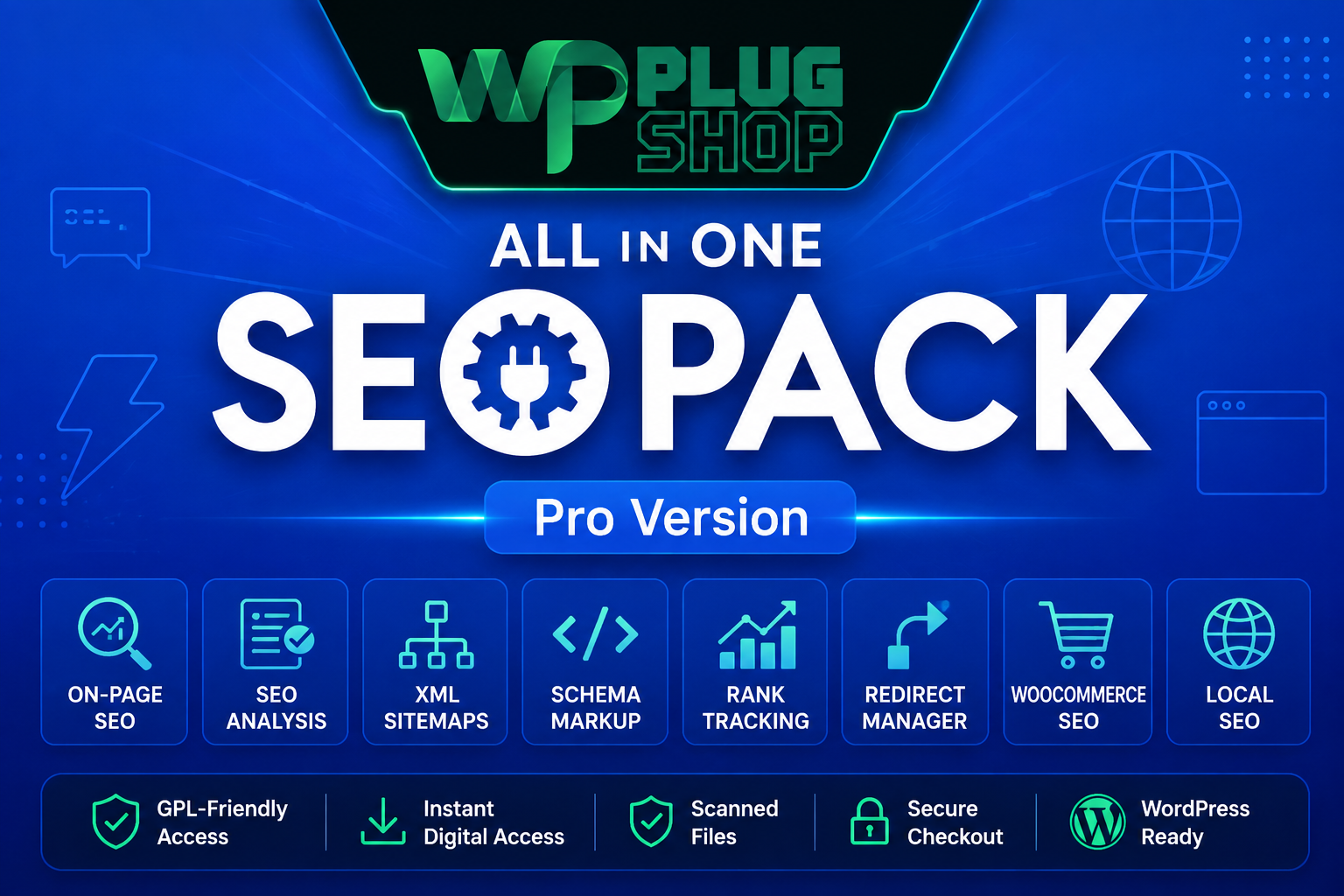
Preview All in One SEO Pro – Advanced WordPress SEO & Optimization Plugin
View the product artwork, switch gallery images, and open a larger preview before checkout.
Get secure digital access for real WordPress projects
This section summarizes the buying experience and what customers can expect after checkout.
Product overview, benefits, and digital access details
Review the key product details, practical use cases, and digital access information before checkout.
Product Overview
All in One SEO Pro – Advanced WordPress SEO & Optimization Plugin is a comprehensive SEO solution designed to help WordPress website owners manage on-page SEO, technical SEO, Schema markup, XML sitemaps, keyword rankings, internal linking, redirects, local SEO, WooCommerce SEO, and search visibility from within the WordPress dashboard.
Instead of managing different SEO tasks through multiple disconnected tools, All in One SEO Pro brings essential search engine optimization workflows into one centralized WordPress SEO environment. It is suitable for bloggers, businesses, agencies, freelancers, developers, publishers, local businesses, and WooCommerce store owners.
The plugin combines content-focused SEO analysis with technical optimization tools, structured data, search performance monitoring, sitemap management, social metadata, and website SEO auditing. Current AIOSEO documentation also highlights AI-assisted SEO capabilities and optimization for modern AI search experiences. :contentReference[oaicite:1]{index=1}
For websites that need more than basic meta title and description management, All in One SEO Pro provides a broader toolkit for building, maintaining, and improving a structured WordPress SEO strategy.
Why This Product Is Useful
Search engine optimization involves much more than adding a keyword to a page. A modern WordPress SEO strategy may involve metadata, structured data, XML sitemaps, canonical URLs, internal links, redirects, broken URLs, local business information, WooCommerce products, social previews, search performance, and ongoing content optimization.
All in One SEO Pro helps bring these activities together inside WordPress, giving website owners a centralized environment for managing important SEO settings and identifying optimization opportunities.
- Centralized WordPress SEO: Manage important on-page and technical SEO settings from one dashboard.
- On-page optimization: Optimize SEO titles, meta descriptions, keywords, content, and other page-level SEO elements.
- Technical SEO management: Work with XML sitemaps, robots controls, canonical URLs, redirects, and related technical settings.
- Structured data: Configure supported Schema types to help search engines understand different types of website content.
- WooCommerce SEO: Optimize relevant product and category SEO workflows for online stores.
- Search performance: Monitor supported keyword ranking and Google Search Console information.
- Internal linking: Discover internal linking opportunities to improve site structure and content relationships.
- SEO auditing: Identify technical and on-page SEO issues through site audit and checklist workflows.
Key Features
- TruSEO On-Page Analysis: Analyze content and important on-page SEO factors directly inside WordPress.
- SEO Setup Wizard: Configure essential WordPress SEO settings through a guided setup workflow.
- SEO Titles & Meta Descriptions: Customize search appearance information for supported content.
- Keyword Optimization: Analyze content against target keywords and identify areas for improvement.
- Smart XML Sitemaps: Create and manage XML sitemap functionality for improved content discovery.
- Video Sitemap: Support sitemap workflows for video content where applicable.
- News Sitemap: Create specialized sitemap functionality for eligible news content.
- RSS Sitemap: Support RSS-based sitemap functionality as part of the broader sitemap system.
- HTML Sitemap: Create an HTML sitemap to improve content navigation and discoverability.
- Smart Schema Markup: Configure structured data and supported rich-result Schema types without manually writing every Schema implementation.
- Product Schema: Add relevant structured data for product-focused content.
- WooCommerce Product Schema: Support structured data workflows for WooCommerce products.
- Local SEO: Configure local business information and supported Local Business Schema.
- Google Knowledge Graph: Provide structured organization and person information for supported search appearance features.
- Keyword Rank Tracking: Monitor supported keyword ranking information and search performance.
- Google Search Console Integration: Access supported search performance and indexing information within WordPress.
- Google Analytics Integration: Connect supported analytics information with the SEO management workflow.
- Link Assistant: Identify internal linking opportunities and improve relationships between relevant pages.
- Redirection Manager: Create and manage supported redirects for changed or removed URLs.
- 404 Monitoring: Monitor broken URLs and identify potential technical SEO issues.
- SEO Audits: Review website SEO health and identify actionable optimization opportunities.
- SEO Checklist: Follow structured recommendations for addressing important SEO issues.
- SEO Revisions: Review SEO changes over time and use supported revision functionality.
- Content Decay Monitoring: Identify content that may be losing search visibility and requires review.
- Robots.txt Editor: Manage supported robots.txt settings directly through WordPress.
- Robots Meta Controls: Configure supported indexing directives such as noindex and nofollow.
- Canonical URLs: Configure canonical information to help communicate preferred URL versions to search engines.
- Image SEO: Improve image-related SEO elements such as alt text and image metadata.
- Social Media Optimization: Configure Open Graph and supported social sharing metadata.
- Breadcrumbs: Create SEO-friendly breadcrumb navigation with supported structured data.
- Author SEO: Provide supported author information, profile data, and author Schema.
- SEO Alerts: Version 4.9.9 introduced SEO Alerts designed to notify site owners about critical SEO issues through supported notification channels. :contentReference[oaicite:2]{index=2}
- Elementor SEO Integration: Manage supported SEO controls within Elementor workflows.
- Gutenberg Integration: Access SEO functionality while working with the WordPress block editor.
- Classic Editor Support: Manage supported SEO settings through the WordPress Classic Editor.
- WooCommerce SEO: Optimize relevant product and category SEO elements for eCommerce websites.
- AI-Assisted SEO: Current AIOSEO functionality includes AI-assisted content, SEO metadata, image, and Schema workflows, although exact features depend on the product version and package being used. :contentReference[oaicite:3]{index=3}
Main Benefits
- Build a centralized SEO workflow: Manage multiple areas of WordPress SEO without depending on a collection of unrelated plugins.
- Improve on-page SEO: Optimize important page-level elements including SEO titles, descriptions, keywords, and content.
- Strengthen technical SEO: Manage sitemaps, redirects, robots controls, canonical URLs, and 404 monitoring.
- Improve structured data implementation: Use supported Schema tools to provide search engines with structured information about your content.
- Support WooCommerce search optimization: Apply relevant SEO and Schema workflows to products and categories.
- Improve internal site structure: Use internal linking recommendations to connect relevant pages and distribute contextual relationships across the website.
- Monitor SEO performance: Use ranking and search performance information to identify optimization opportunities.
- Identify SEO problems: Use audits, checklists, alerts, and technical monitoring to discover areas that require attention.
- Support local search: Configure supported local business information and structured data for geographically focused websites.
- Optimize content for modern search: Current AIOSEO capabilities extend into AI-assisted optimization and generative search visibility workflows. :contentReference[oaicite:4]{index=4}
Best Use Cases
Business Websites
Business websites can use All in One SEO Pro to manage SEO titles, meta descriptions, Schema, local business information, XML sitemaps, redirects, social metadata, and technical SEO settings from WordPress.
Blogs and Content Websites
Bloggers and publishers can use on-page SEO analysis, keyword optimization, Schema, sitemaps, internal linking, social optimization, and search performance tools to support a structured content SEO strategy.
WooCommerce Stores
WooCommerce store owners can use supported product SEO, product Schema, category optimization, social metadata, sitemaps, and technical SEO functionality to improve the organization and search presentation of their online store.
Local Businesses
Local businesses can use Local SEO functionality and structured business information to communicate relevant organization details to search engines and support local search visibility.
SEO Agencies
SEO agencies can use audits, keyword tracking, internal linking, redirects, reporting, and centralized SEO controls when managing WordPress websites for clients.
Freelancers and WordPress Developers
Freelancers and developers can use All in One SEO Pro as part of their WordPress development and maintenance workflow when building websites that require configurable on-page and technical SEO.
eCommerce Websites
Online stores can combine product SEO, structured data, category optimization, XML sitemaps, social metadata, and technical SEO management as part of a broader eCommerce search optimization strategy.
AI and GEO-Focused Websites
Websites preparing content for modern AI-powered search can benefit from current AIOSEO capabilities related to generative engine optimization, structured data, AI-assisted content optimization, and AI search visibility. The exact availability should be verified against the specific product version being deployed. :contentReference[oaicite:5]{index=5}
Who Should Use This Product?
- WordPress website owners who need advanced SEO controls
- Bloggers and publishers focused on organic search visibility
- Businesses managing their own WordPress SEO
- SEO professionals and consultants
- Freelancers building websites for clients
- Digital marketing agencies managing multiple WordPress websites
- WooCommerce store owners optimizing product and category pages
- Local businesses targeting Google and local search visibility
- Developers managing technical SEO settings
- Content teams working on search-focused WordPress publishing
- Website owners interested in structured data and Schema markup
- Users looking for an alternative to other WordPress SEO plugins such as Yoast SEO or Rank Math
WP Plug Shop Access Benefits
WP Plug Shop provides a digital marketplace for WordPress plugins, themes, WooCommerce tools, SEO resources, Elementor products, and other digital resources for real-world website projects.
- WordPress-ready digital resource: Designed for WordPress-focused projects.
- Instant digital access: Access the purchased resource through the available WP Plug Shop delivery process.
- Secure checkout: Purchase through the WP Plug Shop marketplace checkout experience.
- Budget-conscious access: A practical option for users looking for useful WordPress resources for their projects.
- SEO-focused marketplace: Discover SEO plugins and related WordPress optimization resources in one marketplace.
Important: All in One SEO is a third-party product. WP Plug Shop is not the official developer or owner of All in One SEO. Product access, licensing, activation, updates, developer support, and included premium functionality depend on the specific package purchased and the applicable product terms.
Product Details
| Product Detail | Information |
|---|---|
| Product Name | All in One SEO Pro |
| Product Type | Premium WordPress SEO Plugin |
| Primary Function | WordPress SEO, content optimization, technical SEO, Schema, sitemaps, and search visibility management |
| Platform | WordPress |
| WooCommerce | Supported SEO and Schema workflows for WooCommerce products and categories |
| SEO Analysis | On-page SEO analysis, SEO audits, checklists, and related optimization tools |
| Structured Data | Schema markup and supported structured data types |
| Sitemaps | XML sitemap suite with additional sitemap options depending on the installed version |
| Technical SEO | Redirects, 404 monitoring, robots controls, canonical URLs, and related technical SEO settings |
| Rank Tracking | Keyword ranking monitoring through supported search statistics functionality |
| Internal Linking | Internal link discovery and optimization through Link Assistant functionality |
| Local SEO | Local business SEO and supported structured business information |
| Page Builders | Supported integrations include Elementor and other compatible WordPress builders |
| Editors | Gutenberg and Classic Editor support |
| Product Version Reference | Version 4.9.9 was identified in the supplied marketplace listing; verify the exact package/version before purchase. |
| Delivery | Digital product access through WP Plug Shop |
Feature Comparison
| SEO Capability | All in One SEO Pro | Primary Benefit |
|---|---|---|
| On-Page SEO | Yes | Helps optimize important page-level SEO elements. |
| SEO Analysis | Yes | Provides actionable information for improving on-page SEO. |
| SEO Audit | Yes | Helps identify technical and optimization issues across a website. |
| Schema Markup | Advanced | Helps communicate structured information to search engines. |
| XML Sitemap | Yes | Provides search engines with structured content discovery information. |
| WooCommerce SEO | Yes | Supports SEO workflows for products and categories. |
| Local SEO | Yes | Supports local business search optimization. |
| Keyword Rank Tracking | Yes | Helps monitor keyword ranking performance. |
| Internal Linking | Yes | Helps identify contextual internal linking opportunities. |
| Redirect Manager | Yes | Helps manage changed URLs and reduce broken-link problems. |
| 404 Monitoring | Yes | Helps identify broken URLs that may require attention. |
| Google Search Console | Integrated | Provides supported search performance and indexing information. |
| Google Analytics | Integrated | Connects supported analytics information to the SEO workflow. |
| Social SEO | Yes | Helps control social sharing metadata and previews. |
| Robots.txt Controls | Yes | Provides direct management of supported crawl directives. |
| Canonical URLs | Yes | Helps communicate preferred URL versions to search engines. |
| Elementor Integration | Yes | Allows supported SEO workflows inside Elementor. |
| Gutenberg & Classic Editor | Yes | Supports SEO management within common WordPress editing environments. |
Pros and Considerations
| Pros | Considerations |
|---|---|
| Comprehensive WordPress SEO toolkit | The wide range of features can require an initial learning period. |
| Strong technical SEO functionality | Technical settings should be configured carefully because incorrect changes can affect crawling or indexing. |
| Advanced Schema capabilities | Structured data should accurately represent the content visible on the relevant page. |
| WooCommerce SEO support | Exact functionality depends on the installed product version and package. |
| SEO auditing and checklist tools | SEO recommendations should be reviewed in the context of the actual website and search intent. |
| Rank tracking and search performance tools | Ranking data should be interpreted alongside traffic, conversions, competition, and content quality. |
| Internal linking tools | Suggested links should be reviewed for topical relevance before publishing. |
| AI-assisted SEO functionality | AI-generated recommendations and content should be reviewed for accuracy, originality, and usefulness. |
| Suitable for agencies and larger websites | Users should verify WordPress, PHP, plugin, and package requirements before deployment. |
| Multiple SEO workflows in one plugin | Using multiple primary SEO plugins simultaneously can create conflicting metadata, Schema, robots directives, or sitemaps. |
Final Verdict
All in One SEO Pro is a comprehensive choice for WordPress users who want to manage more than basic SEO metadata. Its combination of on-page SEO analysis, technical SEO controls, Schema markup, XML sitemaps, WooCommerce SEO, local SEO, internal linking, redirects, 404 monitoring, rank tracking, and search performance integrations makes it suitable for a wide range of WordPress projects.
For bloggers, businesses, agencies, freelancers, developers, publishers, local businesses, and WooCommerce store owners, the plugin provides a centralized environment for managing important aspects of modern search engine optimization.
Its current product ecosystem also extends into AI-assisted SEO and generative engine optimization, reflecting the growing importance of optimizing content not only for traditional search engines but also for AI-powered search experiences. :contentReference[oaicite:6]{index=6}
If you are looking for an advanced WordPress SEO plugin that combines content optimization, technical SEO, Schema, sitemaps, WooCommerce SEO, local SEO, internal linking, redirects, and search performance tools, All in One SEO Pro offers a broad set of capabilities within the WordPress dashboard.
Choose All in One SEO Pro when you want a centralized SEO toolkit for improving, monitoring, and maintaining search optimization across WordPress websites and WooCommerce stores.
Frequently Asked Questions
What is All in One SEO Pro?
All in One SEO Pro is an advanced WordPress SEO plugin designed to help manage on-page SEO, technical SEO, Schema markup, XML sitemaps, local SEO, WooCommerce SEO, redirects, internal linking, and search performance from the WordPress dashboard.
Is All in One SEO Pro suitable for WordPress websites?
Yes. All in One SEO Pro is built specifically for WordPress and can be used by bloggers, businesses, agencies, freelancers, publishers, developers, and website owners who need more comprehensive SEO controls than basic metadata optimization.
Can All in One SEO Pro help with WooCommerce SEO?
Yes. All in One SEO Pro provides WooCommerce-focused SEO functionality for supported product and category optimization workflows, including product SEO, structured data, search appearance, and other eCommerce SEO settings.
Does All in One SEO Pro support Schema markup?
Yes. All in One SEO Pro includes Schema and structured data functionality that can help communicate information about supported content types to search engines. Schema should always accurately represent the visible content on the page.
Can All in One SEO Pro manage XML sitemaps?
Yes. Sitemap functionality is a core part of the All in One SEO ecosystem. Depending on the installed version and configuration, supported sitemap options can include XML, RSS, HTML, video, and news sitemap functionality.
Does All in One SEO Pro include an SEO audit?
Yes. All in One SEO Pro includes SEO audit and checklist functionality designed to help identify technical and on-page optimization opportunities. These recommendations can be used as a starting point for improving the overall SEO health of a WordPress website.
Can All in One SEO Pro manage redirects and 404 errors?
Yes. Supported functionality includes a Redirection Manager and 404 monitoring tools. These features can help website owners identify broken URLs and manage redirects when pages or URLs are changed, removed, or reorganized.
Does All in One SEO Pro support keyword rank tracking?
All in One SEO provides supported keyword ranking and search performance functionality that can help website owners monitor how selected keywords perform over time. Ranking information should be evaluated alongside traffic, search intent, competition, and conversions.
Can All in One SEO Pro help with internal linking?
Yes. All in One SEO includes Link Assistant functionality designed to identify relevant internal linking opportunities. Suggested links should be reviewed manually to ensure that the destination page is genuinely useful and contextually relevant.
Is All in One SEO Pro an alternative to Yoast SEO or Rank Math?
All in One SEO Pro can be considered as an alternative WordPress SEO solution to plugins such as Yoast SEO and Rank Math. The right choice depends on the website's required features, workflow, integrations, technical requirements, and preferred SEO management experience.
Can All in One SEO Pro help with local SEO?
Yes. All in One SEO includes Local SEO functionality for supported local business information and structured data. This can help communicate important business details to search engines when building a local search optimization strategy.
Does All in One SEO Pro support Google Search Console?
Yes. All in One SEO supports integration with Google Search Console and related search performance workflows. This can help website owners use search and indexing information alongside their broader WordPress SEO strategy.
Can All in One SEO Pro help optimize content for modern AI search?
Current All in One SEO functionality includes AI-assisted SEO and generative search optimization capabilities. These features are designed to support content optimization for evolving search experiences, although exact functionality depends on the product version and package being used.
Is All in One SEO Pro suitable for SEO agencies and freelancers?
Yes. SEO agencies, consultants, and freelancers can use its combination of on-page optimization, SEO audits, technical SEO controls, Schema, redirects, internal linking, rank tracking, and reporting-related workflows when managing WordPress projects.
What should I check before purchasing All in One SEO Pro from WP Plug Shop?
Before purchasing, review the specific product version, package details, WordPress compatibility, included functionality, delivery method, and applicable access terms shown on the WP Plug Shop product page. WP Plug Shop is a third-party digital marketplace and is not the developer or official owner of All in One SEO.
Quick product answers for buyers and AI search
Clear product answers help buyers, search engines, and AI answer engines understand this product faster.
Best ways to use this WordPress digital product
These use cases help buyers quickly decide if this product fits their workflow.
How digital access works
No physical shipping is required. This is a digital product access purchase designed for account-based downloads.
Secure payment options for digital checkout
WPPlugShop supports trusted checkout options so buyers can complete digital purchases with more confidence.
Frequently asked questions
Buyer-focused answers about digital access, secure payments, downloads, support, and product usage.
Related WordPress tools you may also like
Explore related WordPress tools that may support the same workflow, website type, or project goal.




Choose the right WordPress tool with confidence
Request a product, explore membership access, or contact support if you want help choosing the right WordPress digital product before checkout.