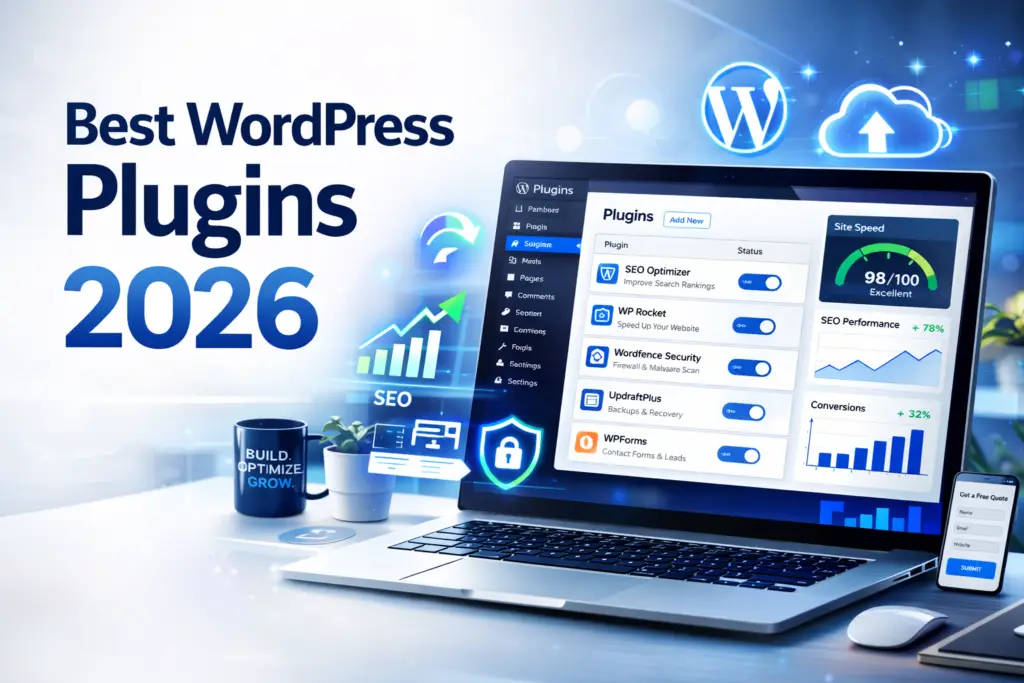
Best WordPress Plugins 2026: 17 Essential Tools for SEO, Speed, Security, and Growth
Your WordPress site may look good on the surface, but if it feels slow, hard to manage, or weak at turning traffic into leads, your plugin setup might be holding...

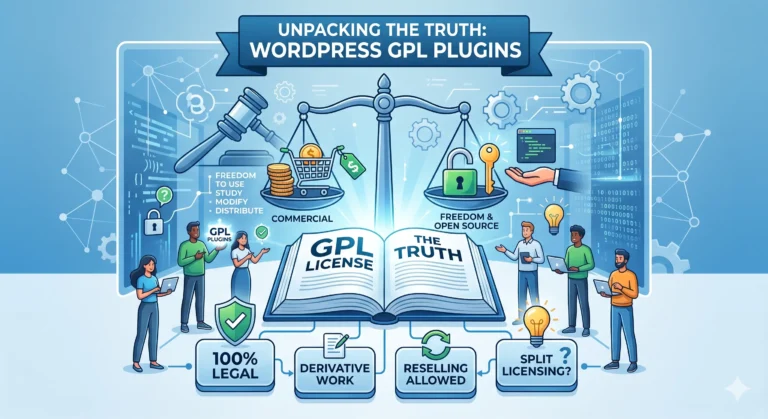
WPPlugShop focuses on GPL-distributed WordPress resources. Products may not include official developer support, official vendor license keys, automatic vendor updates, or vendor account access unless clearly stated. Avoid nulled files because they can create security, malware, and SEO risks.
This guide gives you the practical WordPress answer without unnecessary complexity.
Use this article to understand the key benefits, limitations, best use cases, and smarter next steps for your WordPress website.
Your WordPress site may look good on the surface, but if it feels slow, hard to manage, or weak at turning traffic into leads, your plugin setup might be holding it back. The best WordPress plugins 2026 are not just about extra features. They are about building a faster, safer, more search-friendly website that supports real growth. For US bloggers, agencies, store owners, and small businesses, the right plugins can improve SEO, protect customer data, simplify site management, and help every page work harder.
Whether you run a content site, a local business website, or an online store, choosing the right tools can save time and prevent expensive mistakes. This guide will help you understand what matters most, what to avoid, and how to build a smarter plugin stack for 2026.
The best WordPress plugins 2026 help improve SEO, speed, security, backups, forms, and conversions. Most websites do not need more plugins. They need better plugins that solve real problems, stay updated, and fit the site’s goals.
What You’ll Learn
- What makes a WordPress plugin worth installing in 2026
- Which plugin categories matter most for modern websites
- How to choose plugins based on your site type and goals
- Common plugin mistakes that hurt speed, rankings, and stability
- How to create a leaner, smarter plugin stack for long-term growth

What Are the best WordPress plugins 2026?
The best WordPress plugins 2026 are the tools that help your website do more without making it slower, riskier, or harder to manage. In simple terms, a strong plugin adds useful functionality like SEO improvements, better site speed, stronger security, backups, forms, ecommerce features, or conversion support.
That does not mean every website needs the same setup. A local business website, a personal blog, a membership site, and a WooCommerce store all need different plugin priorities. The smartest approach is to choose plugins based on your goals, not just popularity.
Here’s the deal: the best plugin is not the one with the most features. It is the one that solves a real problem, stays updated, works with your current setup, and does not create unnecessary bloat.
Why Plugin Choice Matters More Than Ever in 2026
Plugin choice matters more in 2026 because websites are expected to do more than ever. They need to load fast, rank well, protect customer data, work smoothly on mobile, and support conversions without breaking under the weight of too many tools.
A strong plugin stack can improve daily workflow, help with SEO and lead generation, and reduce technical stress. A weak plugin stack can create conflicts, slow down pages, increase maintenance headaches, and make updates feel risky.
Quick Answer: Plugin choice matters because it affects speed, security, compatibility, maintenance, and how well your website supports business growth.
best WordPress plugins 2026 for Beginners
If you are new to WordPress, the goal is not to install everything. It is to install only what your website actually needs. Most beginners do best with a focused setup built around the essentials.
A simple beginner-friendly plugin stack often includes:
- An SEO plugin
- A security plugin
- A backup plugin
- A performance or caching plugin
- A form plugin
- An image optimization plugin if your site is media-heavy
Let’s be honest: beginners often install too many plugins too quickly. That usually leads to overlap, confusion, and performance issues. A leaner setup is easier to maintain and usually works better.
How to Choose the Right Plugin for Your Site
The right plugin depends on what your website is supposed to do. Start by asking what problem you are solving. Then check whether the plugin is still maintained, fits your stack, and adds value without unnecessary complexity.
For blogs and content sites
Content websites usually need plugins for SEO, internal optimization, backups, performance, image handling, and spam control. The focus is on visibility, publishing workflow, and reader experience.
For business and lead generation sites
Business websites often need forms, security, local SEO support, performance tools, testimonial systems, appointment or inquiry workflows, and backup protection. The goal is to turn visitors into leads while keeping the site stable.
For WooCommerce and online stores
Online stores need more careful plugin choices because there are more moving parts. In addition to SEO and performance, ecommerce sites may need payment support, checkout enhancements, analytics, product filters, email automation, and stronger compatibility testing.
Must-Have Plugin Categories Every WordPress Site Should Consider
Even though every site is different, a few plugin categories matter for almost everyone.
- SEO plugins: Help with metadata, sitemaps, schema, and content structure
- Security plugins: Help protect logins, reduce vulnerabilities, and monitor suspicious activity
- Backup plugins: Give you a recovery option if updates or errors go wrong
- Performance plugins: Help improve page speed and reduce unnecessary load
- Form plugins: Support leads, inquiries, bookings, and customer communication
- Spam protection tools: Help keep form submissions and comments cleaner
- Image optimization tools: Reduce file size and support faster page loads
If your website exists to generate leads, traffic, trust, or sales, these categories form a smart baseline.
Best WordPress Plugins 2026 for SEO
SEO plugins remain one of the most important parts of a good WordPress stack. They help site owners control titles, meta descriptions, sitemaps, schema settings, redirects, and other on-page SEO basics without needing to code everything manually.
The best SEO plugin for your site depends on how much control you want. Some users want a cleaner, beginner-friendly setup. Others want advanced schema options, redirect management, content templates, and deeper technical control.
What matters most is not the biggest feature list. It is whether the plugin helps you publish better-structured, search-friendly pages in a simple and reliable way.
Quick Answer: A strong SEO plugin helps improve crawlability, metadata control, content structure, and search readiness with less manual effort.
Best WordPress Plugins 2026 for Speed and Performance
Site speed still matters because users expect pages to open quickly, especially on mobile and lower-quality connections. A slow website can hurt rankings, conversions, and user trust even if the design looks great.
Performance plugins may help with caching, code optimization, script management, image loading, lazy loading, database cleanup, and asset control. The goal is not to stack as many speed plugins as possible. It is to create a cleaner, faster site with fewer unnecessary requests and less overhead.
The good news is that one solid performance strategy is usually better than multiple overlapping speed plugins fighting with each other.
Best WordPress Plugins 2026 for Security and Backups
Security and backups are still non-negotiable. A security issue, bad update, plugin conflict, or hosting problem can take down a site fast. That can mean lost traffic, lost leads, broken pages, and unnecessary stress.
A security plugin can help strengthen login protection, harden key areas of the site, and alert you to suspicious activity. A backup plugin gives you a fallback plan if something breaks or if you need to roll back changes.
Here’s the deal: backups are not just a technical feature. They are peace of mind. If your site matters to your business, you need a way to recover it safely.
Best WordPress Plugins 2026 for Forms and Lead Generation
Forms play a huge role in business websites, agency sites, service pages, and many ecommerce funnels. Whether you want quote requests, newsletter signups, consultation bookings, or support inquiries, your form plugin affects how easily visitors can take the next step.
The best form plugins are reliable, mobile-friendly, easy to manage, and flexible enough for your real workflow. Some are best for simple forms. Others support conditional logic, file uploads, multi-step flows, calculations, and integrations.
If your website depends on lead generation, this is not an area to treat casually. A weak form experience can quietly cost you conversions every week.
Free vs Premium Plugins: Which Is Better in 2026?
Both can be useful. Free plugins can be excellent for basic features, smaller websites, and early-stage projects. Premium plugins usually make more sense when you need better support, deeper integrations, more advanced control, or a smoother long-term workflow.
| Option | Best For | Pros | Cons |
|---|---|---|---|
| Free Plugins | Beginners, blogs, smaller websites | Low cost, easy to test, often enough for basic needs | May have limited support or fewer advanced features |
| Premium Plugins | Businesses, agencies, stores, advanced workflows | Better support, more features, more integrations, stronger scaling potential | Higher cost and sometimes more setup complexity |
A smart rule is simple: choose the plugin that solves the problem best and keeps your workflow efficient. Cheap is not always cheaper in the long run.
Common Plugin Mistakes That Hurt Rankings and Performance
Many WordPress issues come from plugin mistakes, not from WordPress itself. These are some of the biggest problems site owners make:
- Installing too many plugins with overlapping jobs
- Keeping outdated plugins that are no longer actively maintained
- Installing tools from untrusted sources
- Updating major plugins without a backup
- Ignoring compatibility with WooCommerce, themes, or page builders
- Leaving inactive plugins sitting on the site too long
- Choosing plugins based only on features and not on stability
That matters because plugin bloat can slowly damage speed, create conflicts, and make your site harder to manage over time.
Key Takeaways
- The best WordPress plugins 2026 solve real problems without bloating your site.
- Most websites need a smart mix of SEO, security, backups, speed, and forms.
- Plugin quality matters more than plugin quantity.
- Too many overlapping plugins can hurt performance and stability.
- A plugin audit can quickly improve speed, safety, and maintainability.
Best Practices for Managing Plugins Safely
If you want a healthier WordPress site, plugin management needs to be intentional. The best practices are not complicated, but they do require consistency.
- Install only the plugins you truly need.
- Check whether a plugin is actively maintained.
- Review compatibility before major updates.
- Create a backup before important changes.
- Test larger changes on staging when possible.
- Delete plugins you no longer use.
- Review your plugin stack every few months.
Quick Answer: Safe plugin management means fewer unnecessary tools, regular audits, careful updates, and a clear recovery plan if something goes wrong.
When to Replace, Remove, or Avoid a Plugin
Some plugins should not stay on your site forever. A plugin may need to be replaced if it becomes bloated, outdated, unsupported, or harder to maintain than the value it gives back.
You should consider replacing, removing, or avoiding a plugin when:
- It has not been updated in a long time
- It causes visible performance issues
- It conflicts with key plugins or your theme
- It duplicates another tool you already use
- Its support and documentation are weak
- Your website has outgrown its limitations
Sometimes the smartest upgrade is not adding a new plugin. It is removing one that no longer fits.
Quick Checklist Before Installing Any Plugin
Use this simple checklist before adding anything new to your website:
- Does this plugin solve a real problem on my site?
- Is it actively maintained and updated?
- Is it compatible with my WordPress setup?
- Will it overlap with another plugin I already have?
- Do I have a backup before testing it?
- Will it improve performance, workflow, SEO, security, or conversions?
- Can I explain why this plugin deserves a place on my site?
This checklist is worth saving because it helps prevent messy installs, weak decisions, and plugin overload.
Final Thoughts on best WordPress plugins 2026
The best WordPress plugins 2026 are not about collecting more features. They are about building a website that is faster, safer, easier to manage, and better at supporting your goals. Whether you run a blog, a lead generation site, or a WooCommerce store, your plugin stack shapes your website’s performance every day.
Start with the essentials, stay selective, and focus on tools that support your actual workflow. If your site feels bloated or harder to manage than it should, now is a good time to audit your plugins, remove overlap, and rebuild a cleaner foundation.
If you want better speed, stronger SEO, and easier maintenance, save this checklist and review your current plugin stack before your next major update.
Frequently Asked Questions (FAQs)
Q1: How many WordPress plugins should a website have in 2026?
A1: There is no perfect number. A website should only use the plugins it truly needs, and each one should add clear value without slowing the site down or creating conflicts.
Q2: What are the most important plugin categories for a WordPress site?
A2: Most WordPress websites benefit from plugins for SEO, security, backups, speed optimization, and forms. Ecommerce sites may also need checkout, analytics, and marketing-related tools.
Q3: Are free WordPress plugins still good enough in 2026?
A3: Yes, many free plugins are still strong enough for beginners and smaller websites. Premium plugins usually make more sense when you need advanced features, better support, or deeper integrations.
Q4: Can too many plugins hurt website performance?
A4: Yes, too many plugins can hurt performance, especially when they overlap or load unnecessary scripts. Plugin quality, efficiency, and compatibility matter more than the total count.
Q5: How do I know if a plugin is safe to install?
A5: Look for active maintenance, recent updates, solid reviews, and clear compatibility with your WordPress version. It is also smart to create a backup before installing or updating anything important.
Q6: Should I delete inactive plugins?
A6: In most cases, yes. If you are not using a plugin, deleting it is usually better than leaving it inactive because it reduces clutter and lowers long-term risk.
Q7: What is the best type of plugin for SEO?
A7: The best SEO plugin is the one that helps you manage metadata, sitemaps, schema, and on-page optimization in a simple and reliable way. The right choice depends on your workflow and skill level.
Q8: Do I still need a backup plugin if my host offers backups?
A8: Many site owners still prefer having their own backup solution for extra control and faster recovery options. It can be a smart extra layer of protection for business-critical websites.
Q9: What should I do before updating WordPress plugins?
A9: Back up your site first, review compatibility, and be careful with major updates on live websites. If possible, test important changes on a staging site before pushing them live.
Q10: Are the best WordPress plugins 2026 the same for every website?
A10: No, the best WordPress plugins 2026 depend on your site type, business goals, and workflow. A blog, local business site, membership site, and WooCommerce store usually need different plugin combinations.
Conclusion
Choosing the best WordPress plugins 2026 is not about installing the most tools. It is about building a smarter website with the right tools for SEO, speed, security, backups, forms, and long-term growth.
The strongest WordPress websites usually keep their plugin stack lean, focused, and actively maintained. That approach helps reduce conflicts, improve performance, and make site management much easier over time.
If your website feels bloated, slower than it should, or harder to manage, this is the right time to review your current setup. Audit your plugin list, remove what you do not need, and keep a simple checklist ready so your best WordPress plugins 2026 strategy stays clean, safe, and growth-focused.
Explore GPL WordPress plugins, themes, templates, and WooCommerce tools.
Get affordable WordPress resources for design, SEO, performance, forms, automation, WooCommerce, and more.
Quick FAQs
Short answers for common WordPress GPL and safety questions.
Are WordPress GPL plugins legal?
WordPress GPL plugins can be legally redistributed when they are distributed under GPL license terms. The important part is to avoid misleading official license claims and unsafe nulled files.
What is the difference between GPL and nulled plugins?
GPL-distributed plugins are shared under open-source license terms. Nulled plugins are usually cracked, modified, or redistributed without transparency.
Do GPL products include official developer support?
GPL-distributed products usually do not include official vendor support, official account access, or vendor license keys unless clearly stated.

Qamar
WPPlugShop publishes practical WordPress guides focused on GPL awareness, site performance, affordable tools, WooCommerce, SEO, analytics, and safer website building.
Related WordPress Guides
More practical resources to help you build smarter, safer, and faster with WordPress.