
Unlimited Elements Plugin for Elementor Pro – Advanced Widgets for Elementor
Unlock powerful design capabilities in Elementor with Unlimited Elements.Access a wide range of advanced widgets and creative tools to build dynamic, high-converting WordPress websites without coding.
Buy confidently with secure digital checkout, account-based downloads, and a cleaner WPPlugShop product experience.
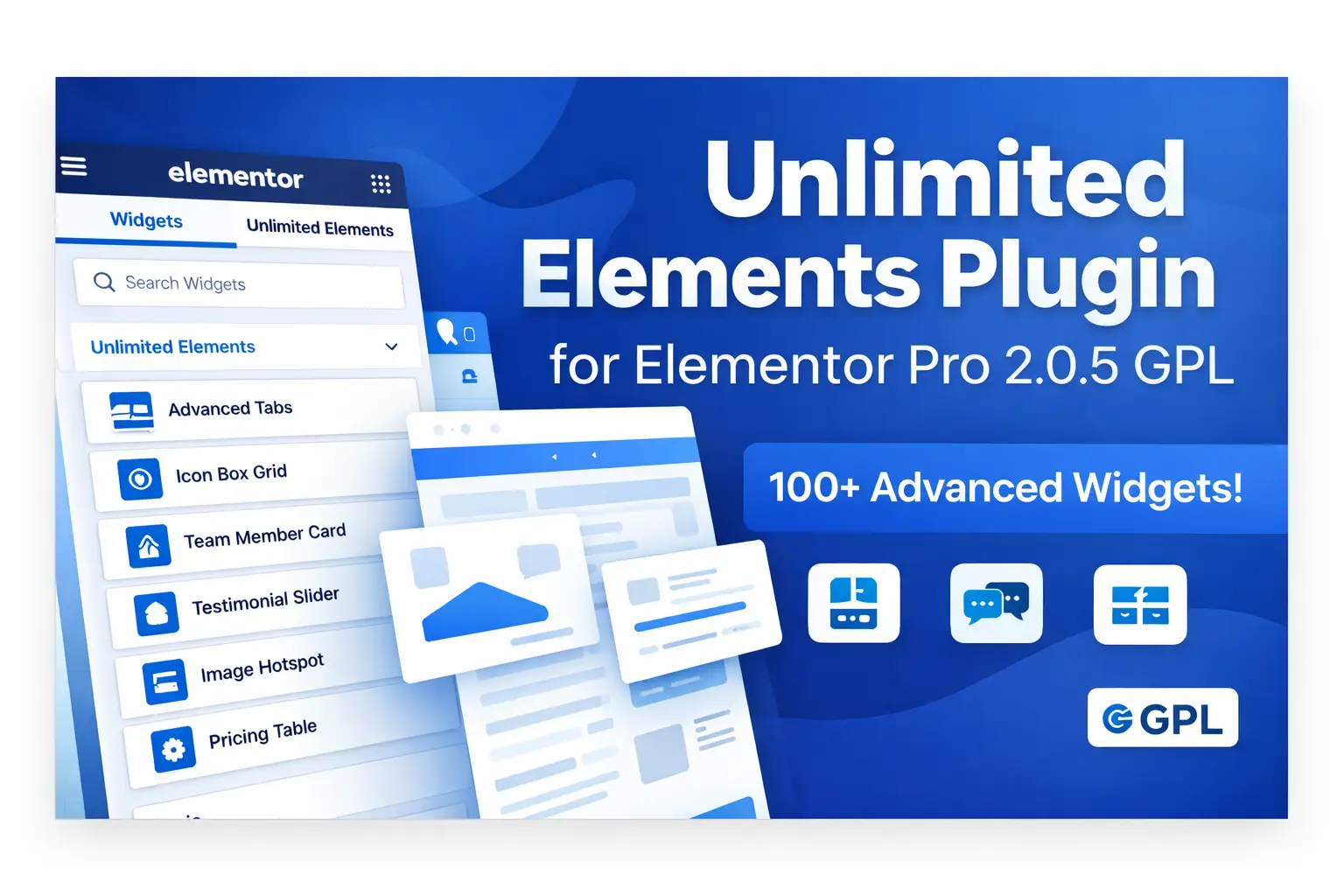
Preview Unlimited Elements Plugin for Elementor Pro – Advanced Widgets for Elementor
View the product artwork, switch gallery images, and open a larger preview before checkout.
Get secure digital access for real WordPress projects
This section summarizes the buying experience and what customers can expect after checkout.
Product overview, benefits, and digital access details
Review the key product details, practical use cases, and digital access information before checkout.
Unlimited Elements Plugin for Elementor Pro 2.0.5 GPL is a powerful Elementor addon for WordPress users who want more creative control, more widgets, and more flexibility when building modern websites. If the default Elementor widget set feels limited for landing pages, business websites, WooCommerce stores, or lead generation pages, this plugin helps expand your design options with a wider collection of useful elements.
For freelancers, agencies, developers, and business owners, the main appeal is simple: faster design workflow, better layout variety, and more ways to build custom-looking pages without depending heavily on custom code. It can be especially useful when you want to create high-converting sections, dynamic layouts, attractive content blocks, testimonials, calls to action, pricing areas, galleries, tabs, and other advanced page components inside Elementor.
Whether you are building a startup homepage, a service website, a portfolio, a sales funnel, or an online store, Unlimited Elements can help make Elementor more capable and design-friendly. For users who also work with landing page visuals, pre-designed assets, or store styling, related tools and design resources such as Fintech Website Templates and the Flatsome Theme Multi-Purpose Responsive WooCommerce Theme can complement this plugin in real projects.
What Is Unlimited Elements Plugin for Elementor?
Unlimited Elements is an extension for Elementor that adds a broader set of widgets and creative building components to your website design workflow. Instead of working only with the base Elementor elements, users get access to more advanced design blocks that can improve the functionality and visual quality of pages.
This makes it useful for people who want more control over page sections, interactive elements, marketing layouts, and dynamic content presentation. In many cases, website builders reach a point where the standard Elementor widgets are enough for basic layouts but not enough for specialized design needs. That is where an addon like Unlimited Elements becomes practical.
It is commonly used by:
- WordPress developers building custom client sites
- Agencies handling multiple Elementor projects
- Freelancers creating conversion-focused landing pages
- Store owners improving product or category page layouts
- Beginners who want more design freedom without coding
Why Users Choose Unlimited Elements for Elementor
Most Elementor users want one or more of these outcomes: better design flexibility, more unique layouts, improved page engagement, and the ability to build pages faster. Unlimited Elements supports those goals by expanding the builder environment with additional widgets and content possibilities.
Instead of manually recreating complex sections with workarounds, users can rely on purpose-driven widgets and modules that reduce friction during design. This can save time, especially when building repeating layouts across multiple pages or across client websites.
It also helps when you want to make pages feel more polished and less generic. Many websites using only default widgets start to look similar. By adding more elements and section possibilities, you can create a stronger visual identity and a better user journey.
Key Features of Unlimited Elements Plugin for Elementor Pro 2.0.5 GPL
The exact feature set can vary by version and setup, but the plugin is known for extending Elementor with a rich set of design-focused capabilities. Here are the core strengths users usually look for in this type of addon:
- Large widget collection for creative layouts
- Advanced content presentation options
- Better flexibility for landing pages and business sites
- Tools that help build more dynamic-looking sections
- Design elements for engagement, structure, and conversion support
- Responsive controls for modern device-friendly pages
- Workflow improvements for agencies and repeat projects
For users building feature-rich websites, pairing Elementor addons with strong backend plugins can also be helpful. For example, if you create complex forms, lead capture systems, or service inquiries, tools like Gravity Forms WordPress Plugin can work well in a broader WordPress stack.
Feature and Benefit Table
| Feature Area | What It Helps With | Practical Benefit |
|---|---|---|
| Expanded Widgets | More layout and content options inside Elementor | Build pages that look more custom and less repetitive |
| Design Flexibility | Better control over page sections and visual presentation | Create higher-quality landing pages and brand-focused layouts |
| Responsive Editing | Adjust layouts for desktop, tablet, and mobile screens | Improve user experience across devices |
| Marketing-Oriented Elements | Useful blocks for calls to action, testimonials, and engagement | Support stronger conversion-focused pages |
| Workflow Efficiency | Faster section building for repeated project needs | Save time for agencies, freelancers, and site builders |
Who Should Use Unlimited Elements?
Freelancers
If you create websites for local businesses, coaches, small brands, or service providers, Unlimited Elements can help you produce more polished pages with less manual work. It is especially useful when every client wants a site that feels unique.
Agencies
Agencies benefit from repeatable workflows. When a plugin helps your team build advanced layouts more quickly, that improves delivery speed and consistency. It can also reduce dependence on custom code for common design sections.
Developers
Developers often need flexibility. An Elementor addon with a broad widget library can speed up front-end implementation and reduce the time needed to create structured layouts from scratch.
Store Owners
WooCommerce users can benefit when better design tools help improve banners, promotional sections, feature displays, and trust-building content blocks. Combined with a store-focused theme like Flatsome, it can support a more refined ecommerce experience.
Beginners
Beginners who do not want to code can still get value because Elementor addons generally simplify advanced design outcomes. Instead of editing templates manually, you can work visually and make pages look far more professional.
Real Use Cases for Unlimited Elements
This plugin can be useful in many practical website scenarios. Here are some of the most common ways users apply it:
- Business websites: Build trust sections, service highlights, team layouts, and lead capture pages
- Landing pages: Create sales-focused sections with clearer calls to action and better visual structure
- Agency sites: Design portfolio layouts, process blocks, pricing areas, and case study sections
- WooCommerce pages: Improve promotional content, homepage sections, and supporting sales blocks
- Startup websites: Build feature grids, testimonials, comparisons, and signup-focused page sections
- Content-driven sites: Organize information with better design components for readability and engagement
For media-heavy or visually layered hero sections, users may also explore advanced visual tools like the Slider Revolution WP Gallery Addon when their project needs more expressive galleries or advanced presentation blocks.
Unlimited Elements vs Default Elementor Widgets
Elementor works well on its own for many websites, but default widgets can feel limited when your design goals become more advanced. The difference is not just about quantity. It is about having more relevant design tools for specific page goals.
| Area | Unlimited Elements | Default Elementor Widgets |
|---|---|---|
| Widget Variety | Broader selection for design-heavy projects | Good for core layouts but more limited |
| Creative Flexibility | Better for unique section building | Suitable for standard page structures |
| Conversion-Focused Layouts | Stronger support through specialized content blocks | May require more manual setup |
| Workflow Speed | Can improve speed for repeated advanced layouts | Can require extra effort for complex sections |
| Scalability for Client Work | Helpful for agencies and freelancers with varied projects | Best suited to simpler page-building needs |
Benefits for SEO, GEO, and Better User Experience
While a design plugin does not directly replace an SEO plugin, it can indirectly support better search performance by helping you create pages that are easier to structure, more engaging, and more aligned with user intent. Stronger design can improve readability, clarity, content hierarchy, and user flow.
That matters because modern search performance is not only about keywords. It is also about how well a page serves the visitor. Clean layouts, logical sections, readable content blocks, and clear calls to action can improve engagement signals and help users find what they need faster.
For GEO, or generative engine optimization, well-structured content sections are useful because AI systems tend to understand content more effectively when it is clearly organized. Headings, comparison sections, FAQs, benefit-driven layouts, and concise content blocks all support better machine readability.
In short, design flexibility can help content perform better because the visitor experience becomes clearer and stronger.
How Unlimited Elements Supports Conversion-Focused Pages
Many WordPress users are not just building pages for looks. They are building pages to generate leads, sell services, grow email lists, increase trust, or improve product discovery. That is where an Elementor addon becomes more valuable.
Unlimited Elements can support conversion-focused page building in several ways:
- It helps create visually stronger hero sections
- It supports structured benefit blocks and feature areas
- It can improve social proof presentation with testimonials and trust elements
- It allows clearer section separation so users scan content more easily
- It helps make calls to action more noticeable inside the page flow
When used well, these improvements can reduce friction and help visitors better understand the value of a service, product, or offer.
How to Use Unlimited Elements with Elementor
- Install and activate the plugin on your WordPress website
- Open a page using Elementor editor
- Explore the available widgets and elements added by the plugin
- Drag the needed widgets into your layout
- Customize spacing, content, styling, and responsiveness
- Arrange sections based on your page goal, such as lead generation, product display, or brand presentation
- Preview the page on mobile and tablet for better usability
- Publish after reviewing structure, performance, and design balance
If your website also needs advanced custom field integration or more structured dynamic content workflows, related tools like Advanced Custom Fields may be useful within a larger WordPress setup.
Pros and Considerations
Pros
- Expands Elementor with more creative possibilities
- Useful for agencies, developers, freelancers, and beginners
- Can reduce the need for custom front-end work in some projects
- Supports more polished and conversion-aware page structures
- Helpful for different niches including business, ecommerce, SaaS, and services
Considerations
- Using too many design elements on one page can make layouts feel heavy
- Performance always depends on hosting quality, page complexity, and optimization practices
- Beginners may need a little time to understand which widgets best fit each page goal
- GPL versions should be used with clear expectations and safe wording
GPL Version Notes
This product is listed as a GPL version, which is important for users who understand how GPL licensing works in the WordPress ecosystem. When discussing GPL products, it is important to use careful and accurate wording.
Here are the practical expectations:
- This version is intended for users who want access to the plugin under GPL terms
- Official support from the original developer should not be assumed
- Official account-based services or external premium integrations should not be assumed unless specifically confirmed
- Users should always test plugin compatibility on their own environment before using it on a live production website
This kind of wording is safer, more transparent, and better for user trust.
Best Practices When Using Elementor Addons
To get the best results from plugins like Unlimited Elements, use them strategically instead of adding widgets just because they are available. Focus on page clarity, speed, and the visitor journey.
- Use only the widgets needed for the page goal
- Keep section hierarchy clean and easy to scan
- Test mobile responsiveness carefully
- Do not overload one page with too many effects or complex blocks
- Match design elements to user intent, not just appearance
- Combine strong design with clear copy and trust-building content
A well-designed page should not only look better. It should also help the user understand, trust, and act.
Frequently Asked Questions
What is Unlimited Elements Plugin for Elementor Pro 2.0.5 GPL used for?
It is used to expand Elementor with more widgets, more design flexibility, and better layout possibilities for WordPress websites.
Is Unlimited Elements useful for beginners?
Yes, beginners can benefit because it adds more visual building options without requiring advanced coding knowledge.
Can this plugin help with landing page design?
Yes, it can help create more polished landing pages by offering additional content and layout elements that support conversion-focused design.
Does the GPL version include official support?
Official support should not be assumed for GPL versions unless clearly stated by the provider.
Will Unlimited Elements work for WooCommerce websites?
It can be useful on WooCommerce-related sites, especially for improving homepage sections, promotional layouts, and supporting design blocks around the shopping experience.
Can I use this plugin with other WordPress tools?
Yes, many users combine Elementor addons with themes, form plugins, field plugins, and visual tools depending on project needs.
Final Thoughts
The Unlimited Elements Plugin for Elementor Pro 2.0.5 GPL is a practical choice for WordPress users who want to move beyond basic Elementor layouts and build websites with more flexibility, better visual structure, and stronger conversion potential. It is especially useful for people who build client websites, service pages, startup landing pages, ecommerce sections, and modern business sites.
Its value is not only in adding more widgets. Its real value is in giving users more control over how pages communicate, engage, and convert. When used carefully, it can help create better website experiences without turning the workflow into something overly technical.
If your goal is to build more capable Elementor pages and give your site a stronger design toolkit, Unlimited Elements is a smart addition to your WordPress stack. And if your project also needs stronger forms, enhanced field control, store design support, templates, or advanced visual presentation, related tools like Gravity Forms, Advanced Custom Fields, Flatsome, Slider Revolution WP Gallery Addon, and Fintech Website Templates can naturally support a wider site-building strategy.
Quick product answers for buyers and AI search
Clear product answers help buyers, search engines, and AI answer engines understand this product faster.
Best ways to use this WordPress digital product
These use cases help buyers quickly decide if this product fits their workflow.
How digital access works
No physical shipping is required. This is a digital product access purchase designed for account-based downloads.
Secure payment options for digital checkout
WPPlugShop supports trusted checkout options so buyers can complete digital purchases with more confidence.
Frequently asked questions
Buyer-focused answers about digital access, secure payments, downloads, support, and product usage.
Related WordPress tools you may also like
Explore related WordPress tools that may support the same workflow, website type, or project goal.
Choose the right WordPress tool with confidence
Request a product, explore membership access, or contact support if you want help choosing the right WordPress digital product before checkout.