11 Powerful Reasons Gravity Forms Plugin WordPress | Is Worth It for Modern Websites?
In the evolving digital landscape, your website needs more than just a "Contact Us" box. Gravity Forms provides a robust ecosystem for developers and marketers alike. This guide dives into...

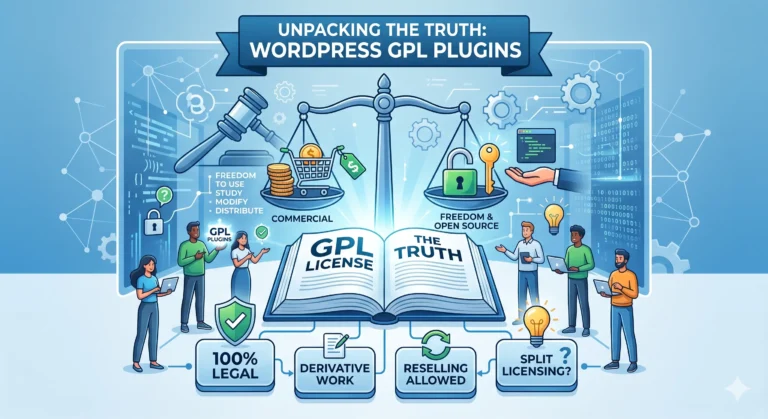
WPPlugShop focuses on GPL-distributed WordPress resources. Products may not include official developer support, official vendor license keys, automatic vendor updates, or vendor account access unless clearly stated. Avoid nulled files because they can create security, malware, and SEO risks.
This guide gives you the practical WordPress answer without unnecessary complexity.
Use this article to understand the key benefits, limitations, best use cases, and smarter next steps for your WordPress website.
- What Gravity Forms is and how it works
- Why it matters for US businesses, bloggers, and agencies
- Which features make it more powerful than basic form plugins
- How to decide if it is worth the cost for your website goals
What Is Gravity Forms Plugin WordPress and Who Is It For
Gravity Forms is a premium form builder for WordPress that helps you create far more than a simple contact form. You can build quote request forms, appointment forms, payment forms, file upload forms, event registrations, surveys, and internal workflow forms without turning your website into a mess.
It is especially useful for US small businesses, agencies, schools, nonprofits, coaches, contractors, medical offices, and online sellers that need dependable forms tied to real business actions. Instead of just collecting a name and email, you can guide users through a smarter process and send the right data to the right place.
Quick Answer: In simple terms, Gravity Forms is for WordPress users who want forms that do more than collect messages. It helps you capture leads, process requests, route information, and automate follow-up steps with much more control than a basic free plugin.
Why Gravity Forms Still Matters for US Websites in 2026
Let’s be honest: most website forms fail for boring reasons. They ask for too much information, break on mobile, attract spam, or never reach the right inbox. That matters because modern US customers expect fast, smooth digital experiences whether they are booking a service from their phone, requesting an estimate during a lunch break, or completing a payment after business hours.
Gravity Forms still matters because it was built for websites that need flexibility. If your business depends on lead generation, service inquiries, applications, registrations, or custom workflows, a stronger form builder can improve both user experience and conversion quality.
For example, a roofing company in Texas may need a quote form with service-area choices, photo uploads, and conditional questions about storm damage. A nonprofit in Ohio may need volunteer forms, donation add-ons, and event sign-ups. A digital agency in California may need a discovery form that qualifies leads before a sales call. Gravity Forms handles those real-world needs well.
Gravity Forms Plugin WordPress for Beginners: What You Need to Know First
If you are new to premium form plugins, here is the first thing to understand: Gravity Forms is not popular because it looks flashy. It is popular because it is practical, scalable, and dependable when your website needs more than a basic contact form.
Beginners usually care about four things first: ease of setup, form design flexibility, anti-spam options, and whether the plugin will grow with the site. Gravity Forms performs well in all four areas. You can start simple, then add more advanced functions as your business grows.
The good news is that you do not need to be a developer to create a strong form. But if you want deeper integrations, custom confirmations, advanced calculations, or multi-step workflows, Gravity Forms gives you room to grow without switching platforms later.
How Gravity Forms Works in Simple Terms
Here’s the deal: Gravity Forms works like a drag-and-build system inside WordPress. You create a form, add fields, set rules, decide what happens after someone submits it, and then place the form on a page, post, or widget area.
Core Features That Make Form Building Easier
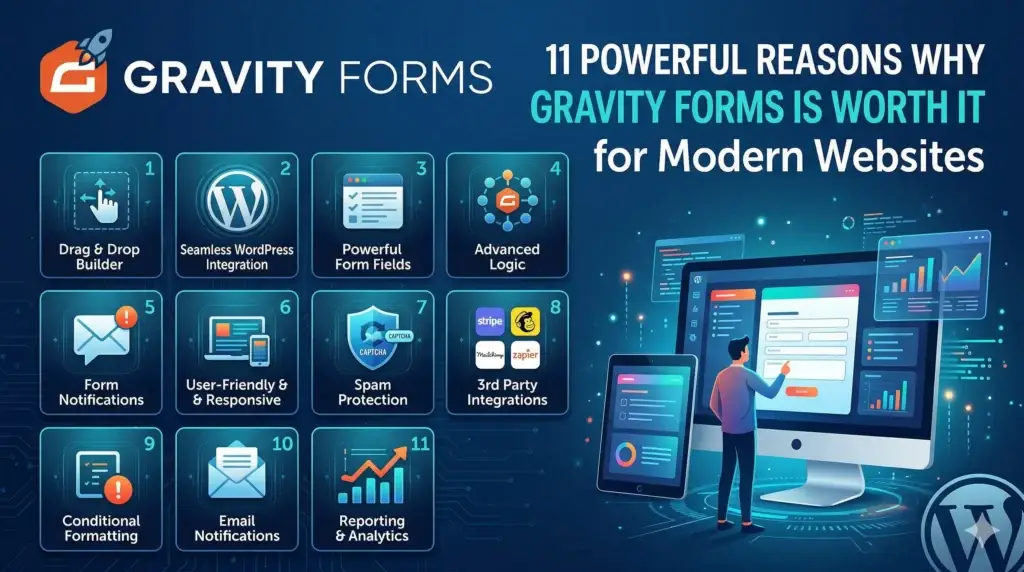
Some of the most useful core features include drag-and-drop field building, email notifications, confirmation messages, conditional logic, file uploads, multi-page forms, entry management, and add-on integrations. That means one plugin can cover many form use cases across one business website.
For US businesses that rely on appointment requests, sales inquiries, customer support, or intake forms, that flexibility can save time and reduce plugin overload.
What Conditional Logic Actually Does
Conditional logic lets the form react based on what the user chooses. If someone selects “Business Website” instead of “Personal Website,” you can show a different set of questions. If a visitor says they need emergency service, you can trigger a more urgent follow-up path. If a shopper chooses a premium option, you can reveal additional payment details.
Quick Answer: Conditional logic means your form only shows the most relevant fields based on each user’s answers. That helps reduce clutter, improve completion rates, and collect better information.
Top Benefits of Using Gravity Forms on a Business Website
One major benefit is lead quality. Instead of getting vague messages like “Call me,” you can collect the exact details your team needs. That helps you follow up faster and close more qualified leads.
Another big advantage is efficiency. Gravity Forms can send notifications to the right department, trigger confirmations, organize entries in one dashboard, and connect with third-party tools. That reduces manual work and missed opportunities.
It also helps with professionalism. A polished, structured form can make your website feel more trustworthy. On American business sites, especially local service websites, that trust can directly affect whether someone contacts you or clicks back to a competitor.
- Better lead capture: Ask smarter questions and pre-qualify visitors
- Stronger flexibility: Build basic or advanced forms in the same plugin
- Time savings: Route entries and automate follow-up tasks
- Improved mobile usability: Create cleaner form experiences for phone users
- Scalability: Use the same tool as your business needs become more advanced

Gravity Forms vs Other WordPress Form Plugins
Not every website needs the same kind of form plugin. Some users only need a simple free contact form. Others need payment forms, calculations, multi-step logic, file uploads, CRM connections, or advanced notifications. That is where comparisons matter.
Gravity Forms vs Free Form Plugins
Free plugins can be enough for a very basic site, especially if you only need a contact form and nothing more. But once your business starts depending on forms for revenue, client intake, or operations, limitations show up fast. You may hit walls with customization, automation, or integration options.
Gravity Forms vs WPForms and Fluent Forms
WPForms is often praised for beginner-friendly design and easy onboarding. Fluent Forms is often seen as feature-rich and cost-effective. Gravity Forms is usually favored by users who want a more established premium ecosystem, stronger workflow flexibility, and dependable long-term use on professional WordPress builds.
| Feature Area | Gravity Forms | Basic Free Form Plugins | Other Premium Form Builders |
|---|---|---|---|
| Best for | Advanced business forms and workflows | Simple contact forms | Varies by plugin and plan |
| Conditional logic | Strong | Often limited or unavailable | Usually available |
| Scalability | High | Low to moderate | Moderate to high |
| Workflow flexibility | Strong | Limited | Moderate to strong |
| Best fit for agencies | Very good | Usually weak | Depends on licensing and features |
If you want to compare real product options, you can review Gravity Forms WordPress Plugin Latest GPL Version, explore WP Fluent Forms Pro, or check WPForms Pro WordPress Form Builder to see which one best matches your workflow, budget, and site complexity.
If your site only needs a contact page, you may not need Gravity Forms. But if forms are part of how your business sells, schedules, qualifies, collects, or operates, it becomes much easier to justify.
How to Set Up Gravity Forms Plugin WordPress Step by Step
If you want practical results, start with one useful form instead of trying to build everything at once. A quote request form, consultation form, or contact form is usually the best first move.
- Install and activate the plugin. Add Gravity Forms to your WordPress site and confirm your license if needed.
- Create a new form. Give it a clear name based on its purpose, such as “Roof Estimate Request” or “Website Consultation Form.”
- Add only the fields you actually need. Start with name, email, phone, service type, and message or project details.
- Use conditional logic where it improves clarity. Show follow-up questions only when they are relevant.
- Set confirmation behavior. Decide whether users see a thank-you message, a redirected page, or next-step instructions.
- Create email notifications. Send entries to the correct person or department instead of one overcrowded inbox.
- Test the form on desktop and mobile. Fill it out like a real visitor and confirm that notifications arrive.
- Embed the form on the right page. Place it where user intent is strongest, such as a service page, landing page, or contact page.
For best results, match the form to the page. A homepage contact form should stay simple. A quote page can be more detailed. A checkout-adjacent form should remove distractions and keep friction low.
If you are actively comparing plugins before setup, it can help to keep one product tab open for Gravity Forms and another for alternatives like Fluent Forms Pro or WPForms Pro so you can compare features while mapping your form needs.
It also helps to review WordPress best practices through the official WordPress ecosystem when building site functionality and plugin-based workflows. You can browse guidance and broader platform resources at WordPress.org.
Key Takeaways
- Gravity Forms is best for WordPress sites that need more than a basic contact form
- It supports stronger lead capture, better workflows, and more flexible user journeys
- Conditional logic can reduce clutter and improve completion rates
- It is often a better fit for business websites, agencies, and advanced projects than free plugins
- Starting with one high-intent form is usually the smartest way to implement it
Common Mistakes People Make With WordPress Forms
Most form problems are not caused by the plugin. They come from poor setup choices. That is why even a powerful tool can underperform if the form strategy is weak.
- Adding too many fields: Long forms can scare away busy users, especially on mobile
- Ignoring mobile testing: A form that looks fine on desktop may feel frustrating on a phone
- Using unclear labels: People should instantly understand what each field is asking
- No spam protection plan: Open forms without safeguards can create junk entries fast
- No routing logic: Important inquiries may go to the wrong inbox or get missed entirely
- Skipping confirmation messaging: Visitors need reassurance that their request was received
- Not testing real user flows: A form may look complete but still break at a critical step
Let’s be honest, many business owners build forms once and never test them again. Then they discover months later that leads were never arriving or important fields were confusing. That is an expensive mistake.
Best Practices for Safer, Smarter, Higher-Converting Forms
The best forms feel easy to complete, clear to understand, and trustworthy to submit. They also protect your time by filtering weak leads and reducing spam.
- Keep the goal clear: One form should focus on one main action
- Use plain language: Ask questions the way real users think
- Group related fields logically: Move from basic info to deeper details
- Reduce friction: Only ask for must-have information
- Use conditional logic wisely: Hide unnecessary fields until they are needed
- Write a strong confirmation message: Tell users what happens next
- Protect the form: Add spam prevention and review entry handling regularly
- Review privacy expectations: If you collect consumer data, follow current guidance and expectations for transparency; the FTC is one helpful authority for business privacy and consumer-facing practices
Quick Answer: A high-converting form is short, relevant, easy to complete, and built around one clear next step. The more focused the experience, the better your chances of getting quality submissions.
One helpful move is to save your best-performing form as a template and reuse its structure on new pages. That keeps your site consistent and reduces guesswork. It is also smart to save a launch checklist before publishing any important form tied to leads or payments.

Checklist: Before You Publish Any Gravity Form
- Does the form have one clear purpose?
- Are only essential fields included?
- Have you tested the form on mobile and desktop?
- Are notifications going to the right email address?
- Does the confirmation message explain the next step?
- Is spam protection active?
- Do field labels make sense to a first-time visitor?
- Have you tested one real submission from start to finish?
- Is the form placed on the page where intent is strongest?
- Have you backed up the site before major workflow changes?
When You Should Upgrade, Replace, or Get Expert Help
Sometimes the question is not whether Gravity Forms is good. The real question is whether your current setup is helping or hurting your business. If your forms are slow, confusing, poorly integrated, or producing weak lead quality, it may be time to improve the system.
You should consider expert help when:
- Your form needs custom workflows, calculations, or advanced routing
- You want forms connected to CRM, email marketing, or payment systems
- Your website collects sensitive business or customer information
- You are redesigning key service pages and want better conversion performance
- You keep getting spam, duplicate issues, or broken notifications
If your site drives serious revenue, paying for a better form setup can be a smart business decision rather than just another plugin expense. The same is true if your agency manages multiple client sites and needs something more dependable than a basic free form tool.
Is Gravity Forms Worth the Cost for Small Businesses and Agencies
For hobby sites or ultra-simple blogs, maybe not. But for business websites, the answer is often yes. That is because the value does not come from the form itself. It comes from what the form helps you do: capture better leads, reduce friction, automate tasks, and make your website more useful.
A local HVAC company may recover the plugin cost from one qualified service request. A web design agency may justify it through smoother client intake. A nonprofit may save staff time with organized registrations and volunteer submissions. A consultant may use it to pre-screen leads before calls. In each case, the plugin becomes easier to justify when the form supports a real outcome.
Here’s the deal: if your current form setup costs you leads, wastes time, or limits growth, then a stronger form builder can pay for itself quickly. That is especially true on modern WordPress business sites where user expectations are high and attention spans are short.
One soft but smart next step is to compare your current form against one new high-intent Gravity Forms build on a key page. Measure completion quality, spam levels, and lead relevance. That simple test can tell you a lot before you make bigger sitewide changes.
Frequently Asked Questions (FAQs)
Q1: What is gravity forms plugin wordpress used for?
A1: It is used to build advanced WordPress forms such as contact forms, quote forms, payment forms, registration forms, and lead capture forms. It is especially useful when you need more control, automation, and conditional logic.
Q2: Is Gravity Forms good for beginners in the United States?
A2: Yes, it can work well for beginners who want a serious form builder that can grow with their website. Many US business owners start with one simple form and expand later as their needs become more advanced.
Q3: Is Gravity Forms better than a free WordPress form plugin?
A3: It is often better for business websites that depend on quality leads, workflows, and integrations. Free plugins may be enough for basic contact forms, but they can become limiting as your site grows.
Q4: How does Gravity Forms compare with Fluent Forms and WPForms?
A4: Gravity Forms is often chosen for advanced flexibility and long-term workflow use. If you want to compare alternatives, you can also review WP Fluent Forms Pro and WPForms Pro based on your budget, interface preference, and feature needs.
Q5: Is gravity forms plugin wordpress worth it for a small business website?
A5: Yes, it can be worth it if your forms help bring in leads, service requests, bookings, or customer inquiries. Even one extra qualified lead can often justify the investment for a local US business.
Q6: Can Gravity Forms help reduce spam and messy submissions?
A6: Yes, it can help when paired with good setup practices and anti-spam tools. Clear fields, smarter logic, and regular testing also improve submission quality.
Q7: When should I get expert help with Gravity Forms?
A7: You should get help when your form needs advanced routing, payment workflows, CRM connections, or custom logic. Expert help also makes sense when your forms affect revenue or important customer communication.
Q8: Where can I download Gravity Forms for WordPress?
A8: If you are ready to explore the product further, you can check Gravity Forms WordPress Plugin Latest GPL Version. It is also smart to compare it with other form builder options before choosing the best fit for your website.
Final Thoughts on Gravity Forms Plugin WordPress
If your website depends on contact requests, quote forms, registrations, or lead generation, choosing the right form builder is not a small decision. A weak form setup can quietly cost you leads, waste time, and create friction for visitors who were ready to take action.
That is why gravity forms plugin wordpress continues to stand out for business websites, agencies, and serious WordPress users who need more than the basics. It gives you the flexibility to build smarter forms, improve user experience, and create workflows that actually support growth instead of slowing it down.
If you want a practical next step, start by reviewing Gravity Forms for WordPress, then compare it with WP Fluent Forms Pro and WPForms Pro to see which one matches your site goals best. Save your form checklist, test one high-intent page, and move forward with confidence.
Explore GPL WordPress plugins, themes, templates, and WooCommerce tools.
Get affordable WordPress resources for design, SEO, performance, forms, automation, WooCommerce, and more.
Quick FAQs
Short answers for common WordPress GPL and safety questions.
Are WordPress GPL plugins legal?
WordPress GPL plugins can be legally redistributed when they are distributed under GPL license terms. The important part is to avoid misleading official license claims and unsafe nulled files.
What is the difference between GPL and nulled plugins?
GPL-distributed plugins are shared under open-source license terms. Nulled plugins are usually cracked, modified, or redistributed without transparency.
Do GPL products include official developer support?
GPL-distributed products usually do not include official vendor support, official account access, or vendor license keys unless clearly stated.

Qamar
WPPlugShop publishes practical WordPress guides focused on GPL awareness, site performance, affordable tools, WooCommerce, SEO, analytics, and safer website building.
Related WordPress Guides
More practical resources to help you build smarter, safer, and faster with WordPress.