Frequently Asked Questions What is LearnDash Achievements? LearnDash Achievements is a gamification add-on for LearnDash LMS that allows course creators to reward
LearnDash Achievements is a gamification add-on for LearnDash LMS that allows course creators to reward learners with achievement badges and points. Achievements can be connected to course, lesson, topic, quiz, enrollment, and other WordPress or LearnDash activities.
What can I use LearnDash Achievements for?
LearnDash Achievements can be used to gamify online courses, recognize learner milestones, encourage course completion, reward quiz performance, create achievement points, and make WordPress LMS experiences more engaging.
Can I add badges to LearnDash courses?
Yes. LearnDash Achievements allows course creators to create achievements and associate custom images that can be used as achievement badges. Learners can then receive badges when they satisfy the configured achievement trigger.
Can LearnDash Achievements award points to students?
Yes. Achievements can award points when learners complete defined actions. Points can be used as part of a broader learner rewards and gamification strategy within a LearnDash website.
Can I reward students for completing a LearnDash course?
Yes. Course completion is one of the available LearnDash achievement triggers. You can create an achievement that awards a badge and points when a learner successfully completes a specified course.
Can I create achievements for completing lessons and topics?
Yes. LearnDash Achievements supports lesson-completion and topic-completion triggers. This makes it possible to create smaller milestones throughout a course instead of rewarding learners only when they finish the entire course.
Can LearnDash Achievements reward quiz performance?
Yes. Available quiz-related triggers include passing a quiz, failing a quiz, completing a quiz, and reaching a specified quiz score percentage. This makes the add-on useful for creating quiz-based badges and points.
Can I create a LearnDash achievement for a specific quiz score?
Yes. The achievement system includes a quiz score threshold trigger. You can use it to recognize learners who reach a specified percentage or performance milestone in a quiz.
Can LearnDash Achievements encourage students to return to my website?
Yes. WordPress-based triggers include user login activity and consecutive login activity. These triggers can be used to create rewards that encourage learners to return regularly to an online course or learning website.
Can LearnDash Achievements reward users for activities outside courses?
Yes. In addition to LearnDash course activities, the add-on supports WordPress-related triggers such as registration, logging in, adding posts, adding comments, and visiting posts. This allows gamification to extend beyond course completion.
Can LearnDash Achievements create a leaderboard?
Yes. LearnDash Achievements provides an achievement leaderboard that can display users and their achievement points. This can be used to introduce friendly competition and make learner progress more visible.
Can learners see their earned badges and points?
Yes. Achievement information can be displayed on the front end, including a learner’s earned badges and points. LearnDash also provides an achievements block and shortcode for displaying individual achievement information.
Does LearnDash Achievements work with Gutenberg?
Yes. LearnDash Achievements provides Gutenberg blocks for displaying learner achievements. This makes it possible to add achievement information to WordPress pages using the native block editor.
Does LearnDash Achievements work with Elementor?
LearnDash Achievements is not an Elementor-specific addon. It is part of the LearnDash ecosystem. Elementor is supported as a LearnDash compatibility integration, so Elementor-based WordPress LMS websites may use LearnDash functionality alongside their page-building setup.
Can achievement points be used toward LearnDash course purchases?
Yes, LearnDash documents a feature that allows achievement points to be used toward discounts on eligible course purchases. The current documentation notes that this functionality supports the Buy Now access mode.
Can LearnDash Achievements be used for online course gamification?
Yes. Gamification is one of the primary purposes of the add-on. Course creators can combine badges, points, achievement triggers, and leaderboards to make online learning more interactive and rewarding.
Is LearnDash Achievements suitable for student engagement?
Yes. Achievement badges and points can provide visible recognition for learner progress and milestones. Course creators can use rewards to encourage lesson completion, quiz participation, course completion, and continued engagement.
Can agencies use LearnDash Achievements for client LMS websites?
Yes. WordPress agencies and developers can use LearnDash Achievements when building or managing LearnDash-powered learning websites for clients. It can be useful for course platforms that require badges, points, achievement milestones, or learner leaderboards.
Can LearnDash Achievements be used for corporate training?
Yes. Corporate training websites can use achievement badges and points to recognize employee learning milestones, course completion, quiz performance, and ongoing participation in training programs.
Is LearnDash Achievements a standalone LMS?
No. LearnDash Achievements is an add-on rather than a standalone learning management system. LearnDash must be installed and activated before the Achievements plugin can be activated.
Do I need LearnDash LMS to use LearnDash Achievements?
Yes. The Achievements add-on is designed to extend LearnDash LMS functionality and requires LearnDash to be installed and activated. It should therefore be purchased and evaluated as a LearnDash extension rather than an independent WordPress LMS.
Can I create custom achievement badges?
Yes. LearnDash Achievements allows an image to be associated with an achievement, and the documentation supports uploading a custom image to serve as the achievement badge.
Can I customize the achievement popup?
Yes. Achievement popup settings allow administrators to configure elements such as display duration, screen position, background color, and text color. RTL support is also available for compatible languages.
Can I control how many times an achievement is awarded?
Yes. Achievement configuration includes an occurrences setting that can be used to determine how many times an achievement may be awarded for a configured trigger.
Can administrators manually award additional achievement points?
Yes. LearnDash documentation provides administrators with an option to award additional points to users through the WordPress user management area.
Can group leaders view learner achievements?
Yes. LearnDash documentation states that group leaders can access achievement information for users within their groups, making the feature relevant to group-based training and education environments.
How does LearnDash Achievements compare with GamiPress or BadgeOS?
LearnDash Achievements is the native LearnDash approach to adding badges, points, and achievement-based gamification. GamiPress and BadgeOS are third-party alternatives that can also integrate with LearnDash. The best option depends on the level of gamification functionality, integrations, and site-wide reward features required.
Is LearnDash Achievements suitable for a WordPress LMS website?
Yes. LearnDash Achievements is specifically designed for WordPress websites using LearnDash LMS. It is particularly relevant to course creators who want to add learner rewards, badges, points, achievement triggers, and leaderboards to their online learning experience.
What should I check before purchasing LearnDash Achievements?
Verify your LearnDash version, WordPress compatibility, package version, installation method, activation requirements, update terms, and support conditions. Most importantly, confirm that you have the required LearnDash installation and license arrangement for the add-on.
Is WP Plug Shop the official developer of LearnDash Achievements?
No. WP Plug Shop should not be represented as the developer or owner of LearnDash Achievements or the LearnDash brand. LearnDash is a separate product ecosystem. Product access, package details, updates, licensing, and support should be understood according to the specific terms stated on the WP Plug Shop listing.
Frequently Asked Questions
What is LearnDash Achievements?
LearnDash Achievements is a gamification add-on for LearnDash LMS that lets course creators reward learners with badges and points based on specific actions. It can help make online courses more engaging by turning learning milestones into visible achievements.
Can I add badges to LearnDash courses?
Yes. LearnDash Achievements allows you to create achievements with custom images that can be used as learner badges. Badges can be awarded when users complete configured LearnDash or WordPress activities.
Can LearnDash Achievements award points to students?
Yes. Achievements can award points when learners satisfy configured triggers. Points can form part of a broader LearnDash gamification strategy and can be displayed alongside earned achievements.
Can I reward students for completing a LearnDash course?
Yes. Course completion is an available achievement trigger. You can create an achievement that recognizes learners when they successfully complete a selected LearnDash course.
Can I create achievements for lessons, topics, and quizzes?
Yes. LearnDash Achievements supports triggers for completing lessons and topics, as well as completing, passing, or failing quizzes. Quiz score thresholds can also be used to create performance-based achievements.
Can LearnDash Achievements help gamify an online course?
Yes. Badges, points, achievement triggers, and leaderboards can be combined to create a more game-like learning experience. This can help recognize learner progress and encourage continued participation.
Can LearnDash Achievements create a leaderboard?
Yes. The add-on provides achievement leaderboard functionality that can display users and their achievement points. LearnDash also provides shortcodes and blocks for displaying achievement information on WordPress pages.
Can learners see their earned badges and points?
Yes. Achievement information can be displayed on the front end, allowing learners to see their earned badges and points. Achievement popups can also notify users when they reach a new achievement.
Does LearnDash Achievements work with Gutenberg?
Yes. LearnDash Achievements provides Gutenberg blocks for displaying learner achievement information. It also supports shortcodes for displaying leaderboards and individual user achievements.
Do I need LearnDash LMS to use LearnDash Achievements?
Yes. LearnDash must be installed and activated before the Achievements add-on can be activated. It should therefore be treated as a LearnDash extension rather than a standalone WordPress LMS plugin.
Can LearnDash Achievements be used for learner engagement?
Yes. Achievement badges and points can recognize course milestones and encourage learners to continue progressing. Available triggers can cover course completion, lesson completion, quiz performance, enrollment, login activity, and other supported actions.
Can LearnDash achievement points be used toward course purchases?
Yes. LearnDash documents the use of achievement points toward discounts for eligible course purchases. The current documentation specifies support for the Buy Now access mode, so the exact purchasing setup should be checked before implementation.
Can agencies use LearnDash Achievements on client LMS websites?
Yes. Agencies and WordPress developers can use the add-on when building LearnDash-powered education, training, membership, and online course websites that need badges, points, achievement milestones, or learner leaderboards.
What should I check before purchasing LearnDash Achievements?
Before purchasing, verify your LearnDash installation, WordPress compatibility, package version, activation requirements, update terms, and support conditions. Also confirm that the supplied product access matches your intended LearnDash setup.
Is WP Plug Shop the official developer of LearnDash Achievements?
No. WP Plug Shop should not be represented as the developer or owner of LearnDash, LearnDash Achievements, or related third-party trademarks. Product access, licensing, updates, and support should be understood according to the specific terms stated on the WP Plug Shop product listing.
Frequently Asked Questions
What is LearnDash Achievements?
LearnDash Achievements is a gamification add-on for LearnDash LMS that allows course creators to reward learners with achievement badges and points. It can connect rewards to course progress, quiz performance, enrollment, and other supported WordPress or LearnDash activities.
Can I add achievement badges to LearnDash courses?
Yes. LearnDash Achievements lets administrators create achievements and associate custom images with them. These achievements can be awarded when learners complete configured milestones or activities.
Can LearnDash Achievements award points to learners?
Yes. Achievement triggers can award points to learners. Points can be used as part of a LearnDash gamification strategy to recognize participation, progress, and other qualifying activities.
Can I reward students when they complete a course?
Yes. Course completion is a supported achievement trigger. You can configure an achievement to recognize learners after they successfully complete a selected LearnDash course.
Can I create badges for completing lessons and topics?
Yes. LearnDash Achievements supports lesson and topic completion triggers, allowing course creators to create smaller milestones throughout a course rather than rewarding learners only at final course completion.
Can LearnDash Achievements reward quiz performance?
Yes. Quiz-related achievement triggers can recognize actions such as completing, passing, or failing a quiz. A score threshold can also be used to create an achievement for learners who reach a specified percentage.
How can I gamify a LearnDash course?
You can use LearnDash Achievements to combine badges, points, achievement triggers, and leaderboards with existing LearnDash courses. This creates a more interactive learning experience where learners receive visible recognition for reaching selected milestones.
Can LearnDash Achievements create a leaderboard?
Yes. The add-on includes achievement leaderboard functionality that can display users according to their achievement points. This can add a competitive or community-oriented element to an online learning website.
Can learners view their earned achievements?
Yes. Achievement information can be displayed on the front end so learners can view earned badges and points. LearnDash also provides supported blocks and shortcodes for displaying achievement information.
Does LearnDash Achievements support Gutenberg?
Yes. LearnDash Achievements includes Gutenberg blocks for displaying achievement information. Supported shortcodes can also be used when a shortcode-based display is more appropriate for a WordPress page or template.
Can I customize achievement badges?
Yes. An image can be associated with an achievement, allowing course creators to use custom visual badges that match their educational program, membership website, training brand, or course design.
Can I reward learners for logging in regularly?
Yes. Supported WordPress activity triggers include login-related activities, including consecutive login activity. These triggers can be used to encourage learners to return regularly to a course or learning website.
Can achievements be triggered by WordPress activities outside LearnDash?
Yes. Depending on the configured trigger, achievements can also recognize supported WordPress activities such as registration, logins, posts, comments, and post visits. This allows gamification to extend beyond traditional course progression.
Can LearnDash Achievements be used for corporate training?
Yes. Corporate training platforms can use achievement badges and points to recognize employee learning milestones, course completion, quiz performance, and ongoing participation in training programs.
Can agencies use LearnDash Achievements for client websites?
Yes. WordPress agencies and developers can use LearnDash Achievements on compatible LearnDash-powered websites when clients need course gamification, learner rewards, badges, points, or achievement leaderboards.
Can achievement points be used toward LearnDash course purchases?
LearnDash documentation describes a feature that can allow achievement points to be used toward discounts on eligible course purchases. The documented functionality depends on the applicable LearnDash purchasing configuration, so the current requirements should be checked before implementation.
Does LearnDash Achievements work with Elementor?
LearnDash Achievements is not an Elementor-specific addon. It is designed for the LearnDash ecosystem. Elementor can be used with LearnDash-powered WordPress websites, but Elementor compatibility should be evaluated separately from the core functionality of the Achievements add-on.
Is LearnDash Achievements a standalone LMS plugin?
No. LearnDash Achievements is an add-on that extends LearnDash LMS functionality. It is not intended to replace the LearnDash learning management system.
Do I need LearnDash LMS to use LearnDash Achievements?
Yes. LearnDash must be installed and activated before the Achievements add-on can be activated. Buyers should therefore have a compatible LearnDash setup before using this product.
Is LearnDash Achievements suitable for online course creators?
Yes. It is particularly relevant to course creators who want to introduce achievement badges, points, milestone rewards, and other gamification elements into LearnDash-powered online courses.
How does LearnDash Achievements compare with GamiPress?
LearnDash Achievements is designed specifically around the LearnDash ecosystem, while GamiPress is a broader WordPress gamification solution with its own integrations and reward framework. The right choice depends on whether your project primarily needs LearnDash-focused achievement functionality or broader site-wide gamification.
How does LearnDash Achievements compare with BadgeOS?
Both solutions can provide gamification features such as badges and points, but LearnDash Achievements is specifically designed as part of the LearnDash ecosystem. BadgeOS may be more appropriate when a project requires a broader WordPress achievement framework beyond LearnDash.
What are the main benefits of LearnDash Achievements?
The main benefits include learner recognition, course gamification, achievement badges, points, milestone rewards, quiz-based achievements, learner leaderboards, and additional ways to encourage participation in a LearnDash-powered learning environment.
What should I check before purchasing LearnDash Achievements?
Check the LearnDash version, WordPress compatibility, product version, installation requirements, activation method, update terms, and support conditions. Also confirm that the product package and access supplied match your intended LearnDash setup.
Is WP Plug Shop the official developer of LearnDash Achievements?
No. WP Plug Shop should not be represented as the developer or owner of LearnDash or LearnDash Achievements. The LearnDash brand and product remain separate third-party products. Any licensing, official support, developer updates, or other official services should only be claimed when explicitly included with the supplied product.
Please note: This is a digital product. Due to its digital nature, all sales are final â no refund will be provided after purchase and delivery. Please see our Refund Policy before purchasing.
2 Reviews
Loading reviews...
Unable to load reviews. Please try again later.
John HowardRated 5 out of 5
5 days ago
Instant download, zero hassle
The download was ready in my account right after payment. Settings are clear and it did not slow my site down at all. For $3.99 you really cannot go wrong.
Daniel OliverRated 4 out of 5
5 days ago
Nice quality for the price
Got exactly what was shown on the product page. It integrated with my existing setup without any conflicts. Good experience all around.
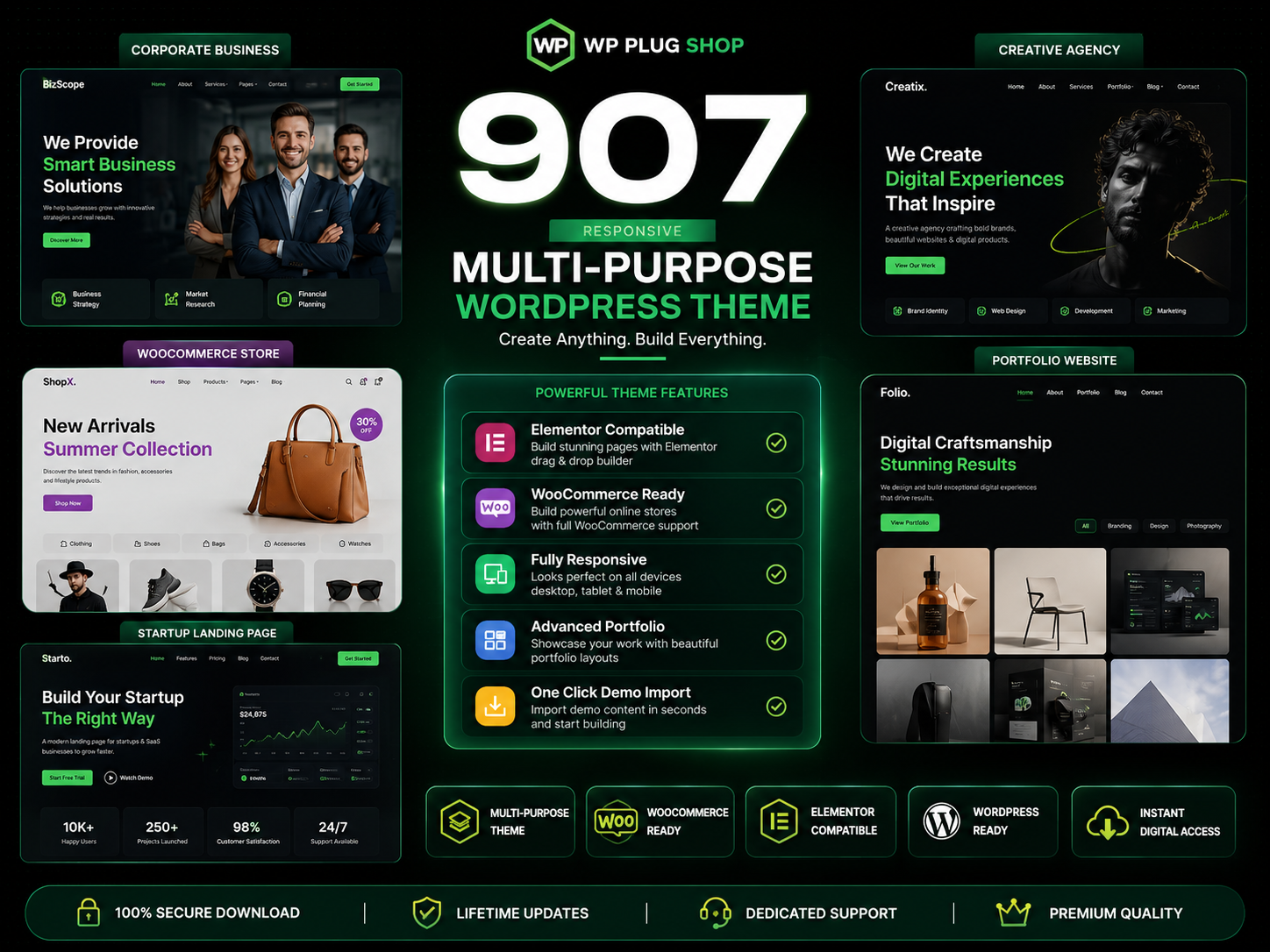
907 Responsive Multi-Purpose WordPress Theme is a flexible and feature-rich WordPress website solution designed for businesses, agencies, freelancers, startups, online
The 907 Theme – Responsive Multi-Purpose WordPress Theme is a flexible and powerful website-building solution designed for users who want to create professional
A.I Autocontent for Elementor 1.0.0 is an AI-powered content generation plugin designed specifically for Elementor users who want to create website content faster and
A.I. AutoContent for Elementor is a groundbreaking extension that brings the power of artificial intelligence directly into your favorite page builder. Designed for
Building an online community, membership portal, or secure corporate intranet using generic WordPress templates often leads to mismatched design aesthetics, severe