
Anymag – Magazine Style WordPress Blog Theme
Verified from VirusTotal 100% Original Product and Virus Free. Free New Version Lifetime On Single Purchase. Unlimited Website Usage Price is in US dollars and included tax
Buy confidently with secure digital checkout, account-based downloads, and a cleaner WPPlugShop product experience.
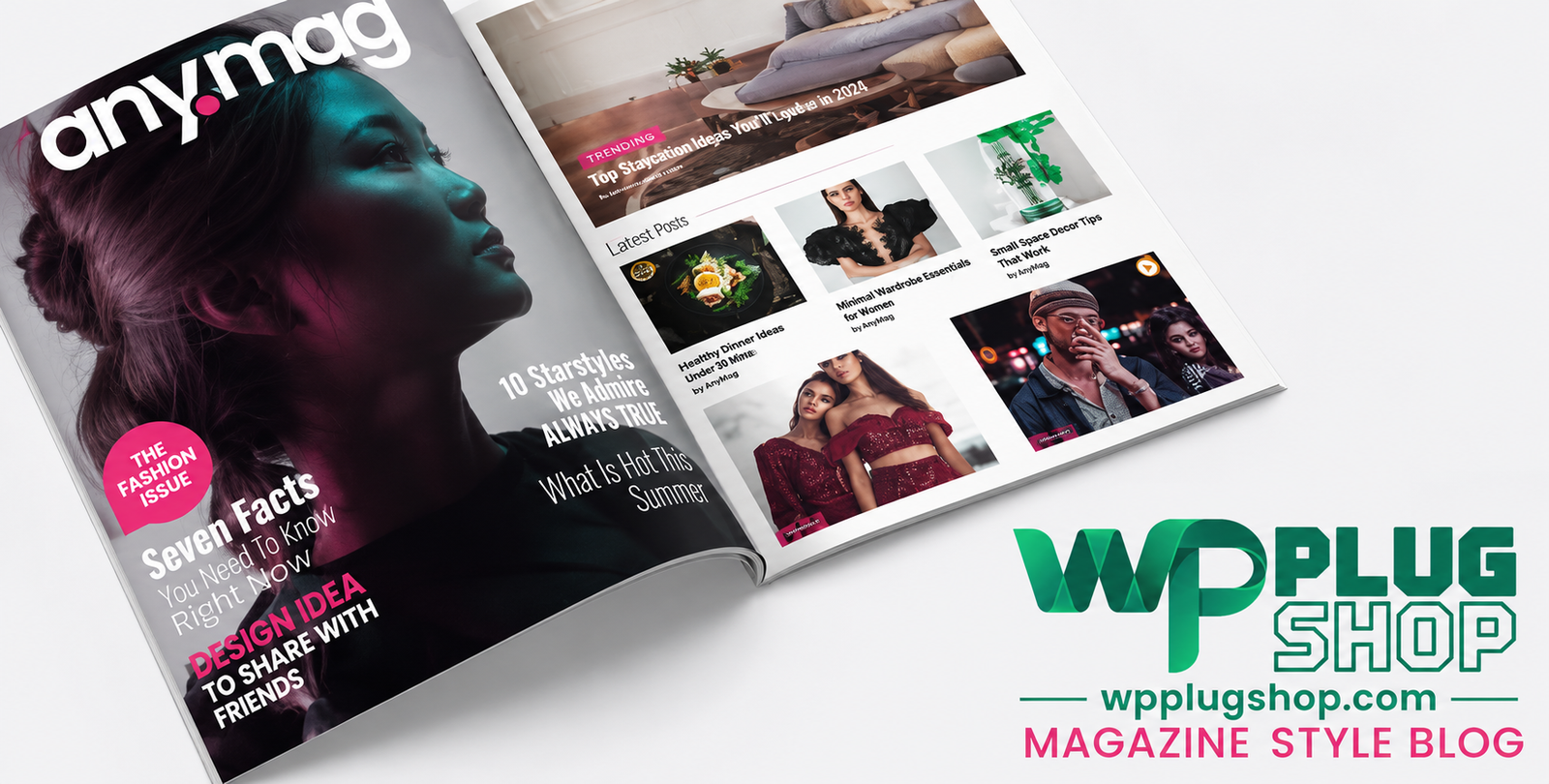
Preview Anymag – Magazine Style WordPress Blog Theme
View the product artwork, switch gallery images, and open a larger preview before checkout.
Get secure digital access for real WordPress projects
This section summarizes the buying experience and what customers can expect after checkout.
Product overview, benefits, and digital access details
Review the key product details, practical use cases, and digital access information before checkout.
Frequently Asked Questions
1. What is Anymag – Magazine Style WordPress Blog Theme?
Anymag is a premium WordPress theme designed for online magazines, news portals, editorial websites, personal blogs, and content publishers. It offers modern layouts, responsive design, and extensive customization options for creating professional publishing websites.
2. Who should use the Anymag WordPress theme?
Anymag is ideal for bloggers, journalists, online magazines, news agencies, content creators, publishers, digital media companies, and anyone looking to build a professional WordPress blog or magazine website.
3. Is Anymag compatible with the latest version of WordPress?
Yes. Anymag is built to work with modern WordPress versions. For the best experience, always verify compatibility with your current WordPress installation before deployment.
4. Does Anymag support Elementor?
Yes. Anymag is compatible with Elementor, allowing you to design and customize pages using a drag-and-drop page builder without requiring coding knowledge.
5. Is the Anymag theme mobile responsive?
Yes. The theme features a fully responsive layout that automatically adapts to desktops, laptops, tablets, and smartphones, providing an excellent user experience across all devices.
6. Can I create a news or online magazine website with Anymag?
Absolutely. Anymag is specifically designed for digital magazines, online newspapers, editorial websites, technology blogs, lifestyle magazines, fashion blogs, travel websites, and other content-focused publications.
7. Does Anymag support WooCommerce?
Yes. WooCommerce compatibility allows you to create an online store alongside your blog or magazine, enabling you to sell digital products, physical goods, memberships, or other services.
8. Can I customize the theme without coding?
Yes. Anymag includes WordPress Customizer support and works with popular page builders, allowing you to change colors, typography, layouts, headers, and other design elements without programming knowledge.
9. Is Anymag SEO-friendly?
Yes. The theme follows WordPress coding standards and is designed with SEO best practices in mind, helping search engines properly index your content while supporting popular SEO plugins.
10. Why choose Anymag for a WordPress magazine website?
Anymag combines modern magazine layouts, responsive design, WooCommerce compatibility, Elementor support, customization flexibility, and performance-focused development, making it an excellent solution for professional publishing websites.
Additional Frequently Asked Questions
11. Can I use Anymag for a personal blog?
Yes. Anymag is suitable for personal blogs, lifestyle blogs, travel journals, food blogs, technology blogs, business blogs, and many other content-focused websites.
12. Does Anymag include multiple blog and archive layouts?
Yes. The theme offers multiple layout options for blog pages, category archives, and article listings, allowing you to create a unique reading experience for your visitors.
13. Can I customize headers and navigation menus?
Yes. Anymag provides flexible header and navigation customization options, enabling you to organize your website for better usability and branding.
14. Does the theme support featured posts and sliders?
Yes. Anymag includes support for featured content sections and homepage sliders, helping you highlight trending articles, breaking news, or important blog posts.
15. Is Anymag optimized for fast loading?
The theme is built with performance-conscious coding practices to help deliver faster page loading times when combined with quality hosting, caching, and image optimization.
16. Does Anymag support Gutenberg?
Yes. The theme works with the WordPress Block Editor (Gutenberg), allowing you to build and edit content using native WordPress blocks.
17. Can I monetize my website using Anymag?
Yes. You can monetize your website through WooCommerce, display advertisements, affiliate marketing, sponsored content, memberships, or digital product sales depending on your business model.
18. Is the theme suitable for multilingual websites?
Anymag is compatible with popular multilingual plugins, making it a suitable choice for creating websites that serve audiences in multiple languages.
19. Can beginners use Anymag?
Yes. Its user-friendly customization options, WordPress Customizer support, and compatibility with visual page builders make it accessible for beginners as well as experienced WordPress users.
20. What makes Anymag different from other WordPress magazine themes?
Anymag combines responsive design, modern magazine layouts, Elementor compatibility, WooCommerce support, flexible customization, and SEO-friendly architecture into a comprehensive solution for bloggers and digital publishers.
Advanced Frequently Asked Questions
21. Does Anymag support one-click demo import?
Yes. Anymag includes one-click demo import functionality, allowing you to quickly recreate the demo website and start customizing your content without building your site from scratch.
22. Can I create multiple content categories with Anymag?
Absolutely. The theme is designed for content-rich websites and supports multiple categories, tags, custom menus, and organized layouts for news, magazines, and blogs.
23. Is Anymag suitable for affiliate marketing websites?
Yes. Anymag is an excellent choice for affiliate blogs, review websites, product comparison sites, and niche content portals thanks to its clean layouts, SEO-friendly structure, and WooCommerce compatibility.
24. Can I customize fonts, colors, and typography?
Yes. You can personalize your website's appearance by modifying typography, color schemes, layouts, headers, widgets, and other visual elements using the WordPress Customizer and supported page builders.
25. Does the theme include widget-ready areas?
Yes. Anymag provides multiple widget-ready areas where you can display recent posts, popular articles, advertisements, social media feeds, newsletters, categories, and other useful content.
26. Is Anymag compatible with popular WordPress plugins?
Yes. The theme is designed to work with many widely used WordPress plugins, including WooCommerce, Elementor, SEO plugins, contact form plugins, caching plugins, and other commonly used extensions.
27. Can I build a professional online publication with Anymag?
Yes. Whether you're launching a news portal, editorial website, online magazine, or niche publication, Anymag offers the design flexibility and features needed to create a professional publishing platform.
28. Is Anymag suitable for high-traffic content websites?
Yes. Its responsive design, organized content layouts, and compatibility with optimization tools make it suitable for growing blogs and content-heavy websites when paired with reliable hosting.
29. Does Anymag support advertising and banner placements?
Yes. The theme's flexible widget areas and layout options make it easy to integrate banner advertisements, affiliate promotions, sponsored content, and other monetization elements.
30. Why should I choose Anymag for my WordPress magazine or blog?
Anymag offers a modern magazine-style design, responsive layouts, Elementor and WooCommerce compatibility, SEO-friendly coding, extensive customization options, and a user-focused reading experience, making it an excellent solution for bloggers, publishers, and online magazines.
Quick product answers for buyers and AI search
Clear product answers help buyers, search engines, and AI answer engines understand this product faster.
Best ways to use this WordPress digital product
These use cases help buyers quickly decide if this product fits their workflow.
How digital access works
No physical shipping is required. This is a digital product access purchase designed for account-based downloads.
Secure payment options for digital checkout
WPPlugShop supports trusted checkout options so buyers can complete digital purchases with more confidence.
Frequently asked questions
Buyer-focused answers about digital access, secure payments, downloads, support, and product usage.
Related WordPress tools you may also like
Explore related WordPress tools that may support the same workflow, website type, or project goal.

Choose the right WordPress tool with confidence
Request a product, explore membership access, or contact support if you want help choosing the right WordPress digital product before checkout.