
Bookly Outlook Calendar Sync Add-on – WordPress Two-Way Appointment Integration with Microsoft Outlook
Verified from VirusTotal 100% Original Product and Virus Free. Free New Version Lifetime On Single Purchase. Unlimited Website Usage Price is in US dollars and included tax
Buy confidently with secure digital checkout, account-based downloads, and a cleaner WPPlugShop product experience.
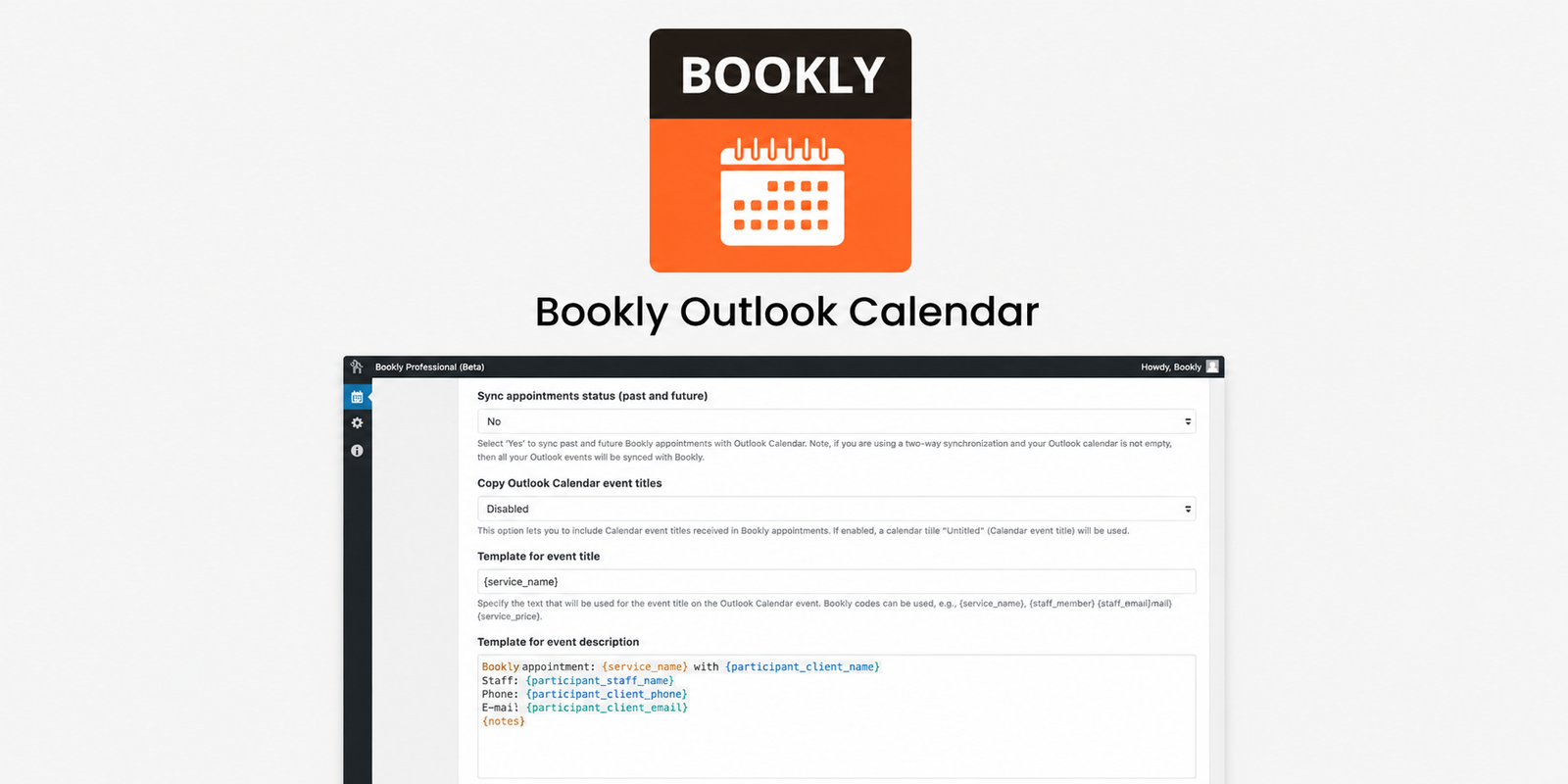
Preview Bookly Outlook Calendar Sync Add-on – WordPress Two-Way Appointment Integration with Microsoft Outlook
View the product artwork, switch gallery images, and open a larger preview before checkout.
Get secure digital access for real WordPress projects
This section summarizes the buying experience and what customers can expect after checkout.
Product overview, benefits, and digital access details
Review the key product details, practical use cases, and digital access information before checkout.
Product Overview
Bookly Outlook Calendar Sync Add-on is a powerful WordPress extension designed to integrate your Bookly booking system with Microsoft Outlook Calendar in real time. It enables seamless two-way or one-way synchronization so that every appointment created, updated, or canceled in Bookly is automatically reflected in Outlook—and vice versa.
This eliminates manual calendar updates, prevents scheduling conflicts, and ensures that your entire booking workflow stays perfectly aligned across platforms.
Why This Product Is Useful
Managing appointments across multiple systems often leads to confusion, double bookings, and missed schedules. Businesses that rely on Bookly for WordPress bookings frequently need their schedules mirrored in Outlook for staff coordination and enterprise workflows.
This add-on solves that problem by providing real-time calendar synchronization, ensuring that your WordPress booking system and Microsoft Outlook always stay in sync without manual intervention.
Key Features
- Two-way synchronization between Bookly and Outlook Calendar
- One-way sync option (Bookly → Outlook or Outlook → Bookly)
- Real-time appointment updates
- Automatic sync for new bookings, edits, and cancellations
- Secure Microsoft Outlook authentication integration
- Staff-specific calendar mapping
- Time-slot blocking to prevent double bookings
- Reliable API-based synchronization
Main Benefits
- Eliminates double bookings and scheduling conflicts
- Saves time by removing manual calendar updates
- Keeps all team schedules aligned across platforms
- Improves booking accuracy and reliability
- Enhances productivity for service-based businesses
- Centralizes appointment management in real time
Best Use Cases
- Medical clinics managing patient appointments
- Consultants and coaches scheduling client sessions
- Salons, spas, and beauty service bookings
- Corporate teams coordinating meetings
- Agencies managing multiple client calendars
- WooCommerce service-based booking systems
Who Should Use This Product?
This add-on is ideal for any business using Bookly who needs synchronized scheduling across Microsoft Outlook and WordPress.
- WordPress website owners using Bookly
- Appointment-based businesses and professionals
- Agencies managing client scheduling systems
- Freelancers and consultants
- WooCommerce service providers
WP Plug Shop Access Benefits
When you purchase this product from WP Plug Shop, you get a streamlined digital access experience designed for WordPress professionals. Install and integrate tools quickly into your workflow without complexity.
- Instant digital delivery after purchase
- Easy WordPress installation process
- Curated for real business workflow needs
- Optimized for performance and productivity
Product Details
| Attribute | Details |
|---|---|
| Product Type | WordPress Booking Integration Add-on |
| Compatibility | Bookly Plugin + Microsoft Outlook Calendar |
| Function | Two-way calendar synchronization |
| Sync Type | One-way & Two-way sync support |
| Technology | Microsoft Outlook API Integration |
Feature Comparison
| Feature | Without Add-on | With Bookly Outlook Sync Add-on |
|---|---|---|
| Calendar Updates | Manual updates required | Automatic real-time sync |
| Booking Conflicts | High risk of double booking | Automatic conflict prevention |
| Workflow Efficiency | Fragmented scheduling | Unified scheduling system |
| Data Consistency | Often outdated or mismatched | Always synchronized |
| Integration Level | No native Outlook sync | Direct Outlook integration |
Pros and Considerations
| Pros | Considerations |
|---|---|
| Real-time two-way sync | Requires Bookly plugin installed |
| Reduces scheduling errors | Initial setup may require configuration |
| Improves team coordination | Depends on Microsoft Outlook API access |
| Automates appointment management | Advanced sync rules may need tuning |
Final Verdict
The Bookly Outlook Calendar Sync Add-on is an essential upgrade for any WordPress booking system powered by Bookly. It transforms manual scheduling into a fully automated, real-time synchronization system between WordPress and Microsoft Outlook.
If your business relies on accurate scheduling, team coordination, or multi-platform calendar management, this add-on significantly improves efficiency and eliminates costly booking errors.
Quick product answers for buyers and AI search
Clear product answers help buyers, search engines, and AI answer engines understand this product faster.
Best ways to use this WordPress digital product
These use cases help buyers quickly decide if this product fits their workflow.
How digital access works
No physical shipping is required. This is a digital product access purchase designed for account-based downloads.
Secure payment options for digital checkout
WPPlugShop supports trusted checkout options so buyers can complete digital purchases with more confidence.
Frequently asked questions
Buyer-focused answers about digital access, secure payments, downloads, support, and product usage.
Related WordPress tools you may also like
Explore related WordPress tools that may support the same workflow, website type, or project goal.




Choose the right WordPress tool with confidence
Request a product, explore membership access, or contact support if you want help choosing the right WordPress digital product before checkout.