
BuddyPress Auto Join Groups – Automatic Group Assignment Plugin
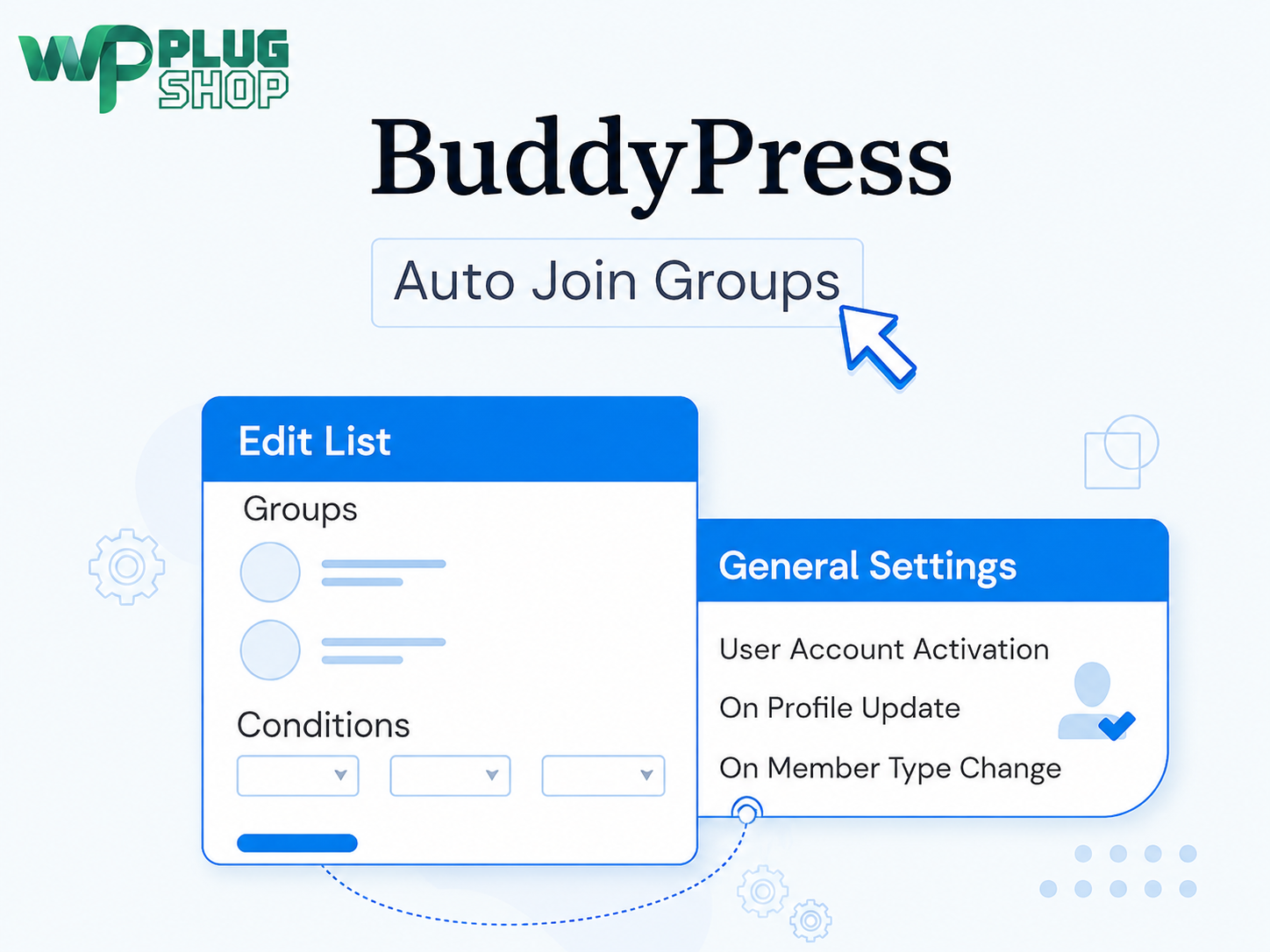
BuddyPress Auto Join Groups is a powerful WordPress community automation plugin that helps site administrators automatically add members to BuddyPress groups based on predefined rules and conditions. Instead of manually assigning every member to the appropriate community, administrators can create global or conditional auto-join lists and let the plugin handle group membership automatically.
Use profile data, member types, user roles, and supported WordPress core fields to determine which groups a member should join. You can also configure when users should be checked against your rules and synchronize existing users with your configured group lists.
Whether you operate a BuddyPress community, membership website, educational network, professional community, or BuddyBoss-powered platform, BuddyPress Auto Join Groups provides a practical way to reduce repetitive group-management tasks and create a more organized member onboarding experience.
Why Use BuddyPress Auto Join Groups?
Managing group membership manually can become increasingly difficult as a BuddyPress community grows. New members may need to be assigned to specific groups according to their profile information, member type, role, or other user data.
BuddyPress Auto Join Groups allows administrators to define these rules once and automatically apply them to matching users. This can reduce repetitive administrative work while helping members reach the communities that are relevant to them.
- Automate group membership: Automatically add matching members to predefined BuddyPress groups.
- Create global group lists: Assign groups to users without requiring conditional rules.
- Create conditional group lists: Assign groups only when users satisfy specified conditions.
- Use profile information: Build rules around supported profile data.
- Use member types: Automatically organize members according to their member type.
- Use user roles: Create group-assignment rules based on WordPress user roles.
- Use WordPress core fields: Create conditions using supported WordPress user fields.
- Assign multiple groups: Associate any number of groups with an auto-join list.
- Support multiple matching lists: A member can match more than one list and be added to the groups associated with those lists.
- Synchronize existing users: Apply a current auto-join list to existing members in bulk.
Key Features
Automatic BuddyPress Group Assignment
Automate the process of adding members to BuddyPress groups. Once an auto-join list has been configured, users who match the applicable rules can be added to the selected groups automatically.
This is especially useful for communities where group membership is determined by information already stored in a member’s profile or WordPress account.
Global Auto-Join Lists
Create a global group list without conditions. Users are considered a match for a global list and can be automatically added to the groups associated with that list.
You can create multiple global lists when your community requires different sets of default groups.
Conditional Auto-Join Lists
Create more targeted automation using conditional lists. Instead of assigning the same groups to everyone, you can define conditions that determine which users qualify for particular groups.
Conditional lists can use supported information such as profile data, member types, user roles, and WordPress core fields.
Profile-Based Group Assignment
Organize members according to information stored in supported profile fields. This can be useful when your community structure depends on attributes such as location, department, specialization, organization, or another profile value.
For example, you can create rules that direct members toward groups relevant to the information they provide in their profiles.
Member Type-Based Group Assignment
Use member types as conditions for automatic group assignment. This makes it possible to create different community structures for different categories of members.
For example, a website could use separate groups for different member types and automatically place users into the relevant communities when the configured conditions are met.
User Role-Based Group Assignment
Administrators can use supported WordPress user roles when creating conditional auto-join lists. This allows group membership to be connected to the role assigned to a user’s WordPress account.
This can be useful for communities that need different groups for administrators, instructors, staff, customers, subscribers, or other role-based audiences.
Multiple Conditions
Each conditional list can contain one or more conditions. When multiple conditions are configured for a list, the user must satisfy the applicable conditions to be considered a match.
This gives administrators more control over complex group-assignment workflows instead of relying only on a single user attribute.
Multiple Groups Per List
Associate any number of BuddyPress groups with an individual auto-join list. When a user matches the list, the configured groups can be assigned according to the list’s rules.
This makes it possible to create broader onboarding structures where one matching rule can connect a member with several relevant communities.
Multiple Matching Lists
A member can match more than one auto-join list. When this happens, the member can be added to the groups associated with each matching list.
This allows administrators to build overlapping group structures for communities where members may belong to multiple categories at the same time.
Configurable User Check Triggers
The plugin provides settings for determining when a user should be checked against the configured auto-join lists.
Supported triggers documented by BuddyDev include:
- When a user activates their account
- When a user registers
- When a user updates their profile
- When a user’s member type is updated
This allows administrators to choose automation points that fit the way their community handles member onboarding and profile changes.
Bulk Synchronization for Existing Users
Already have an established BuddyPress community? You do not necessarily need to manually assign existing members to groups.
The plugin provides a synchronization option for each list. It can search existing users and add users who match the current list conditions to the specified groups.
This makes the plugin useful when introducing automated group management to an existing community rather than only for newly registered users.
BuddyBoss Platform Compatibility
BuddyDev states that BuddyPress Auto Join Groups is fully compatible with the BuddyBoss Platform. This makes the plugin relevant for community websites using BuddyBoss as well as traditional BuddyPress installations.
How BuddyPress Auto Join Groups Works
- Create an auto-join list: Go to the plugin’s Auto List area and create a new list.
- Select groups: Choose the BuddyPress groups that should be associated with the list.
- Choose the list type: Create a global list or configure a conditional list.
- Define conditions: For conditional lists, configure supported rules using profile data, member type, user roles, or WordPress core fields.
- Configure triggers: Choose when users should be checked against the list.
- Save the list: The automation rules are then available for matching users.
- Synchronize existing users: Use the synchronization option when you need to apply the list to existing members.
Practical Automation Examples
Example 1: Regional Community Groups
Create different groups for members from different regions and use supported profile information to determine which community is relevant.
Example:
Country = Pakistan → Pakistan Community Group
Country = United Kingdom → UK Community Group
Example 2: Student and Professional Communities
Use member type conditions to organize different audiences into separate communities.
Example:
Member Type = Student → Student Community
Member Type = Professional → Professional Community
Example 3: Role-Based Groups
Use supported user-role conditions to automatically organize members according to their WordPress roles.
Example:
Role = Teacher → Teacher Community
Role = Subscriber → General Member Community
Example 4: Multiple Conditions
Combine conditions when a member should qualify only when multiple requirements are satisfied.
Example:
Country = Pakistan + Member Type = Student → Pakistan Student Community
When multiple conditions are configured for a list, the documented behavior requires the user to fulfill the conditions to qualify for that list.
Example 5: Multiple Community Memberships
A member may match multiple lists. For example, a user could qualify for both a regional community and a professional community and consequently be added to groups associated with both matching lists.
Benefits for BuddyPress Community Owners
Reduce Manual Administration
Automating repetitive group-assignment tasks can save administrators from repeatedly reviewing user profiles and manually assigning members to appropriate groups.
Improve Member Organization
Rules can help direct users toward communities that correspond with their profile information, member type, role, or other supported criteria.
Streamline Onboarding
Automatic group assignment can make the onboarding process more structured by connecting new members with relevant communities as they enter the website.
Support Growing Communities
As the number of members increases, manually managing group membership can become increasingly time-consuming. Automated lists provide a scalable way to handle recurring assignment workflows.
Manage Existing Members
The bulk synchronization feature makes it possible to apply current list conditions to existing users, helping administrators reorganize established communities without manually processing every member.
Best Use Cases
- BuddyPress communities: Automatically organize members into relevant groups.
- BuddyBoss communities: Automate group assignment on BuddyBoss-powered community websites.
- Membership websites: Connect different member categories with appropriate groups.
- Educational communities: Organize students, teachers, departments, or programs into relevant groups.
- Professional networks: Create groups based on roles, specialties, member types, or supported profile information.
- Regional communities: Organize members into geographic communities using supported profile data.
- Private member portals: Automatically organize users into appropriate private communities.
- Large social communities: Reduce repetitive group-management tasks as membership grows.
- Community-focused businesses: Build automated member onboarding and group organization workflows.
- WordPress agencies: Implement repeatable group-assignment structures for BuddyPress or BuddyBoss projects.
Who Should Use BuddyPress Auto Join Groups?
BuddyPress Auto Join Groups is designed for WordPress administrators who need more control and automation over community group membership.
- BuddyPress website owners
- BuddyBoss website owners
- Community managers
- Membership website administrators
- Online community owners
- Educational community administrators
- Professional network administrators
- WordPress developers
- WordPress agencies
- Site administrators managing large member bases
BuddyPress Auto Join Groups vs Manual Group Management
| Manual Group Management | BuddyPress Auto Join Groups |
|---|---|
| Administrators manually assign members | Configured rules automate group assignment |
| Requires repeated profile checking | Conditions can determine matching users |
| New-user onboarding requires manual action | Supported triggers can check users automatically |
| Existing users may require individual review | Existing users can be synchronized with a list |
| Limited scalability for repetitive tasks | Multiple lists can automate recurring workflows |
| More administrative effort | Less repetitive group-assignment work |
Product Features at a Glance
| Feature | Availability |
|---|---|
| Automatic BuddyPress group assignment | Yes |
| Global auto-join lists | Yes |
| Conditional auto-join lists | Yes |
| Profile-data conditions | Yes |
| Member-type conditions | Yes |
| User-role conditions | Yes |
| WordPress core field conditions | Yes |
| Multiple conditions per list | Yes |
| Multiple groups per list | Yes |
| Multiple matching lists | Yes |
| Account activation trigger | Yes |
| User registration trigger | Yes |
| Profile update trigger | Yes |
| Member type update trigger | Yes |
| Existing-user synchronization | Yes |
| BuddyBoss Platform compatibility | Yes |
Product Details
| Detail | Information |
|---|---|
| Product Name | BuddyPress Auto Join Groups |
| Product Type | WordPress / BuddyPress Plugin |
| Developer | BuddyDev |
| Current Researched Version | 1.2.6 |
| Latest Developer Release Researched | February 9, 2026 |
| BuddyPress Compatibility | Compatible with BuddyPress 14.4.0; tested with BuddyPress 8.0+ |
| BuddyBoss Platform | Supported |
| Global Lists | Supported |
| Conditional Lists | Supported |
| Profile Data Conditions | Supported |
| Member Type Conditions | Supported |
| User Role Conditions | Supported |
| WordPress Core Field Conditions | Supported |
| Multiple Conditions | Supported |
| Multiple Groups Per List | Supported |
| Existing User Synchronization | Supported |
Important Compatibility Note
BuddyPress Auto Join Groups is specifically designed for BuddyPress-based community websites and is also documented as fully compatible with the BuddyBoss Platform. Before installation, verify that your WordPress, BuddyPress, BuddyBoss, and other community-related plugins meet the requirements applicable to the version you are using.
The developer’s current release information identifies version 1.2.6 as tested with BuddyPress 8.0+ and compatible with BuddyPress 14.4.0.
Developer Information
BuddyPress Auto Join Groups is developed by BuddyDev. BuddyDev’s documentation provides setup instructions for creating global and conditional auto-join lists, configuring conditions, and synchronizing existing users.
The developer’s release history identifies version 1.2.6 as the latest release researched for this product, dated February 9, 2026. This release includes a security fix related to user permissions when suggesting group lists.
WP Plug Shop Product Access
WP Plug Shop provides digital WordPress resources for website owners, developers, agencies, and online businesses. This product listing is intended for users looking for a BuddyPress group-automation solution.
Important: WP Plug Shop is not the developer of BuddyPress Auto Join Groups. BuddyPress Auto Join Groups is developed by BuddyDev. Official developer licensing, support, automatic updates, activation requirements, and other developer-specific benefits should not be assumed unless they are explicitly included with the product access offered by WP Plug Shop.
Final Verdict
BuddyPress Auto Join Groups is a practical automation solution for WordPress communities that need to automatically organize members into BuddyPress groups.
Its combination of global lists, conditional rules, profile-based matching, member-type conditions, role-based conditions, multiple groups, multiple matching lists, configurable triggers, and existing-user synchronization makes it useful for both new-member onboarding and ongoing community management.
For BuddyPress and BuddyBoss administrators who want to reduce repetitive manual group assignments and create a more structured member experience, this plugin provides a flexible rule-based approach to group automation.
Best for: BuddyPress communities, BuddyBoss communities, membership websites, educational networks, professional communities, regional communities, online communities, and WordPress sites that need automated group assignment.
Recommended positioning: An automatic BuddyPress group assignment plugin that helps administrators organize members using global and conditional rules based on supported profile data, member types, user roles, and WordPress fields.
Frequently Asked Questions
What is BuddyPress Auto Join Groups?
BuddyPress Auto Join Groups is a WordPress plugin that automatically adds members to selected BuddyPress groups based on predefined global or conditional rules. Conditions can use supported profile data, member types, user roles, and WordPress core fields.
What does BuddyPress Auto Join Groups do?
The plugin automates BuddyPress group membership. Instead of manually assigning users to groups, administrators can create auto-join lists that determine which groups matching members should join.
Can I automatically add users to BuddyPress groups?
Yes. BuddyPress Auto Join Groups allows administrators to create rules that automatically add matching users to selected BuddyPress groups.
Can BuddyPress Auto Join Groups assign groups based on profile information?
Yes. Conditional auto-join lists can use supported BuddyPress profile data to determine which users should be added to specific groups.
Can I assign BuddyPress groups based on user roles?
Yes. User roles can be used as conditions for conditional auto-join lists, allowing administrators to connect specific WordPress roles with relevant BuddyPress groups.
Can I assign groups based on BuddyPress member types?
Yes. Member type is one of the supported conditions. This allows different types of community members to be automatically assigned to appropriate groups.
Can I use multiple conditions for automatic group assignment?
Yes. Conditional auto-join lists can contain multiple conditions. This allows administrators to create more specific rules for determining which users qualify for a particular group list.
Can one auto-join list assign users to multiple groups?
Yes. Multiple BuddyPress groups can be associated with an auto-join list, allowing one matching rule to assign a user to several relevant groups.
Can one BuddyPress user match multiple auto-join lists?
Yes. A user can match multiple auto-join lists and can therefore be added to the groups associated with those matching lists.
What is a global auto-join list?
A global auto-join list is an auto-join list without conditional requirements. Users can be automatically added to the groups associated with the list without needing to satisfy additional matching conditions.
What is a conditional auto-join list?
A conditional auto-join list uses defined conditions to determine which users should be added to its associated BuddyPress groups. Supported conditions can include profile information, member types, user roles, and WordPress core fields.
Can I automatically assign groups when a user registers?
Yes. User registration is one of the documented triggers that can be used to check members against configured auto-join lists.
Can I assign groups when a user activates their account?
Yes. Account activation is among the documented triggers for checking users against auto-join rules.
Can group assignments be updated when a user changes their profile?
Yes. Profile updates are among the supported documented triggers, allowing configured rules to respond to relevant profile changes.
Can group assignments respond to member type changes?
Yes. The plugin documentation identifies member type changes as a supported trigger for checking users against auto-join lists.
Can I synchronize existing BuddyPress users with my auto-join rules?
Yes. BuddyPress Auto Join Groups includes synchronization functionality that can check existing users against an auto-join list and add matching users to its associated groups.
Can I use BuddyPress Auto Join Groups on an existing community?
Yes. The existing-user synchronization functionality makes the plugin useful for established BuddyPress communities as well as websites that are just beginning to automate their member onboarding.
Does BuddyPress Auto Join Groups work with BuddyBoss?
Yes. BuddyDev states that BuddyPress Auto Join Groups is fully compatible with the BuddyBoss Platform.
Is BuddyPress Auto Join Groups a BuddyPress plugin?
Yes. It is specifically designed to automate group membership on BuddyPress-powered WordPress community websites.
Is BuddyPress Auto Join Groups useful for membership websites?
Yes. Membership websites can use conditional group-assignment rules to organize members into communities based on supported profile information, member types, roles, or other configured conditions.
Can I use BuddyPress Auto Join Groups for an online course community?
Yes. Course and educational communities can use the plugin to organize members into relevant BuddyPress groups based on supported member information and configured conditions.
Can I use BuddyPress Auto Join Groups for a professional community?
Yes. Professional networks can use conditional rules to organize members into relevant groups according to supported profile information, member types, or user roles.
Can I create regional BuddyPress groups automatically?
Yes. If the required regional information is available through a supported profile field or other supported condition, administrators can create rules that automatically assign members to corresponding regional groups.
Does the plugin reduce manual BuddyPress group management?
Yes. Its primary purpose is to automate repetitive group-assignment workflows so administrators do not have to manually assign every matching member to the appropriate communities.
What types of conditions can BuddyPress Auto Join Groups use?
The documented conditional options include BuddyPress profile data, member types, user roles, and WordPress core fields. Available conditions can depend on the plugin version and configured environment.
Can I create multiple auto-join lists?
Yes. The plugin supports multiple auto-join lists, including both global and conditional lists, allowing administrators to build different group-assignment workflows.
Who developed BuddyPress Auto Join Groups?
BuddyPress Auto Join Groups is developed by BuddyDev, a developer of WordPress and BuddyPress-related products.
What is the current BuddyPress Auto Join Groups version?
The developer information researched for this product identifies version 1.2.6 as the current release, dated February 9, 2026. Always verify the version included with your specific product access because software versions can change.
Which BuddyPress versions are supported?
The developer’s current information identifies compatibility with BuddyPress 14.4.0 and states that the plugin is tested with BuddyPress 8.0 and newer. Compatibility should be verified against your specific WordPress and BuddyPress environment before installation.
Does BuddyPress Auto Join Groups require BuddyPress?
The plugin is specifically designed around BuddyPress group functionality, so it is intended for WordPress websites using BuddyPress or the documented BuddyBoss Platform compatibility.
Is BuddyPress Auto Join Groups suitable for large communities?
It can be particularly useful for larger communities where manually assigning members to groups would create significant administrative work. Multiple lists, conditional rules, and existing-user synchronization provide tools for managing more structured group-assignment workflows.
Is BuddyPress Auto Join Groups suitable for WordPress agencies?
Yes. Agencies and developers managing BuddyPress or BuddyBoss projects can use its rule-based group automation to create repeatable member-organization workflows for community websites.
Does BuddyPress Auto Join Groups automatically remove users from groups?
The documented core functionality focuses on automatically adding matching users to groups through auto-join lists and synchronizing existing users. Administrators should not assume that a condition change automatically removes users from previously assigned groups unless that behavior is explicitly documented for the installed version.
Does buying BuddyPress Auto Join Groups from WP Plug Shop include official BuddyDev support?
Not automatically. BuddyPress Auto Join Groups is developed by BuddyDev. Official developer support, licensing, automatic updates, activation requirements, and other developer-specific benefits depend on the exact product access provided by WP Plug Shop and should be verified before purchase.
Who is BuddyPress Auto Join Groups best for?
It is best suited for BuddyPress and BuddyBoss administrators, membership websites, online communities, educational networks, professional communities, regional communities, WordPress agencies, and other websites that need automated member-to-group assignment.
Is BuddyPress Auto Join Groups a good choice for automating community onboarding?
Yes. By allowing administrators to define global or conditional group-assignment rules and configure supported triggers, the plugin can help automate parts of the community onboarding process and connect members with relevant groups.
Please note: This is a digital product. Due to its digital nature, all sales are final — no refund will be provided after purchase and delivery. Please see our Refund Policy before purchasing.