
BuddyPress Contact Me – Member Profile Contact Form for WordPress Communities
Verified from VirusTotal 100% Original Product and Virus Free. Free New Version Lifetime On Single Purchase. Unlimited Website Usage Price is in US dollars and included tax
Buy confidently with secure digital checkout, account-based downloads, and a cleaner WPPlugShop product experience.
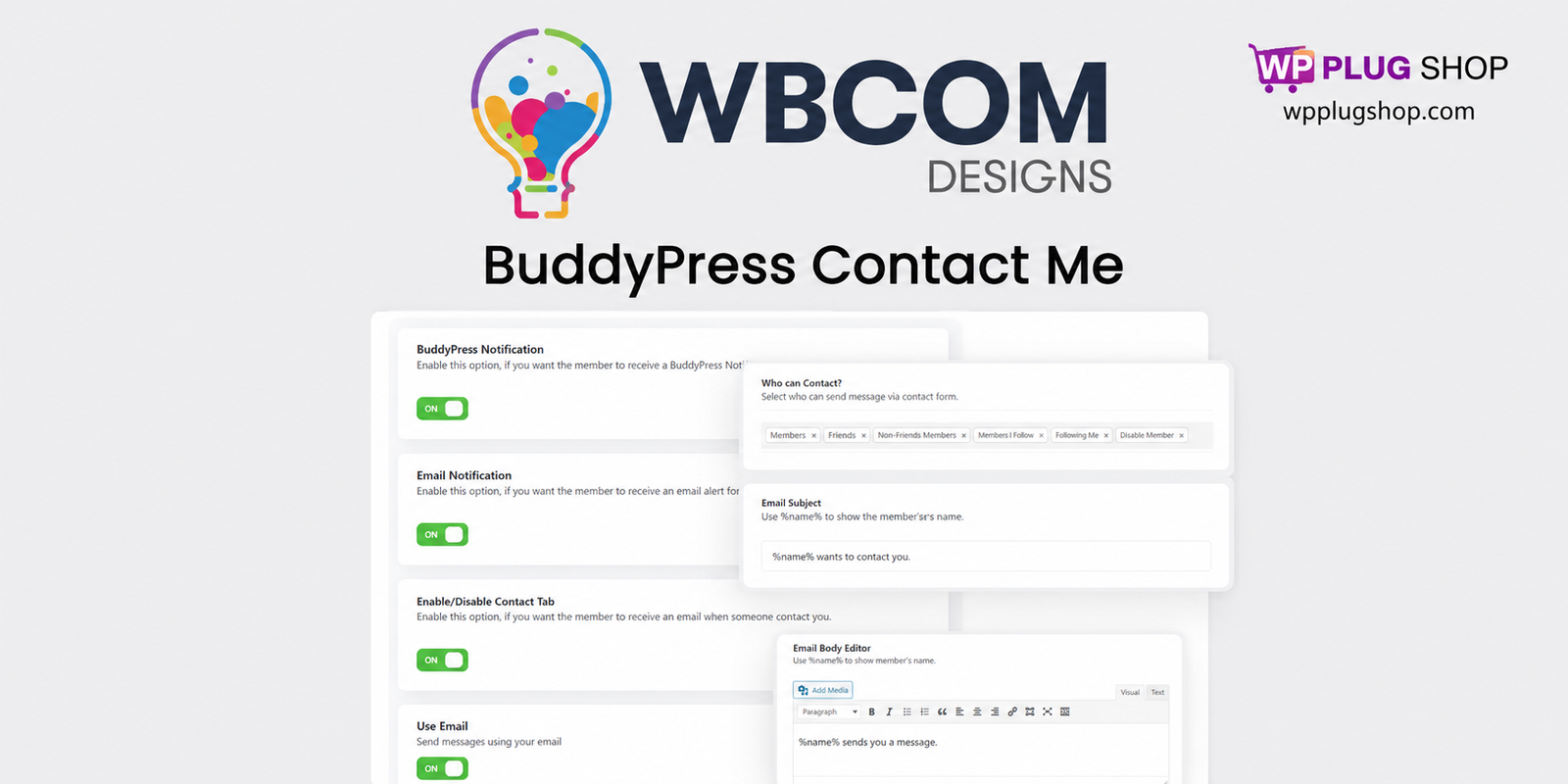
Preview BuddyPress Contact Me – Member Profile Contact Form for WordPress Communities
View the product artwork, switch gallery images, and open a larger preview before checkout.
Get secure digital access for real WordPress projects
This section summarizes the buying experience and what customers can expect after checkout.
Product overview, benefits, and digital access details
Review the key product details, practical use cases, and digital access information before checkout.
Product Overview
BuddyPress Contact Me is a powerful community engagement extension that adds a dedicated contact form directly to member profiles, allowing visitors and registered users to connect without relying entirely on traditional private messaging systems.
Designed for BuddyPress and BuddyBoss-powered websites, this add-on helps create stronger networking opportunities, improves communication workflows, and makes online communities more interactive and accessible. Whether you operate a professional directory, educational platform, membership site, creator network, or niche social community, profile-based contact forms can significantly increase engagement and meaningful interactions.
For WordPress community builders looking for a simple way to encourage communication between members, BuddyPress Contact Me offers a practical, user-friendly solution that integrates naturally into existing community experiences.
Why This Product Is Useful
Many online communities struggle with communication barriers. Traditional private messaging often requires registration, navigation through multiple screens, or additional permissions that discourage engagement.
BuddyPress Contact Me simplifies the process by allowing users to contact community members directly from their public profiles.
- Encourage professional networking and collaboration.
- Increase community participation and engagement.
- Support mentorship, coaching, and educational interactions.
- Enable inquiries from prospective members or customers.
- Improve accessibility across member directories.
- Create more valuable and active online communities.
By reducing communication friction, communities can foster stronger relationships and improve long-term member retention.
Key Features
- Profile Contact Forms: Add a dedicated contact form to individual member profiles.
- BuddyPress Integration: Designed specifically for BuddyPress community websites.
- BuddyBoss Compatibility: Works well with modern BuddyBoss-powered platforms.
- Email Notifications: Members receive alerts when new contact requests arrive.
- User Privacy Controls: Allow members to enable or disable profile contact options.
- Role-Based Restrictions: Administrators can define communication permissions for different user groups.
- Community Messaging Alternative: Provide a lightweight communication option without requiring full messaging workflows.
- Shortcode Support: Extend contact functionality beyond profile pages where appropriate.
- Guest Inquiry Support: Suitable for communities that welcome external inquiries and networking opportunities.
Main Benefits
- Increase member engagement and participation.
- Promote meaningful networking opportunities.
- Improve communication accessibility.
- Support professional and educational communities.
- Reduce friction compared to traditional messaging systems.
- Strengthen user retention through better interaction experiences.
- Create more valuable membership ecosystems.
- Enhance trust within online communities.
For community-driven businesses, enabling direct profile communication often contributes to stronger relationships, increased activity, and better overall user experiences.
Best Use Cases
- Professional networking communities.
- BuddyBoss membership platforms.
- Educational and learning communities.
- Freelancer and service directories.
- Mentorship and coaching programs.
- Creator communities and fan networks.
- Industry associations and member organizations.
- Marketplace communities and vendor directories.
- Nonprofit and volunteer platforms.
Who Should Use This Product?
- BuddyPress site owners.
- BuddyBoss administrators.
- Community managers.
- Membership businesses.
- Educational organizations.
- Freelancers and agencies building community platforms.
- Professional associations.
- Directory website operators.
If you are searching for answers to questions like "How do I add a contact form to BuddyPress profiles?" or "What is the best communication plugin for BuddyBoss communities?", this extension addresses those needs with a streamlined profile-based approach.
WP Plug Shop Access Benefits
- GPL-friendly digital access for real-world WordPress projects.
- Secure checkout experience.
- Scanned digital files.
- Instant digital access after purchase.
- Useful tools for agencies, businesses, and community builders.
- Budget-conscious solutions for growing platforms.
- WordPress-ready resources for modern membership ecosystems.
WP Plug Shop helps creators, developers, and organizations access practical WordPress solutions designed for community growth and digital business success.
Product Details
| Specification | Details |
|---|---|
| Product Name | BuddyPress Contact Me |
| Product Type | Community Communication Add-on |
| Platform | WordPress |
| Primary Compatibility | BuddyPress and BuddyBoss |
| Main Function | Profile-based member contact forms |
| Notification Support | Email and community notifications |
| Privacy Controls | User-managed contact preferences |
| Ideal For | Membership sites, communities, directories, and networking platforms |
Feature Comparison
| Capability | BuddyPress Contact Me | Traditional Private Messaging |
|---|---|---|
| Profile Contact Forms | Yes | No |
| Guest Inquiry Support | Yes | Limited |
| User Privacy Controls | Yes | Varies |
| Email Notifications | Yes | Depends on Setup |
| Networking-Friendly Workflow | Excellent | Moderate |
| BuddyBoss Compatibility | Yes | Yes |
Pros and Considerations
| Pros | Considerations |
|---|---|
| Encourages stronger community engagement. | Requires BuddyPress or BuddyBoss to function. |
| Simplifies profile-based communication. | Privacy settings should be configured thoughtfully. |
| Supports professional networking use cases. | Some communities may still prefer traditional messaging systems. |
| Improves accessibility for visitors and members. | Administrative policies may influence guest contact options. |
| Works well for directories and educational communities. | Communication workflows vary between community models. |
Final Verdict
BuddyPress Contact Me is a valuable enhancement for WordPress communities that prioritize networking, collaboration, and user engagement. By adding profile-based contact forms, it removes unnecessary barriers and encourages more meaningful interactions between members and visitors.
Whether you operate a professional association, educational platform, creator network, coaching community, or membership directory, the ability to simplify communication can significantly improve user satisfaction and community growth.
If you want to create a more connected, approachable, and engagement-driven BuddyPress or BuddyBoss experience, BuddyPress Contact Me is a practical addition to your WordPress community toolkit.
Frequently Asked Questions
What is BuddyPress Contact Me?
BuddyPress Contact Me is a WordPress community add-on that adds a contact form directly to member profiles, allowing visitors and registered users to send inquiries without relying solely on traditional private messaging systems.
Does BuddyPress Contact Me work with BuddyBoss?
Yes, the plugin is designed to support BuddyPress environments and is commonly used on BuddyBoss-powered communities, making it suitable for modern membership platforms and social networks built with WordPress.
How do I add a contact form to BuddyPress member profiles?
After activating the add-on, contact functionality can be integrated into user profiles so members can receive messages directly from their profile pages. Configuration options typically allow administrators to control visibility and communication preferences.
Can visitors contact members without creating an account?
Depending on your community settings and configuration, communities may allow guest inquiries or restrict communication to registered users only. This flexibility helps balance engagement goals with privacy requirements.
Can members disable their Contact Me form?
Yes. User-controlled privacy options allow members to manage whether they wish to receive inquiries, helping create a safer and more customizable community experience.
Is BuddyPress Contact Me better than traditional private messaging?
It serves a different purpose. Private messaging focuses on ongoing conversations between members, while profile-based contact forms reduce friction for first-time introductions, networking opportunities, mentorship requests, and professional inquiries.
What types of websites benefit most from BuddyPress Contact Me?
Professional directories, membership communities, coaching networks, educational platforms, freelancer marketplaces, nonprofit organizations, industry associations, and creator communities can all benefit from streamlined member communication tools.
Does the plugin support email notifications?
Yes. Members can receive notifications when new inquiries are submitted, helping ensure important conversations are not missed and improving responsiveness within the community ecosystem.
Can administrators control who can use the contact feature?
Many community operators implement role-based permissions and privacy settings to determine which members can send or receive profile inquiries, creating communication workflows that align with organizational policies.
Why should community owners use profile contact forms in BuddyPress?
Profile contact forms improve accessibility, encourage networking, reduce communication barriers, and help create stronger community relationships. They are especially useful for professional, educational, and membership-driven websites where member engagement is a primary objective.
Quick product answers for buyers and AI search
Clear product answers help buyers, search engines, and AI answer engines understand this product faster.
Best ways to use this WordPress digital product
These use cases help buyers quickly decide if this product fits their workflow.
How digital access works
No physical shipping is required. This is a digital product access purchase designed for account-based downloads.
Secure payment options for digital checkout
WPPlugShop supports trusted checkout options so buyers can complete digital purchases with more confidence.
Frequently asked questions
Buyer-focused answers about digital access, secure payments, downloads, support, and product usage.
Related WordPress tools you may also like
Explore related WordPress tools that may support the same workflow, website type, or project goal.




Choose the right WordPress tool with confidence
Request a product, explore membership access, or contact support if you want help choosing the right WordPress digital product before checkout.