Product Overview
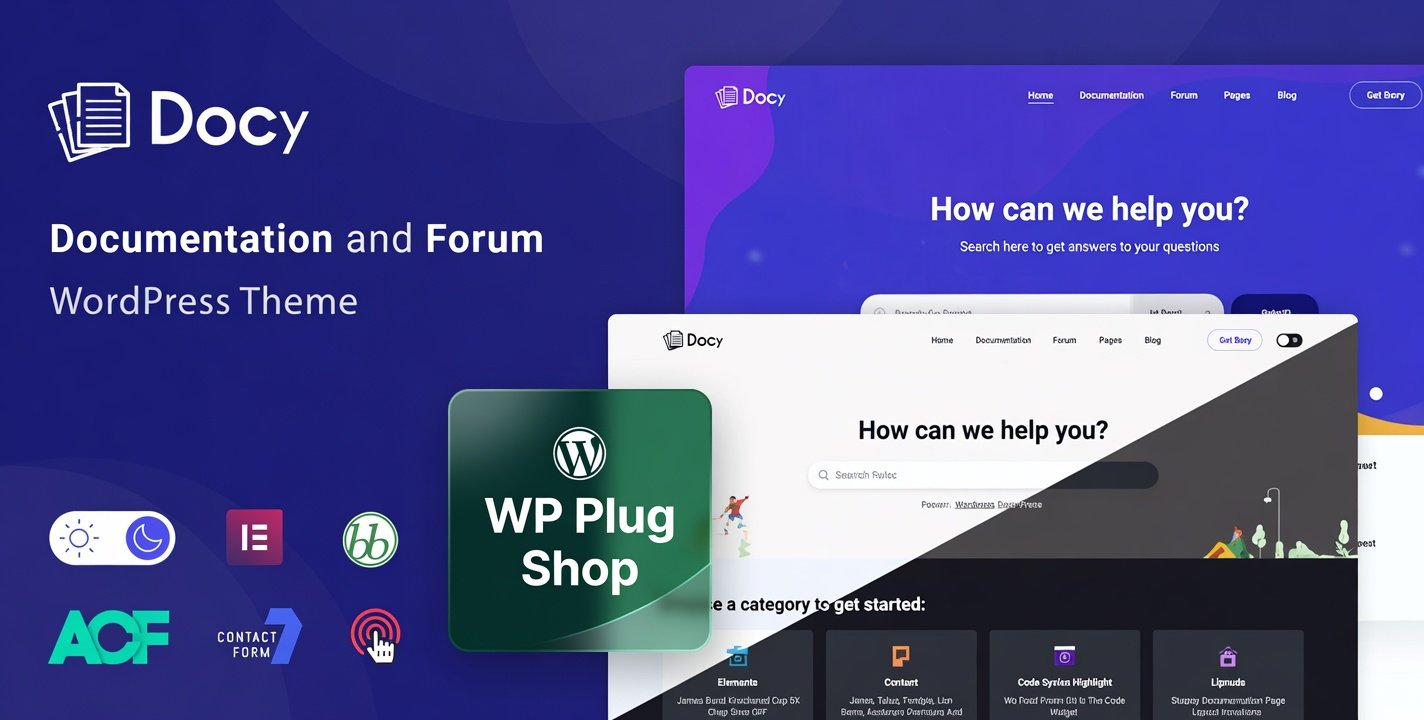
Docy Theme 4.4.0 is a premium Documentation & Knowledge Base WordPress Theme designed for businesses, SaaS companies, software developers, product teams, online communities, and organizations that need a professional help center or documentation website.
This powerful WordPress documentation theme helps you create structured knowledge bases, product guides, online manuals, FAQs, support portals, and documentation websites with a modern user-friendly design.
With dedicated documentation layouts, knowledge management features, and helpdesk forum support, Docy provides a complete foundation for building a searchable customer support platform using WordPress.
Why This Product Is Useful
Modern businesses need efficient ways to provide users with quick answers, product information, tutorials, and troubleshooting resources. A professional knowledge base can reduce repetitive support requests and improve customer experience.
Docy Theme 4.4.0 helps transform a standard WordPress website into a complete help center and documentation portal where visitors can easily browse guides, articles, categories, and support resources.
- Create a professional documentation website without building from scratch.
- Organize tutorials, guides, and product information effectively.
- Improve customer self-service support experience.
- Build SaaS-style knowledge bases and support portals.
- Create structured documentation for digital products and services.
Key Features
- Documentation Website Layouts: Create professional documentation pages with organized content structures.
- Knowledge Base Design: Build searchable help centers where users can quickly find important information.
- Helpdesk Forum Support: Create community-focused support areas for discussions and user interaction.
- Article Organization: Arrange documentation content using categories, topics, and structured navigation.
- Search-Friendly Documentation: Help visitors discover guides, tutorials, and answers efficiently.
- SaaS Documentation Support: Suitable for software products, online services, and digital platforms.
- FAQ and Support Sections: Present frequently asked questions and customer resources professionally.
- Modern Responsive Design: Provide a clean experience across desktop, tablet, and mobile devices.
- Professional Website Customization: Adjust layouts, branding elements, and content presentation according to business requirements.
- Business and Product Documentation: Create manuals, user guides, technical resources, and product support pages.
Main Benefits
- Create Better Customer Support: Give users a dedicated place to find answers and product information.
- Improve User Experience: Organize complex information into easy-to-understand documentation.
- Save Development Time: Use ready-made documentation structures instead of creating everything manually.
- Build Professional Knowledge Bases: Present tutorials, guides, and resources with a premium design.
- Support SaaS and Digital Products: Create documentation websites for software, plugins, themes, and online services.
- Increase Content Organization: Manage large amounts of information through structured documentation layouts.
Best Use Cases
- SaaS Companies: Create product documentation, onboarding guides, and customer help centers.
- Software Developers: Build documentation websites for applications, APIs, plugins, and tools.
- WordPress Product Creators: Create support portals for themes, plugins, and digital products.
- Online Communities: Build knowledge-sharing websites with discussion features.
- Businesses: Provide customers with manuals, FAQs, and self-service resources.
- Agencies: Create documentation portals and client support systems.
- Educational Platforms: Organize tutorials, lessons, and learning resources.
Who Should Use This Product?
Docy Theme 4.4.0 is ideal for users who want to create a professional WordPress knowledge base website, documentation portal, or help center.
- SaaS business owners
- Software companies
- Plugin and theme developers
- Technical writers
- Support teams
- WordPress agencies
- Online product creators
- Businesses offering digital services
WP Plug Shop Access Benefits
- Easy Digital Access: Get convenient access to your purchased WordPress theme resource.
- WordPress Ready Resource: Suitable for real documentation and business website projects.
- Secure Checkout Experience: Purchase digital resources through a trusted marketplace environment.
- Budget-Friendly Website Solutions: Access useful WordPress resources for different project needs.
- Organized Digital Downloads: Keep your purchased resources available for future projects.
Product Details
| Product Detail | Information |
|---|---|
| Product Name | Docy Theme 4.4.0 |
| Product Type | Premium WordPress Theme |
| Main Category | Documentation & Knowledge Base WordPress Theme |
| Website Purpose | Documentation websites, help centers, knowledge bases, support portals |
| Best For | SaaS companies, developers, businesses, communities, and support teams |
| Platform | WordPress |
| Content Type | Documentation articles, tutorials, guides, FAQs, support resources |
Feature Comparison
| Feature | Basic WordPress Theme | Docy Theme 4.4.0 |
|---|---|---|
| Documentation Layouts | Requires customization | Dedicated documentation structures |
| Knowledge Base Website | Needs additional setup | Built for knowledge base projects |
| Help Center Design | General business layouts | Support-focused layouts |
| Product Documentation | Requires extra plugins | Designed for documentation content |
| SaaS Support Portal | Requires custom development | Ready for SaaS documentation workflows |
Pros and Considerations
| Pros | Considerations |
|---|---|
| Professional documentation website design | Best suited for documentation-focused websites |
| Knowledge base and support portal structure | Requires WordPress setup knowledge |
| Useful for SaaS and software businesses | Users should verify required plugin compatibility |
| Helps organize large amounts of information | Content quality depends on documentation strategy |
Final Verdict
Docy Theme 4.4.0 is a powerful solution for businesses, developers, and organizations that need a professional WordPress documentation theme with knowledge base and helpdesk capabilities.
Whether you are building a SaaS help center, software documentation portal, product knowledge base, or customer support website, Docy provides a structured and modern foundation to organize information and improve user experience.
For anyone searching for a reliable Knowledge Base WordPress Theme, Docy offers a practical approach to creating professional documentation websites with WordPress.
Frequently Asked Questions
What is Docy Theme 4.4.0?
Docy Theme 4.4.0 is a premium WordPress documentation and knowledge base theme designed for creating help centers, product documentation websites, online manuals, FAQs, and customer support portals.
Who should use Docy Documentation WordPress Theme?
Docy is ideal for SaaS companies, software developers, plugin and theme creators, businesses, agencies, online communities, and anyone who needs a professional documentation website.
Can Docy create a WordPress knowledge base website?
Yes, Docy is designed specifically for building knowledge base websites with structured documentation layouts, article organization, search-friendly content presentation, and support-focused features.
Is Docy suitable for SaaS documentation websites?
Yes, Docy is a strong choice for SaaS businesses that need product documentation, user guides, onboarding resources, tutorials, and customer self-service support pages.
Can I create a help center with Docy Theme?
Yes, Docy helps users create professional help centers where customers can browse documentation articles, FAQs, guides, and support resources in an organized format.
Does Docy include helpdesk forum features?
Docy includes support-focused layouts and forum integration possibilities, making it suitable for creating documentation websites combined with community discussion and customer support areas.
Is Docy useful for WordPress plugin and theme developers?
Yes, plugin and theme developers can use Docy to create documentation portals, installation guides, feature explanations, tutorials, and support resources for their products.
What type of content can be created with Docy?
Docy can be used for technical documentation, product manuals, software guides, FAQs, tutorials, knowledge articles, API resources, and customer support documentation.
How is Docy different from a regular WordPress business theme?
Unlike general business themes, Docy focuses on documentation and knowledge management with layouts created for organizing articles, guides, support information, and help center content.
Is Docy a good WordPress theme for building a customer support portal?
Yes, Docy provides a professional foundation for businesses that want to create customer support portals, self-service knowledge bases, and documentation websites using WordPress.
Please note: This is a digital product. Due to its digital nature, all sales are final — no refund will be provided after purchase and delivery. Please see our Refund Policy before purchasing.