
Duplicator Pro – WordPress Site Migration, Backup, Clone & Restore Plugin
Verified from VirusTotal 100% Original Product and Virus Free. Free New Version Lifetime On Single Purchase. Unlimited Website Usage Price is in US dollars and included tax
Buy confidently with secure digital checkout, account-based downloads, and a cleaner WPPlugShop product experience.
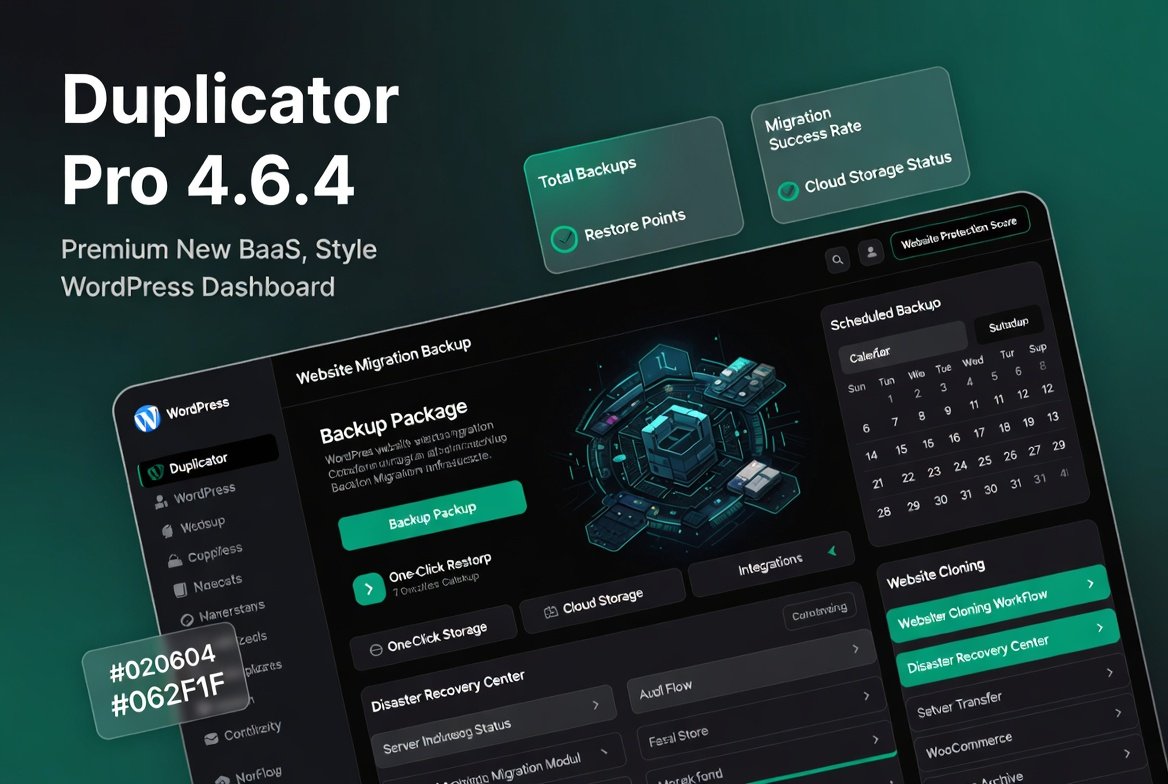
Preview Duplicator Pro – WordPress Site Migration, Backup, Clone & Restore Plugin
View the product artwork, switch gallery images, and open a larger preview before checkout.
Get secure digital access for real WordPress projects
This section summarizes the buying experience and what customers can expect after checkout.
Product overview, benefits, and digital access details
Review the key product details, practical use cases, and digital access information before checkout.
Duplicator Pro 4.6.4 – WordPress Site Migration, Backup, Clone & Restore Plugin
Duplicator Pro is a powerful WordPress migration and backup plugin that helps you move, clone, back up, and restore websites with ease. Trusted by developers, agencies, businesses, and WooCommerce store owners, Duplicator Pro simplifies website management while protecting your valuable data.
Whether you're migrating a website to a new host, creating scheduled backups, deploying staging environments, or preparing disaster recovery plans, Duplicator Pro provides a reliable and professional solution.
Complete WordPress Website Migration
Migrate entire WordPress websites without manually moving files or databases. Duplicator Pro packages your site into a portable archive and installer, making transfers simple and secure.
- Move websites between hosting providers
- Migrate domains and subdomains
- Transfer WooCommerce stores safely
- Deploy websites to production environments
- Reduce migration downtime
Automated Website Backups
Protect your website with scheduled backups that run automatically and store recovery points whenever you need them.
- Daily, weekly, and monthly backups
- Custom backup schedules
- Database-only backups
- Full website backups
- Automatic backup retention management
One-Click Website Restore
Quickly recover your website from unexpected issues, failed updates, server problems, or security incidents using restore points and backup archives.
- Fast website restoration
- Disaster recovery support
- Rollback website changes
- Restore complete websites
- Reduce downtime after failures
Website Cloning & Duplication
Create exact copies of websites for development, testing, staging, or client projects.
- Clone websites instantly
- Create staging environments
- Duplicate client projects
- Reuse website templates
- Accelerate development workflows
Cloud Storage Integrations
Store backups securely using popular cloud storage services to ensure data protection and offsite backup availability.
- Google Drive support
- Dropbox integration
- Amazon S3 compatibility
- Microsoft OneDrive support
- Remote backup storage
WooCommerce Migration Support
Move WooCommerce stores while preserving products, customers, orders, and settings.
- Secure WooCommerce transfers
- Preserve customer data
- Maintain product catalogs
- Transfer order history
- Minimize store downtime
Disaster Recovery Protection
Prepare for emergencies with built-in disaster recovery tools designed to restore websites quickly after failures.
- Emergency recovery points
- Backup archive protection
- Recovery deployment tools
- Business continuity support
- Website recovery management
Multisite Migration Features
Manage WordPress multisite installations and simplify network migrations with advanced migration capabilities.
- Multisite support
- Network migration tools
- Subsite management
- Advanced deployment options
- Scalable migration workflows
Developer & Agency Tools
Duplicator Pro includes advanced tools designed for professionals managing multiple websites and client projects.
- Custom deployment settings
- Site package templates
- Advanced database filtering
- Migration customization options
- Agency workflow optimization
Key Features Overview
- Full WordPress website migration
- Scheduled automatic backups
- One-click website restore
- Website cloning & duplication
- Cloud storage integrations
- WooCommerce compatibility
- Disaster recovery system
- Multisite migration support
- Developer deployment tools
- Backup archive management
Business Benefits
- Protect critical website data
- Reduce migration risks
- Automate backup workflows
- Improve website reliability
- Minimize downtime
- Support business continuity
- Enhance client website management
Perfect For
- WordPress developers
- Digital agencies
- WooCommerce stores
- Business websites
- Freelancers
- Website maintenance companies
- Hosting providers
- Enterprise WordPress projects
Product Specifications
| Feature | Details |
|---|---|
| Product Name | Duplicator Pro |
| Version | 4.6.4 |
| Plugin Type | Backup & Migration Plugin |
| Website Migration | Included |
| Scheduled Backups | Included |
| Website Cloning | Supported |
| Cloud Storage | Supported |
| WooCommerce Support | Yes |
| Multisite Support | Yes |
| Disaster Recovery | Included |
Why Choose Duplicator Pro?
Duplicator Pro combines website migration, backup automation, cloning, deployment, and disaster recovery into one powerful solution. It saves time, reduces risk, and helps website owners maintain complete control over their WordPress projects.
Final Verdict
Duplicator Pro 4.6.4 is one of the most trusted WordPress migration and backup plugins available today. With advanced backup automation, cloud integrations, one-click restores, and professional migration tools, it provides everything needed to protect, transfer, and manage WordPress websites with confidence.
Quick product answers for buyers and AI search
Clear product answers help buyers, search engines, and AI answer engines understand this product faster.
Best ways to use this WordPress digital product
These use cases help buyers quickly decide if this product fits their workflow.
How digital access works
No physical shipping is required. This is a digital product access purchase designed for account-based downloads.
Secure payment options for digital checkout
WPPlugShop supports trusted checkout options so buyers can complete digital purchases with more confidence.
Frequently asked questions
Buyer-focused answers about digital access, secure payments, downloads, support, and product usage.
Related WordPress tools you may also like
Explore related WordPress tools that may support the same workflow, website type, or project goal.
Choose the right WordPress tool with confidence
Request a product, explore membership access, or contact support if you want help choosing the right WordPress digital product before checkout.