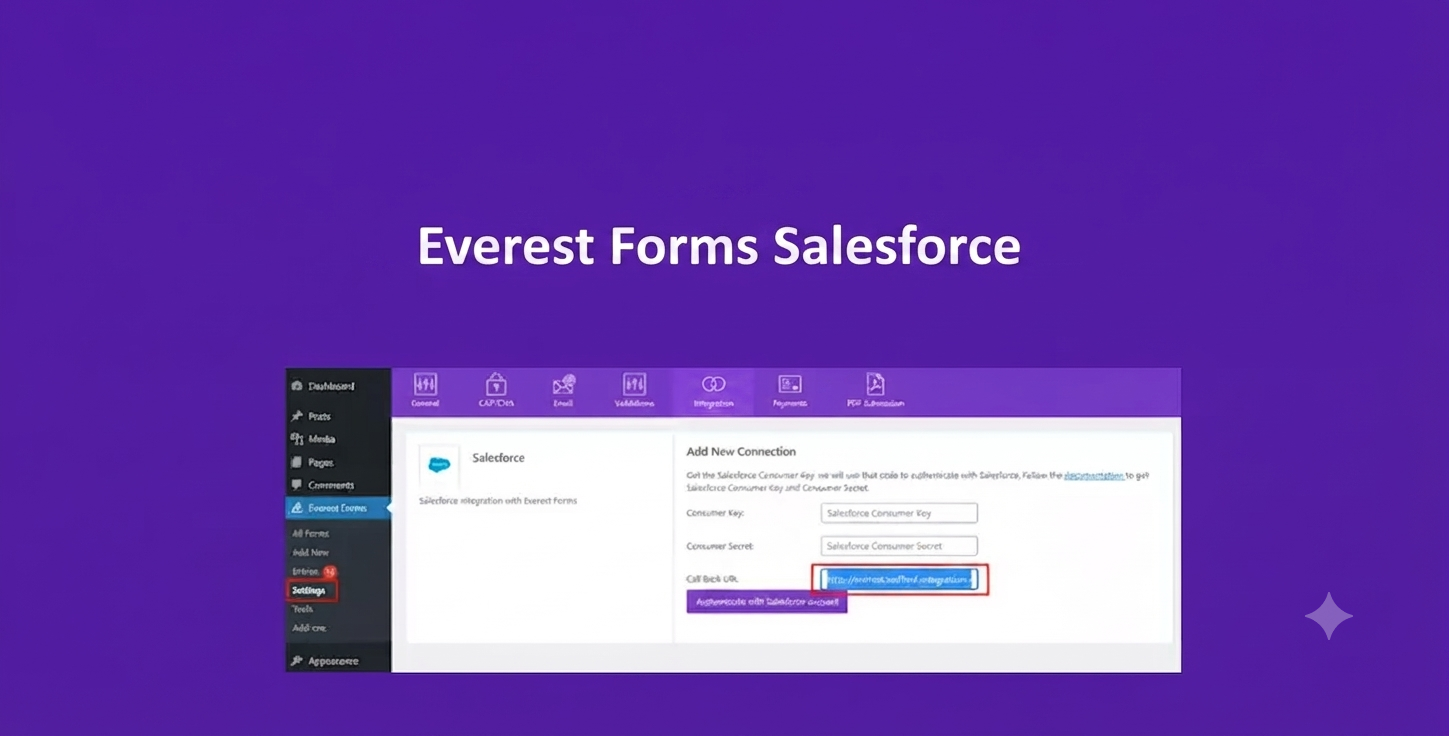
Product Overview
Everest Forms Salesforce is a premium CRM integration add-on that connects your Everest Forms with Salesforce CRM. It automatically transfers form submissions from your WordPress website into Salesforce, helping you streamline lead management, reduce manual work, and improve sales efficiency.
Whether you collect contact requests, sales inquiries, event registrations, quote requests, or customer applications, this add-on ensures every submission is securely synchronized with your Salesforce account in real time.
Why Choose Everest Forms Salesforce?
Manual data entry slows down your sales process and increases the risk of errors. Everest Forms Salesforce automates your workflow by instantly sending form data to Salesforce, allowing your sales and marketing teams to respond faster and manage leads more effectively.
- Automatically send WordPress form entries to Salesforce.
- Reduce manual data entry and administrative tasks.
- Improve lead response times.
- Keep Salesforce records accurate and updated.
- Create efficient CRM automation workflows.
Key Features
- Direct integration with Salesforce CRM.
- Automatically create new Salesforce leads.
- Update existing Salesforce records.
- Custom field mapping between Everest Forms and Salesforce.
- Support for multiple forms.
- Conditional logic for CRM submissions.
- Secure API-based authentication.
- Automatic data synchronization.
- Easy configuration through Everest Forms.
- No coding required.
Main Benefits
- Capture leads automatically.
- Eliminate repetitive manual work.
- Improve CRM data accuracy.
- Speed up sales and marketing processes.
- Increase team productivity.
- Deliver better customer relationship management.
Best Use Cases
- Business inquiry forms.
- Sales contact forms.
- Quote request forms.
- Consultation booking forms.
- Demo request forms.
- Customer onboarding forms.
- Support request forms.
- Event registration forms.
- Enterprise websites.
- Lead generation landing pages.
Who Should Use This Plugin?
- Sales teams.
- Marketing agencies.
- Business owners.
- Corporate organizations.
- Educational institutions.
- Healthcare providers.
- Financial service companies.
- WordPress developers.
- Digital agencies.
- Organizations using Salesforce CRM.
WP Plug Shop Benefits
- Instant digital download.
- GPL-friendly WordPress-ready files.
- Quick installation.
- Easy CRM integration.
- Affordable pricing.
- Works in development, staging, and production environments.
Product Details
| Attribute | Details |
|---|---|
| Product Name | Everest Forms Salesforce |
| Category | CRM Integration Add-on |
| Platform | WordPress |
| Compatible With | Everest Forms Pro & Salesforce CRM |
| Primary Function | Automatically sync form submissions with Salesforce |
| Supports | Lead creation, record updates, field mapping, conditional logic, API authentication |
Feature Comparison
| Feature | Standard Everest Forms | With Salesforce Add-on |
|---|---|---|
| Automatic Salesforce Integration | No | Yes |
| Create CRM Leads | No | Yes |
| Update Existing Records | No | Yes |
| Custom Field Mapping | No | Yes |
| Conditional CRM Sync | No | Yes |
| Manual Data Entry Required | Yes | No |
Pros and Considerations
| Pros | Considerations |
|---|---|
| Automates Salesforce lead management. | Requires Everest Forms Pro. |
| Reduces manual CRM updates. | Requires a Salesforce account. |
| Improves lead response speed. | API credentials must be configured correctly. |
| Supports custom field mapping. | Advanced Salesforce workflows may require additional CRM configuration. |
| Easy setup with no coding. | Best suited for organizations already using Salesforce. |
Final Verdict
Everest Forms Salesforce is an excellent solution for businesses that rely on Salesforce CRM for lead management. By automatically synchronizing WordPress form submissions with Salesforce, it saves time, reduces manual errors, and helps sales teams respond to new opportunities more quickly and efficiently.
Frequently Asked Questions
What is Everest Forms Salesforce?
Everest Forms Salesforce is a premium integration add-on that connects Everest Forms with Salesforce CRM, allowing form submissions to be automatically sent to your Salesforce account.
Do I need Everest Forms Pro to use this add-on?
Yes. Everest Forms Pro is required because this add-on extends the core functionality of the premium form builder.
Do I need a Salesforce account?
Yes. You need an active Salesforce account with the appropriate API access to connect your WordPress website and synchronize form data.
Can form submissions automatically create Salesforce leads?
Yes. The add-on can automatically create new Salesforce leads or records based on your configured field mapping and integration settings.
Can I update existing Salesforce records?
Yes. Depending on your integration configuration, the add-on can update existing Salesforce records instead of creating duplicates.
Does it support custom field mapping?
Yes. You can map Everest Forms fields to corresponding Salesforce fields, allowing accurate transfer of customer and lead information.
Can I connect multiple Everest Forms to Salesforce?
Yes. Multiple forms can be configured individually, giving you flexibility to send different types of submissions to Salesforce.
Is coding required to configure the integration?
No. The add-on provides an interface for authentication and field mapping, so most integrations can be configured without writing code.
Is data transferred securely?
Yes. The integration uses Salesforce API authentication to securely transmit form submission data between your WordPress website and Salesforce CRM.
Why should I use Everest Forms Salesforce?
This add-on automates lead capture, eliminates manual CRM data entry, improves data accuracy, and helps sales teams respond to new inquiries faster by keeping Salesforce updated automatically.
Please note: This is a digital product. Due to its digital nature, all sales are final — no refund will be provided after purchase and delivery. Please see our Refund Policy before purchasing.