⚡ Premium WordPress Plugins & Themes — Affordable prices, scanned tools, regular updates & fast support.

Everest Forms Save and Continue – Let Users Resume Forms Later
Verified from VirusTotal 100% Original Product and Virus Free. Free New Version Lifetime On Single Purchase. Unlimited Website Usage Price is in US dollars and included tax
Buy confidently with secure digital checkout, account-based downloads, and a cleaner WPPlugShop product experience.
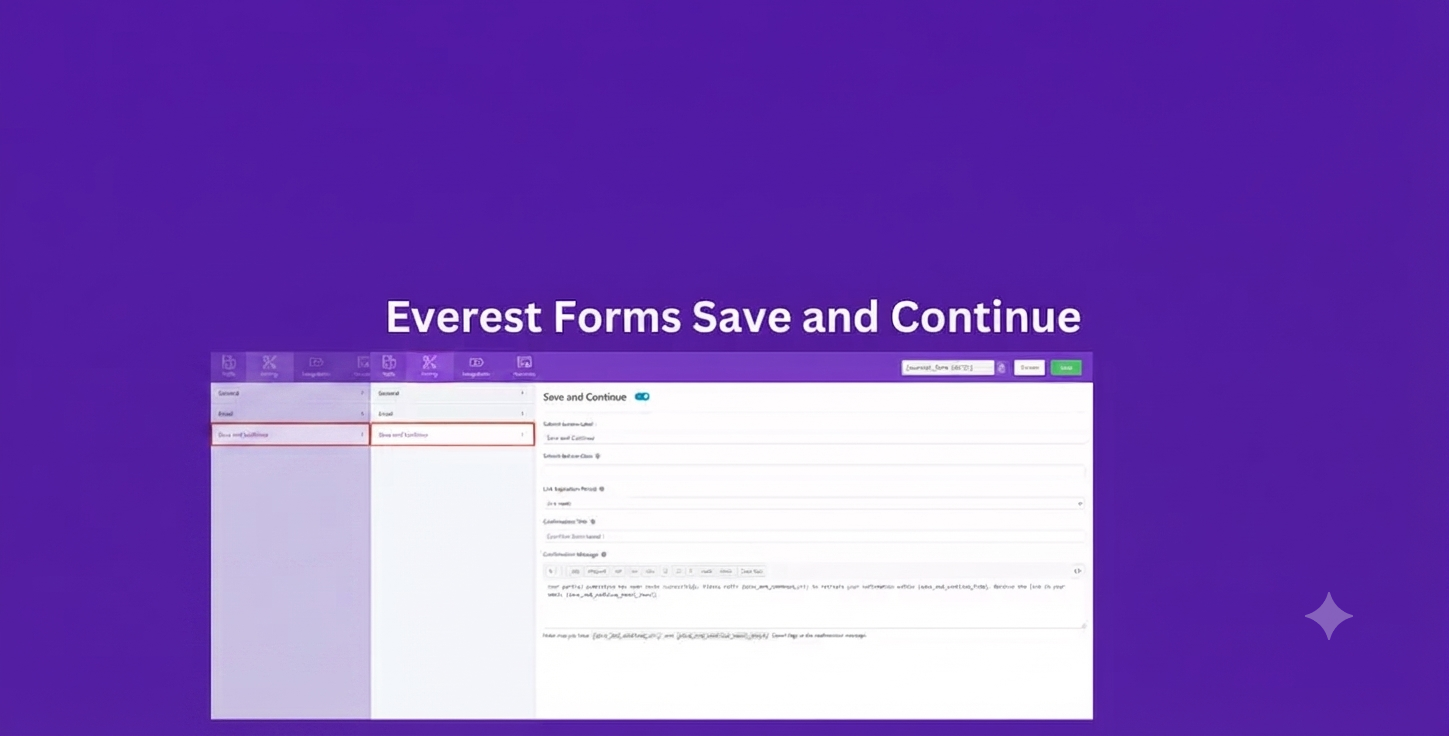
Preview Everest Forms Save and Continue – Let Users Resume Forms Later
View the product artwork, switch gallery images, and open a larger preview before checkout.
Get secure digital access for real WordPress projects
This section summarizes the buying experience and what customers can expect after checkout.
Product overview, benefits, and digital access details
Review the key product details, practical use cases, and digital access information before checkout.
Product Overview
Everest Forms Save and Continue is a premium add-on that allows users to save partially completed forms and resume them later using a secure, unique link. It is the perfect solution for long forms where visitors may need extra time to complete their submissions.
Whether you're collecting job applications, university admissions, insurance requests, surveys, or multi-step registrations, this add-on helps reduce form abandonment by allowing users to pause and continue whenever it's convenient. It also supports offline recovery to help prevent data loss during temporary internet interruptions.
Why Choose Everest Forms Save and Continue?
Long forms often discourage users from completing submissions. This add-on improves the user experience by letting visitors save their progress and return later without starting over.
- Allow users to save incomplete forms.
- Resume submissions anytime using a secure link.
- Reduce abandoned forms and increase completion rates.
- Recover entered data after temporary connection issues.
- Create a smoother experience for lengthy applications.
Key Features
- Save partially completed Everest Forms.
- Resume forms using a unique secure URL.
- Email resume links directly to users.
- Offline form recovery for temporary internet interruptions.
- Configurable resume link expiration time.
- Customize the Save & Continue button label.
- Custom confirmation title and success message.
- Add custom CSS classes for styling.
- Simple integration with Everest Forms Pro.
- No coding required for setup.
Main Benefits
- Increase form completion rates.
- Reduce abandoned applications.
- Improve overall user experience.
- Prevent accidental data loss.
- Support long and complex forms.
- Generate more completed leads and registrations.
Best Use Cases
- Job application forms.
- University admission forms.
- Scholarship applications.
- Insurance claim forms.
- Mortgage and loan applications.
- Customer onboarding forms.
- Membership registrations.
- Event registration forms.
- Research surveys.
- Government application forms.
Who Should Use This Plugin?
- Businesses using long application forms.
- Educational institutions.
- HR and recruitment agencies.
- Government organizations.
- Survey creators and researchers.
- WordPress developers and agencies.
WP Plug Shop Benefits
- Instant digital download.
- GPL-friendly WordPress-ready files.
- Quick installation and setup.
- Affordable solution for professional websites.
- Suitable for staging and production environments.
- No coding knowledge required.
Product Details
| Attribute | Details |
|---|---|
| Product Name | Everest Forms Save and Continue |
| Category | Everest Forms Add-on |
| Platform | WordPress |
| Compatible With | Everest Forms Pro |
| Primary Function | Save partially completed forms and resume later |
| Supports | Resume links, offline recovery, custom messages, expiration settings |
Feature Comparison
| Feature | Standard Everest Forms | With Save and Continue |
|---|---|---|
| Save Form Progress | No | Yes |
| Resume Later | No | Yes |
| Email Resume Link | No | Yes |
| Offline Recovery | No | Yes |
| Custom Save Button | No | Yes |
| Configurable Link Expiration | No | Yes |
Pros and Considerations
| Pros | Considerations |
|---|---|
| Reduces form abandonment. | Requires Everest Forms Pro. |
| Improves completion rates for long forms. | Resume functionality depends on proper add-on configuration. |
| Protects user-entered data. | Users should keep their resume link secure. |
| Easy to configure and customize. | Offline recovery depends on browser support. |
| Excellent for professional application forms. | Best suited for lengthy forms rather than short contact forms. |
Final Verdict
Everest Forms Save and Continue is an essential add-on for websites using long or complex forms. By allowing users to save progress, resume later, and recover data after interruptions, it improves the user experience, reduces abandoned submissions, and helps maximize completed applications and leads.
Frequently Asked Questions
What is Everest Forms Save and Continue?
Everest Forms Save and Continue is a premium add-on that allows users to save partially completed forms and continue filling them out later using a secure resume link.
Do I need Everest Forms Pro to use this add-on?
Yes. This add-on requires Everest Forms Pro to access its save and resume functionality.
Can users save a form and complete it later?
Yes. Users can save their progress at any point and continue from where they left off using a unique resume link.
How do users receive the resume link?
The plugin can display the resume link immediately after saving the form and can also send it to the user's email for convenient access later.
Does the add-on support offline recovery?
Yes. It includes offline recovery functionality that helps restore entered data after temporary internet connectivity issues, reducing the risk of lost form entries.
Can I customize the Save and Continue button?
Yes. You can customize the button label, confirmation title, success message, and apply custom CSS classes to match your website design.
Can I control how long the resume link remains valid?
Yes. The add-on allows you to configure the expiration period for resume links to improve security and control access.
Is this add-on suitable for long application forms?
Yes. It is ideal for lengthy forms such as job applications, university admissions, insurance claims, loan applications, surveys, and multi-step registration forms.
Will saved form data remain secure?
The add-on uses unique resume links for accessing saved forms. For best security, users should keep their resume links private and administrators should configure appropriate expiration settings.
Why should I use Everest Forms Save and Continue?
This add-on improves the user experience by allowing visitors to save their progress, reduces form abandonment, increases submission completion rates, and helps prevent data loss during interruptions.
Quick product answers for buyers and AI search
Clear product answers help buyers, search engines, and AI answer engines understand this product faster.
Best ways to use this WordPress digital product
These use cases help buyers quickly decide if this product fits their workflow.
How digital access works
No physical shipping is required. This is a digital product access purchase designed for account-based downloads.
Secure payment options for digital checkout
WPPlugShop supports trusted checkout options so buyers can complete digital purchases with more confidence.
Frequently asked questions
Buyer-focused answers about digital access, secure payments, downloads, support, and product usage.
Related WordPress tools you may also like
Explore related WordPress tools that may support the same workflow, website type, or project goal.

Essential Addons Pro for Elementor

WC Vendors Pro

Seraphinite Accelerator

Kadence Blocks Pro - WordPress Plugin
Choose the right WordPress tool with confidence
Request a product, explore membership access, or contact support if you want help choosing the right WordPress digital product before checkout.