
LearnDash LMS Visual Customizer – WordPress Course Design & UI Enhancement Plugin
Verified from VirusTotal 100% Original Product and Virus Free. Free New Version Lifetime On Single Purchase. Unlimited Website Usage Price is in US dollars and included tax
Buy confidently with secure digital checkout, account-based downloads, and a cleaner WPPlugShop product experience.
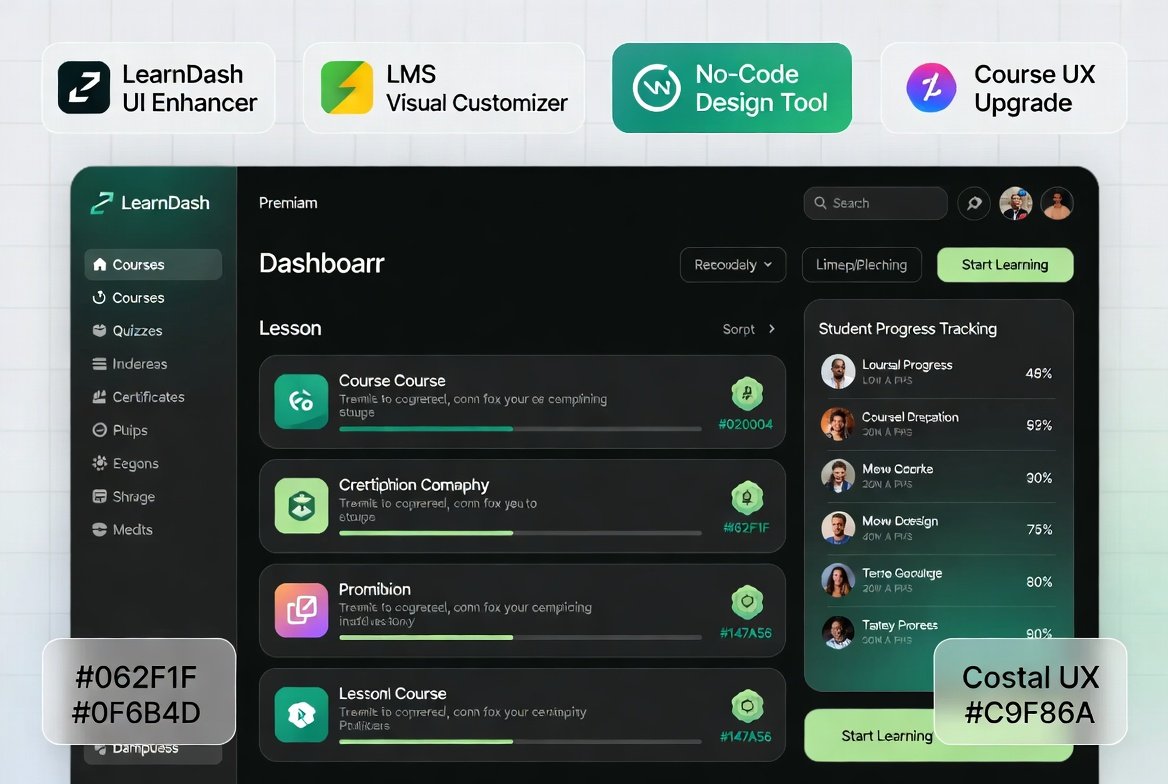
Preview LearnDash LMS Visual Customizer – WordPress Course Design & UI Enhancement Plugin
View the product artwork, switch gallery images, and open a larger preview before checkout.
Get secure digital access for real WordPress projects
This section summarizes the buying experience and what customers can expect after checkout.
Product overview, benefits, and digital access details
Review the key product details, practical use cases, and digital access information before checkout.
Product Overview
LearnDash LMS Visual Customizer 2.4 is a powerful WordPress plugin designed to enhance the visual appearance and user experience of LearnDash-based learning platforms. It allows you to customize course layouts, lesson pages, quizzes, and student dashboards without writing any code.
This plugin focuses entirely on improving LMS design, helping educators and course creators transform basic LearnDash layouts into modern, engaging, and professional learning environments.
Why This Product Is Useful
While LearnDash is a powerful LMS system, its default design can feel minimal or outdated. This plugin solves that problem by giving you full visual control over your learning platform.
- Upgrade LearnDash UI without coding
- Improve student learning experience
- Make courses visually engaging and modern
- Strengthen brand identity for your LMS
Key Features
- Visual Course Customization: Modify course layouts easily
- Lesson & Topic Styling: Improve readability and structure
- Quiz UI Enhancement: Modernize quiz design and flow
- Student Dashboard Design: Clean and engaging user panels
- Typography Controls: Adjust fonts and spacing for better UX
- Color & Branding Options: Match your LMS to your brand
- Responsive Layouts: Fully optimized for mobile learning
- Course Grid Design: Attractive course listing layouts
Main Benefits
- Professional-looking LMS platform
- Higher student engagement and retention
- Improved course completion rates
- Better learning experience and usability
- No coding required for customization
- Stronger branding for online academies
Best Use Cases
- Online academies and e-learning platforms
- Coaching and mentorship websites
- Corporate training systems
- Membership-based education portals
- Digital course marketplaces
- Educational institutions using WordPress LMS
Who Should Use This Product?
- Online course creators
- Educators and trainers
- WordPress LMS developers
- Coaches and consultants
- EdTech startups
- Membership site owners
WP Plug Shop Access Benefits
- Instant digital download access
- Cost-effective LMS design upgrade tool
- Ready-to-use LearnDash customization plugin
- Secure delivery via WP Plug Shop
- Reusable across multiple LMS projects
Product Details
| Feature | Description |
|---|---|
| Product Name | LearnDash LMS Visual Customizer 2.4 |
| Category | WordPress LMS Design & Customization Plugin |
| Function | UI/UX customization for LearnDash courses and dashboards |
| Compatibility | WordPress, LearnDash LMS |
| Use Case | Online courses, e-learning platforms, LMS branding |
Feature Comparison
| Feature | Default LearnDash | With Visual Customizer |
|---|---|---|
| Course Design | Basic layout | Modern customized UI |
| Student Experience | Standard interface | Engaging learning UI |
| Customization | Limited options | Full visual control |
| Dashboard UI | Simple layout | Enhanced structured dashboard |
| Branding | Minimal control | Fully brand-aligned LMS |
Pros and Considerations
| Pros | Considerations |
|---|---|
| No-code LMS design customization | Requires LearnDash installed |
| Improves course engagement | Works best with well-structured content |
| Modern UI improvements | Some advanced tweaks may need configuration |
| Mobile responsive design | Depends on active LMS setup |
Final Verdict
LearnDash LMS Visual Customizer 2.4 is an essential tool for anyone looking to upgrade the visual experience of their LearnDash-powered website without coding.
It is ideal for educators, course creators, and LMS platforms that want a modern, engaging, and branded learning experience.
Quick product answers for buyers and AI search
Clear product answers help buyers, search engines, and AI answer engines understand this product faster.
Best ways to use this WordPress digital product
These use cases help buyers quickly decide if this product fits their workflow.
How digital access works
No physical shipping is required. This is a digital product access purchase designed for account-based downloads.
Secure payment options for digital checkout
WPPlugShop supports trusted checkout options so buyers can complete digital purchases with more confidence.
Frequently asked questions
Buyer-focused answers about digital access, secure payments, downloads, support, and product usage.
Related WordPress tools you may also like
Explore related WordPress tools that may support the same workflow, website type, or project goal.



Choose the right WordPress tool with confidence
Request a product, explore membership access, or contact support if you want help choosing the right WordPress digital product before checkout.