“`html id=”meta-box-builder-addon-description”
Meta Box Builder Addon WordPress Plugin – Visual Custom Field Builder
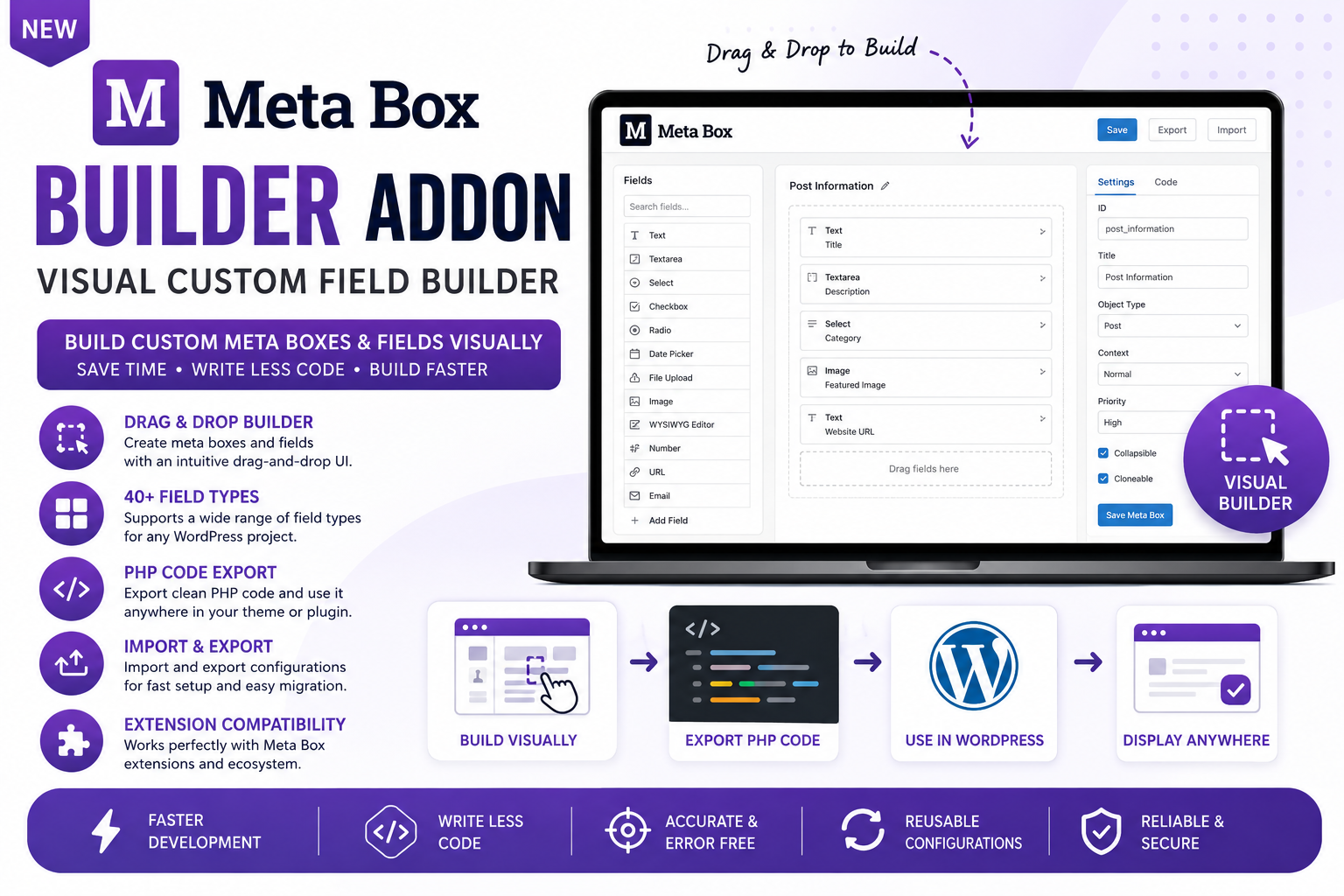
Meta Box Builder Addon WordPress Plugin is a premium extension for the Meta Box framework that enables you to create custom meta boxes and custom fields using a visual drag-and-drop interface. Design complex field groups, generate PHP code, and build dynamic WordPress data structures without manually writing repetitive configuration code.
Whether you’re building business websites, WooCommerce stores, directories, membership platforms, custom post types, or advanced content management systems, this add-on accelerates development while making Meta Box configuration easier for developers and non-developers alike.
Why Choose Meta Box Builder Addon?
Creating custom fields manually can be time-consuming and error-prone. Meta Box Builder provides an intuitive visual interface that simplifies field creation, supports dozens of field types, and allows rapid development with reusable configurations and code export.
- Create custom fields visually.
- Build meta boxes with drag-and-drop.
- Reduce coding time.
- Generate PHP configuration code.
- Support advanced field groups.
- Accelerate WordPress development.
- Simplify project maintenance.
- Improve developer productivity.
Key Features
- Visual drag-and-drop builder.
- Create unlimited meta boxes.
- 40+ custom field types.
- PHP code export.
- Import and export configurations.
- Nested field group support.
- Cloneable fields.
- Conditional logic compatibility.
- Custom post type support.
- Custom taxonomy support.
- Meta Box extension compatibility.
- Regular updates.
Benefits
- Build faster without repetitive coding.
- Create advanced WordPress solutions.
- Improve project consistency.
- Reduce development errors.
- Speed up client projects.
- Simplify custom field management.
- Increase development efficiency.
- Support scalable WordPress websites.
Perfect For
- WordPress developers.
- Freelancers.
- Digital agencies.
- WooCommerce developers.
- Directory websites.
- Membership websites.
- Learning management systems.
- Business websites.
- Custom post type projects.
- Advanced WordPress applications.
How It Works
- Install the Meta Box framework and Builder Addon.
- Create a new visual meta box.
- Add and configure custom fields using drag-and-drop.
- Export PHP code or save the configuration.
- Use the generated meta boxes throughout your WordPress website.
Why Buy from WP Plug Shop?
- Instant digital download.
- GPL-licensed software.
- Affordable premium WordPress plugins.
- Suitable for personal and client projects.
- Regularly updated files.
- Secure checkout.
- Easy installation.
- Fast download access.
Product Specifications
| Specification | Details |
|---|---|
| Product Name | Meta Box Builder Addon WordPress Plugin |
| Product Type | Premium Meta Box Extension |
| Platform | WordPress |
| Required Plugin | Meta Box Framework |
| Primary Purpose | Visual Custom Field & Meta Box Builder |
| Interface | Drag-and-Drop Builder |
| Export Options | PHP Code & Configuration Export |
| Best For | WordPress Development |
Feature Comparison
| Feature | Meta Box Builder Addon | Standard Meta Box |
|---|---|---|
| Visual Builder | ✔ Included | ✖ Manual Configuration |
| Drag-and-Drop Interface | ✔ Included | ✖ No |
| PHP Code Export | ✔ Included | Limited |
| Import & Export | ✔ Included | Limited |
| Advanced Field Management | ✔ Included | Basic |
| Rapid Development | ✔ Optimized | Manual Workflow |
Important Note
Meta Box Builder Addon WordPress Plugin requires a compatible installation of the Meta Box framework. Available field types, integrations, export options, and advanced functionality depend on your installed Meta Box extensions and overall WordPress configuration.
Final Verdict
Meta Box Builder Addon WordPress Plugin is an essential development tool for anyone using the Meta Box framework. With its intuitive visual builder, drag-and-drop interface, PHP code generation, extensive field support, and seamless integration with the Meta Box ecosystem, it enables faster, cleaner, and more efficient WordPress development for projects of any size.
“`
Please note: This is a digital product. Due to its digital nature, all sales are final — no refund will be provided after purchase and delivery. Please see our Refund Policy before purchasing.