
Ranking Tables – Modal Survey Quiz Ranking & Leaderboard Add-on
Verified from VirusTotal 100% Original Product and Virus Free. Free New Version Lifetime On Single Purchase. Unlimited Website Usage Price is in US dollars and included tax
Buy confidently with secure digital checkout, account-based downloads, and a cleaner WPPlugShop product experience.
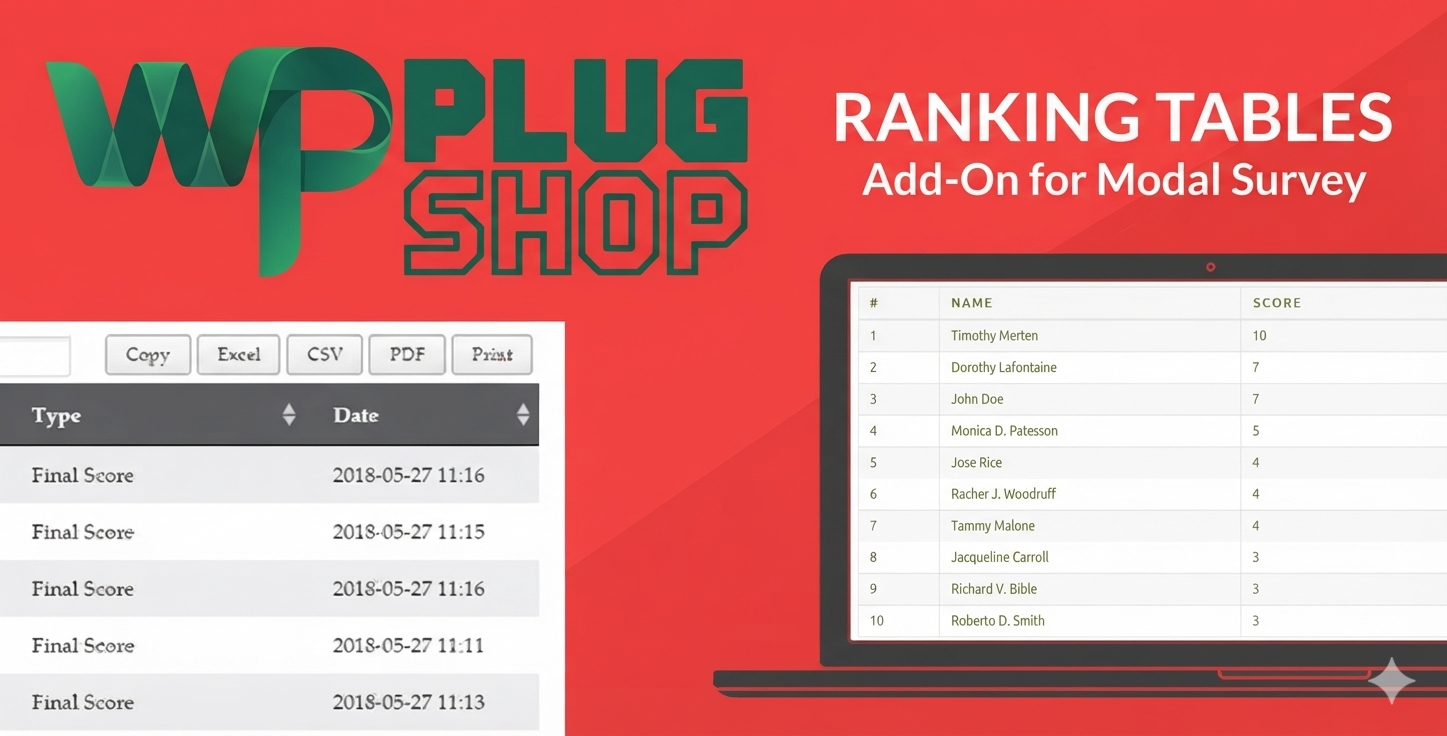
Preview Ranking Tables – Modal Survey Quiz Ranking & Leaderboard Add-on
View the product artwork, switch gallery images, and open a larger preview before checkout.
Get secure digital access for real WordPress projects
This section summarizes the buying experience and what customers can expect after checkout.
Product overview, benefits, and digital access details
Review the key product details, practical use cases, and digital access information before checkout.
Product Overview
Ranking Tables – Modal Survey Quiz Ranking & Leaderboard Add-on extends Modal Survey with dedicated ranking-table functionality for score-based quizzes. It helps turn quiz results into organized ranking lists that can be managed in WordPress and displayed on frontend pages or posts.
For websites that use Modal Survey to create score-based quizzes, this add-on provides a practical way to present participant rankings based on their results. Rankings can be configured around final scores or category scores, while frontend displays can be inserted using the available shortcode functionality.
The add-on is especially useful when a quiz or survey experience needs more than individual results. Instead of only showing a participant's own score, website owners can create a ranking-style presentation that allows users to see positions and scores in an organized format.
Why This Product Is Useful
Score-based quizzes can become more engaging when participants can see how their results compare within a ranking list. However, creating a dedicated ranking presentation from survey or quiz results can require additional development and data-handling work.
Ranking Tables provides this functionality as an extension of Modal Survey, helping website owners manage ranking data and publish ranking tables without treating the add-on as a standalone quiz or survey builder.
- Turn scores into rankings: Convert applicable Modal Survey quiz results into organized ranking lists.
- Display rankings on the frontend: Publish ranking information on WordPress pages or posts through shortcode functionality.
- Rank by final score: Use overall quiz scores when creating ranking lists.
- Rank by category score: Create rankings around a specified category score where supported.
- Control ranking presentation: Configure ranking output using available shortcode parameters and display settings.
- Manage ranking information: Access ranking lists through the WordPress administration environment.
Key Features
- Modal Survey integration for extending the functionality of score-based quizzes.
- Ranking tables for presenting participant results in an organized ranking format.
- Admin ranking lists for viewing and managing ranking information within WordPress.
- Frontend ranking displays for publishing rankings on selected WordPress pages or posts.
- Final-score ranking for organizing participants according to their overall quiz score.
- Category-score ranking for ranking participants according to a selected category score.
- Sorting controls for arranging ranking results in ascending or descending order where supported.
- Result limits for controlling the number of ranking entries shown.
- Pagination support for table-based ranking displays where applicable.
- Date-column control for managing whether the date information is shown in the ranking table.
- Shortcode-based placement for adding ranking displays to WordPress content.
- Table or HTML-style display for presenting ranking information using available output formats.
- Filtering functionality for working with ranking data more efficiently.
- Export functionality for supported ranking information.
Main Benefits
- Create a quiz leaderboard: Turn eligible Modal Survey scores into a ranking-style experience for participants.
- Make results easier to compare: Present multiple participant results in a structured ranking list.
- Use existing Modal Survey quizzes: Extend an existing Modal Survey setup rather than replacing the survey or quiz system.
- Publish rankings where needed: Use shortcode functionality to place ranking displays within WordPress content.
- Support different ranking approaches: Work with final scores or supported category scores.
- Control the displayed results: Configure ranking output using available sorting, limits, pagination, and display options.
- Reduce custom development: Use a purpose-built add-on instead of manually developing a ranking presentation from survey results.
- Improve interactive quiz experiences: Give score-based quizzes an additional ranking or leaderboard component.
Best Use Cases
Competitive Quizzes
Websites running competitive or recurring quizzes can use ranking tables to display participant positions based on their scores.
Knowledge Tests
Educational and knowledge-focused websites can present score-based rankings when comparing quiz participants is appropriate for the intended experience.
Interactive Survey Experiences
Websites using Modal Survey for score-based surveys can use the add-on to create ranking-oriented result presentations.
Online Communities
Community websites can use ranking displays to add a competitive element to quizzes and interactive assessments.
Educational Websites
Schools, learning websites, and training platforms can use ranking functionality for suitable quizzes where participant comparison is part of the experience.
Marketing Campaigns
Marketers running interactive score-based quizzes can use ranking displays as an additional way to present participant results.
Frontend Leaderboards
Websites that want to publish quiz rankings directly within WordPress pages or posts can use the shortcode-based frontend display functionality.
Who Should Use This Product?
- WordPress website owners already using Modal Survey.
- Quiz website owners who need ranking or leaderboard functionality.
- Educators creating score-based quizzes.
- Training websites using interactive assessments.
- Community websites running competitive quizzes.
- Marketers creating interactive score-based campaigns.
- Businesses using quizzes or surveys for audience engagement.
- Developers extending Modal Survey with ranking-table functionality.
- Website owners who want to display quiz rankings inside WordPress pages and posts.
WP Plug Shop Access Benefits
Get Ranking Tables – Modal Survey Quiz Ranking & Leaderboard Add-on through WP Plug Shop for convenient digital access to a WordPress-ready resource for extending Modal Survey.
- Digital access: Convenient access to the purchased digital resource.
- WordPress-ready resource: Designed for WordPress projects using the compatible Modal Survey environment.
- Budget-conscious access: A practical option for website owners, freelancers, developers, and agencies managing project costs.
- Secure checkout: Purchase through the WP Plug Shop digital marketplace.
- Organized marketplace: Explore WordPress plugins, themes, add-ons, and other website resources in one place.
Important: Ranking Tables is an add-on for Modal Survey and should not be treated as a standalone quiz or survey builder. WP Plug Shop is a digital marketplace and is not represented as the original developer or owner of this third-party product. Product-specific compatibility, licensing terms, updates, and developer support should be confirmed according to the applicable product information.
Product Details
| Detail | Information |
|---|---|
| Product Name | Ranking Tables – Modal Survey Add-on |
| Product Type | WordPress Modal Survey Add-on |
| Primary Purpose | Create and display ranking tables from supported score-based quiz results |
| Platform | WordPress |
| Required Product | Modal Survey |
| Ranking Type | Final score and supported category-score rankings |
| Frontend Display | Ranking displays can be inserted into WordPress pages or posts using shortcode functionality |
| Display Options | Table and supported HTML/div-based presentation |
| Sorting | Ascending or descending ranking order where supported |
| Result Limit | Configurable number of displayed ranking entries |
| Pagination | Available for applicable table-style ranking displays |
| Date Column | Option to control date-column visibility |
| Administration | Ranking information available within the WordPress admin environment |
| Best For | Quiz websites, educational sites, communities, interactive surveys, and score-based experiences |
Feature Comparison
| Capability | Ranking Tables Add-on | Basic Quiz Results |
|---|---|---|
| Score-based ranking | Supported | Usually focused on individual results |
| Ranking table | Supported | Not necessarily available |
| Frontend ranking display | Supported through shortcode functionality | Depends on the quiz system |
| Final-score ranking | Supported | Not typically a core result feature |
| Category-score ranking | Supported where applicable | Usually limited |
| Sorting controls | Available | System dependent |
| Result limits | Configurable | System dependent |
| Pagination | Available for applicable table displays | System dependent |
| Admin ranking management | Supported | System dependent |
Pros and Considerations
| Pros | Considerations |
|---|---|
| Purpose-built for Modal Survey ranking functionality | Requires Modal Survey to provide its underlying quiz or survey functionality |
| Supports score-based ranking lists | Not intended to function as a standalone survey or quiz builder |
| Can display rankings on WordPress frontend content | Shortcode configuration may be required for frontend placement |
| Supports final-score and category-score ranking approaches | Category ranking depends on the available survey/quiz configuration |
| Provides sorting and result-display controls | Exact behavior depends on the selected configuration |
| Useful for quiz leaderboards and ranking experiences | Older product compatibility information should be checked against the target WordPress environment |
| Can reduce the need for custom ranking development | Product-specific updates and developer support should be verified before purchase |
Final Verdict
Ranking Tables – Modal Survey Quiz Ranking & Leaderboard Add-on is a specialized WordPress extension for websites already using Modal Survey and looking to turn score-based quiz results into organized ranking tables.
Its main value comes from connecting Modal Survey quiz scores with ranking and leaderboard-style displays. With support for final-score and category-score rankings, frontend shortcode placement, sorting, result limits, and applicable table presentation options, it provides a focused solution for score-based ranking experiences.
If you are already using Modal Survey and need to display quiz rankings, create a WordPress quiz leaderboard, rank participants by score, or publish score-based ranking tables, this add-on can provide the dedicated ranking functionality needed for that workflow.
Frequently Asked Questions
What is Facebook Chat WordPress Plugin?
Facebook Chat WordPress Plugin is a Messenger integration plugin that allows website owners to add a Facebook Messenger chat widget to their WordPress websites for instant customer communication.
Can I add Facebook Messenger chat to my WordPress website?
Yes. This plugin allows you to connect Facebook Messenger with your WordPress website and provide visitors with an easy way to contact your business.
How does Facebook Chat Plugin help businesses?
It helps businesses improve customer communication, answer visitor questions faster, increase engagement, and create a direct messaging channel through Facebook Messenger.
Can visitors message my Facebook page from my website?
Yes. Visitors can use the Messenger chat widget on your website to start conversations with your connected Facebook page.
Is Facebook Chat WordPress Plugin suitable for WooCommerce stores?
Yes. WooCommerce store owners can use it to answer product questions, provide customer support, and communicate with potential buyers.
Does the plugin work on mobile devices?
Yes. The Facebook Messenger chat widget is designed to work across desktop, tablet, and mobile devices.
Can I customize the Facebook chat widget?
Yes. The plugin provides customization options for chat appearance, placement, and visitor-facing messages.
Can I display Facebook Chat on all website pages?
Yes. The chat widget can be displayed across website pages to allow visitors to contact your business from different sections of your website.
Do I need a Facebook account to use this plugin?
Yes. A connected Facebook page or Messenger account is required to receive and manage customer conversations.
Can Facebook Chat help generate leads?
Yes. By allowing visitors to start instant conversations, the plugin can help businesses capture inquiries and potential customer leads.
Is Facebook Chat better than traditional contact forms?
Facebook Chat provides faster real-time communication, while contact forms are useful for detailed inquiries. Many businesses use both methods together.
Can agencies use Facebook Chat Plugin for client websites?
Yes. Agencies and freelancers can add Messenger communication features to WordPress websites they build for clients.
Is Facebook Chat easy to install on WordPress?
Yes. The plugin is designed for easy WordPress integration without requiring advanced coding knowledge.
Who should use Facebook Chat WordPress Plugin?
Business owners, WooCommerce stores, agencies, service providers, marketers, and anyone who wants direct communication with website visitors can use this plugin.
Quick product answers for buyers and AI search
Clear product answers help buyers, search engines, and AI answer engines understand this product faster.
Best ways to use this WordPress digital product
These use cases help buyers quickly decide if this product fits their workflow.
How digital access works
No physical shipping is required. This is a digital product access purchase designed for account-based downloads.
Secure payment options for digital checkout
WPPlugShop supports trusted checkout options so buyers can complete digital purchases with more confidence.
Frequently asked questions
Buyer-focused answers about digital access, secure payments, downloads, support, and product usage.
Related WordPress tools you may also like
Explore related WordPress tools that may support the same workflow, website type, or project goal.




Choose the right WordPress tool with confidence
Request a product, explore membership access, or contact support if you want help choosing the right WordPress digital product before checkout.