
SVG Divider for Elementor – Creative SVG Divider Plugin
Verified from VirusTotal 100% Original Product and Virus Free. Free New Version Lifetime On Single Purchase. Unlimited Website Usage Price is in US dollars and included tax
Buy confidently with secure digital checkout, account-based downloads, and a cleaner WPPlugShop product experience.
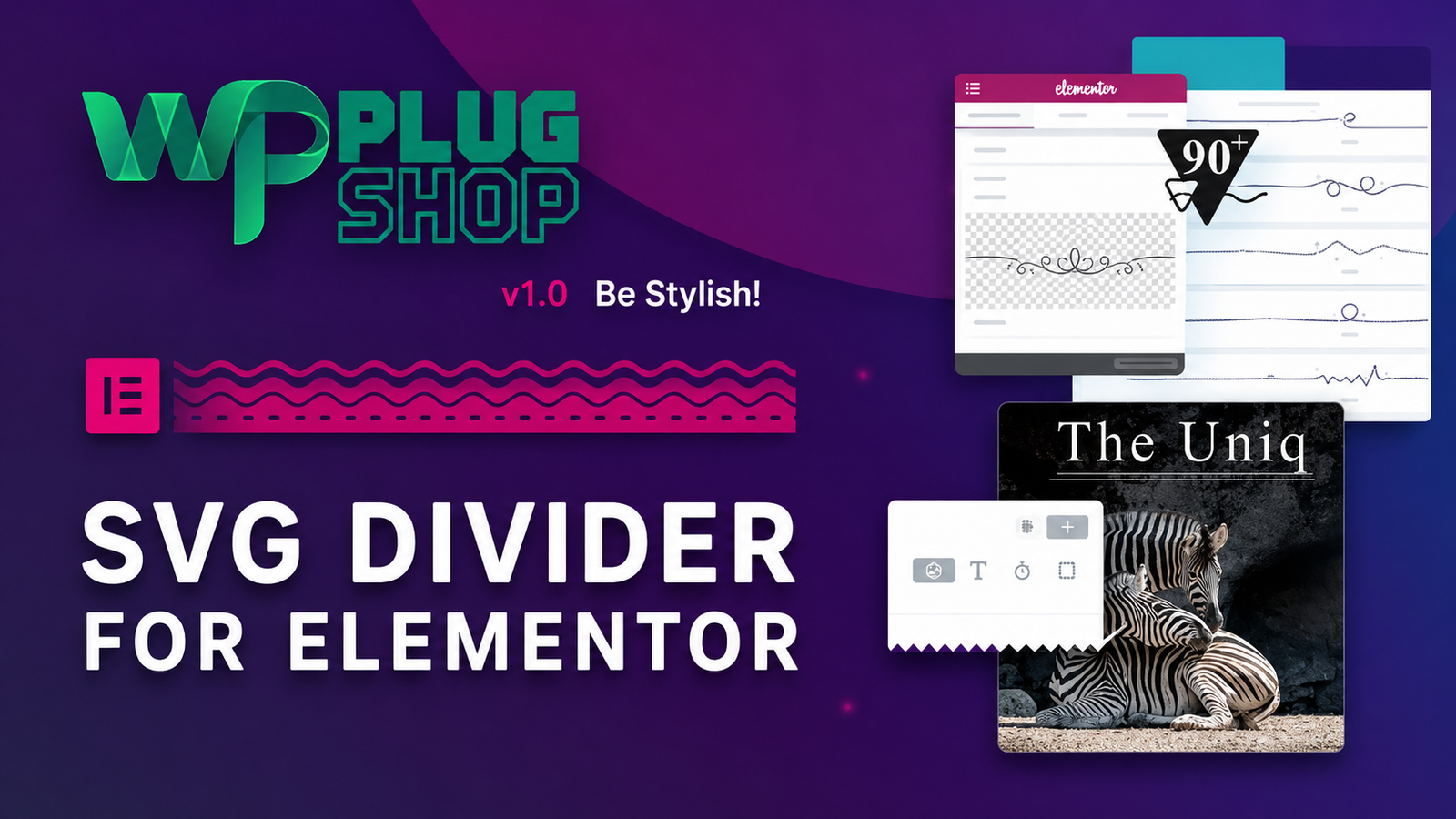
Preview SVG Divider for Elementor – Creative SVG Divider Plugin
View the product artwork, switch gallery images, and open a larger preview before checkout.
Get secure digital access for real WordPress projects
This section summarizes the buying experience and what customers can expect after checkout.
Product overview, benefits, and digital access details
Review the key product details, practical use cases, and digital access information before checkout.
SVG Divider for Elementor – Creative SVG Divider Plugin
Add more visual character to Elementor websites with SVG Divider for Elementor, a specialized widget for creating decorative SVG dividers and section separators. It combines handcrafted vector artwork, classic line styles, responsive controls, and animation options to help designers create distinctive transitions between headings, text, and content sections.
The plugin adds an SVG Divider widget to Elementor and provides a collection of 90 handcrafted divider designs. You can select artwork from a design picker, adjust its presentation, flip or crop the artwork, and use additional animation and styling controls to create a divider that fits your page design.
Create Creative SVG Dividers in Elementor
Standard dividers can be useful for separating content, but creative websites often need more visual variety. SVG Divider for Elementor provides decorative vector-based designs that can be used between sections, headings, text blocks, and other page elements.
Because the divider artwork is based on SVG vectors, the artwork can be scaled without the quality loss normally associated with raster images.
90 Handcrafted SVG Divider Designs
The plugin includes 90 handcrafted SVG designs that can be selected through a dedicated design picker popup. These designs provide a range of decorative visual treatments for Elementor pages.
- 90 handcrafted divider designs
- Easy-to-use design picker
- Vector-based SVG artwork
- Crop artwork to the middle section
- Scale artwork without losing vector quality
- Flip artwork on any axis
- Optional decorative glitter layer
Drawn Style Dividers
The Drawn Style provides the plugin's artistic SVG artwork. These decorative designs can be used to create more distinctive transitions between content areas while retaining the scalability of vector graphics.
Each artwork can use separately configurable primary and glitter layers, giving designers additional control over the visual presentation of supported designs.
Classic Divider Styles
If you prefer a more traditional separator, SVG Divider for Elementor also provides Classic Style options. These include single, double, and dashed line designs.
- Single-line divider
- Double-line divider
- Dashed-line divider
- Control over dashed-line properties
- Control over the gap between double lines
- Customizable line width, size, and color
- Optional Elementor-native icon, button, and text elements
Animate Your SVG Dividers
SVG Divider for Elementor includes animation features that can make decorative dividers more dynamic. Supported options include custom reveal animations for artwork lines and continuously looping animation effects.
- Custom reveal animations
- Infinite ant-march animation
- Optional twinkling glitter animation
- Animation timing resynchronization
These effects can be useful for creative landing pages, portfolio websites, agency websites, promotional sections, and other designs where subtle motion is part of the visual experience.
Responsive Elementor Controls
The SVG Divider widget uses Elementor's familiar settings approach and includes responsive options. You can adjust properties such as alignment and height for different display requirements.
This makes the divider suitable for layouts that need to remain visually consistent across desktop, tablet, and mobile screens.
Customize Typography, Colors, and Alignment
SVG Divider for Elementor provides controls for the visual presentation of the widget. You can adjust colors, typography, alignment, and height using settings designed to fit naturally into the Elementor workflow.
Depending on the selected divider style, additional controls can be used for line width, size, color, spacing, artwork positioning, and other visual properties.
Use Elementor Native Icons, Buttons, and Text
The Classic Style supports Elementor-native Icon, Button, and Text elements. The included “Let's Go” icon set contains more than 300 icons according to the original product documentation.
This allows divider sections to be used for more than simple visual separation, giving designers additional options for combining decorative lines with supporting visual or textual elements.
Product Details
| Product | SVG Divider for Elementor |
|---|---|
| Product Type | Elementor SVG Divider Widget |
| Primary Platform | WordPress |
| Page Builder | Elementor |
| Compatibility | Elementor and Elementor Pro |
| SVG Designs | 90 Handcrafted Designs |
| Divider Styles | Drawn and Classic Styles |
| Classic Lines | Single, Double, and Dashed |
| SVG Cropping | Available |
| Vector Scaling | Available |
| Artwork Flip | Available on Any Axis |
| Glitter Layer | Optional |
| Reveal Animation | Available |
| Loop Animations | Ant-March and Twinkling Glitter |
| Responsive Options | Available |
| Icon Set | 300+ “Let's Go” Icons |
Feature Comparison
| Capability | SVG Divider for Elementor | Basic Divider |
|---|---|---|
| Decorative SVG artwork | 90 handcrafted designs | Usually limited to basic divider styles |
| Vector scaling | Yes | Depends on the implementation |
| Drawn artwork | Yes | Usually unavailable |
| Classic line styles | Single, double, and dashed | Basic line options |
| Artwork flipping | Yes | Usually unavailable |
| Artwork cropping | Yes | Usually unavailable |
| Reveal animations | Yes | Depends on the available widget |
| Glitter animation | Available | Usually unavailable |
| Elementor workflow | Dedicated Elementor widget | Depends on the divider implementation |
Best Use Cases
Creative Agencies: Add artistic section separators to agency websites and showcase pages.
Portfolio Websites: Create visually interesting transitions between projects, introductions, and portfolio sections.
Landing Pages: Separate major content blocks while maintaining a distinctive visual style.
Business Websites: Add decorative elements between important sections without relying only on basic horizontal lines.
Marketing Pages: Use animated and decorative dividers to create more engaging content transitions.
Personal Websites: Give personal portfolios and professional profiles additional visual character.
Why Use an SVG Divider?
SVG graphics are vector-based, making them useful for responsive web design because artwork can be scaled while retaining its vector quality. SVG Divider for Elementor builds on this characteristic by combining scalable artwork with Elementor-specific styling and animation controls.
The result is a dedicated tool for designers who want more creative control over the visual boundaries between page sections.
Elementor-Friendly Workflow
SVG Divider for Elementor adds its own widget under Elementor's General section. The plugin is designed to work with Elementor's existing interface and shared settings, including responsive controls and global color functionality.
This means Elementor users can manage the divider from the same general page-building environment used for other website elements.
Pros and Considerations
| Pros | Considerations |
|---|---|
| 90 handcrafted SVG divider designs | Requires Elementor and does not function as a standalone plugin |
| Drawn and Classic divider styles | Original compatibility documentation is for older WordPress versions |
| SVG artwork can be scaled without vector quality loss | Current WordPress and Elementor compatibility should be verified before deployment |
| Artwork can be cropped and flipped | Advanced visual effects may require additional design consideration |
| Reveal and looping animation options | Animation should be used appropriately for page performance and accessibility |
| Responsive Elementor controls | The downloaded package does not include the preview site's stock photos or Elementor layouts |
| Classic single, double, and dashed lines | Feature availability depends on the installed product version |
Compatibility Information
The original product documentation states that Elementor 2.8+ is required and that the plugin does not function without Elementor. The CodeCanyon listing also records compatibility with Elementor and Elementor Pro and lists older WordPress software versions.
Because this product was originally released in 2020 and its documented compatibility information is based on older WordPress and Elementor versions, compatibility with a current WordPress installation should be verified before deployment.
Important Product Note
The original listing states that the Elementor layouts and stock photographs shown in preview materials are not included in the downloaded ZIP. The SVG designs bundled with the plugin are the relevant included design assets.
Final Takeaway
SVG Divider for Elementor is a specialized Elementor design widget for creating decorative SVG section separators. Its combination of 90 handcrafted designs, classic line options, scalable vector artwork, artwork controls, responsive settings, and animation effects makes it particularly useful for designers who want more creative divider choices than a basic line.
For Elementor-based agency, portfolio, business, and landing-page websites, it provides a focused way to add distinctive visual transitions between headings, text, and content sections.
SVG Divider for Elementor – Frequently Asked Questions
What is SVG Divider for Elementor?
SVG Divider for Elementor is an Elementor-focused design addon that helps you create more distinctive section separators, decorative lines, and vector-based divider effects. It provides a collection of hand-crafted SVG designs along with styling and animation controls for creating more engaging WordPress page layouts.
Does SVG Divider for Elementor work without Elementor?
No. SVG Divider for Elementor requires Elementor to be installed and active. It is designed to extend the Elementor editing experience rather than operate as a standalone WordPress plugin.
How many SVG divider designs are included?
The product information lists 90 hand-crafted divider designs. These designs can be selected through a dedicated design picker, giving Elementor users a wider range of visual section-divider options.
Can I customize SVG dividers inside Elementor?
Yes. The addon provides controls for elements such as color, typography, alignment, height, and responsive settings. This makes it easier to adapt decorative dividers to different page sections and screen sizes.
Can SVG dividers be animated?
Yes. SVG Divider for Elementor includes custom reveal animations for artwork lines, along with optional looping effects such as ant-march and glitter animation. Timing can also be re-synchronized for greater control over the visual effect.
Can I resize SVG artwork without losing quality?
Yes. SVG is a vector format, so the artwork can be scaled without the pixelation normally associated with raster images. The product also includes controls for scaling and cropping the divider artwork.
Can I flip an SVG divider design?
Yes. The addon includes options to flip vector artwork along different axes, allowing the same divider design to be adapted to different section layouts and creative directions.
Does SVG Divider for Elementor support classic line dividers?
Yes. In addition to decorative SVG artwork, the product includes classic single, double, and dashed line styles. Additional controls are available for dashed-line properties and spacing between double lines.
Is SVG Divider for Elementor useful for responsive WordPress websites?
It can be useful for responsive Elementor websites because its controls include responsive options. Designers can adjust divider presentation to better suit desktop, tablet, and mobile layouts.
Who can benefit from an Elementor SVG divider addon?
It can be useful for WordPress designers, Elementor users, freelancers, agencies, bloggers, portfolio creators, landing-page designers, and website owners who want more creative control over section separators and decorative page transitions.
Quick product answers for buyers and AI search
Clear product answers help buyers, search engines, and AI answer engines understand this product faster.
Best ways to use this WordPress digital product
These use cases help buyers quickly decide if this product fits their workflow.
How digital access works
No physical shipping is required. This is a digital product access purchase designed for account-based downloads.
Secure payment options for digital checkout
WPPlugShop supports trusted checkout options so buyers can complete digital purchases with more confidence.
Frequently asked questions
Buyer-focused answers about digital access, secure payments, downloads, support, and product usage.
Related WordPress tools you may also like
Explore related WordPress tools that may support the same workflow, website type, or project goal.




Choose the right WordPress tool with confidence
Request a product, explore membership access, or contact support if you want help choosing the right WordPress digital product before checkout.